



Mozilla just dropped its Q3 2026 security and privacy newsletter, and while a lot of the features inside are already live, the way the team framed this recap tells us a lot about where Firefox is heading next.
At the top of the list is Mozilla’s approach to finding and fixing bugs. In the post, engineers Frederik Braun and Christoph Kerschbaumer note that they “continue to use frontier LLMs to identify and fix security bugs in Firefox to always keep you safe online.”
This isn’t surprising since it’s become the industry standard to use AI for bug hunting. That said, with AI making it easier for companies to find and fix bugs, the opposite is also true for attackers. They can use the same powerful tools to find and exploit vulnerabilities. In fact, we recently covered how AI models successfully exploited 6 recent Firefox releases by reverse-engineering public code patches before everyday users could even install the updates.
All this makes it necessary for companies like Mozilla and Google to ship updates faster to stay ahead of bad actors who are constantly hunting for vulnerabilities.
This reality also popped up when the Firefox security team answered tough questions on AI coding and fingerprinting during a Reddit AMA last month. At the time, engineers admitted that AI bug discovery is one of their biggest concerns right now, though they also leaned into the benefits of using it internally.
Beyond the AI arms race, the newsletter puts a big spotlight on tools that used to require third-party add-ons or complicated workarounds. Multi-Account Containers are now built directly into the browser since Firefox 153, and iOS users finally got a native ad blocker in September.
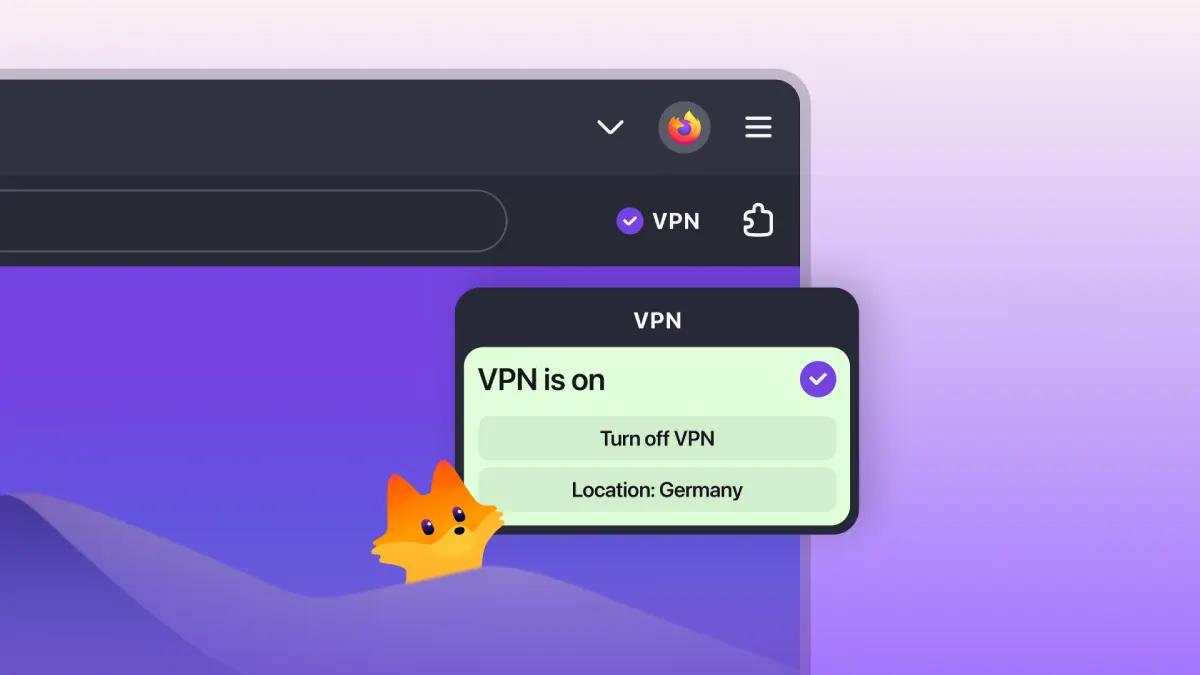
This push to bake everything directly into the browser matches what we saw in October when Mozilla highlighted built-in Firefox protections like its free 50 GB browser VPN and email masks.
At the same time, Firefox is locking down how extensions behave. Add-ons are now blocked from reading local files on your computer unless you explicitly give them permission, and the browser treats email links like pop-ups so sketchy sites cannot spam your mail app.
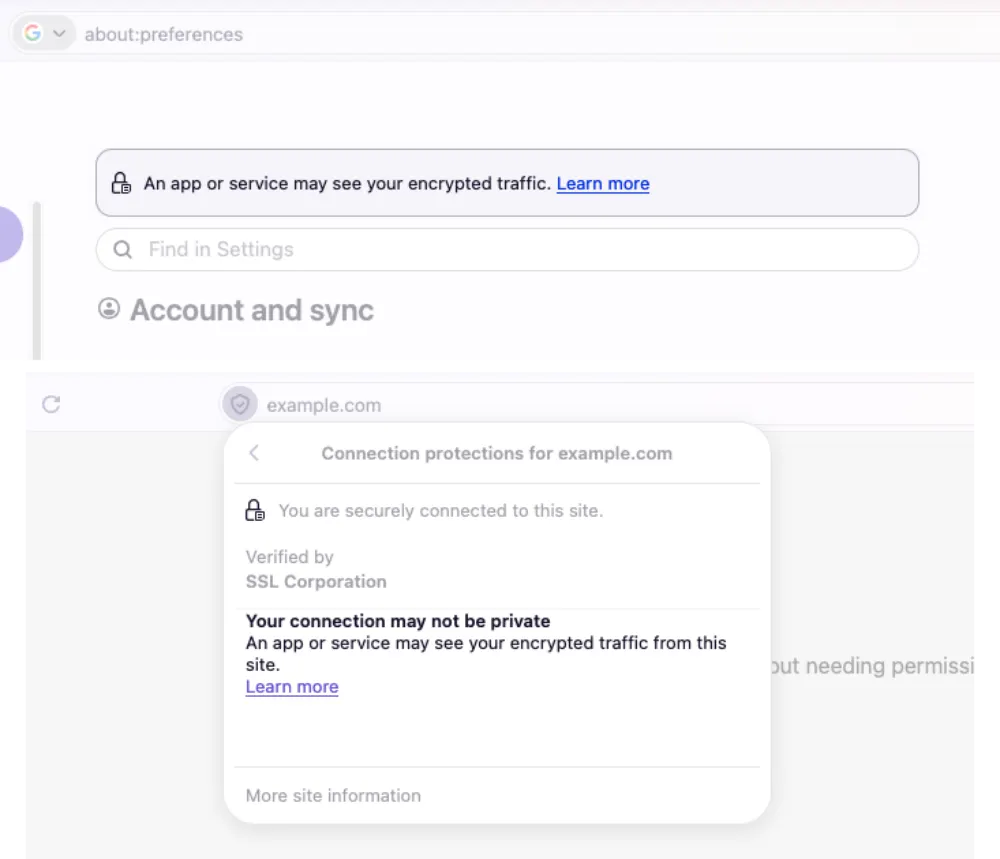
Starting in Firefox 157, the browser also warns you in the address bar if someone else on your system is logging or intercepting your encrypted web traffic.
These moves are clearly calculated and fit the roadmap we saw in June, when Mozilla launched a new nonprofit for the AI era to coordinate funding and keep privacy-conscious users from jumping ship.


Dwayne Cubbins
3178 Posts
I cover fast-moving stories across apps, online platforms, and everyday tech — phones, wearables, consoles, and whatever else people are fighting with this week. Bugs, rollouts, scams, policy enforcement, and the occasional internet-culture rabbit hole are all fair game. My goal is simple — make confusing tech news readable. When I'm not working, I'm working out or chilling with my dog. Got a tip? You can find me on X @dcubbins.