


The Browser Company just pushed out Dia 1.56.0 on Mac and version 1.5.0 on Windows, and the changelog makes it seem like a peace offering for grumpy Arc users. With Arc officially shutting down in December, the team says a huge wave of holdouts has finally started moving over during the past two weeks.
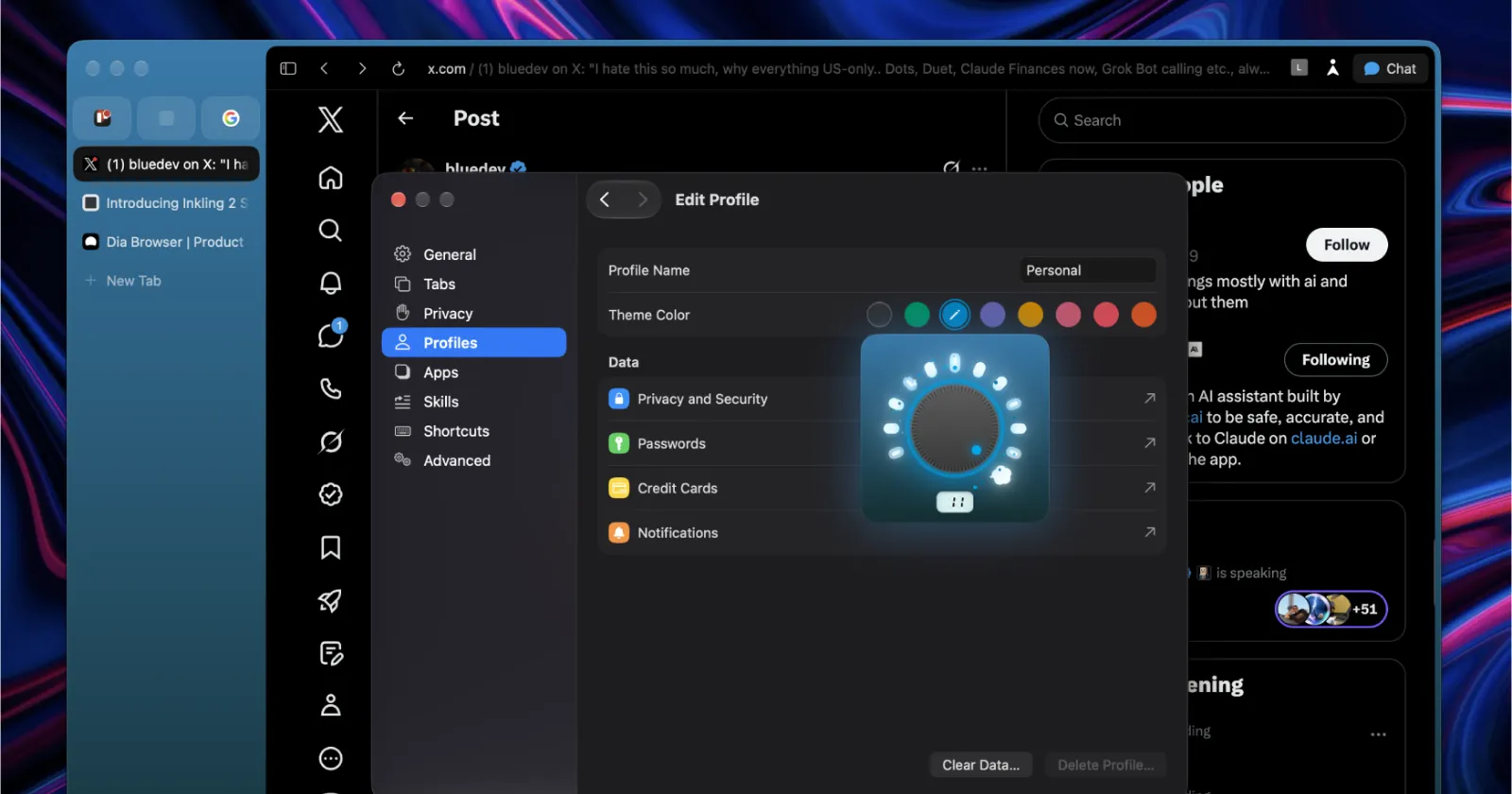
To make that transition sting a little less, both desktop apps now include Link Rules that Dia’s social team accidentally leaked on X last week. However, I noticed that the settings menu revamp shown in that screenshot still isn’t here. So we might have to wait a bit longer for the settings page redesign.
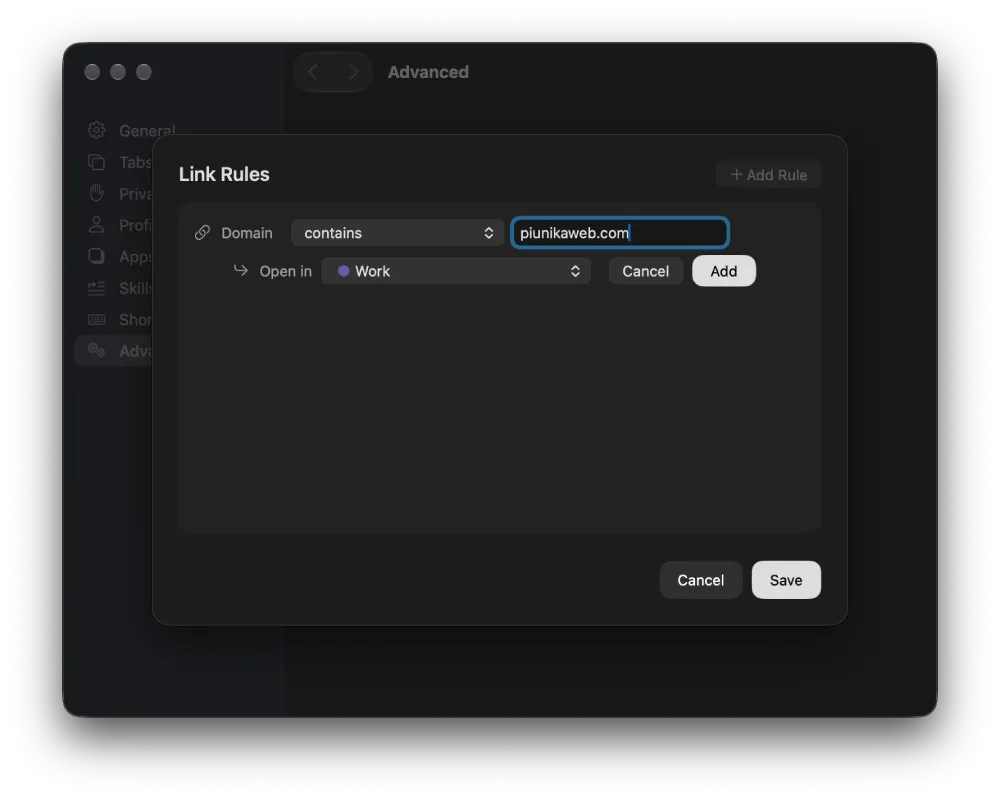
For those unaware, Link Rules works just like Arc’s old Air Traffic Control by automatically opening specific web links in the right profile. If you keep dragging tabs between profiles, Dia will even pick up on the habit and offer to set up a rule for you.
In addition, the update addresses a frustrating shortcoming many users have been complaining about. It now makes it much easier to default your address bar straight to a regular search engine instead of triggering an AI chat every time you type.
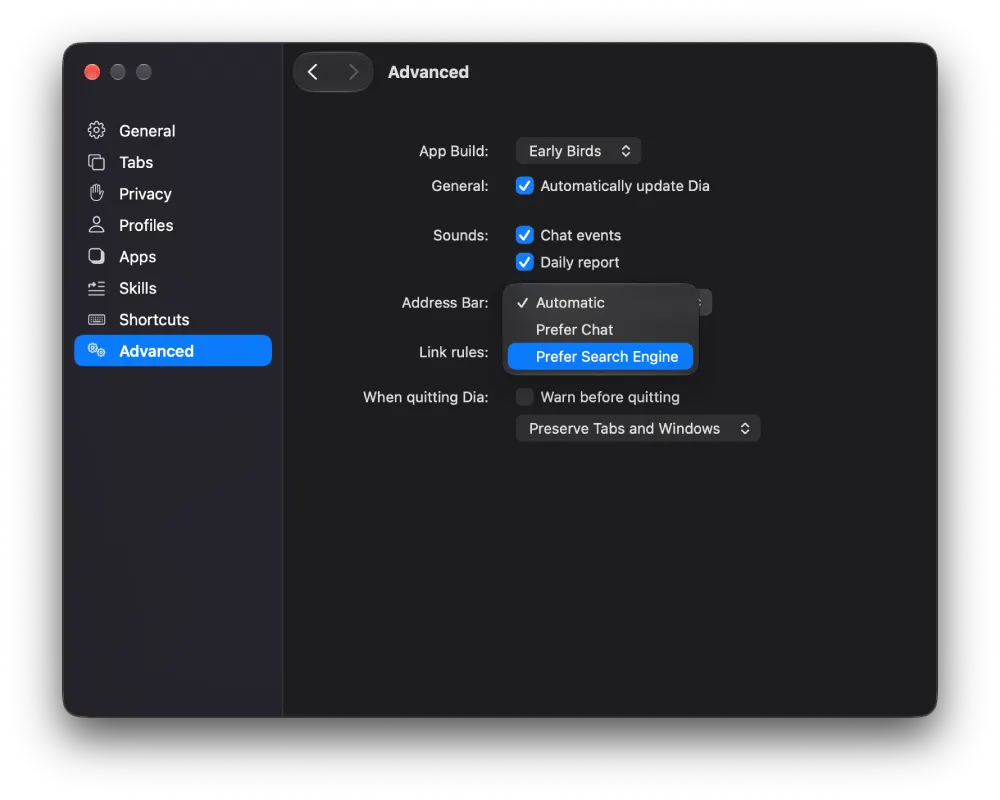
The Dia account on X even clarified that new members importing from Arc will notice the address bar defaulting to a search engine by default.

That said, on Mac, the most fun addition is a new theme intensity dial tucked inside the profile settings. It lets you dial your profile color up or down, and I also noticed it has subtle haptic feedback as you turn it.
But I must admit that the glowing knob looks a bit out of place next to the rest of Dia’s flat design language, almost like a leftover Arc widget, though I’m still digging it.
we pushed a lot of great stuff into this week’s @diabrowser release
i hope you have as much fun playing with this as i had building it! https://t.co/8WmTuJqgwO
— christine røde (@chrstnerode) November 5, 2026
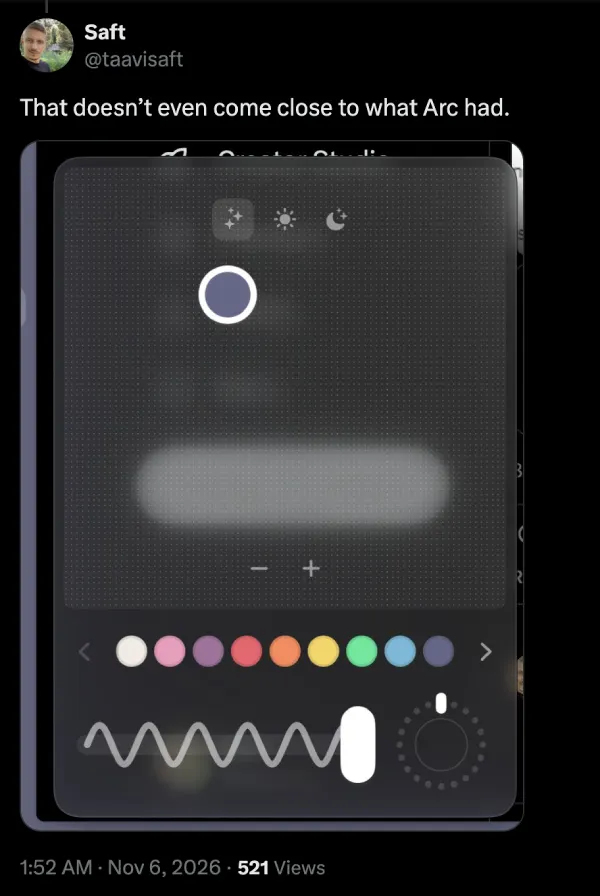
Hardcore Arc fans aren’t nearly as thrilled with the limited color presets, with X user Saft pointing out that “that doesn’t even come close to what Arc had.”
There is also a new option on Mac to lighten the gray theme so the browser matches native system styles better. I appreciate the thought, but as someone who actually likes having color on my screen, I won’t be using it.
For those who actually use the AI features after last week’s auto-connect update, you can now tell Chat to group, rename, recolor, or dissolve your tab groups using plain English on both Mac and Windows.
Meanwhile, the Windows app now lets you attach and read PDFs directly in Chat, fixes middle-clicking across bookmarks and history, and picks up the same Chromium M157 engine upgrade as macOS.


Dwayne Cubbins
3184 Posts
I cover fast-moving stories across apps, online platforms, and everyday tech — phones, wearables, consoles, and whatever else people are fighting with this week. Bugs, rollouts, scams, policy enforcement, and the occasional internet-culture rabbit hole are all fair game. My goal is simple — make confusing tech news readable. When I'm not working, I'm working out or chilling with my dog. Got a tip? You can find me on X @dcubbins.