





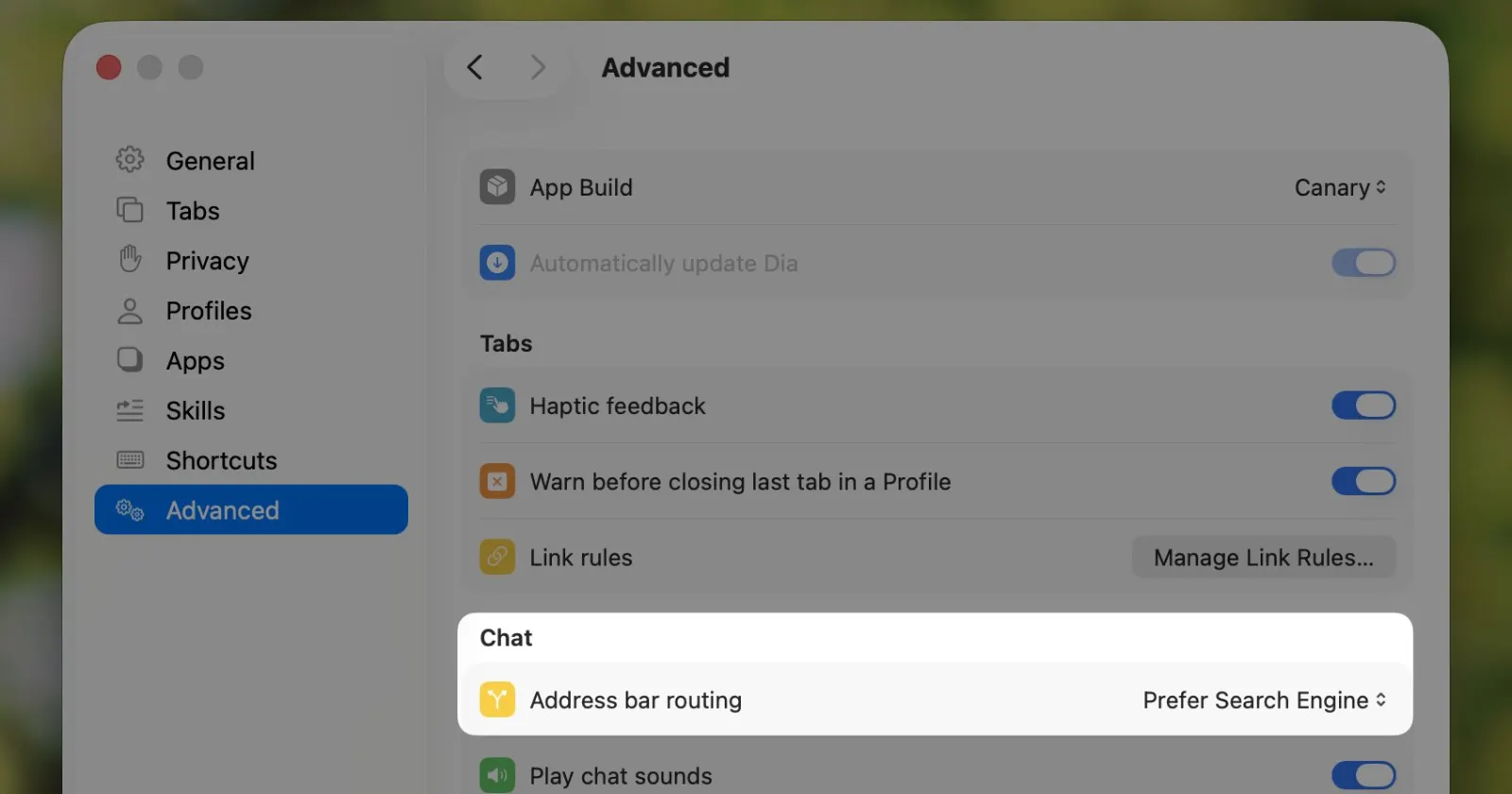
Earlier today, while scrolling through my feed on X, I noticed a reply from the Dia browser account explaining how to turn off the built-in AI features. Someone had posted that “We do not need AI features. Make them optional. Enable/disable setting.”
Dia’s social person jumped in to tell them, “You can turn it off in the Address Bar by going to Settings > Advanced > Prefer Search Engine,“ and attached a screenshot of the menu. But I quickly noticed that the screenshot they shared looked completely unfamiliar.
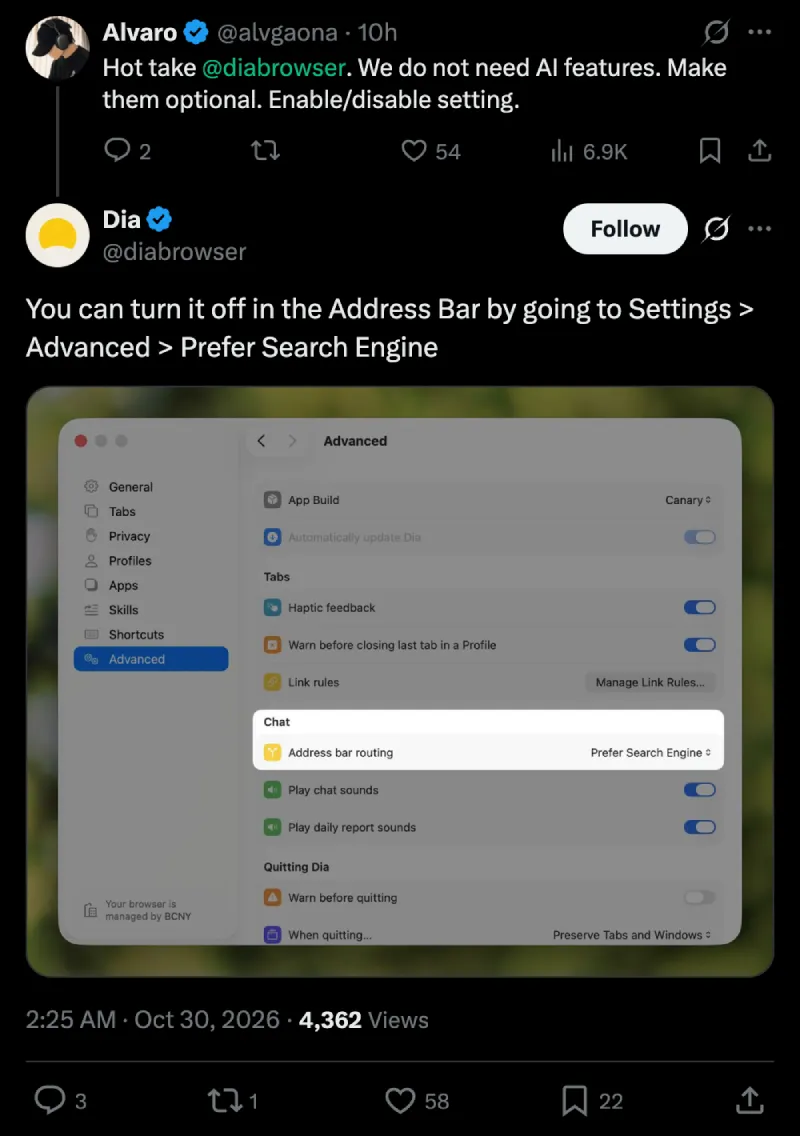
When I opened up my Mac a couple of hours later, I confirmed that I was not tripping. The settings page doesn’t look anything like what they shared.
Mind you, I’m on the latest Dia 1.55.0 (89731)-RC build in the Early Birds channel, which is supposed to have the newest stuff before regular users get it. Other people in the replies noticed the mix-up right away too. A user pointed out that “nobody’s settings look like this.”
If you look closely at the image the Dia team shared, their App Build dropdown is set to a Canary channel that isn’t available to the public yet. There is also a little note in the bottom left corner saying the browser is managed by BCNY, confirming the screenshot was taken on an internal employee build.
Right now on my Mac, the Advanced page is a pretty basic list of checkboxes and a couple of dropdown menus.
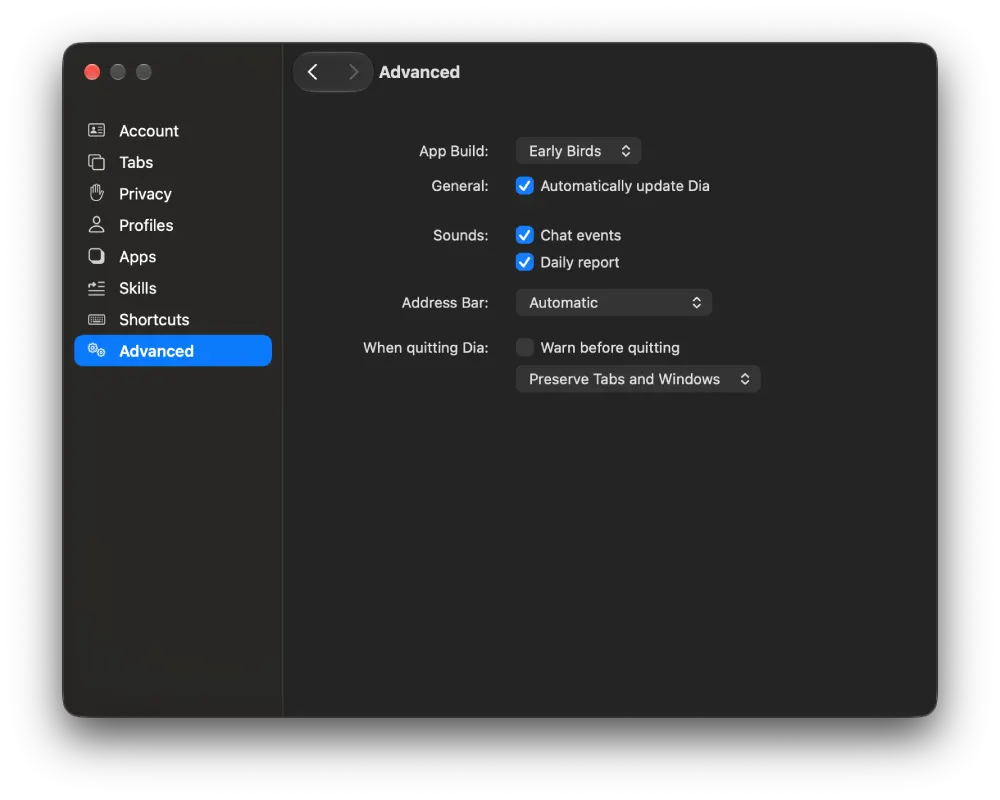
The leaked Canary menu completely reorganizes everything into neat boxed sections for Tabs, Chat, and Quitting Dia, while swapping the old checkboxes out for modern toggle switches.
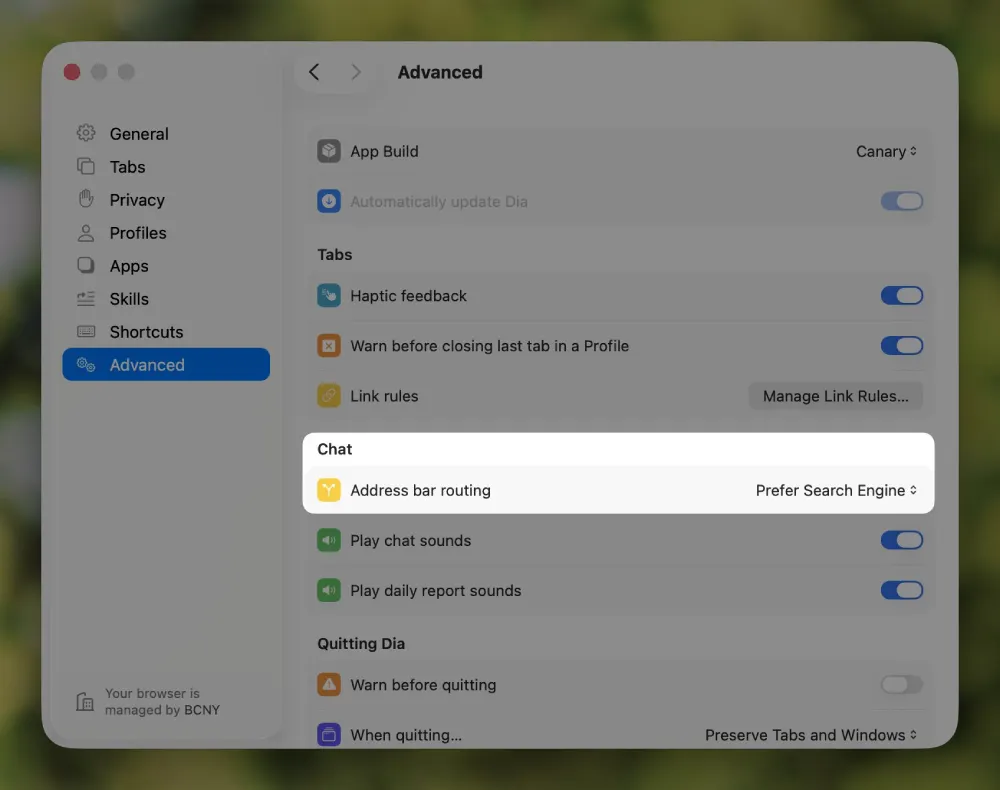
The actual option they highlighted is different too. In my current build, the setting is just labeled Address Bar and sits on its own, whereas the unreleased page moves it under a dedicated Chat header and renames it to “Address bar routing.”
But what might be the biggest new feature for many is the addition of a “Link rules” setting. This sounds a lot like Arc’s old Air Traffic Control feature that lets you automatically route specific web links into certain profiles.
With Arc shutting down in December, it looks like The Browser Company might be gearing up to add more familiar features from the beloved browser to Dia.
That said, if you can wait for the official update to come out with the new “Link rules” feature, you can check out this third-party app that we highlighted earlier this week.


Dwayne Cubbins
3165 Posts
I cover fast-moving stories across apps, online platforms, and everyday tech — phones, wearables, consoles, and whatever else people are fighting with this week. Bugs, rollouts, scams, policy enforcement, and the occasional internet-culture rabbit hole are all fair game. My goal is simple — make confusing tech news readable. When I'm not working, I'm working out or chilling with my dog. Got a tip? You can find me on X @dcubbins.