





The Browser Company has rolled out a new update for Dia, bumping the browser to version 1.53.0 on Mac and version 1.2.0 on Windows. According to the official changelog, this release focuses on developer tools, smoother Arc migrations, and faster AI chat responses.
Just a week after Dia brought Arc-style pinned tabs to both platforms, the team is fixing another headache for people switching from Arc. If you use GitHub Live Folders in Arc to track code changes, Dia now converts them into Live Groups during import so your “pull-request workflows do not need to be rebuilt” from scratch.
Importing from Arc on Windows also switches Dia to vertical sidebar tabs automatically now, so your tabs “stay in the vertical layout you’re used to from Arc.” For developers juggling related GitHub pull requests on Windows, Dia now groups them into collapsible stacks so they do not clutter up the sidebar.
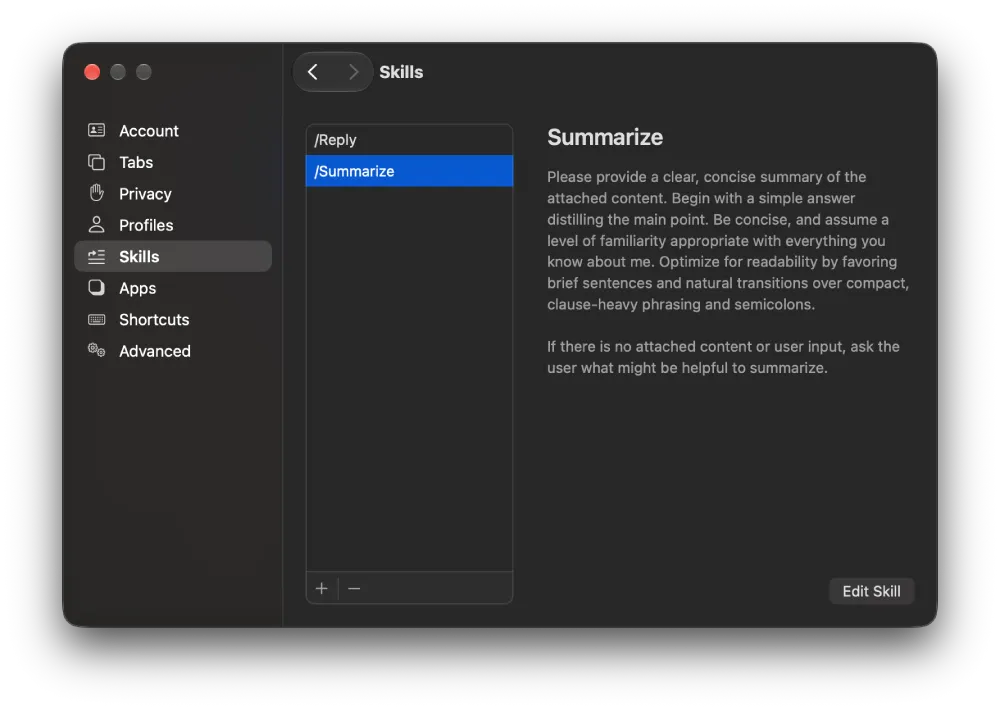
If you joined after Dia launched on Windows earlier this month, the biggest change in version 1.2.0 is Skills. PC users can now use built-in Skills or create their own — reusable shortcuts that tell the AI how to handle repetitive tasks without having to type out a long prompt each time. Here’s a screenshot of the feature on Mac, but it should be the same on Windows too.
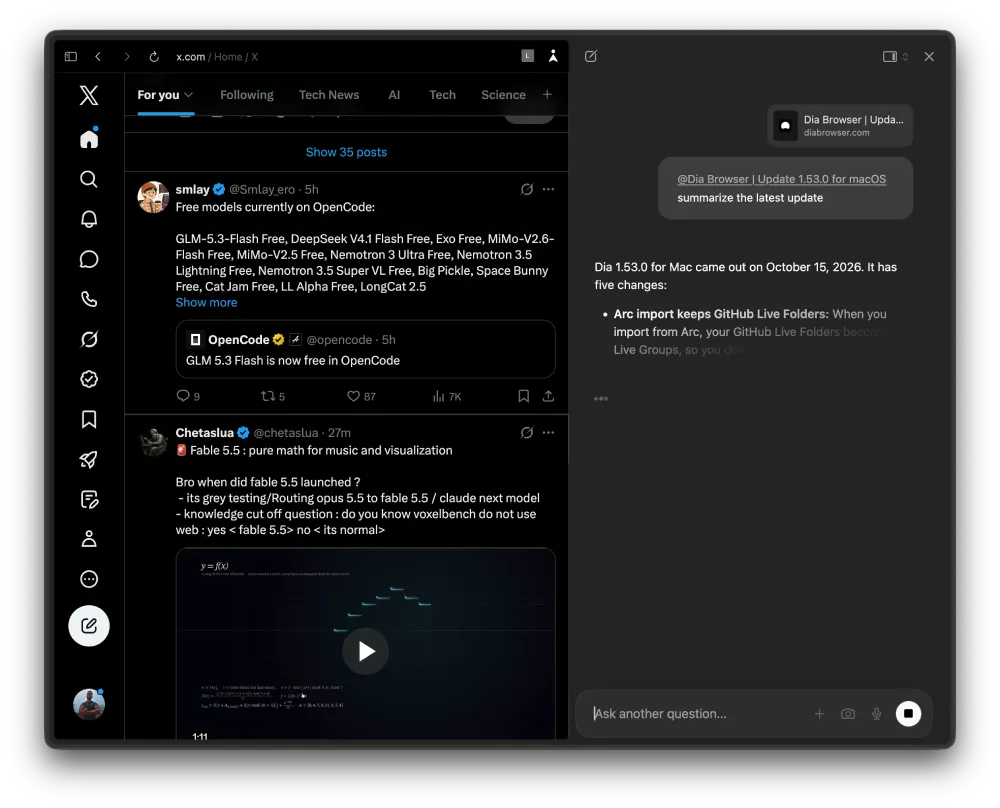
Both updates also tackle the annoying delay before the AI chatbot starts replying by matching thinking time to how hard your question actually is. Instead of overthinking every prompt, Dia now “answers simple questions directly and reserves deeper thinking and research for complex questions.”
When you ask about your current page or tag a tab, Dia grabs that context right away instead of doing extra background work first. When I tested this on a Mac, I did notice a slight increase in the response time compared to previous versions, but it’s not exactly blazing fast.
On Windows, web search results and work guidance also load inline now, shaving off another second or two and building on the steerable chat controls from the macOS 1.51.0 update.
Mac users have a shorter list of changes this week, though a major audio annoyance is finally gone. Chat and Morning Brief chimes will no longer hijack your Bluetooth headphones and interrupt your music or podcasts, and sidebar transitions look much smoother too.
Meanwhile, the Windows build packs in several smaller interface tweaks to catch up with macOS. You get a “Back to Pinned” button on tab icons to return a pinned tab to its original link, Ctrl+Enter in the command bar to jump to an open tab, and better contrast for tab groups in light and dark modes.


Dwayne Cubbins
3123 Posts
I cover fast-moving stories across apps, online platforms, and everyday tech — phones, wearables, consoles, and whatever else people are fighting with this week. Bugs, rollouts, scams, policy enforcement, and the occasional internet-culture rabbit hole are all fair game. My goal is simple — make confusing tech news readable. When I'm not working, I'm working out or chilling with my dog. Got a tip? You can find me on X @dcubbins.