






It's Windows Wednesday!! Episode 10 features Farah, walking you through connected Apps in Dia on Windows, and the powerful context you can add to your work day. pic.twitter.com/fjxxmd0yJH
— Dia (@diabrowser) September 30, 2026
After a few updates that brought almost nothing interesting to the table, The Browser Company has now bounced back with the latest two versions of Dia on macOS. The v1.51.0 update brings a huge list of user-facing changes and new features, and it’s one of the most exciting updates in a while.
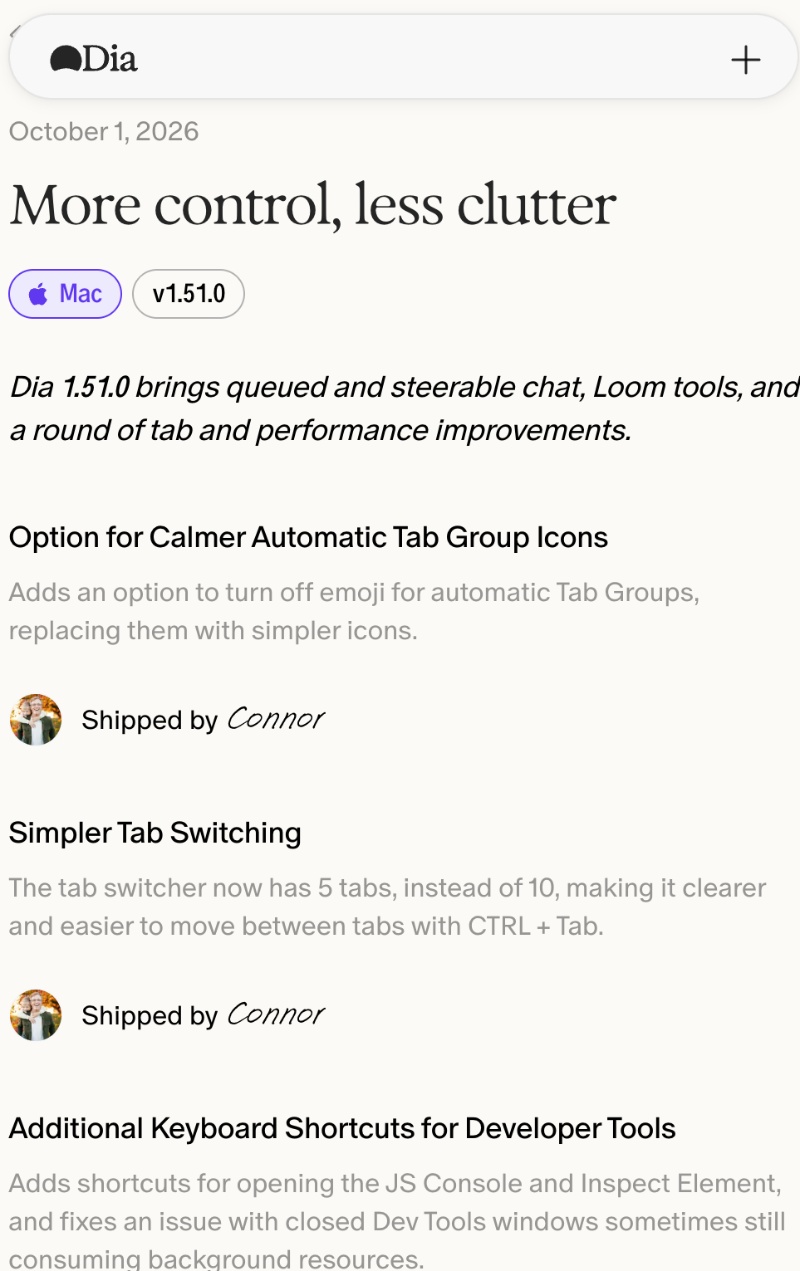
The update landed on October 1, and I have attached a screenshot of the changelog page below. Since the list is quite lengthy, the image only displays a few of the changes. The previous update, v1.50.0, also gave the browser a fresh coat of paint, so it’s quite an interesting time to be a Dia user.
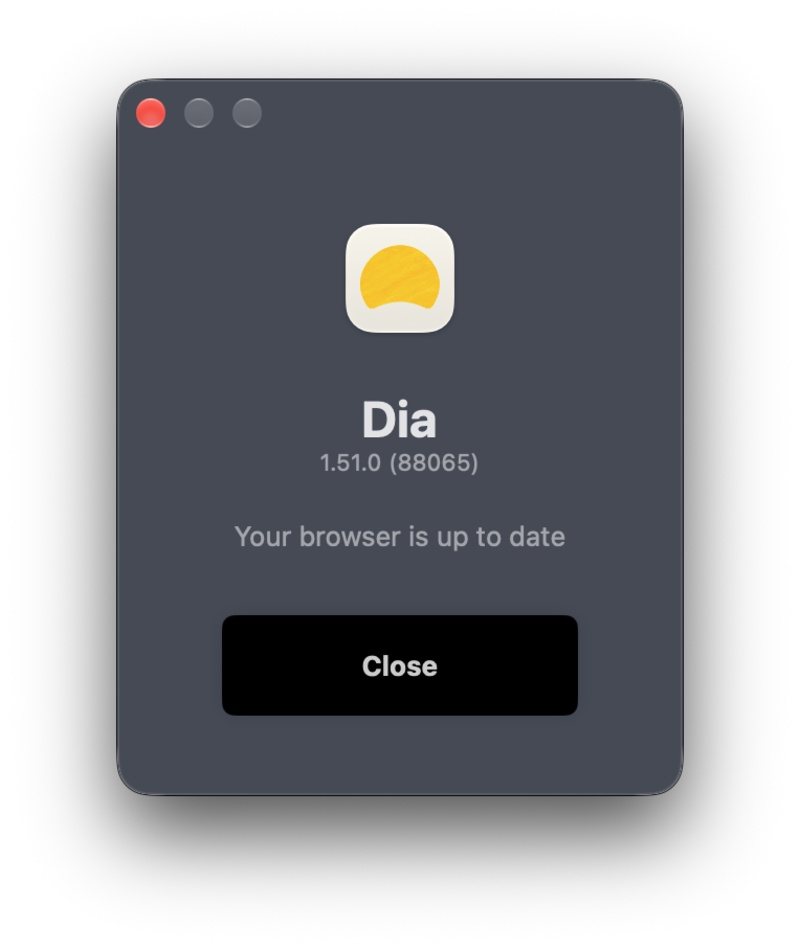
As expected, the update showed up after I opened the browser. It had automatically installed in the background, and I just had to restart to apply it.
Here’s a list of the important changes I found:
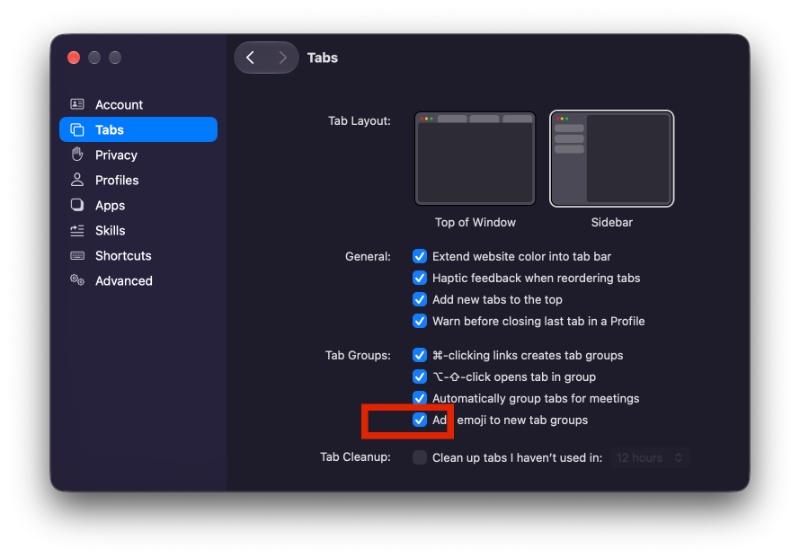
- Calmer automatic tab group icons: Sometimes, Dia automatically groups tabs and then puts an emoji on the group. Now, you can turn these emojis off and use plain icons instead. Under Dia settings, you’ll find the option in the “Tabs” section.
- Simpler tab switching: Earlier, the Control + Tab keyboard shortcut used to show 10 recent tabs. Now, it shows only 5, so the list of tabs is shorter, which makes it easier to skim through.
- The Recent tabs switcher now resembles Arc: The recent tabs switcher has been restyled to match Arc’s layout.
- Pinned tabs will now show up in tab search. Earlier, searching used to skip the pinned tabs.
- Smoother profile swipe: The animation when you swipe to switch profiles won’t drop frames and stutter as much.
- Queue & Steer chat: While Dia is still answering an existing question, you can still send it another message. Instead of this message disappearing, it’ll still wait in a queue. You also have the option to redirect Dia mid-answer, and this is quite a useful feature.
- Type while dictating: You can type into the command bar while dictating at the same time.
- Loom tools: Provided Loom is connected, Dia can search through your Loom videos, read transcripts, and more.
- HEIC photo support in chat: Dia chat now accepts photos in the HEIC format (which is commonly used on iOS). You no longer have to convert these images to JPEGs.
- Better Notion reading: Dia uses Notion’s API to read pages now.
- Other changes: Smoother window resizing, extra shortcuts for developer tools, enterprise Slack link bugs have been fixed, updated to Chromium M155.
You can find the entire changelog on the official Release Notes page. For those unaware, The Browser Company has recently started sharing more elaborate and descriptive changelogs once again. If you recall, we’ve complained numerous times about the Release Notes section being too information-sparse, filled with personal notes from employees. That has thankfully changed now.
Unrelated to the macOS update, Dia has also shared their usual weekly update for Windows Wednesdays. It’s scheduled for a fall 2026 release, and the latest episode walks people through the connected apps feature on Dia. I have attached the official post below.
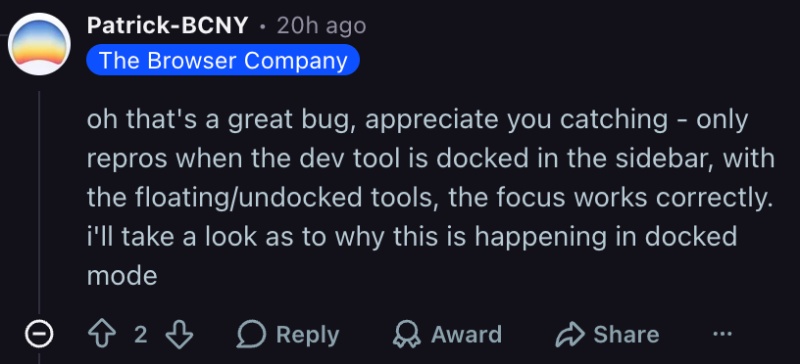
Furthermore, an employee at The Browser Company replied to a query on Reddit, which mentions a bug with Inspect Element/Developer Tools. It’s currently under investigation, and this update doesn’t fix the bug.
While this update brings back some interest in Dia, it’s not all sunshine and rainbows. The unique AI features on the browser will soon be locked behind a paywall, with the free version offering zero AI-based functionality. More on that here.
In other Dia news, the Atlassian CEO recently said that the long-term goal of Dia is to turn into an Operating System for work. We covered that here.

We stand out from the tech-media crowd because we break news stories; we mainly bring you stuff that you won’t find anywhere in the mainstream tech media. Our stories have been picked up by some of the world’s most popular websites and media outlets—more info is available here.

Sudhanshu K
306 Posts
I have been a consumer technology enthusiast for over 5 years. Thanks to my experience in software beta testing and product reviews, I've understood and learnt a lot about what bugs and issues bother people, and I spend time trying to simplify their solutions. I cover smartphones, software, social media, apps, AI, and most consumer tech gadgets. Actively pursuing a Computer Science bachelor’s degree. I'm mostly active on Twitter/X (@TechWhirlUlt), drop a DM or tag me if you want to share info or connect!