





A new Dia update has just arrived, and it’s focused on simplifying app setup and improving chat responses. It includes some minor yet impactful changes that improve the experience.
The latest version of Dia at the time of writing is v1.55.1, and though the changelog attached below is for v1.55.0, there isn’t a noteworthy difference between the two. The .1 update is typically a minor follow-up/patch and doesn’t bring anything new.
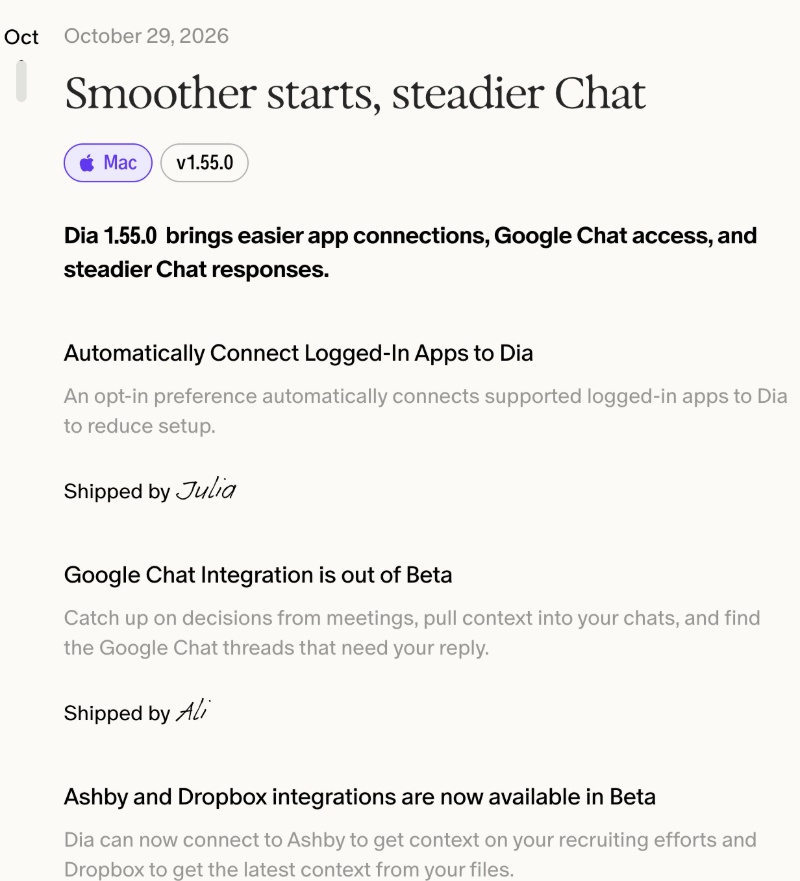
Expectedly, the update had already installed in the background. I just had to restart Dia to apply it. If you haven’t yet installed this update, you can do so from the “Check for updates” option, which is available from the menu bar.
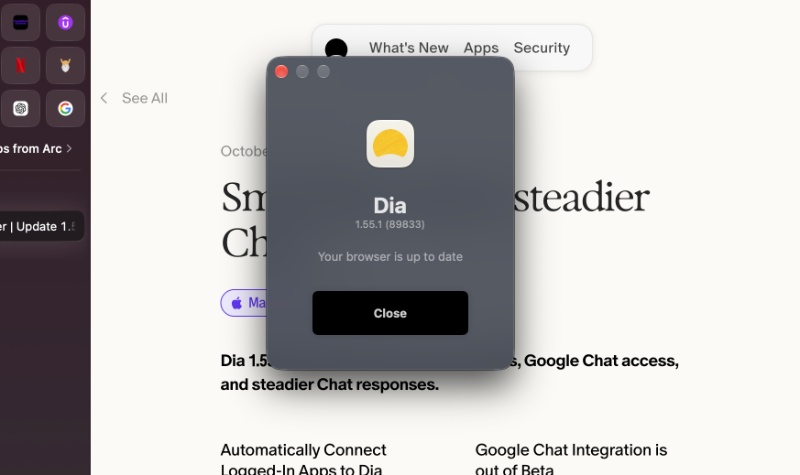
Here are the 6 important changes that they’ve added in this update:
- Automatically connected logged-in apps: If you’re already signed into supported apps in Dia, there’s a new (optional) setting that lets you link them automatically. You don’t have to connect each app by yourself. This reduces the number of setup steps involved, making it simpler to use. However, you still control this, and the option isn’t enforced. It helps in speed, since the AI can obtain useful context faster.
- Google Chat is fully available: Dia can now properly read and use your Google Chat conversations. You can ask it to pull relevant threads into a chat, find messages, and more. It’s a proper connected tool now.
- Integrations for Ashby and Dropbox are now available in beta. For those unaware, Ashby is a recruiting/ATS platform, and Dia can pull context about your hiring work. Dropbox is a cloud-based file storage system.
- Pinned group tabs stay there when you close them: Closing a tab inside a pinned group won’t delete the tab from that group now.
- Dia Chat no longer gets stuck on some messages. If your message contained invisible characters (which some sources may have, or it was copy-pasted), this could freeze the chat. It won’t occur now.
- Improvements to chat loading: Chat now shows a simple loading bubble that smoothly transitions into the action that it’s taking.
You can view the entire changelog here. Overall, this update is mostly a polish update. Less manual setup for connected apps, direct integration for Google Chat, and improved Dia Chat. There isn’t anything flashy, and that’s probably because more features are planned for future updates.


Sudhanshu K
355 Posts
I have been a consumer technology enthusiast for over 5 years. Thanks to my experience in software beta testing and product reviews, I've understood and learnt a lot about what bugs and issues bother people, and I spend time trying to simplify their solutions. I cover smartphones, software, social media, apps, AI, and most consumer tech gadgets. Actively pursuing a Computer Science bachelor’s degree. I'm mostly active on Twitter/X (@TechWhirlUlt), drop a DM or tag me if you want to share info or connect!