The “discontinuation” of Arc is one of the biggest tragedies in modern browser history. Sure, the browser still exists. You can download it and use it, but it’s in maintenance mode. Arc still gets fairly regular security updates and Chromium version bumps, but the company isn’t building any new features for it anymore.
I first discovered Arc through an advertisement on YouTube, and it packed so many interesting features while having a design that was, at the time, never seen before. The website customization (Arc Boosts), the colorful themes throughout the interface, the way it pins your favorites, Auto PiP, and beautifully organized vertical tabs — everything drew me in.
And I signed up for the beta almost immediately. It was back when even the macOS version of Arc was still in beta. I have to say, I didn’t immediately switch away from Chrome after installing Arc. At launch, the browser was very buggy, with frequent crashes, and had many missing features. A few weeks later, I made the switch after things got better, and have been on this browser ever since January 2023.
Despite the company behind it effectively abandoning the project except for doing the bare minimum, I still use this browser to date. This article explains why. With all the background information now out of the way, here are the features that keep me coming back, despite trying so many other browsers:
1: Little Arc windows
When you open a link from an external app, such as Telegram, the link won’t immediately open in your main browser workspace. Instead, it’ll open as a “Little Arc” window, which is essentially a floating tab. If your interaction with that tab doesn’t require integration into your workspace, you can simply close it out after you’re done with it. Right-clicking on any link also gives you an option to open the tab in a Little Arc window.
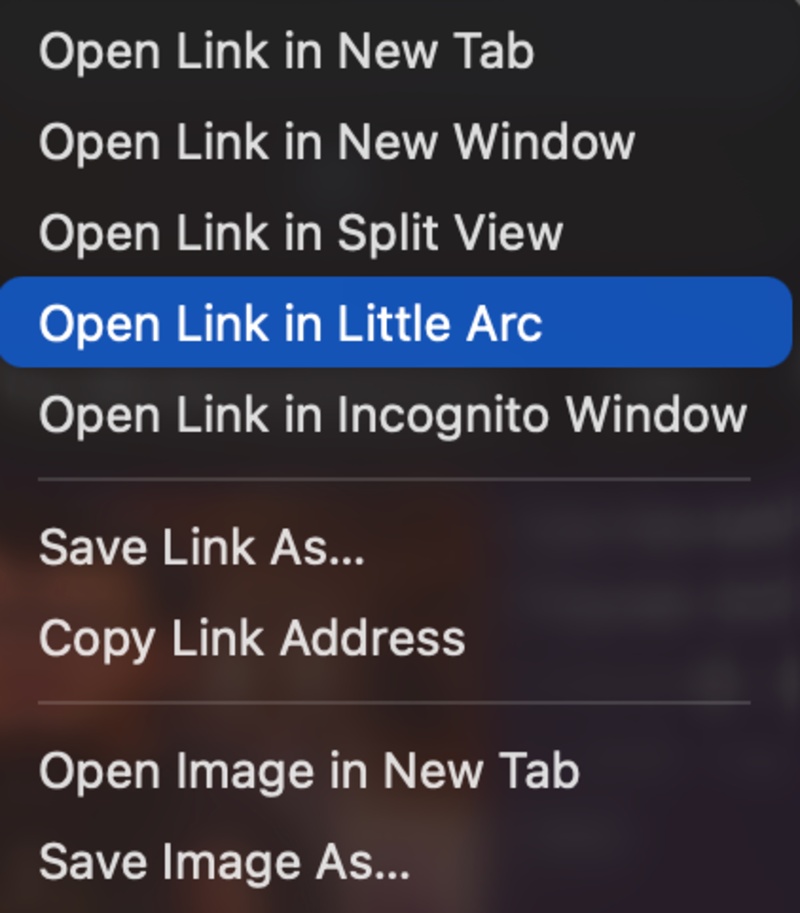
Otherwise, you have the option to expand it into whichever workspace you’re in. This is a very neat feature that avoids tab cluttering, and I use it all the time for disposable tabs which I don’t want in my main workspace.
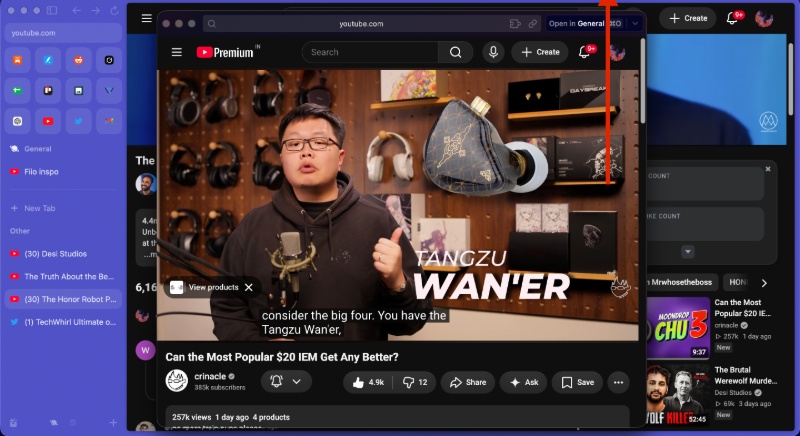
Most other browsers have already copied Arc Boosts (website customization), the media tab, and other features, even the aesthetics. However, this feature remains unavailable on all of the Arc alternatives I’ve tried so far, including Zen. This feature is also called “Peek.”
2: Arc Boosts
Yes, Zen has copied and pasted the exact same feature, but that’s the only other browser doing this right now. Edge has a similar concept with “Remix,” but it’s not the same.
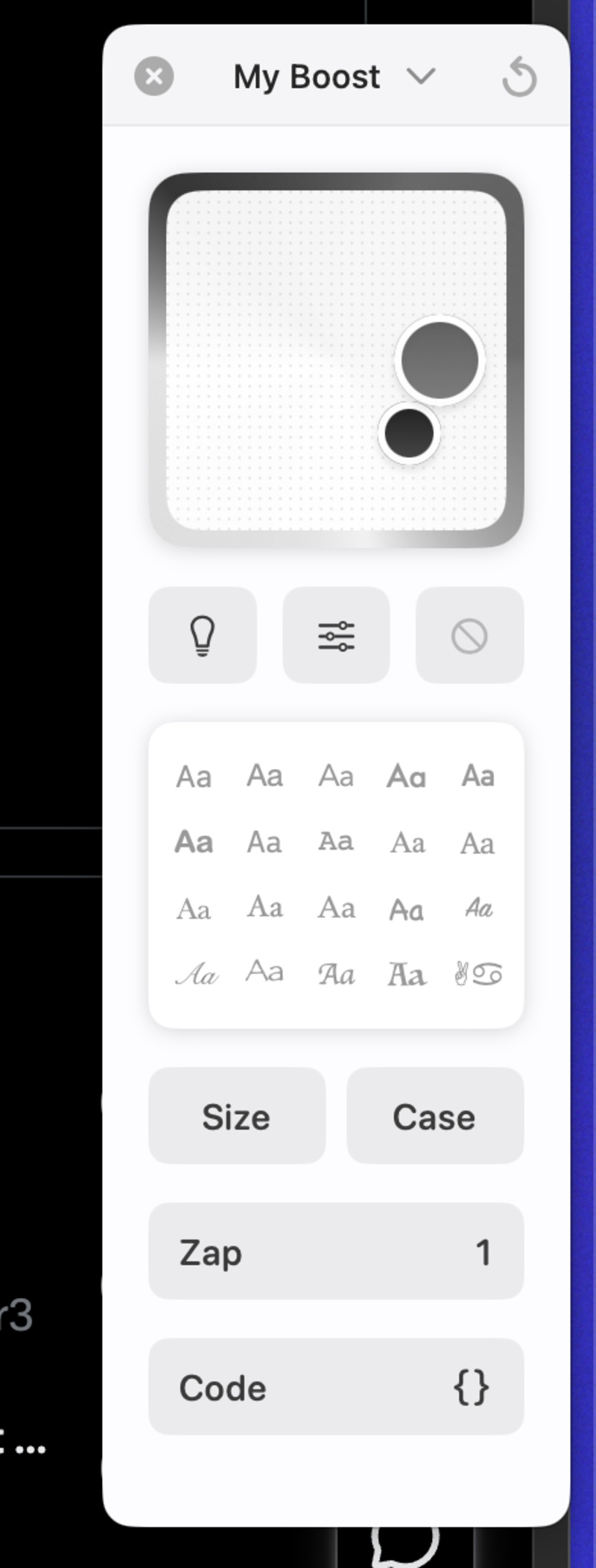
Boosts are basically a way of customizing the color theme and fonts on your browser. Don’t like a specific element to appear on the page? Just “Zap” it and it won’t appear the next time you load it. Sure, you can achieve a similar effect through multiple extensions, but that won’t give you the convenience of a native integration.
3: Media Tab
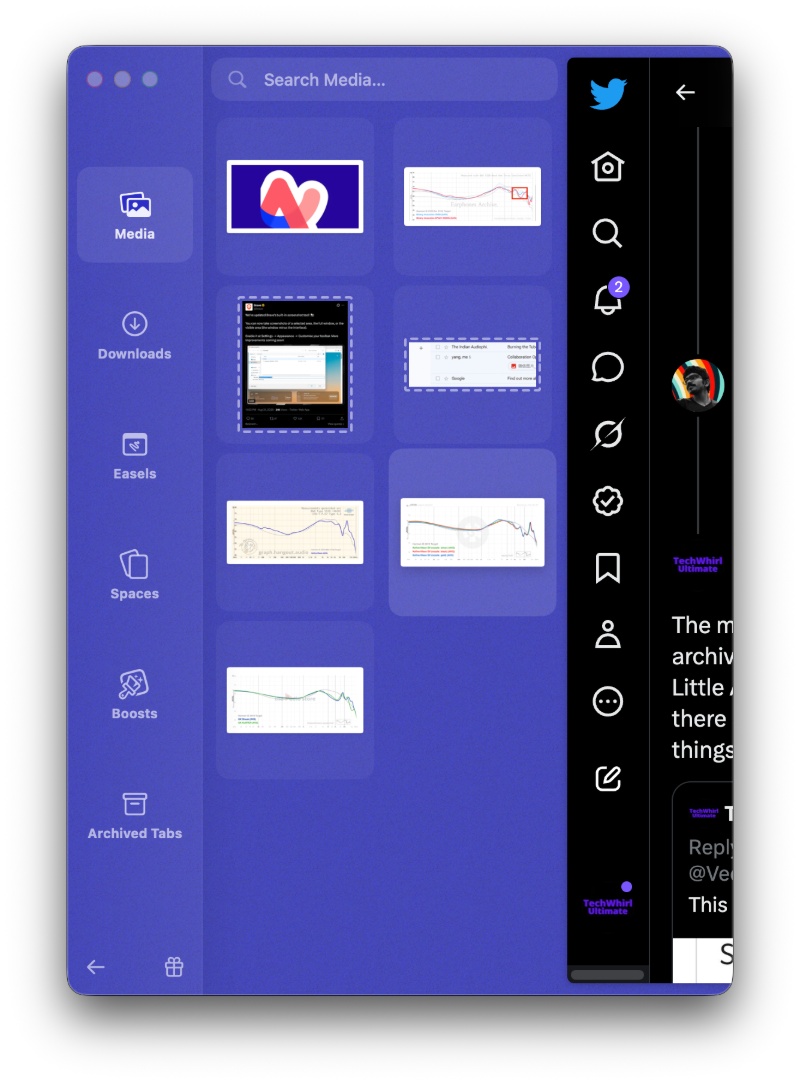
Swiping all the way left reveals a tab that consists of all recent images. You can conveniently drag and drop images from that section, without needing to mess around in the Finder tool.
4: Tidy & Clear Tabs
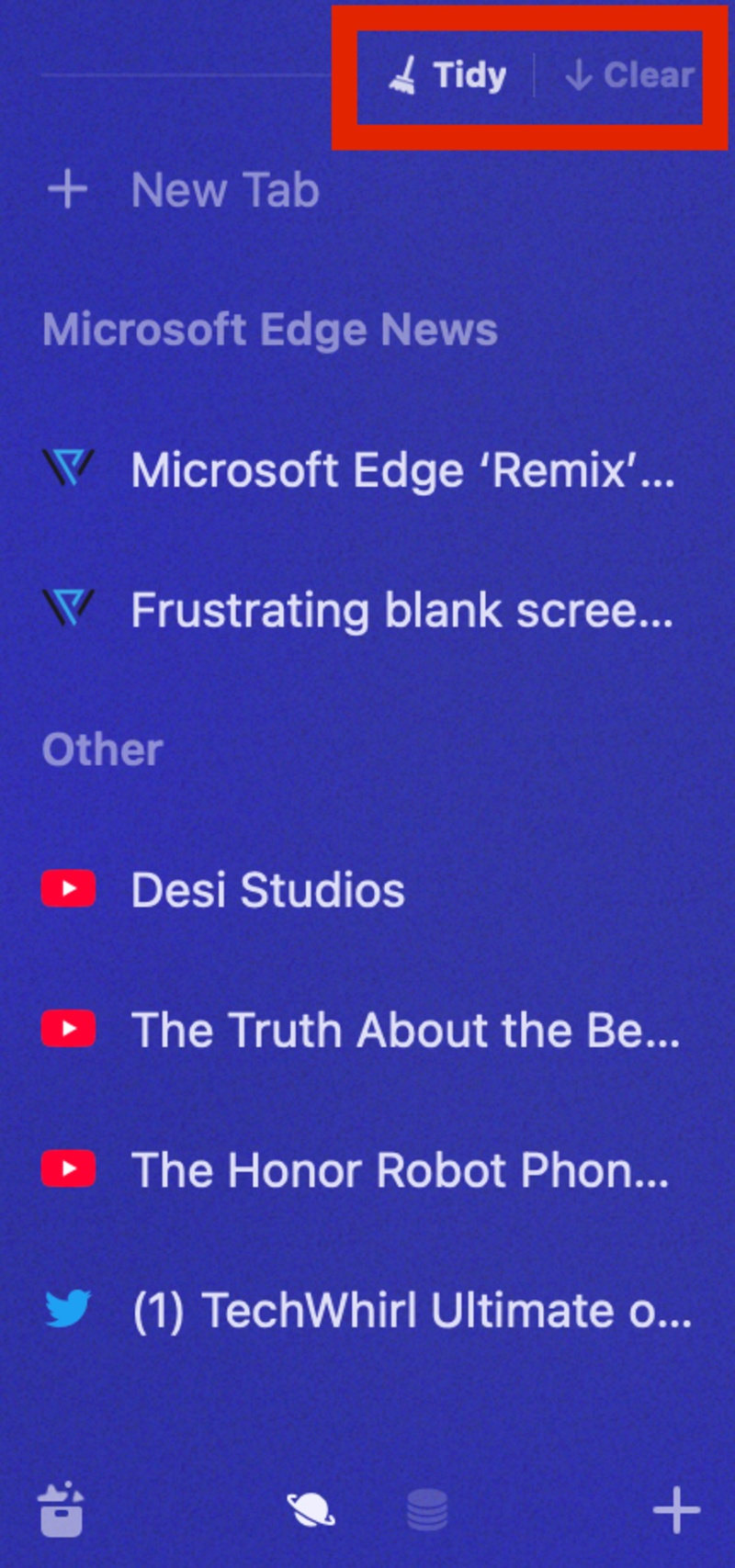
While other browsers have implemented these features…partially, I don’t think any of them have this combination natively integrated. “Tidy” is essentially automatic tab grouping, and the Clear button purges all of your tabs at once.
While the 4 features mentioned above are the major ones, there are still others (which have mostly been replicated or copied entirely by other browsers):
- The way tabs, tab folders, and favorites are organized in the vertical tab bar.
- Split screen support for up to three tabs.
- Automatic PiP windows.
- Seamless workspace/profile switching with smooth animations (already available on Dia, Zen, etc).
- Tab Archives feature.
- Built-in screenshot tools which auto-detect important areas on the screen.
- The aesthetics and color theme.
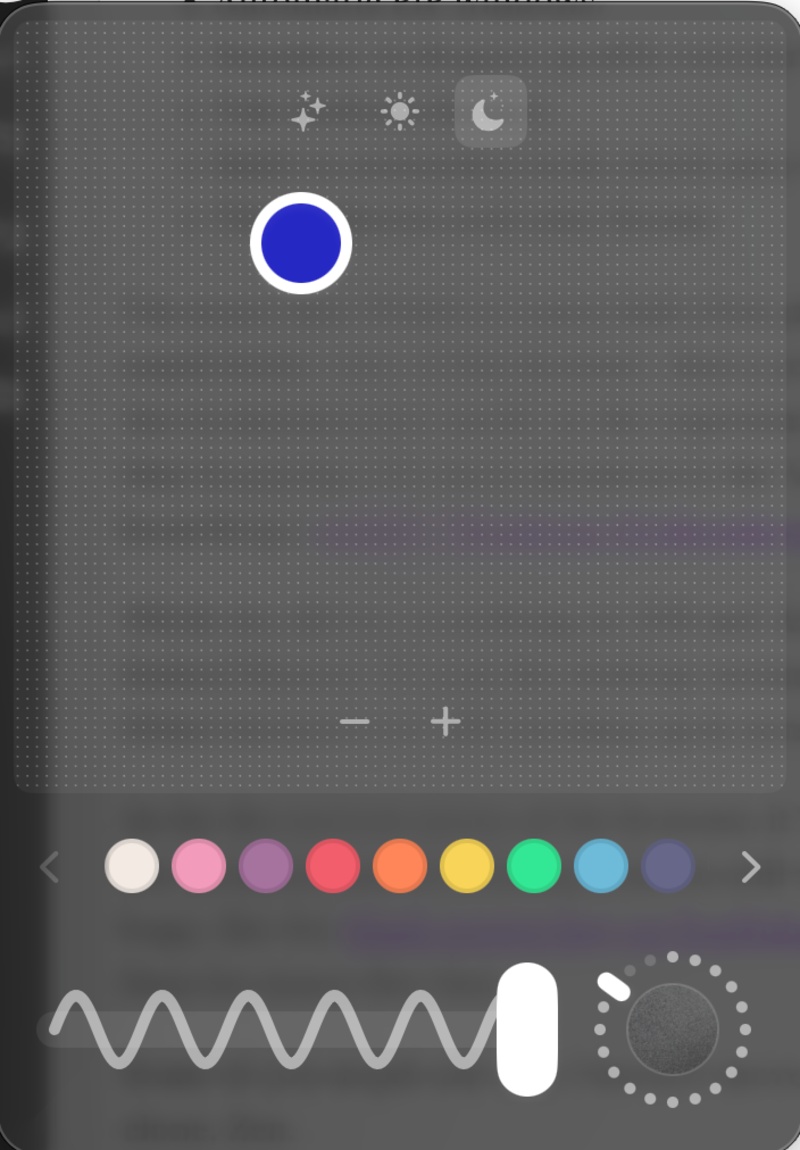
- (Now discontinued/no longer available): I used to use Arc Whiteboard/Easel a lot for rough sketching or quick idea notes, but it has been removed from the browser ever since the discontinuation.
I’m aware that Windows users had a less positive experience with this browser, and that macOS users had a much better feature situation. Just a year after the Windows launch, The Browser Company decided to put Arc in maintenance mode, so the experience never reached its peak on that platform. This is probably why they’re paying a lot more attention to the Windows version of Dia (slated to launch later this fall), even launching a weekly “Windows Wednesdays” series to explain the progress made each week.
While Arc did try something on iOS and Android with Arc Search, I never really liked it and just stuck to Safari/Chrome. It’s just the desktop version that still keeps me hooked because of the features it still offers. Other browsers are still catching up in some aspects.
As for the current status of the browser, it’s actually not a mess. There’s no obvious performance trouble, bugs are minimal, and all existing features still work. We just won’t get anything new. In case of genuinely serious bugs, like the blank screen bug on YouTube, they’re being solved in less than 48 hours, so you can expect timely fixes for issues like that.
Some of you might ask why I haven’t moved over to The Browser Company’s other venture, Dia, or the Arc clone, Zen.
Dia still does not have Little Arc “Peek” windows, which I can purge or expand into the main workspace. That has become such a habit for me, and I don’t like it when links open directly in my main tab view. Furthermore, the AI features are moving to a paid subscription soon, and none of them will remain free. They’ve recently added seamless workspace switching and brought over many features from Arc, but I don’t see a reason to switch until all of the features have been migrated. The update frequency seems to be fine, with recent ones improving the experience, like making PiP mode less sticky.
And about Zen, it isn’t a Chromium-based browser, which might matter to some of you. Once Arc completely collapses (and they stop issuing the bare-minimum bug fixes and Chromium updates), Zen is still the one I’d inevitably migrate to.
The resemblance is almost uncanny — the aesthetics are nearly identical, the way tabs work and look are the same, they’ve copied the Boosts feature, and it works the same way, there’s workspace switching, and so on. However, the lack of Little Arc (Peek) windows still keeps me away from it. Either way, Zen’s progress has been quite good lately, so I could consider it in the future.


Sudhanshu K
357 Posts
I have been a consumer technology enthusiast for over 5 years. Thanks to my experience in software beta testing and product reviews, I've understood and learnt a lot about what bugs and issues bother people, and I spend time trying to simplify their solutions. I cover smartphones, software, social media, apps, AI, and most consumer tech gadgets. Actively pursuing a Computer Science bachelor’s degree. I'm mostly active on Twitter/X (@TechWhirlUlt), drop a DM or tag me if you want to share info or connect!
Next article View Article