![Frustrating blank screen bug hits Arc browser during full-screen YouTube videos [U: Fixed]](https://piunikaweb.com/wp-content/uploads/2026/07/Arc-Blank-Screen-FI.jpeg "Frustrating blank screen bug hits Arc browser during full-screen YouTube videos [U: Fixed]")
Update 16/07/26 – 12:50 pm (IST): While no new update to the browser has arrived (the version number remains the same), the issue is now fixed. Presumably, a server-side fix was deployed, but full-screen videos now work as expected on YouTube.
Original article published on July 13, 2026, follows:
The Browser Company has all but abandoned the Arc browser. It continues to get regular security patches and the bare minimum Chromium updates. However, there have been no new features for a while, and the company hasn’t fixed a lot of old bugs either.
One particularly annoying bug has come up only after the recent update — going full-screen on YouTube returns a blank page. This is a macOS-specific bug.
You can take a look at the images below for reference. In regular view, as well as cinema view, the video appears perfectly fine.
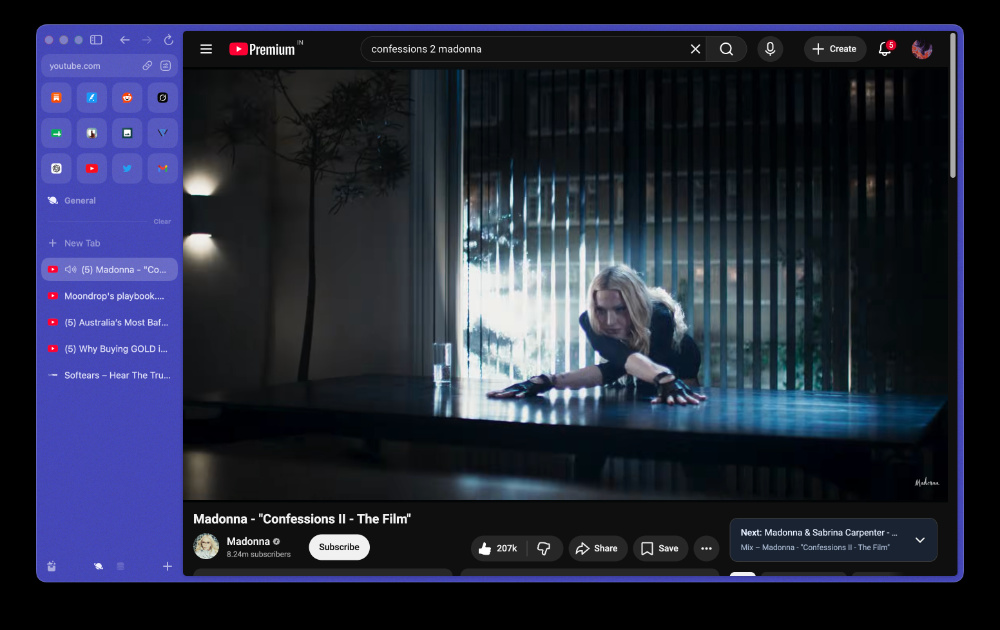
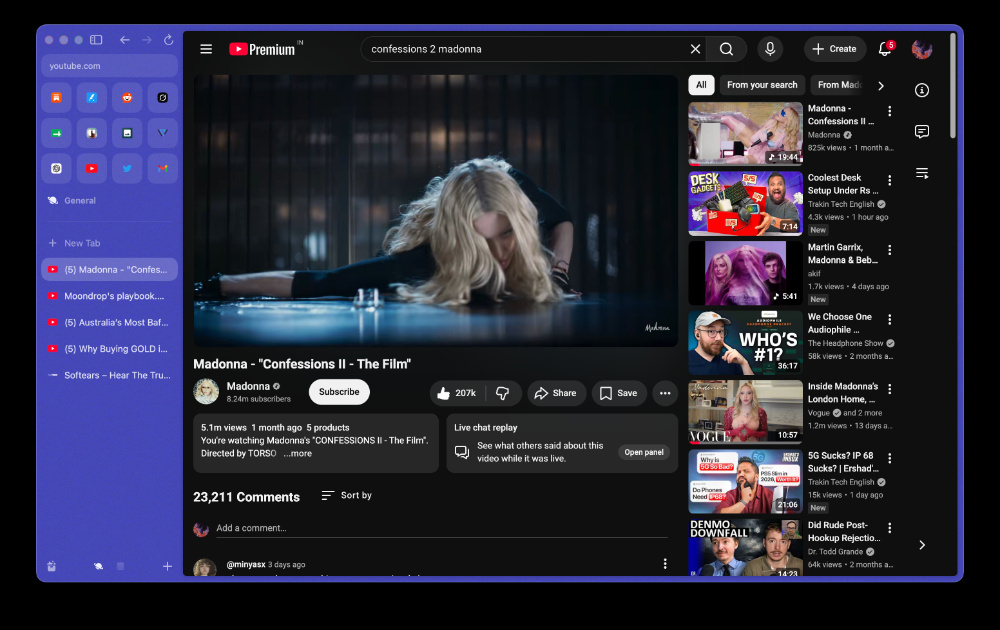
Unfortunately, once I go full-screen, the entire video goes blank. It doesn’t even show the title of the video, though the audio continues to play. You can’t bring up Stats for Nerds either.

If you’re on any version of Arc that’s below version 1.155.1 (83244), then I would recommend holding off. Do not update your browser until the company has addressed this bug, since this breaks the experience.
However, if you’ve already installed the update and you’re affected by it, there’s one simple fix: use the Command + S keyboard combination, which brings up the sidebar. For some reason, this brings the video back as well. You can use Command + S again to hide the sidebar. The video will continue to play normally after this.
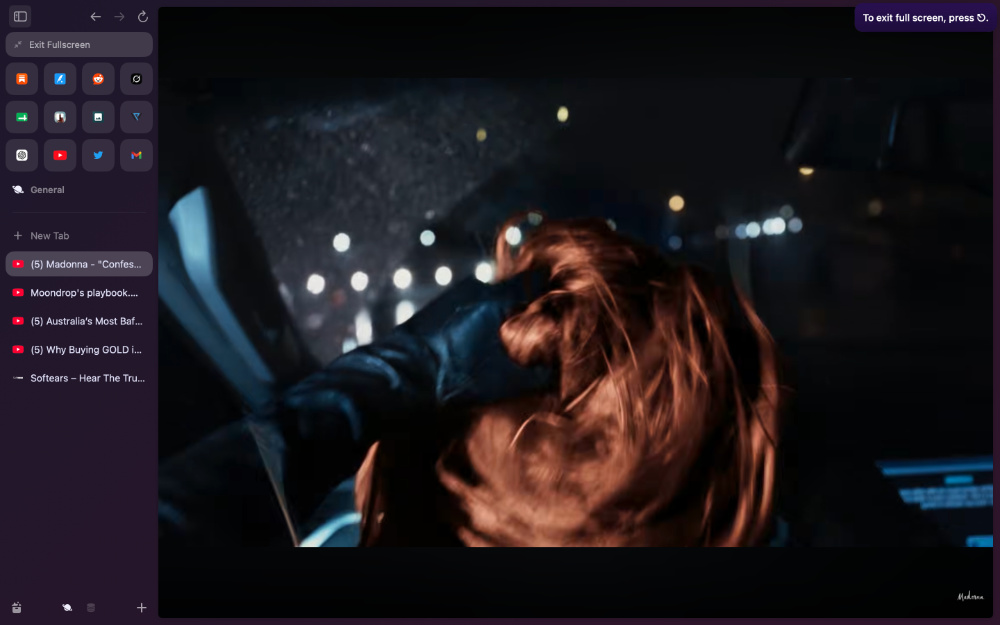
There’s one annoying side effect for this workaround: If you exit the full-screen view with a double click or the keyboard shortcut, the entire right side of the browser’s view turns black. You’ll need to use the sidebar commands once again, or click the Hide/Show sidebar icon to fix it.
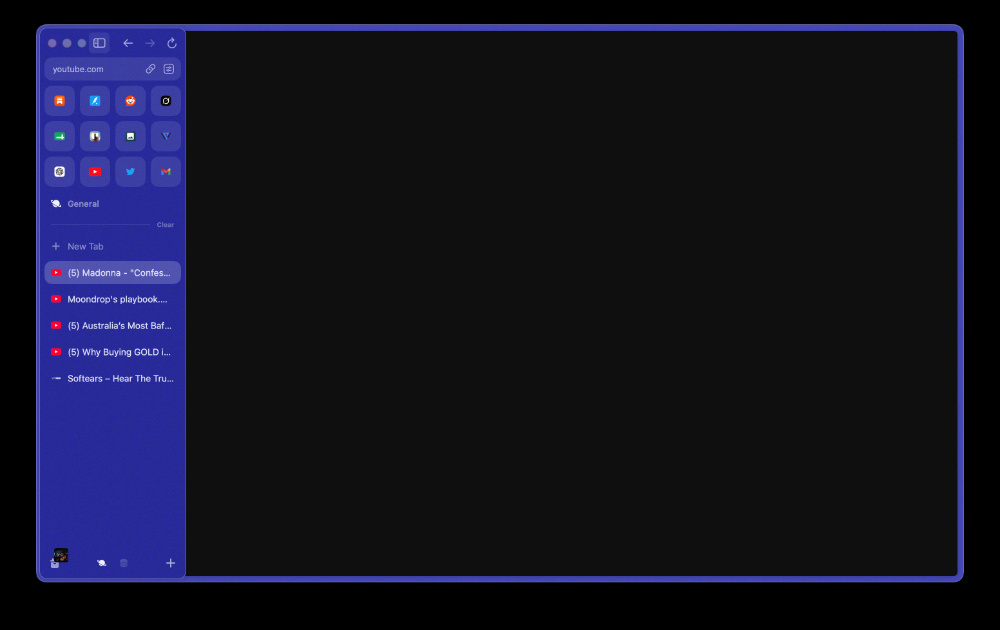
Basically, hit Command + S twice… two times. Do it once you go full-screen, and then do it again after you exit the full-screen view.
You could try disabling graphics acceleration from browser settings, though it may cause lag/slowness. Another workaround that sometimes helps is switching to another workspace and then switching back to the full-screen view. However, the Command + S shortcut is the one that works the most reliably at the time of writing.
If you don’t want to do that all the time, then you can try rolling back to a previous version of Arc. From a reliable website such as UpToDown, you can download the file of an older version. Move the current version of Arc to the bin (from the Applications section of Finder), and then install this older file. You’ll also need to disable automatic updates after that.
Considering these issues, a lot of people are contemplating moving over to Zen, which is teasing a massive change as it turns two.
It’s not just Arc that people are frustrated with. Its sister browser, Dia, hasn’t been getting much-requested features like spaces and mini-windows for months. The latest update did add a new feature called Reports; more on that here.


Sudhanshu K
328 Posts
I have been a consumer technology enthusiast for over 5 years. Thanks to my experience in software beta testing and product reviews, I've understood and learnt a lot about what bugs and issues bother people, and I spend time trying to simplify their solutions. I cover smartphones, software, social media, apps, AI, and most consumer tech gadgets. Actively pursuing a Computer Science bachelor’s degree. I'm mostly active on Twitter/X (@TechWhirlUlt), drop a DM or tag me if you want to share info or connect!
Next article View Article