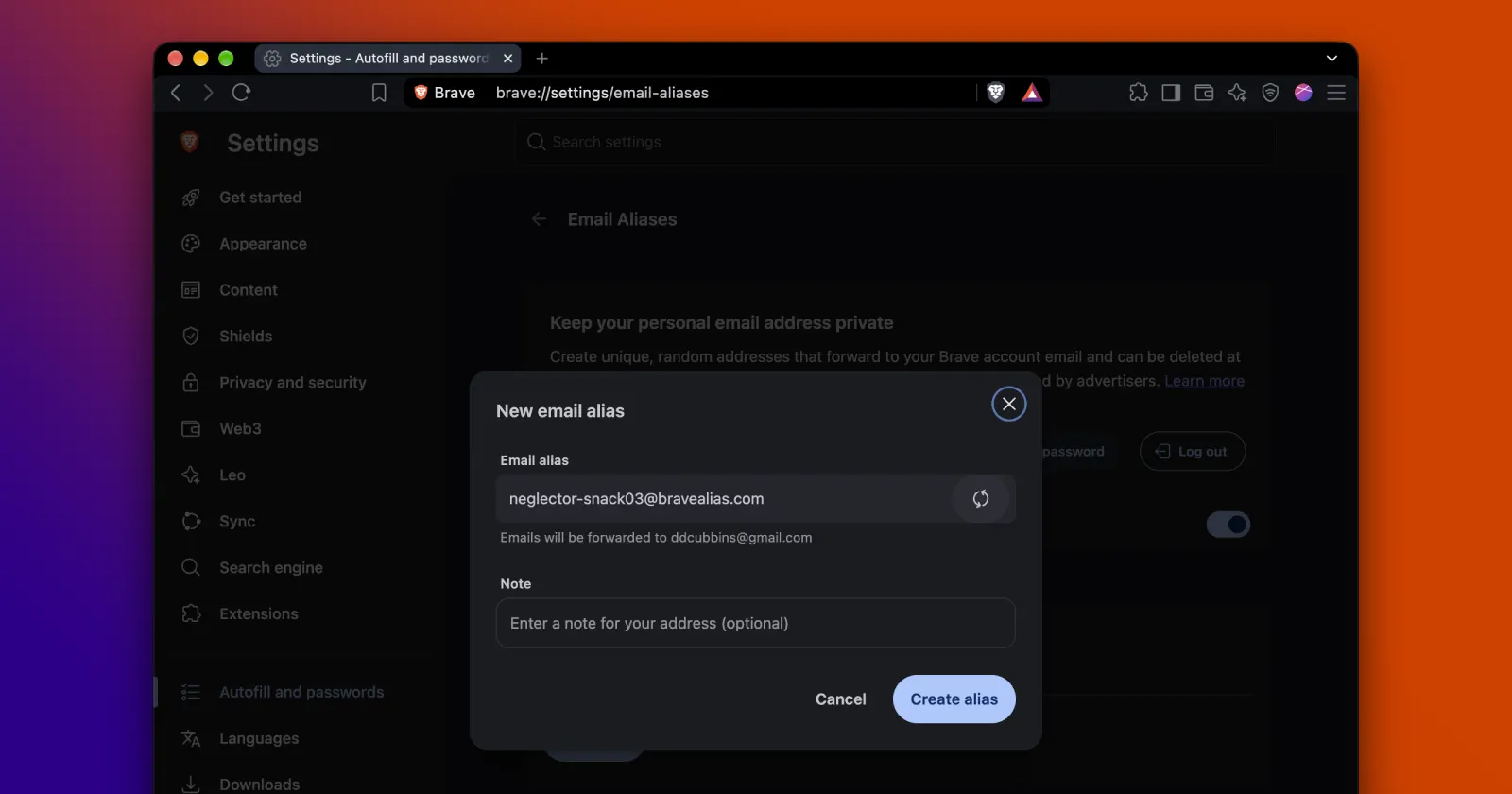
Early last month, we highlighted a new email aliases feature in Brave’s Nightly channel, hidden behind experimental flags. Now, the company has finally begun rolling it out to all desktop users on the stable channel.
For those unaware, this new privacy tool allows you to obscure your email address when a website prompts you for it.
Not many people are aware that their personal data can be easily extracted from their email addresses. So, when you provide your email to a company to purchase their product or service, it can use that information to push targeted advertisements at you.
Brave on desktop just added Email Aliases, a feature that lets you sign up for online services without revealing your personal email address.
Email Aliases creates unique email addresses that forward to your primary inbox. pic.twitter.com/TY5SMUp48q
— Brave (@brave) August 27, 2026
Shivan Kaul Sahib, the Vice President of Privacy and Security at Brave, notes that an email address is “a durable, universal identifier,” meaning that you can be tracked wherever you use it on the web. Furthermore, the ability to target you on another service via email typically happens “behind the scenes”; therefore, standard ad blockers don’t work in this regard.
However, with the new feature, you will not have to worry about your personal data being exploited. When you encounter a form requesting your email address, you can click a button and have Brave fill it out with a disposable email address.
There’s one important thing to note. You will have to sign up for a Brave account for this to work. We wrote about this optional account feature back when it first appeared in testing builds. Brave relies on a security protocol called OPAQUE, which ensures your password never leaves your own device during login.
For now, you can create up to five email aliases. Brave acknowledged that running such a system requires “significant infrastructure costs,” so they will allow users only five free aliases for the foreseeable future. The feature is also set to debut on mobile devices, and there are plans to roll out a subscription service to entice users to increase their limit.
How to get your Brave account and email aliases set up
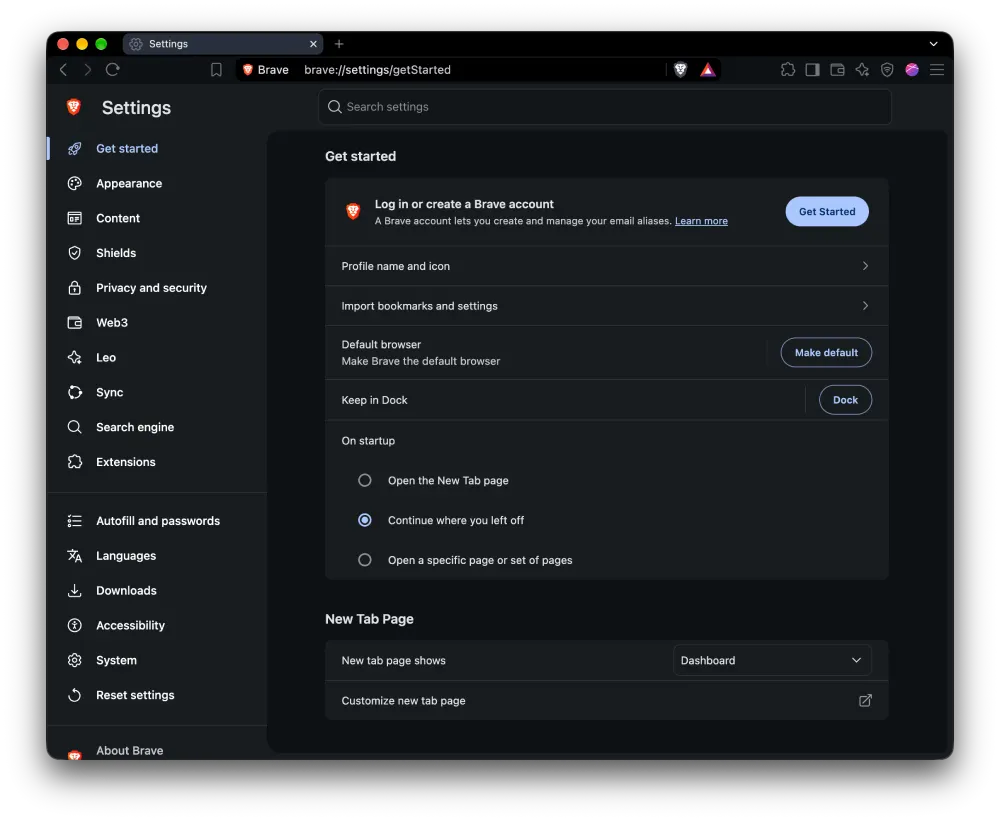
Head to brave://settings/getStarted and look for the “Log in or create a Brave account” prompt near the top of the page. Click “Get Started” to begin.
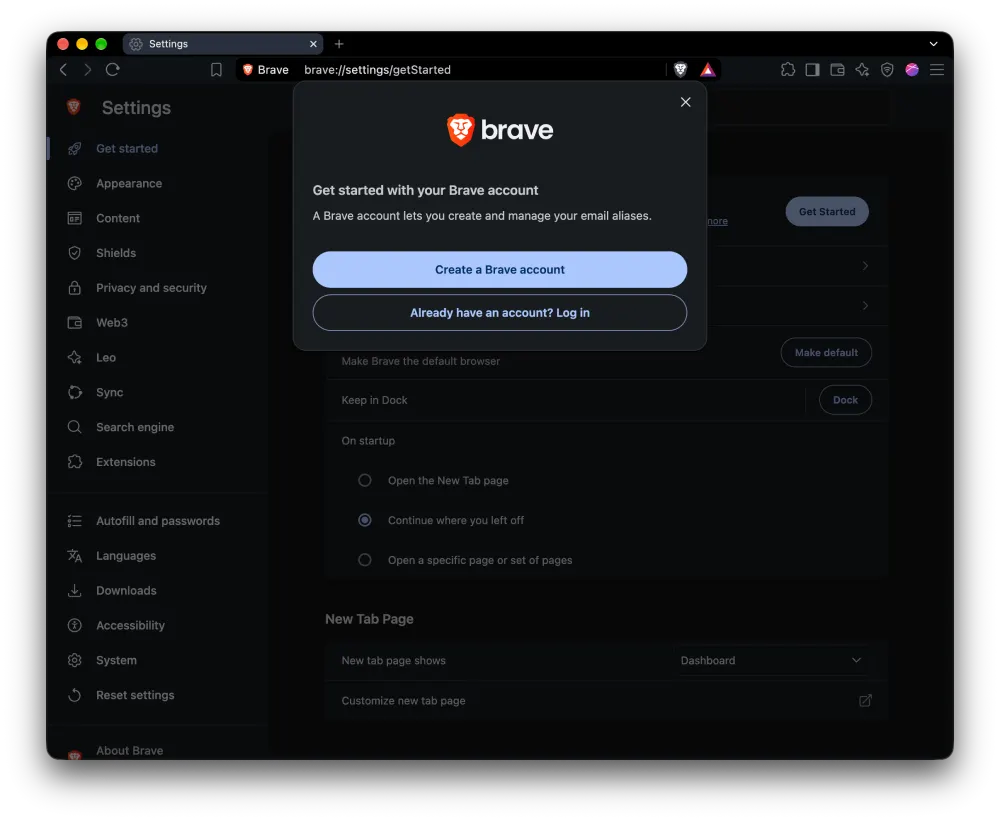
A pop-up shows up asking whether you want to create a new account or log in to an existing one. Since this is a first-time setup, tap “Create a Brave account.”
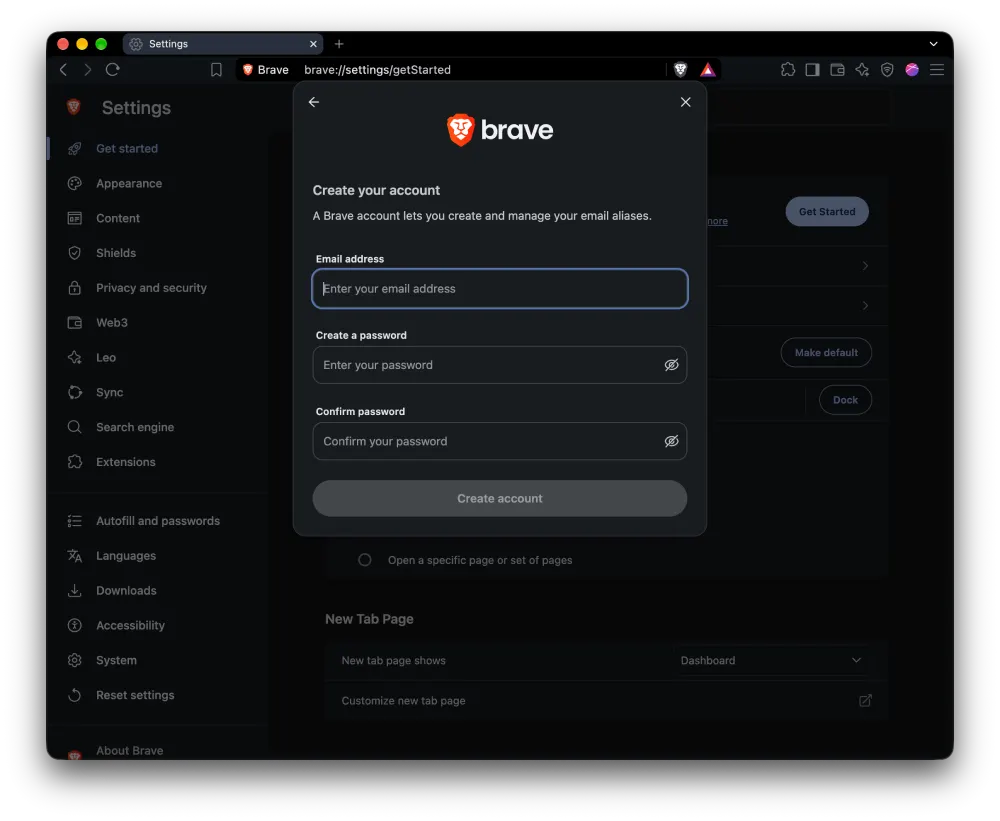
Next, Brave asks for an email address and a password. Fill those in, confirm the password, and hit “Create account.”
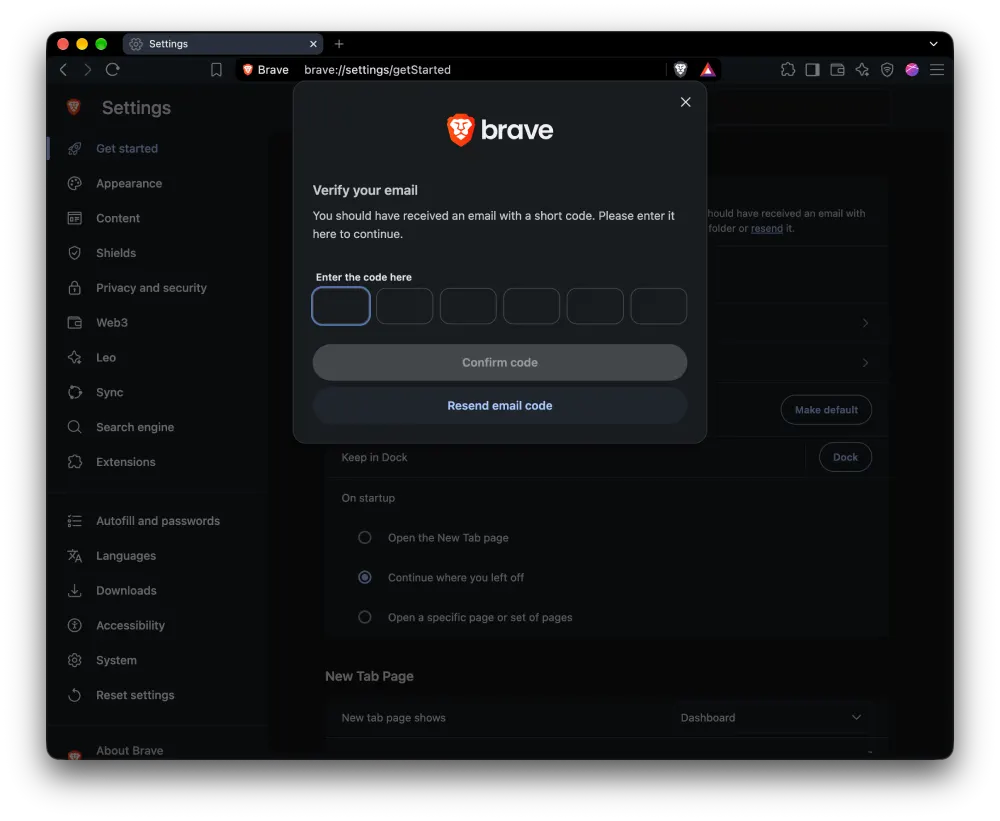
Brave then fires off a six-digit code to the email you just entered. Grab it from your inbox, type it in, and click “Confirm code” to lock in your account.
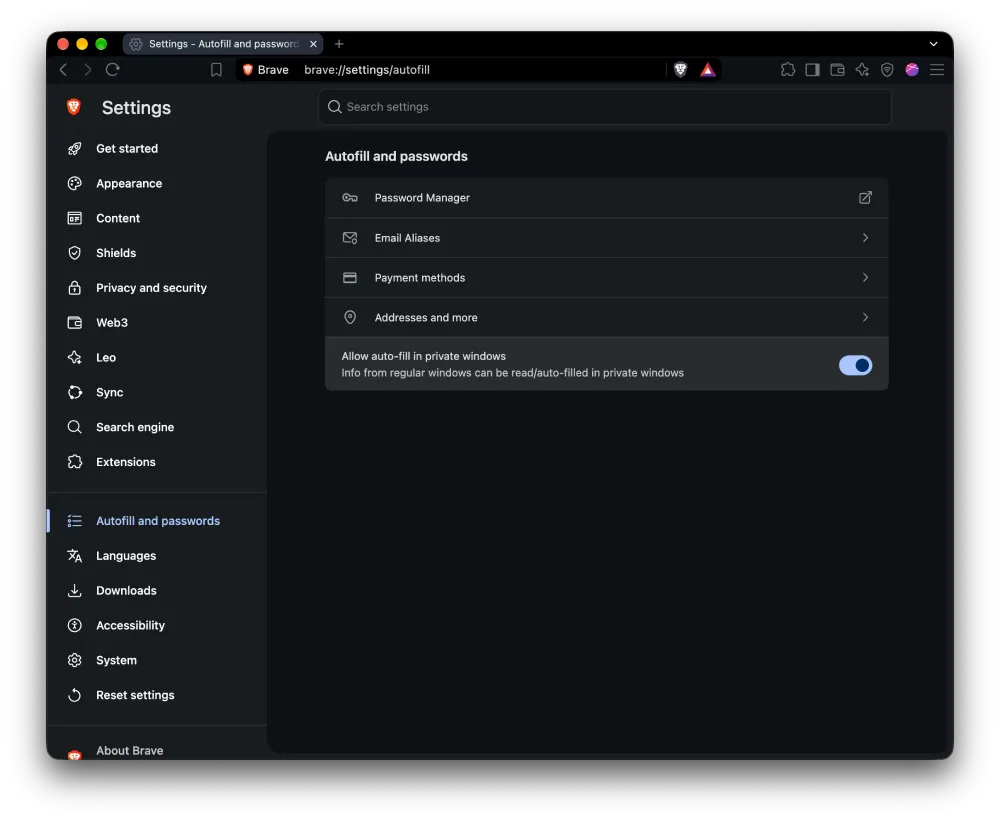
Once your account is up and running, head over to “Autofill and passwords” in Settings. You’ll spot a new “Email Aliases” entry sitting right above “Payment methods.”
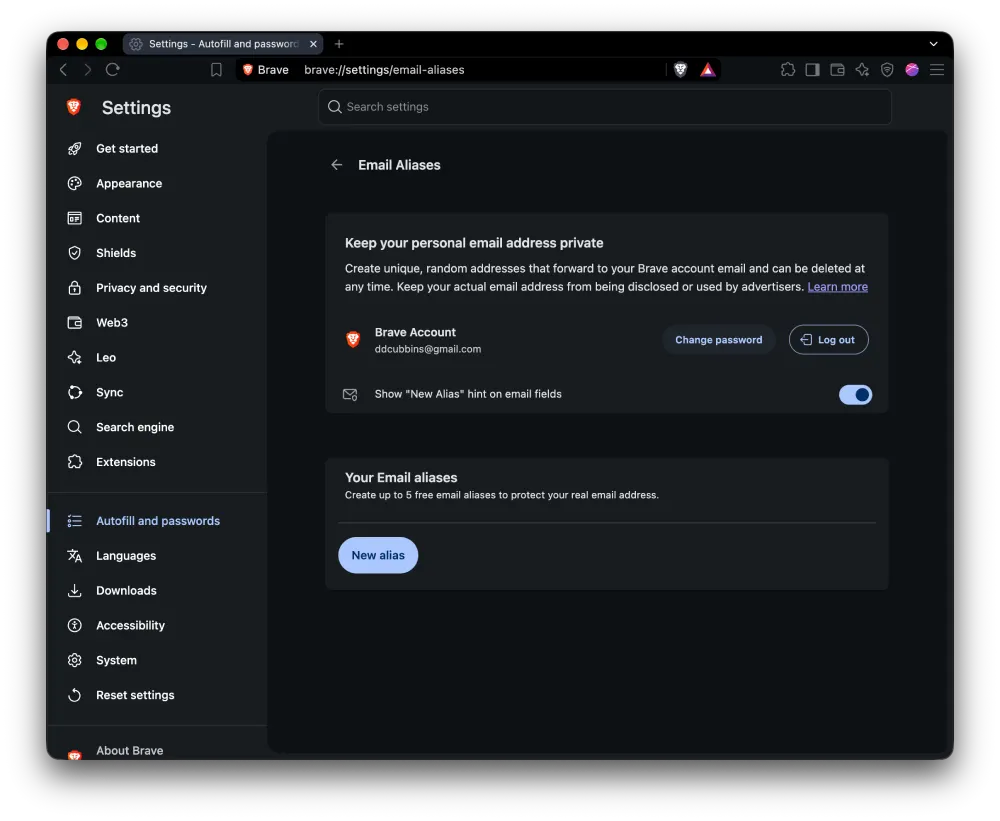
Click into it, and you’ll land on a page confirming you’re logged in with your Brave account email. From here, hit “New alias” to generate your first disposable address.
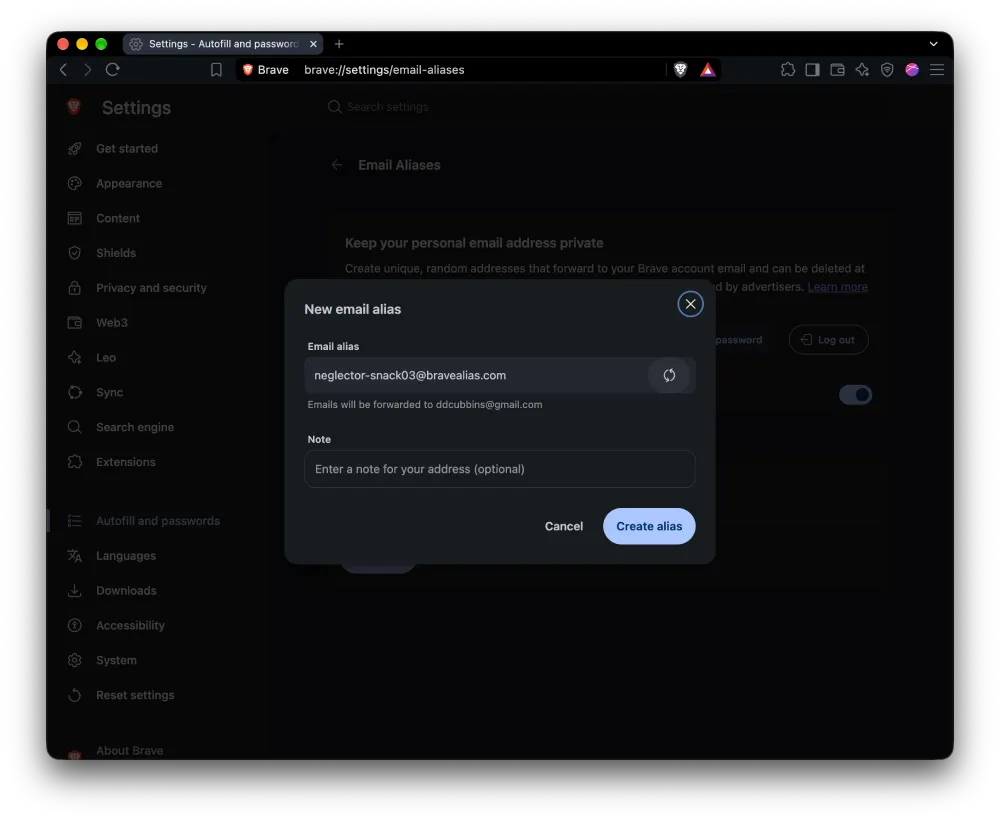
Brave instantly generates a random address, something like [email protected], that forwards straight to your real inbox. You can toss in an optional note so you remember which site it belongs to, then click “Create alias” to finish.
That’s pretty much all there is to it. So now, whenever you go to a site that requires your email address, you’ll be able to drop in the masked email address. And if a company you signed up with ever starts spamming you or gets hit by a breach, you just delete that single alias without touching your main inbox.
This privacy-focused feature follows Brave’s recent update that tackled GPU fingerprinting. More details on that here.
With the company rolling out similar privacy-respecting features and improvements, it’s no surprise that it’s also one of the top picks in the list of the best privacy-focused browsers right now.
That said, this new feature is rolling out with the latest Brave browser v1.94.117 update. We’ll be diving into the details of that update shortly. So stay tuned for that.


Dwayne Cubbins
3155 Posts
I cover fast-moving stories across apps, online platforms, and everyday tech — phones, wearables, consoles, and whatever else people are fighting with this week. Bugs, rollouts, scams, policy enforcement, and the occasional internet-culture rabbit hole are all fair game. My goal is simple — make confusing tech news readable. When I'm not working, I'm working out or chilling with my dog. Got a tip? You can find me on X @dcubbins.
Next article View Article