Earlier this month, Google had announced the promotion of Chrome 152 to the stable channel for a small set of users. Fast forward to today, the update is being pushed out on a much larger scale.
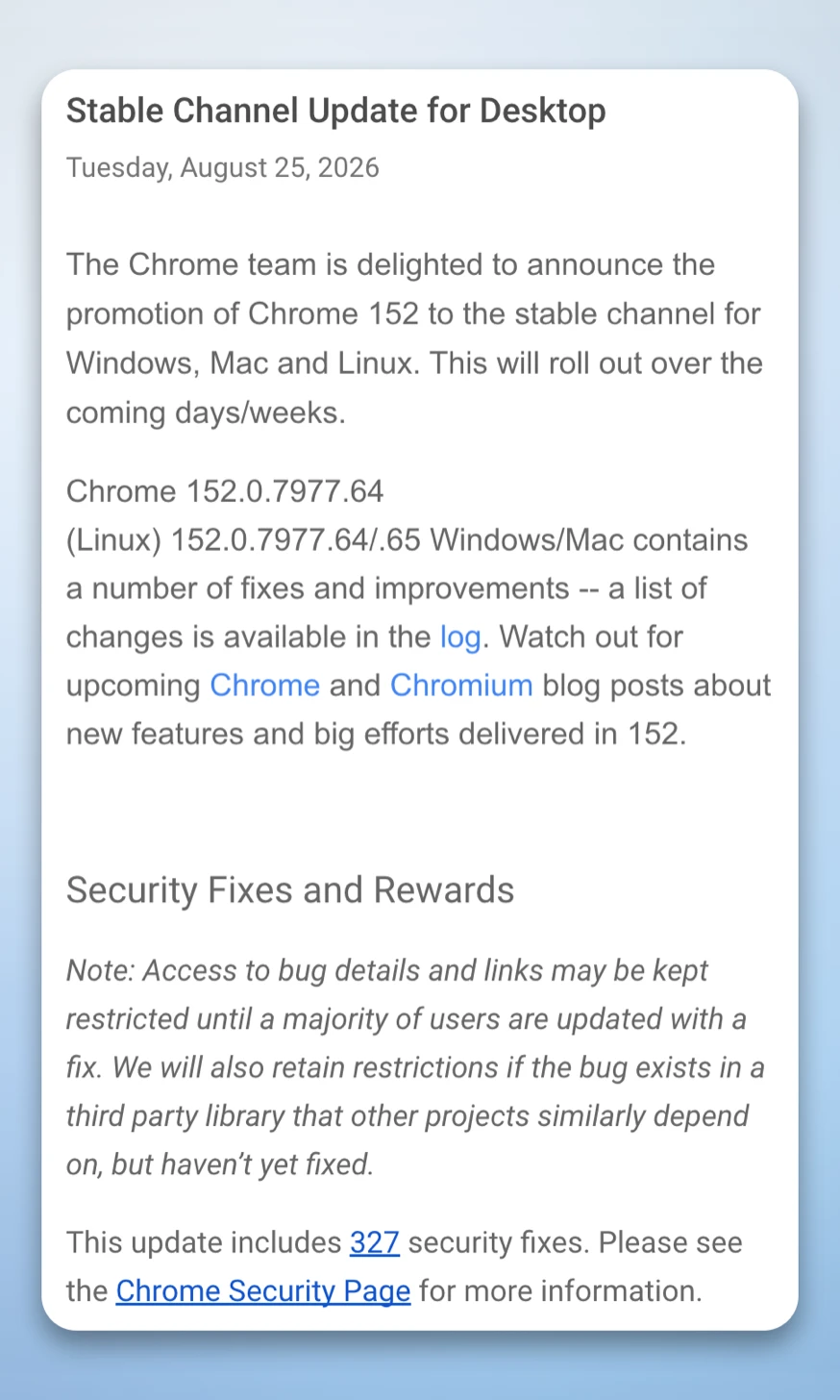
This release brings the stable build version up to 152.0.7977.64 for Linux and 152.0.7977.64/.65 for Windows and Mac. It should be available to everyone over the next few days.
The biggest highlight of this release is the number of security fixes that Google has included: 327, to be exact. It follows another recent update earlier this month that included fixes for 41 vulnerabilities.
We’ve already seen several Chrome releases in the past few months that include a large number of security fixes in one go. Part of the reason for this massive wave of fixes is that Google has been using AI to find and fix these bugs and vulnerabilities at a scale that was previously unheard of.
In particular, Chrome 152 fixes several critical vulnerabilities that could have allowed an attacker to execute arbitrary code in the context of the browser and gain control of the affected system.
One of them is the use-after-free vulnerability in ANGLE, which was addressed under the CVE-2026-79282 identifier. In addition, Google paid a substantial bounty ($25,000) to the researcher who reported this particular issue to the Chrome security team.
Moreover, the update addresses multiple memory safety issues found in-house by Google security researchers. These include CVE-2026-79290 and CVE-2026-79052 affecting the Aura component, as well as CVE-2026-79054 and CVE-2026-79121 related to Chromecast.
Although specific details about these flaws were not disclosed publicly, most of them appear to be related to memory management issues, allowing an attacker to trigger memory access after it has been freed.
As usual, Chrome security updates do not provide many details about the resolved issues, as they aim to reduce the amount of information available to potential attackers. The team notes in the official blog that “access to bug details and links may be restricted until a majority of users are updated.”
Meanwhile, Google is also working on a few interesting features for Chrome, such as the ability to turn articles into podcasts, a dedicated history tab to check Gemini actions, and the floating search bar that integrates with your desktop to let you search from anywhere.
That said, to install the fresh v152 update, head over to Settings > About Chrome and install the update. Relaunch the browser, and you should be good to go.


Dwayne Cubbins
3147 Posts
I cover fast-moving stories across apps, online platforms, and everyday tech — phones, wearables, consoles, and whatever else people are fighting with this week. Bugs, rollouts, scams, policy enforcement, and the occasional internet-culture rabbit hole are all fair game. My goal is simple — make confusing tech news readable. When I'm not working, I'm working out or chilling with my dog. Got a tip? You can find me on X @dcubbins.
Next article View Article