For a while now, Google has been silently improving the listening experience in Chrome. And the latest trick that’s in development takes things up a notch.
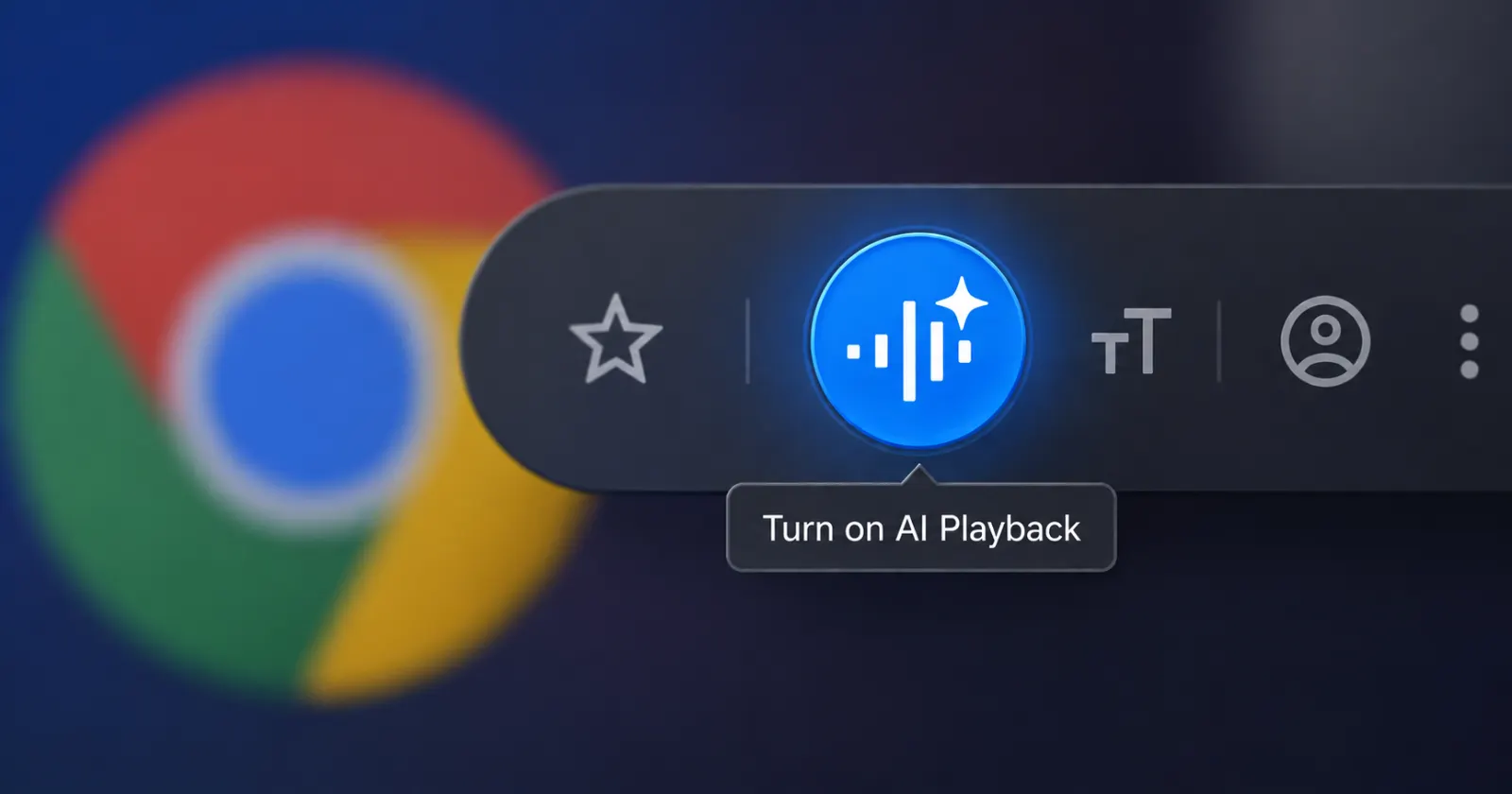
Over on the Canary channel, the experimental version of the browser where Google tries out ideas before anyone else gets them, a fresh button has shown up inside Chrome’s Read Aloud tool. It sits next to the usual playback controls and carries a little Gemini sparkle icon. Hover over it and Chrome tells you what it does. It says “Turn on AI Playback.”
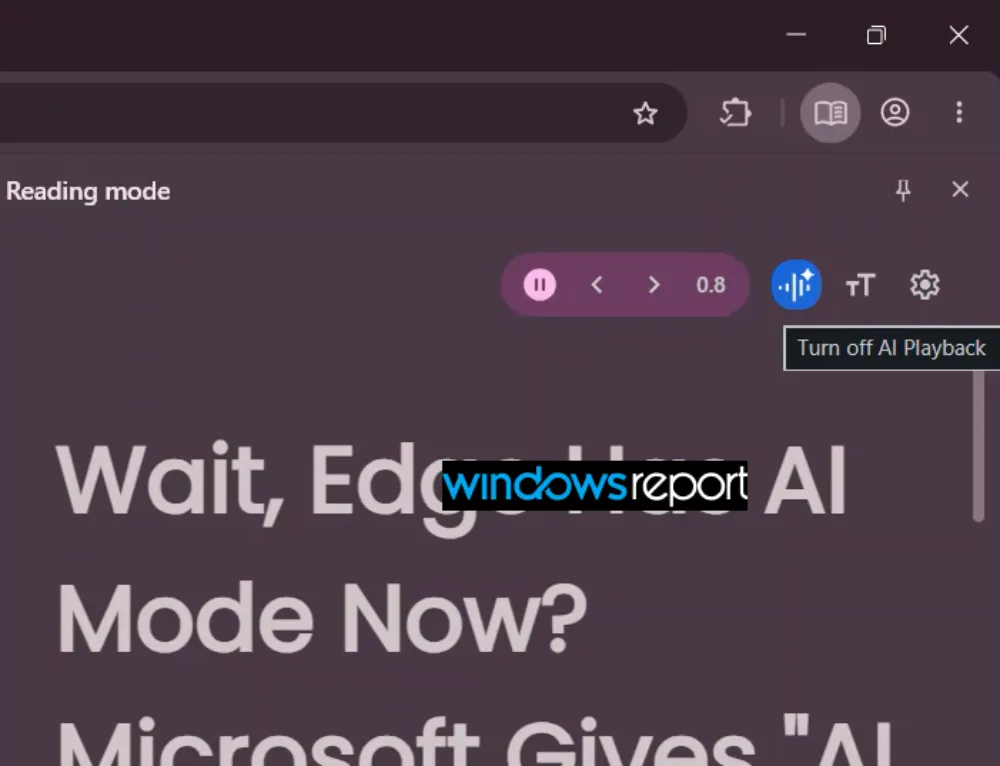
That AI Playback is what’s new. It’s not the same as the current implementation of reading aloud in Chrome on desktops. Rather than playing a robotic voice that reads the text on the page word for word, it spins the whole thing into a podcast-style conversation. So you can hear two voices chatting back and forth about what the page actually says.
Keep in mind that the feature itself isn’t exactly brand new. Chrome on Android has had this AI Playback function for a bit now. It’s just that this development confirms that it’s coming to Chrome on desktop really soon.
The catch, and this was first spotted by Windows Report digging through the code changes, is that the desktop button does not do anything yet. Right now it just flips between on and off without changing how the audio sounds, so it is basically a placeholder while Google finishes wiring up the real thing behind the scenes.
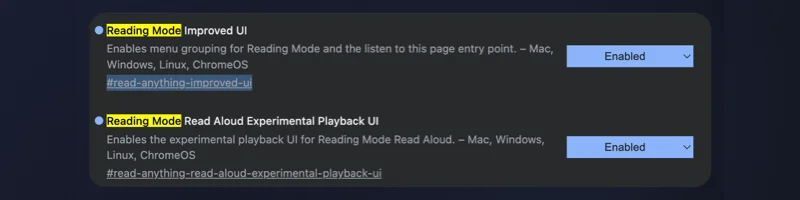
We also tried to get the AI Playback button to show up in Chrome Canary, but didn’t have any luck. It never showed up even after we turned on both the #read-anything-read-aloud-experimental-playback-ui and #read-anything-improved-ui flags and restarted the browser a few times.
That said, while this is the biggest upcoming change to the listening experience in Chrome, Google is also working on other useful improvements, like adding a translate button baked into Reading Mode.
Meanwhile, Google also recently opened up testing for an on-device AI system for developers that runs locally. More on that here.
For now it is a waiting game. But the Android version works genuinely well in our testing, and if that same experience makes the jump to desktop, turning any long read into a podcast you can throw on while doing something else, it is one worth keeping an eye on.


Dwayne Cubbins
3088 Posts
I cover fast-moving stories across apps, online platforms, and everyday tech — phones, wearables, consoles, and whatever else people are fighting with this week. Bugs, rollouts, scams, policy enforcement, and the occasional internet-culture rabbit hole are all fair game. My goal is simple — make confusing tech news readable. When I'm not working, I'm working out or chilling with my dog. Got a tip? You can find me on X @dcubbins.
Next article View Article