





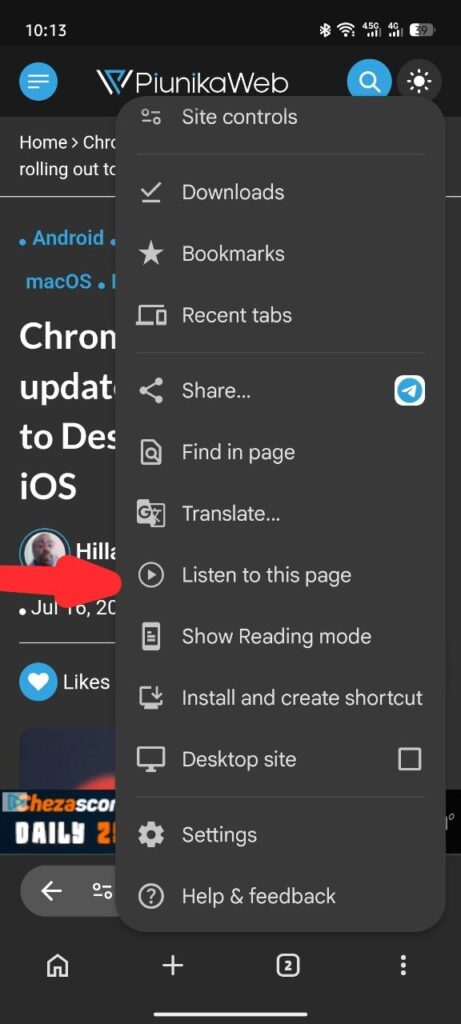
Chrome for Android has a "Listen to this page" option in the overflow menu. Well, Google will add this same option to desktop, but in the page context menu. Right now, clicking it just opens Reading Mode, but in the future, it will automatically start reading the page aloud: pic.twitter.com/hzYqR96AoI
— Leopeva64 (@Leopeva64) July 16, 2026
Google has been on a relentless mission to bridge the feature gap between its mobile and desktop browsers, and their latest experiment is bound to please multitaskers everywhere. If you have ever used Chrome on Android, you are likely familiar with the incredibly handy “Listen to this page” tool, a feature that reads articles out loud so you can catch up on your reading while cooking, exercising, or just resting your eyes.
Now, it looks like Google is working to bring this highly requested text-to-speech capability straight to the desktop version of Chrome.
According to seasoned browser feature hunter and leaker Leopeva64, Google is actively testing the implementation of this feature for desktop users.
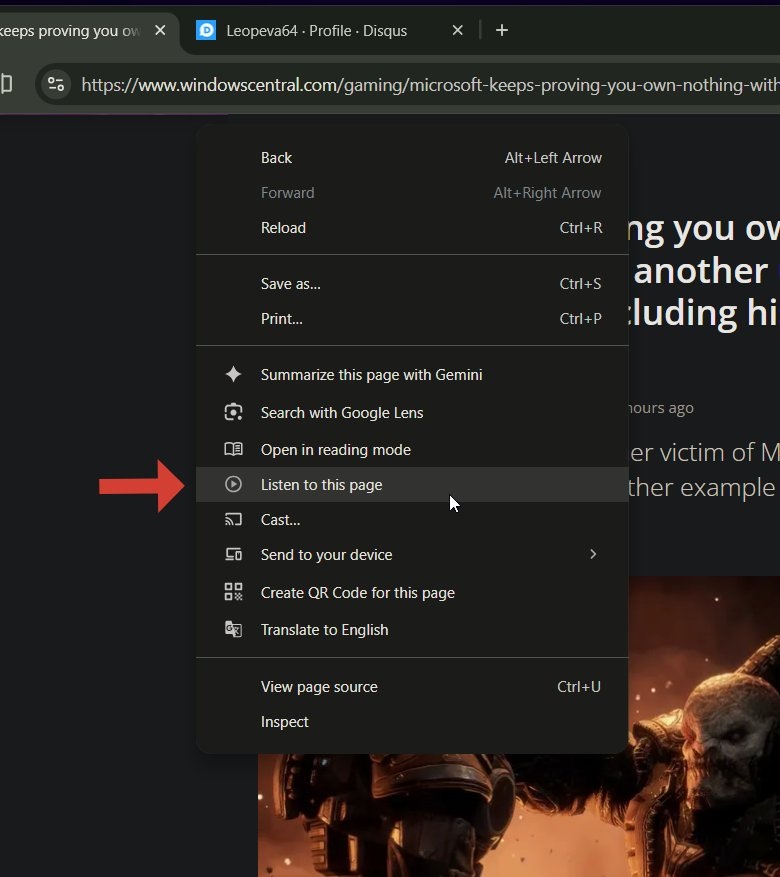
A demo of the feature shows exactly where this option will live on your PC. On Windows, when you right-click anywhere on a webpage, a new “Listen to this page” option appears in the context menu, sitting directly below “Open in reading mode.”
Currently, clicking the button in Chrome Canary simply triggers the standard Reading Mode. I suspect this indicates the “Listen to this page” feature on desktop is being built as a direct, seamless extension of Chrome’s existing Reading Mode, effectively turning the static text-based layout into an interactive audiobook with a single click.
We can see a clear difference in how Google is integrating the user interface across devices.
- On Chrome for Android: As shown in the mobile menu settings, the “Listen to this page” option is nestled inside the three-dots overflow menu, positioned right above “Show Reading mode.” On mobile, this feature already supports standard playback, various reading speeds, and different voice selections.
- On Chrome Desktop: Instead of hiding it behind a toolbar button or a sub-menu, Google is elevating its prominence. Putting it directly into the right-click page context menu means you will be able to trigger the text-to-speech engine instantly from anywhere on the page.
While desktop users can technically already use Read Aloud by opening Reading Mode and clicking a play button, this dedicated context menu option will make hands-free reading a one-step process.
Part of a broader Chrome evolution
This text-to-speech upgrade is just one piece of a much larger puzzle. Google is currently pushing some of the most significant changes we’ve seen to Chrome in years.
Just this week, we saw the Chrome 151 early stable update on desktop, Android, and iOS start rolling out to users. Behind the scenes, the browser is undergoing a massive transformation. On the mobile front, Google is experimenting with a redesigned bottom navigation bar to accommodate Gemini in Chrome for Android and streamline usability. Meanwhile, on desktop, developers are deep-testing incredibly advanced machine learning features, including Google’s on-device embedding API testing to bring faster local AI capabilities to your browser.
Adding “Listen to this page” to the desktop context menu fits perfectly into this broader strategy of making Chrome smarter, highly accessible, and deeply integrated across all of your devices.
Because the feature is currently confined to Chrome Canary and is not enabled by default, we will likely have to wait a few more release cycles before it rolls out to the stable channel. Still, knowing that a true native, one-click text-to-speech option is on the horizon for desktop users is a massive win for productivity.

We stand out from the tech-media crowd because we break news stories; we mainly bring you stuff that you won’t find anywhere in the mainstream tech media. Our stories have been picked up by some of the world’s most popular websites and media outlets—more info is available here.

Hillary Keverenge
2723 Posts
Tech has been my playground for over a decade. While the Android journey began early, it truly took flight with the revolutionary Lollipop update. Since then, it's been a parade of Android devices (with a sprinkle of iOS), culminating in a mostly happy marriage with Google's smart home ecosystem. Expect insightful articles and explorations of the ever-evolving world of Android and Google products coupled with occasional rants on the Nest smart home ecosystem.
Next article View Article
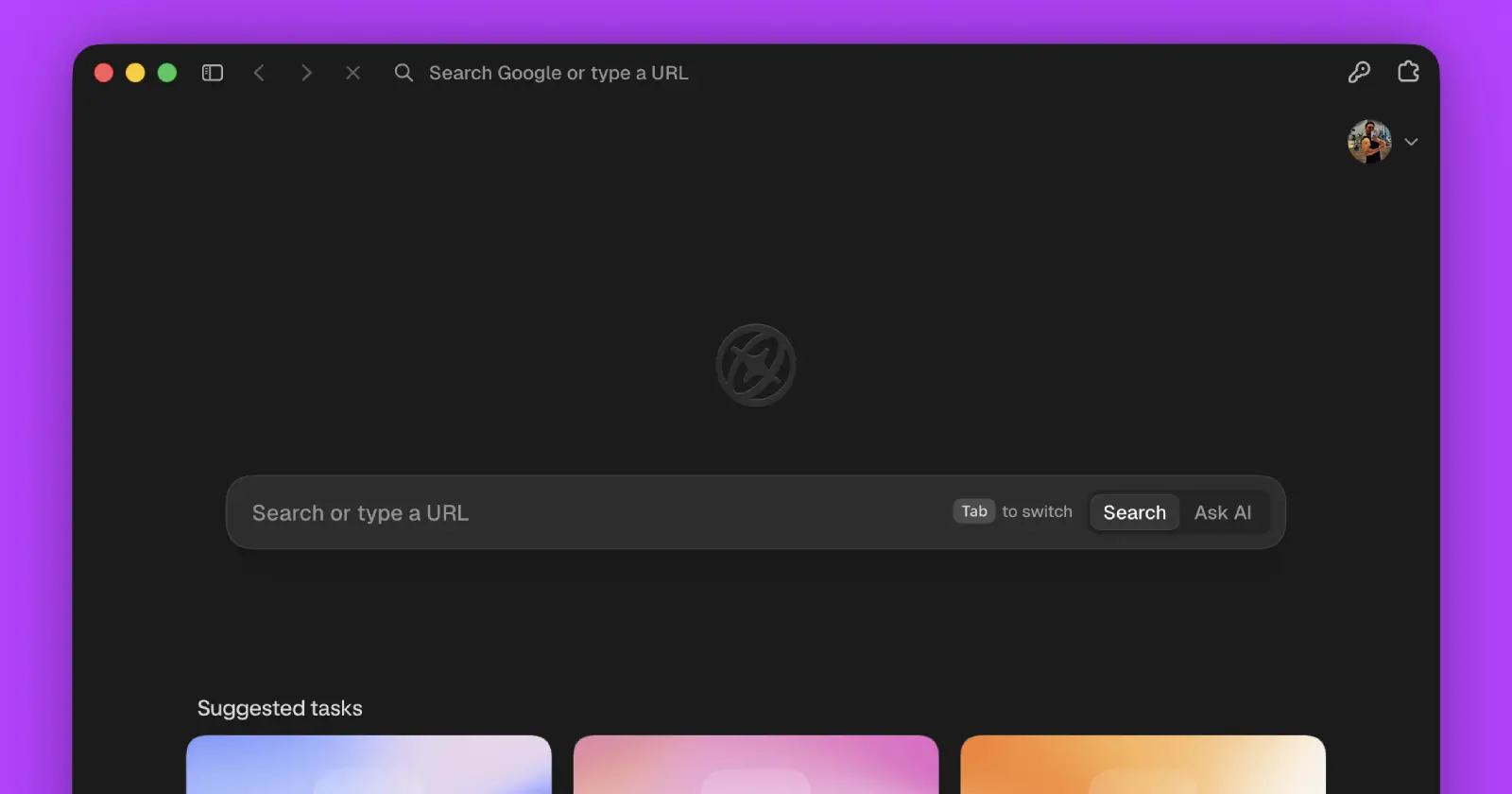
Aside just borrowed one of Arc browser's best features
Aside just added profile switching, and anyone who spent time using Arc will probably recognize the idea right away.
The new feature lets you keep multiple browsing profiles inside the...
Jul 16, 2026 2 Min Read