


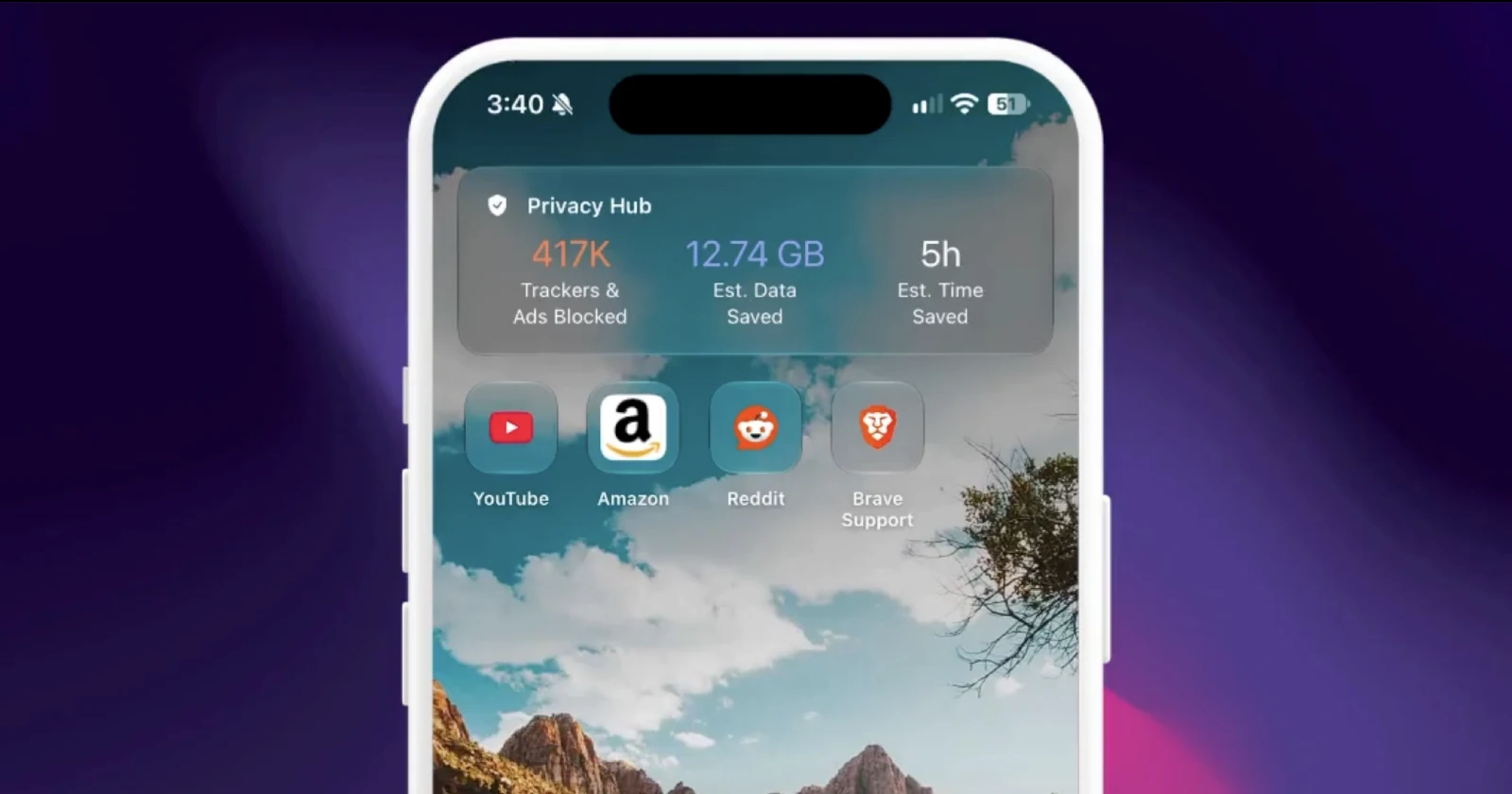
Brave users on iOS can now choose whether the new tab page shows their favorite sites, their most frequently visited sites, or neither.
— Brave (@brave) November 18, 2026
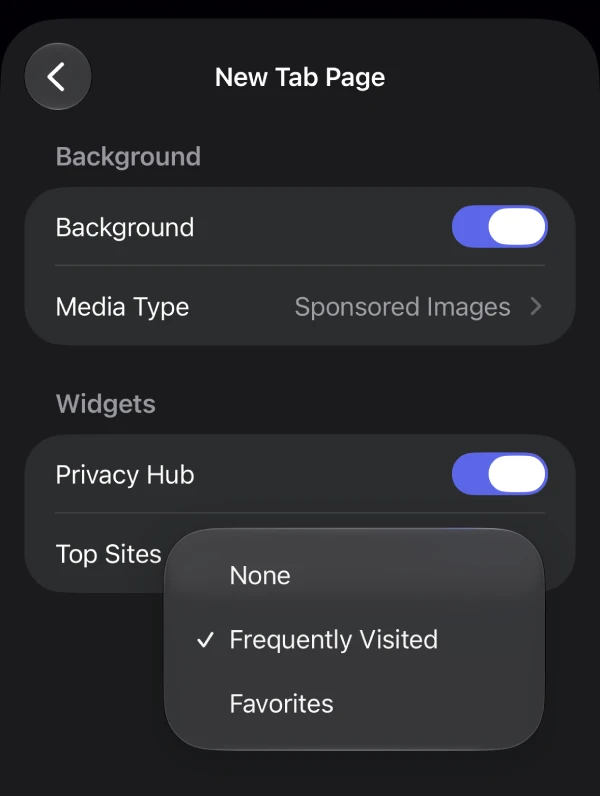
To change this setting, tap "..." in Brave, go to All Settings → New Tab Page, and then choose an option from the "Top Sites" menu. pic.twitter.com/4AnKFQpcbb
Brave has rolled out version 1.99 of its browser on iOS, finally adding support for the iPhone Duo, something users have been asking for since the phone’s launch.
Just over two weeks ago, Brave confirmed iPhone Duo optimization was coming after clips went around showing the browser looking weirdly cramped with thick black bars on Apple’s foldable, especially in split-screen mode.
Funnily enough, since Brave only mentioned the Duo support in its release notes, people replying to Brave’s own X post showing off another new feature were still begging the team to “optimize Brave urgently for the iPhone Duo!!”
The new feature in question is the Top Sites menu on the new tab page.
You can now switch between showing your favorite sites, your most frequently visited pages, or neither if you would rather see a clean background instead of a pile of icons every time you open a tab.
After updating to version 1.99, tap the three-dots icon in Brave, go to All Settings, select New Tab Page, then choose an option from the ‘Top Sites’ menu. There are three of them: None, Frequently Visited, and Top Sites. I’ve picked ‘Frequently Visited’ for my setup.
Android users got a similar way to flip between shortcuts and frequent sites at the start of November, so iPhone and iPad users aren’t being left waiting months for once.
Hey Android users: Do you want to see your shortcuts or your frequently visited sites on the new tab page?
— Brave (@brave) October 31, 2026
You can now quickly swap between the two in Brave!
Just long press any icon in the Top Sites bar to make the switch. 🪄 pic.twitter.com/0tOo5SqLjG
The changelog also points to QuickView handling for Ask Brave and Leo session links, building on the long-press link previews in AI answers that rolled out earlier this month, so checking a source doesn’t pull you out of your chat.
Add the usual stability and security tweaks on top, and it caps off a solid run for the iOS app after background file downloads finally arrived in version 1.97.

We stand out from the tech-media crowd because we break news stories; we mainly bring you stuff that you won’t find anywhere in the mainstream tech media. Our stories have been picked up by some of the world’s most popular websites and media outlets—more info is available here.

Dwayne Cubbins
3227 Posts
I cover fast-moving stories across apps, online platforms, and everyday tech — phones, wearables, consoles, and whatever else people are fighting with this week. Bugs, rollouts, scams, policy enforcement, and the occasional internet-culture rabbit hole are all fair game. My goal is simple — make confusing tech news readable. When I'm not working, I'm working out or chilling with my dog. Got a tip? You can find me on X @dcubbins.