





Brave browser for iPhone and iPad has picked up a fresh update to version 1.97, which is now live on the App Store. The biggest change is that the app finally supports downloading files in the background.
Anyone who uses Brave on an iPhone knows that trying to grab a large file used to feel like a hostage situation because you couldn’t leave the app for more than a few seconds.
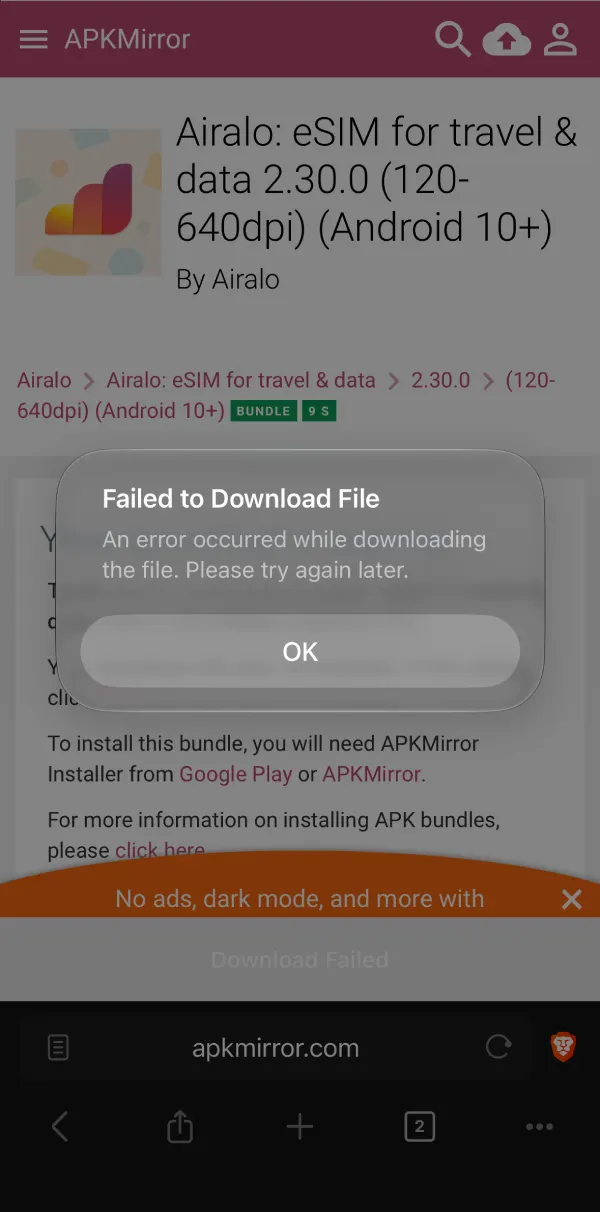
If you swiped home to reply to a text while waiting on a hefty file, the transfer would die and greet you with a “Failed to Download File” pop-up: “An error occurred while downloading the file. Please try again later.” Here’s a screenshot I captured that shows the failed download for reference (yes, that’s an APK; I know it’s ironic, but bear with me):
It’s honestly a shame that such a basic feature that Android users probably take for granted every single day only just managed to make its way to iOS. Still, it’s better late than never, especially for a browser that recently came out on top in Proton’s 2026 privacy browser testing for being so easy to live with right out of the box.
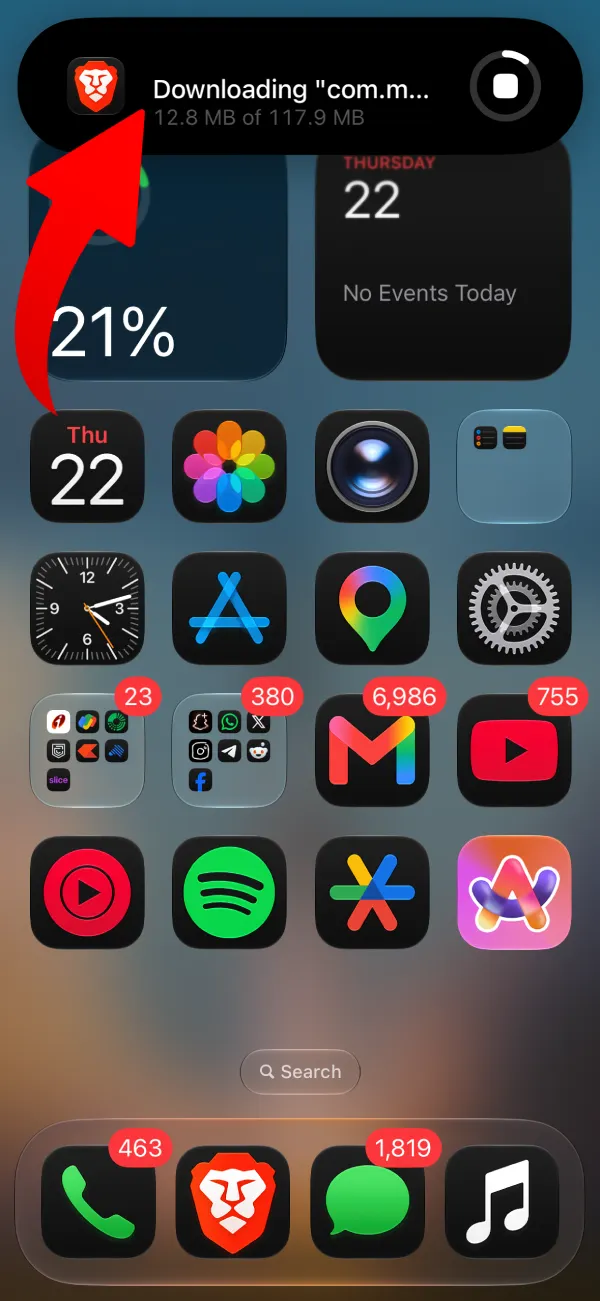
I tested this out myself after installing the update, and it works like a charm. Once you kick off a download and swipe back to your home screen, Brave now puts the download progress right on the Dynamic Island, making it super easy to track how many megabytes/gigabytes are left without staying glued to your browser tab.
Alongside the download fix, the version 1.97 release notes also point to “Navigation improvements when using Leo or Ask Brave” so jumping between AI answers and regular web results feels less clunky, plus a few general “UI enhancements” and stability fixes.


Dwayne Cubbins
3141 Posts
I cover fast-moving stories across apps, online platforms, and everyday tech — phones, wearables, consoles, and whatever else people are fighting with this week. Bugs, rollouts, scams, policy enforcement, and the occasional internet-culture rabbit hole are all fair game. My goal is simple — make confusing tech news readable. When I'm not working, I'm working out or chilling with my dog. Got a tip? You can find me on X @dcubbins.