



Firefox 162 Nightly now lets you assign specific websites to always open in a chosen container, and you no longer need a separate extension to make it work.
If you have used Firefox for a while, you probably know how handy Containers are for keeping work logins, shopping, and social media separated so sites cannot easily track you across tabs. Up until now, though, automatically forcing a website into a specific container meant downloading Mozilla’s Multi-Account Containers add-on.
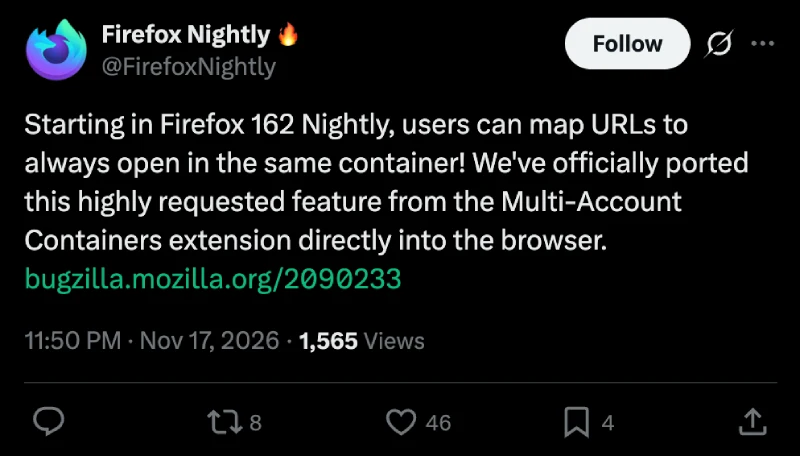
Mozilla announced the change in a post on X, explaining that the team has “officially ported this highly requested feature from the Multi-Account Containers extension directly into the browser.”
Over on the Bugzilla ticket for the rollout, Mozilla engineer Andrea Marchesini noted that “you can tell Firefox to always open Facebook in your Social container” so it stays isolated every time you click a link.
For now, this is only turned on by default on desktop in the Nightly testing build, and the ticket confirms it does not apply to Firefox for Android. I’ve grabbed a couple of screenshots of the feature for reference. Check them out below:
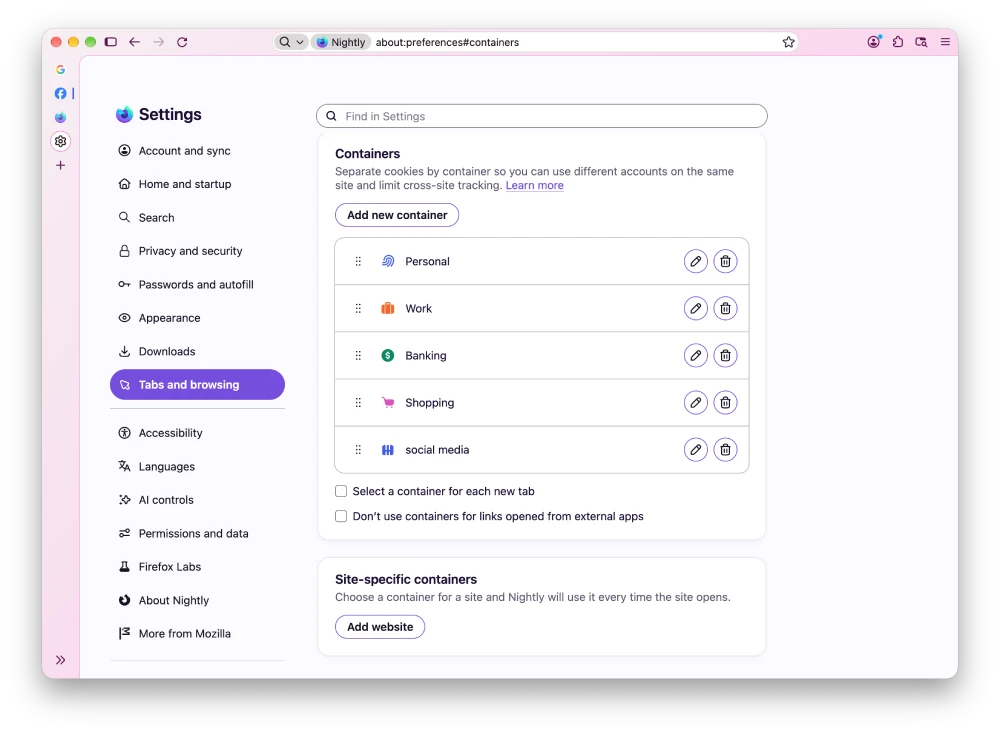
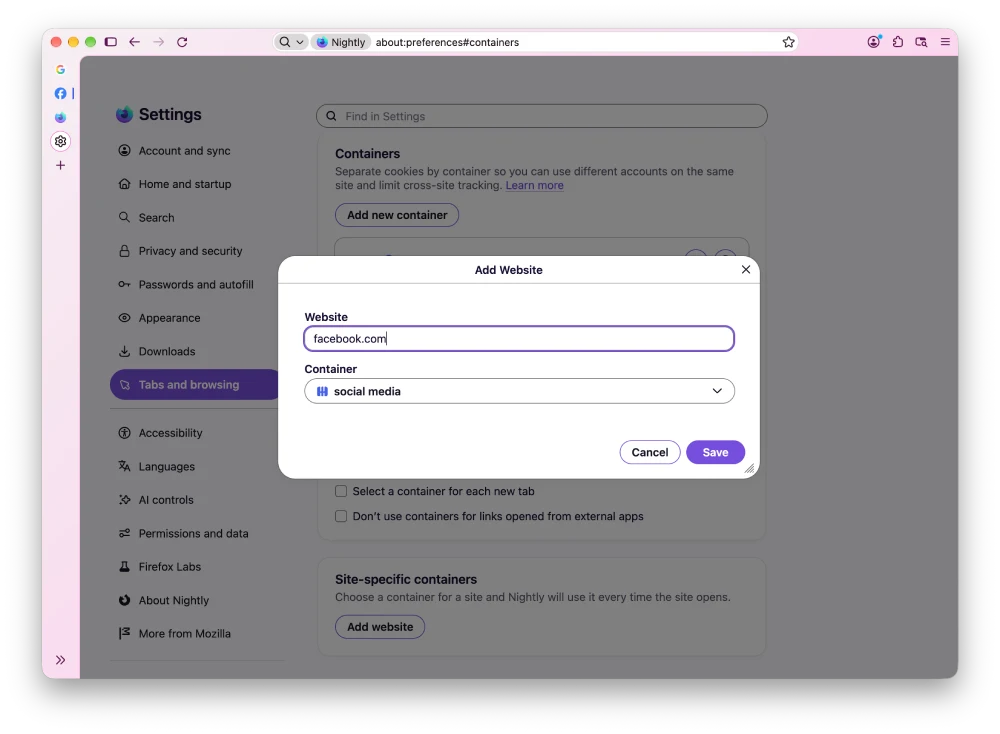
Firefox 162 is already shaping up to be a busy release. Just days ago, we noticed that Mozilla locked down the toggle to turn off the Nova redesign in the same Nightly build, meaning the older look is officially on its way out.
Version 162 is also where Mozilla plans to ship a fix for the weird bug causing Firefox to blame its disabled VPN whenever a regular internet connection drops.
Before any of that reaches stable users, we still have Firefox v161 beta in the pipeline, which brings back classic themes and custom shortcuts for copying URLs.


Dwayne Cubbins
3223 Posts
I cover fast-moving stories across apps, online platforms, and everyday tech — phones, wearables, consoles, and whatever else people are fighting with this week. Bugs, rollouts, scams, policy enforcement, and the occasional internet-culture rabbit hole are all fair game. My goal is simple — make confusing tech news readable. When I'm not working, I'm working out or chilling with my dog. Got a tip? You can find me on X @dcubbins.