



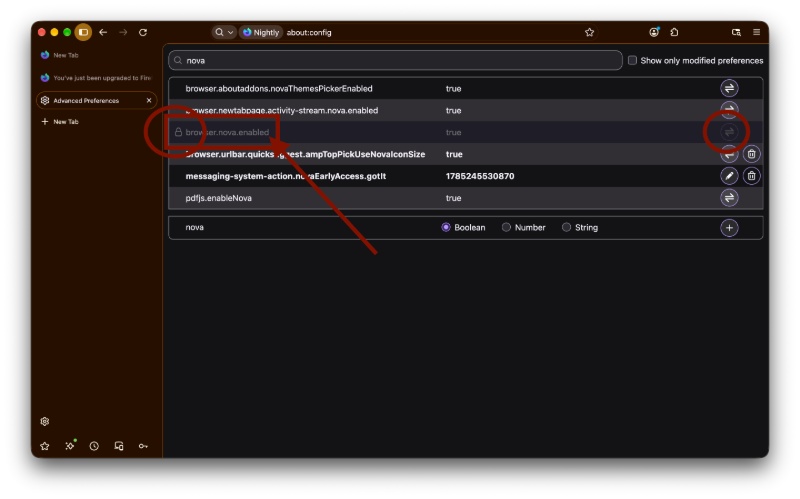
Firefox is just one step away from completely removing the toggle to disable the Nova redesign. In the latest Nightly version of the browser, the toggle is locked and no longer functional.
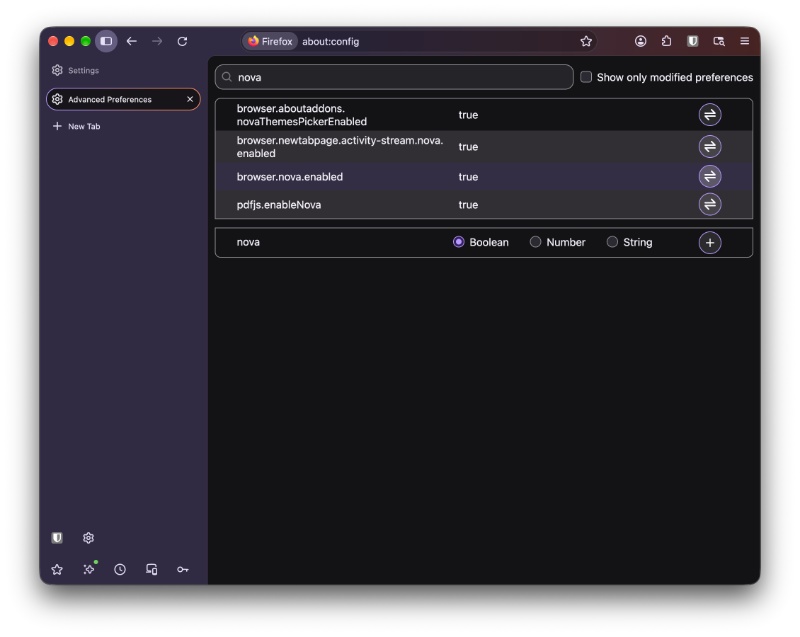
It has been a little over a month since Firefox enabled the Nova redesign by default. The reception was mixed, with some people disliking the rounded corners and padding, while others appreciated the updated aesthetics. For now, you can still disable the Nova redesign entirely through a flag. Visit about:config and turn off the “browser.nova.enabled” toggle (set it to false). That will immediately flip the design back to the old style.
On the latest stable version (and beta) of Firefox, you can still do this. The toggle is present and completely functional.
However, on the latest Nightly update (v162), the functionality is gone. The toggle still exists under about:config, but it’s entirely grayed out. There’s a lock icon to the left, and there’s no way to interact with it anymore. Basically, you can no longer set it to “false,” which is what disabled the Nova design in the first place.
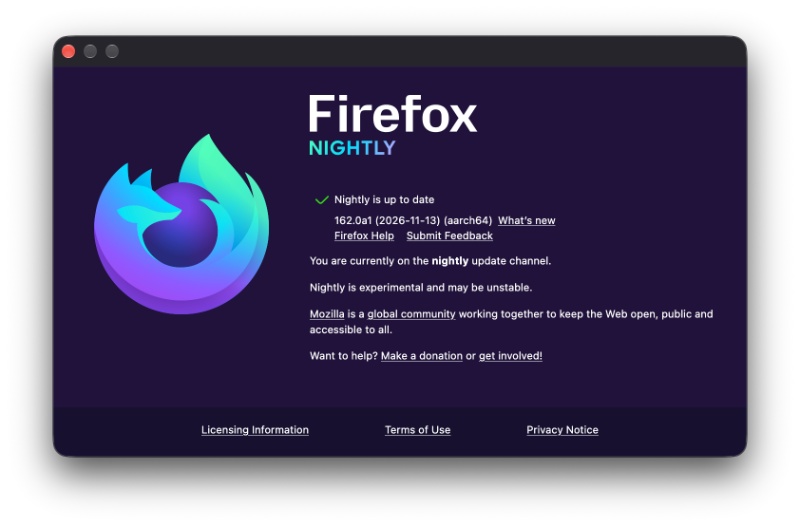
In our recent coverage of Firefox updates, we’ve been consistently checking this toggle to observe whether anything had changed. Today, everything has changed, because Firefox is quickly progressing on its plans to eventually remove this toggle entirely.
Last month, we found a Bugzilla ticket that basically lays out Mozilla’s plans for the Nova toggle. With Firefox Nightly v161, multiple preferences and icons, styles, etc were already planned for removal. Now, with v161, it’s not just the styles, but the entire toggle that has been locked down.
Once Firefox v161 goes public, you can expect the toggle to be completely non-functional as well. For now, your alternatives are using custom CSS code or switching to Firefox forks/spin-offs that still offer the old design. However, it’s unclear whether the “spin-off” browsers can continue to offer the pre-Nova design once it’s officially gone and buried.


Sudhanshu K
381 Posts
I have been a consumer technology enthusiast for over 5 years. Thanks to my experience in software beta testing and product reviews, I've understood and learnt a lot about what bugs and issues bother people, and I spend time trying to simplify their solutions. I cover smartphones, software, social media, apps, AI, and most consumer tech gadgets. Actively pursuing a Computer Science bachelor’s degree. I'm mostly active on Twitter/X (@TechWhirlUlt), drop a DM or tag me if you want to share info or connect!