


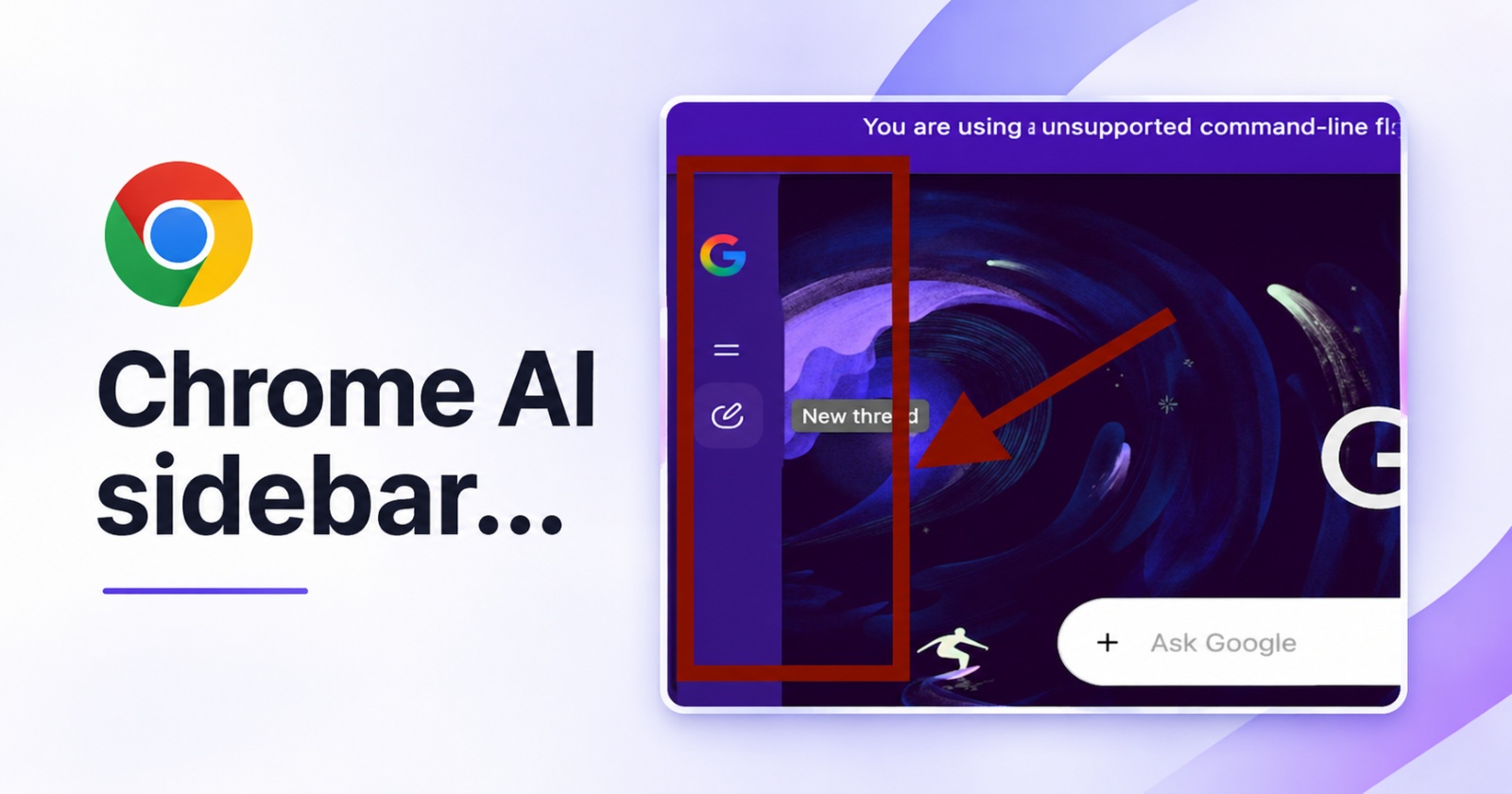
“More Gemini” is what Google has been trying to do over the past few years at this point, and the latest version of Chrome Canary includes a whole AI/Gemini sidebar on the New Tab page.
It’s located to the left of the New Tab page and is available on the latest version of Chrome Canary. It has three buttons. The first one is just the Google logo, which takes you to the “google.com” search page. I don’t understand the point of this option when you can directly start searching in the address bar.
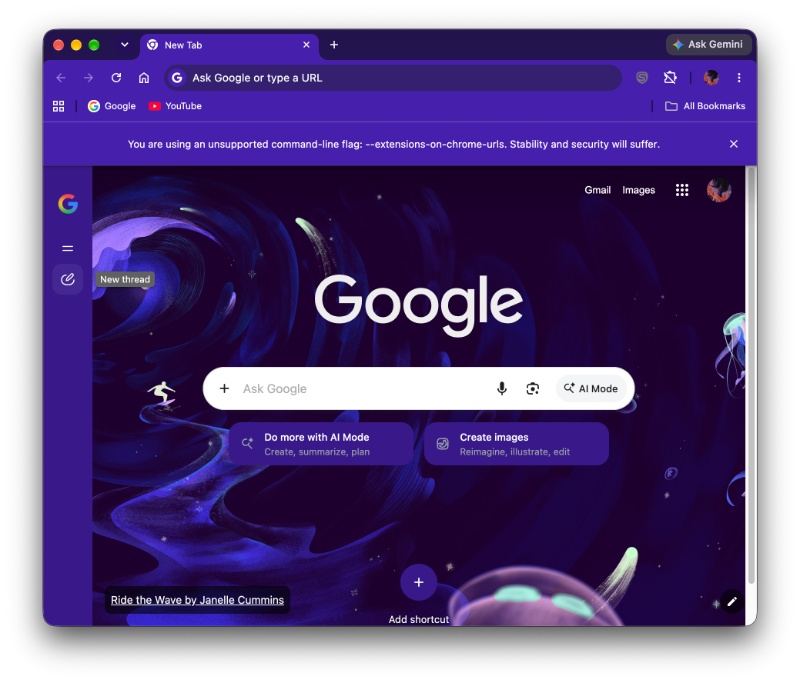
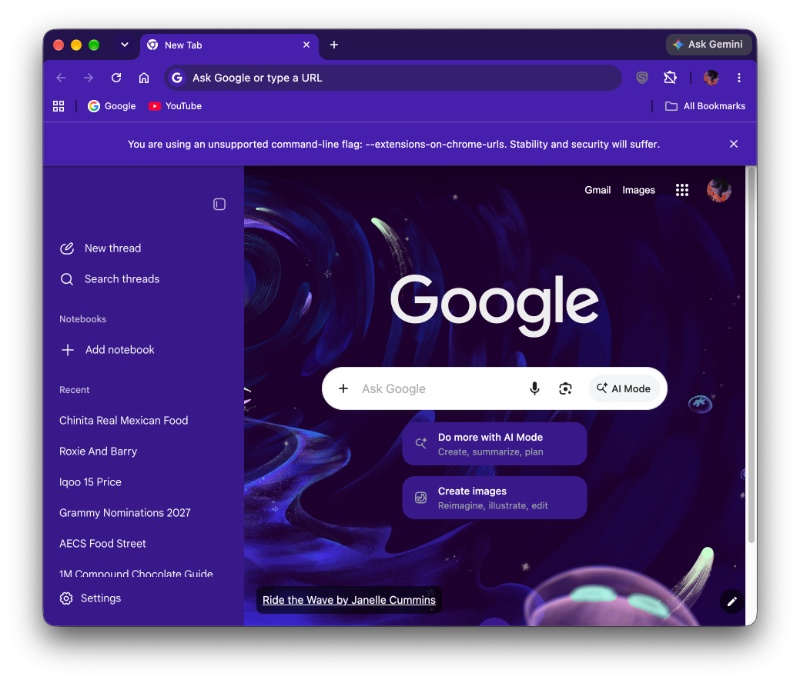
Either way, the second button is represented by a two-line icon. Clicking that expands the AI sidebar, and you’ll find options like New thread, Search threads, Add notebook, and all your recent threads (conversations with Google’s AI mode).
Clicking on the third button directly starts a new conversation with Google AI mode. However, searching for something in the New Tab page directly also does the same thing now, since the default option (even on Chrome stable) is “Ask Google.”
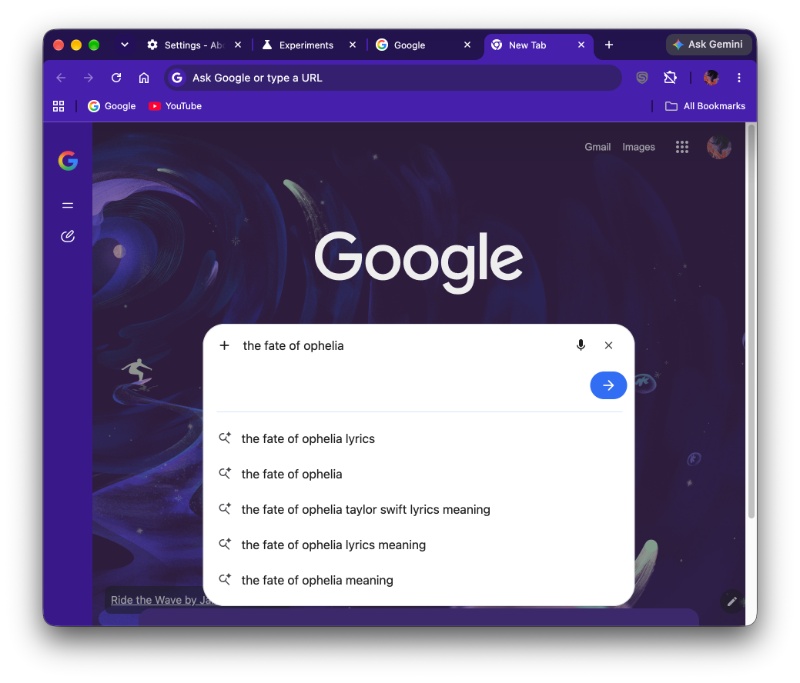
I personally find two of these buttons redundant, because you can already search from the address bar and use the Ask Google Mode from the search bar on the New Tab page. The only useful one is the sidebar expansion button, because it lets me check my history.
Interestingly, I could not find an option to turn this sidebar off. Under Settings, there are various options such as Personalization, See your search history, etc. However, there’s no way to turn it off from here.
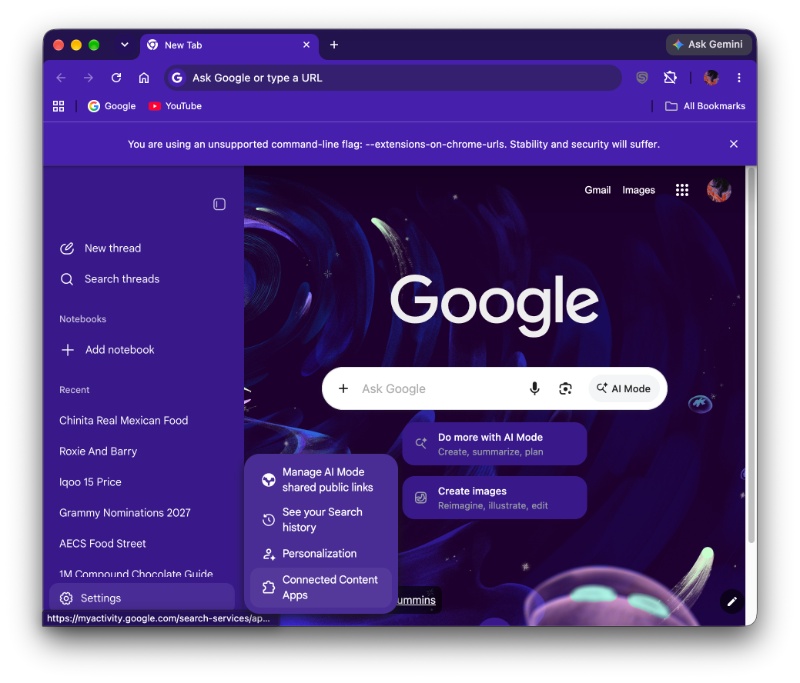
Even from Chrome’s main settings, there was no option to turn this off, and no relevant flags turned on either.
Considering that the usefulness of these buttons is currently sparse, BrenTech on YouTube has theorized that Google could be working on a “Gemini New Tab” page in the future, noting the similarities it has to Microsoft’s implementation of an AI sidebar.
If this feature makes it to the stable version of Chrome, Google should consider adding a toggle to turn this sidebar off, because we previously covered a topic where the left sidebar was driving people crazy; many people don’t like extra elements that don’t add much functionality.
More options to access Ask Google aside, the company is also experimenting with glassy looks. The latest Canary version of Chrome enables the glass effect by default. More on that here.


Sudhanshu K
389 Posts
I have been a consumer technology enthusiast for over 5 years. Thanks to my experience in software beta testing and product reviews, I've understood and learnt a lot about what bugs and issues bother people, and I spend time trying to simplify their solutions. I cover smartphones, software, social media, apps, AI, and most consumer tech gadgets. Actively pursuing a Computer Science bachelor’s degree. I'm mostly active on Twitter/X (@TechWhirlUlt), drop a DM or tag me if you want to share info or connect!