



In addition to the entries in the context menus, Chrome's "Smart suggestions" or "Ask about this" feature will have its own button in the toolbar. This button opens the overlay where you can select a region and then type your query in the floating input box to send it to Gemini: https://t.co/2lw0PTqDWA pic.twitter.com/KaHUhkX7Le
— Leopeva64 (@Leopeva64) November 15, 2026
Google is testing yet another Gemini feature in Chrome. This one focuses on making it easier to ask Gemini questions about specific parts of a webpage.
Instead of struggling to describe what a specific element looks like or vaguely describing its position, you can simply select a specific part of a website and ask questions.
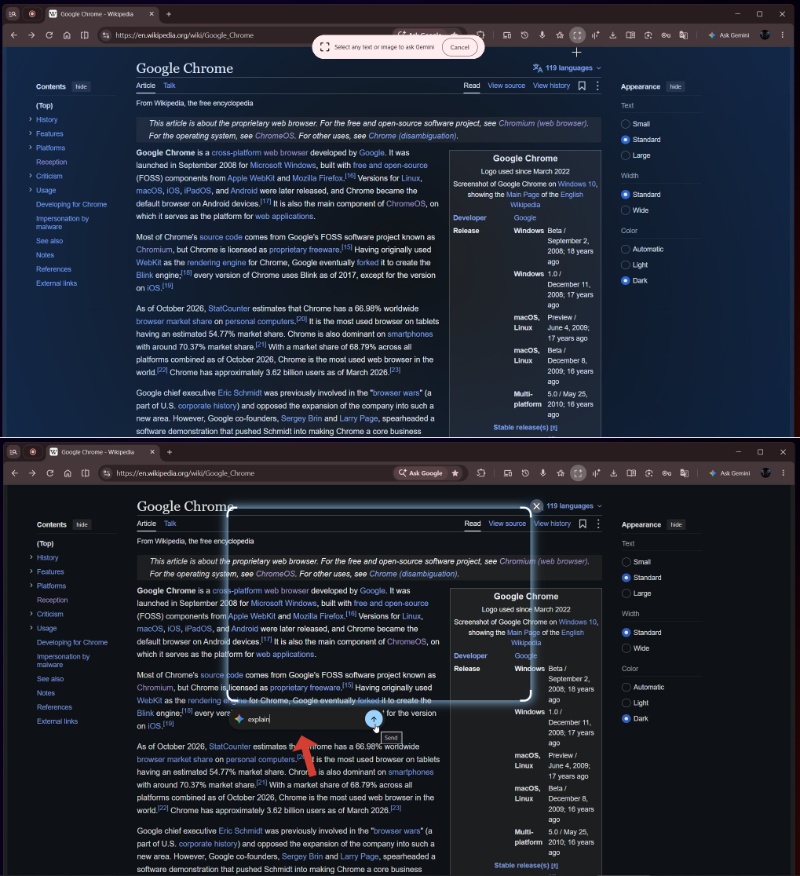
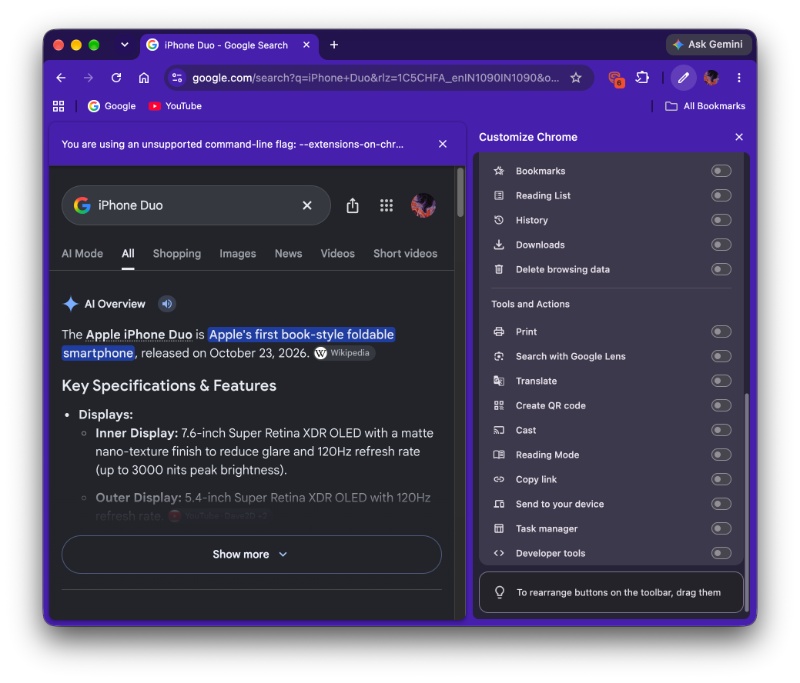
So, where exactly do you find this feature? On the latest version of Canary, you’ll find a dedicated “Ask about this” button in the browser’s toolbar. If it’s not present by default, you can find it under “Customize Chrome.” Once you click it, you can select text, an image, or an area of the screen. This becomes the context for Gemini.
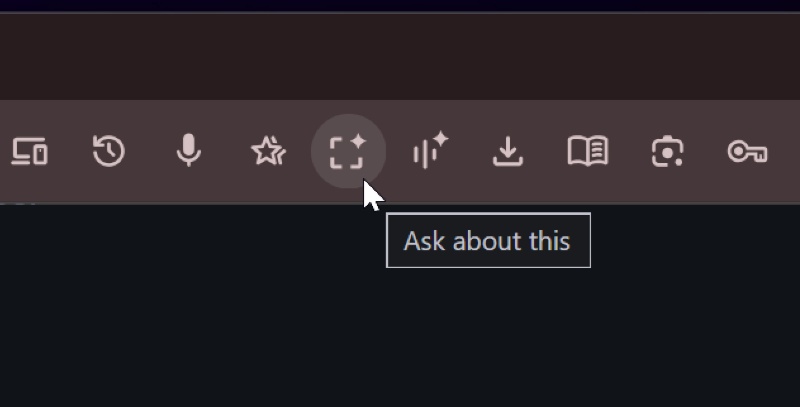
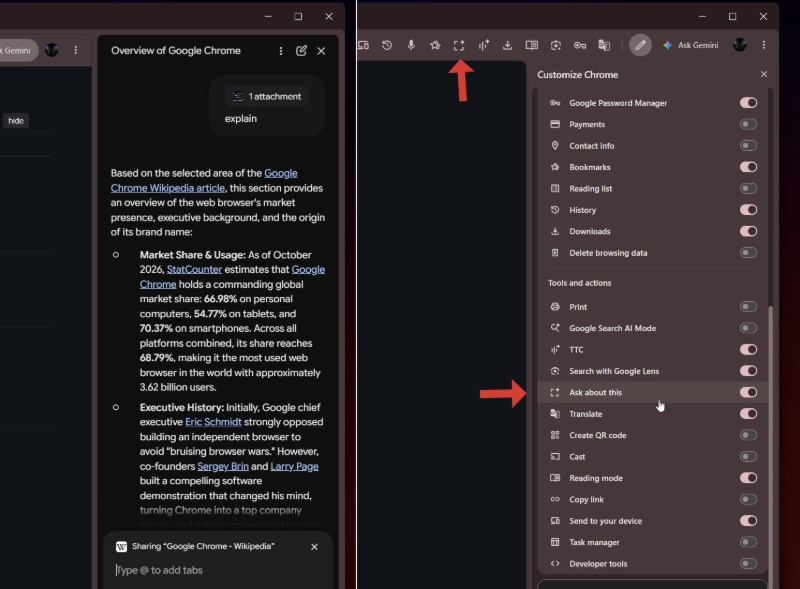
If you’ve used Circle to Search on phones before, the functionality is fairly similar to that. That feature basically lets you highlight a specific portion on the screen and perform a Google Search later.
There are several potential use cases for the “Ask about this” feature. I know it’s easy to dismiss a new Chrome/Gemini feature because of how many AI features they keep adding, but this one seems genuinely useful. For example, you can summarize specific paragraphs, ask about images without needing to save screenshots, ask for chart breakdowns, and more.
If you just want to search for an image, the “Ask about this” feature technically exists if you just right-click on an image — you’ll need to use Google Lens. However, this makes it more convenient, and it isn’t restricted to images alone.
According to the original source, the feature was previously not functioning correctly, often returning summaries instead of specific context-based answers. However, it does work properly now.
Speaking of the original source, the “Ask about this” feature was initially spotted by @Leopeva64; you can view the post on X below.
Unfortunately, I was unable to find a relevant flag to enable the feature, even in Chrome Canary. Keywords like “Smart suggestions” and “Ask about…” don’t return anything relevant. So, it could take a while before it makes it to macOS, and there’s no confirmed ETA. Assuming Google doesn’t tie the feature to a specific version number, we might even get it sooner.
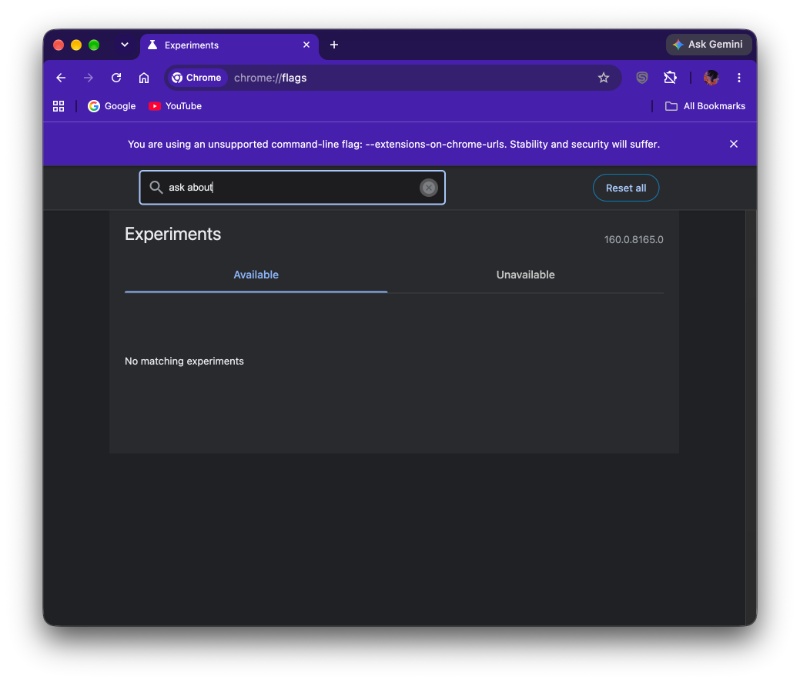
There is a possibility that the feature is currently exclusive to Windows, since it’s quite common for Google to test on that platform first. It hasn’t shown up for me yet on macOS. It’s supposed to be under the “Tools and Actions” section. The entire Chrome customization suite is available at the end of the three-dot menu: More tools -> Customize Chrome.
Disclaimer: The Featured image was generated with AI.

We stand out from the tech-media crowd because we break news stories; we mainly bring you stuff that you won’t find anywhere in the mainstream tech media. Our stories have been picked up by some of the world’s most popular websites and media outlets—more info is available here.

Sudhanshu K
386 Posts
I have been a consumer technology enthusiast for over 5 years. Thanks to my experience in software beta testing and product reviews, I've understood and learnt a lot about what bugs and issues bother people, and I spend time trying to simplify their solutions. I cover smartphones, software, social media, apps, AI, and most consumer tech gadgets. Actively pursuing a Computer Science bachelor’s degree. I'm mostly active on Twitter/X (@TechWhirlUlt), drop a DM or tag me if you want to share info or connect!