



Late last month, we noticed a quiet addition in the Brave 1.98.60 release notes that automatically strips hidden data from images when you upload or download them. Now, the company has shared a new blog post explaining what that tool actually targets right now and where it is headed next.
As it turns out, the current version of the photo scrubber is specifically going after Meta. Whenever you download a picture from Facebook or Instagram, Meta slips a hidden tag starting with “FBMD” followed by a long string of characters into the file.
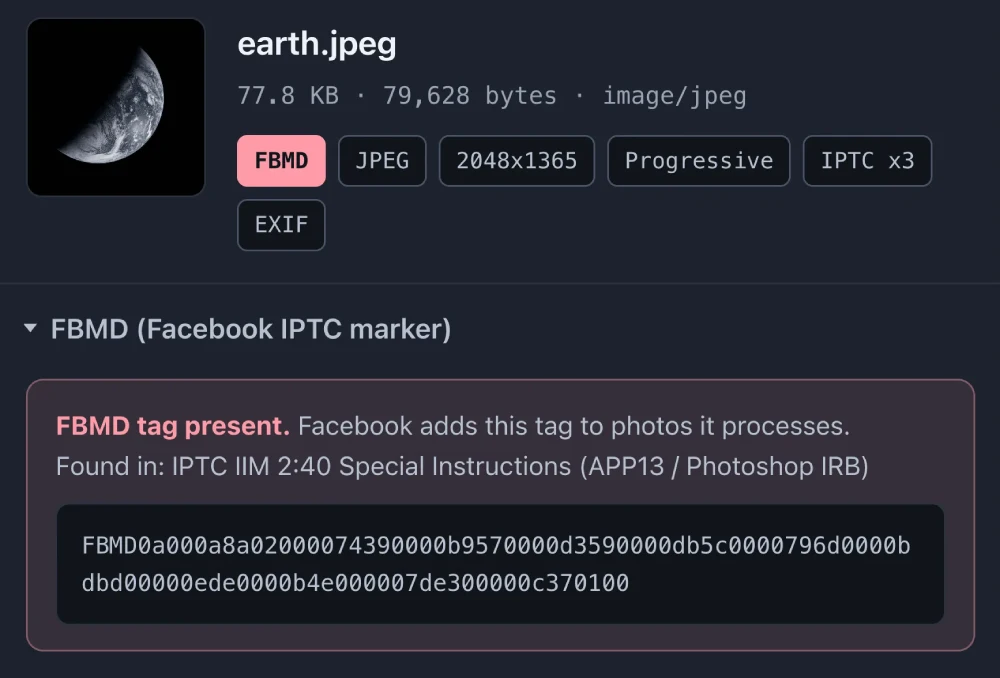
If you grab a meme from a friend’s Facebook page and repost it on a burner Instagram account you try to keep separate, Meta can read that invisible tag to connect the two profiles. Even if you use a VPN or masked email aliases, the file itself gives you away.
Brave’s current desktop build removes the FBMD marker whenever you save an image or upload one to a website, while leaving your original local file untouched. It’s a thoughtful privacy feature, especially as the browser has recently surpassed 130 million monthly users and continues to focus on practical tools that help protect your privacy.
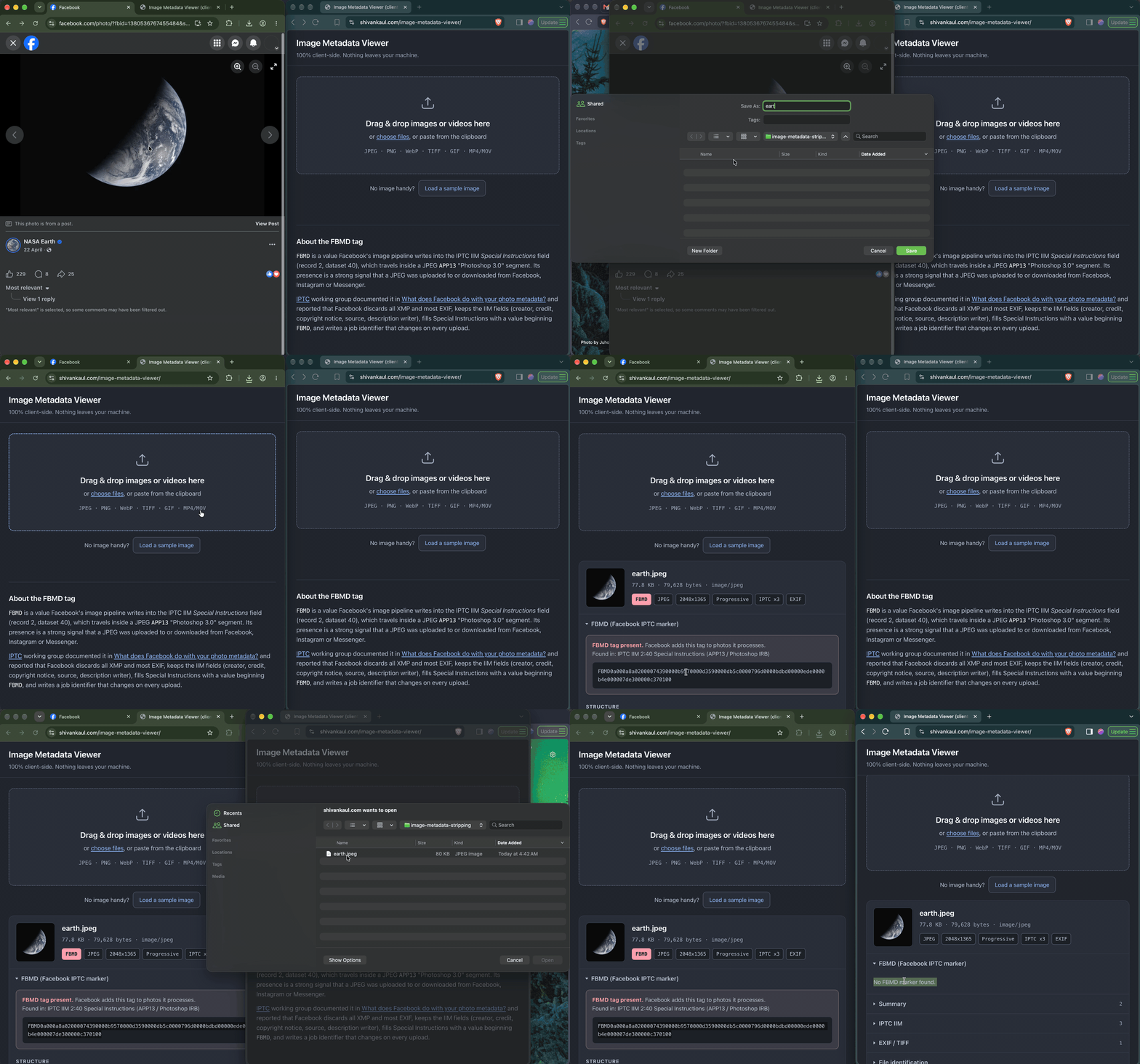
Still, blocking Facebook’s tracking tag is only the first step. Brave says “this is just the beginning” and that in the future, “we’d like to add the ability to remove geolocation, device, date, and time data from images.”
Right now, standard camera data like your GPS coordinates and phone model can still travel with your photos unless a website strips it out for you. Because people sometimes actually want that data so cloud photo libraries can sort pictures by date or place, Brave says, “we’ll give you control over when Brave removes it.”
The team also confirmed plans to bring the metadata scrubber to Android and iOS. Along with adopting encrypted search redirects to block AI scrapers, Brave is taking a thoughtful approach to closing smaller tracking gaps that other browsers may overlook. No wonder why the browser usually lands at the top spot of privacy-focused browser rankings.


Dwayne Cubbins
3204 Posts
I cover fast-moving stories across apps, online platforms, and everyday tech — phones, wearables, consoles, and whatever else people are fighting with this week. Bugs, rollouts, scams, policy enforcement, and the occasional internet-culture rabbit hole are all fair game. My goal is simple — make confusing tech news readable. When I'm not working, I'm working out or chilling with my dog. Got a tip? You can find me on X @dcubbins.