



Ladybird creator Andreas Kling just shared a preview on X showing off a new vertical sidebar layout for the upcoming independent browser. “People keep asking for this UI layout for @ladybirdbrowser so I’m adding it as an option,” he posted alongside a screenshot of the new look. Check it out below.
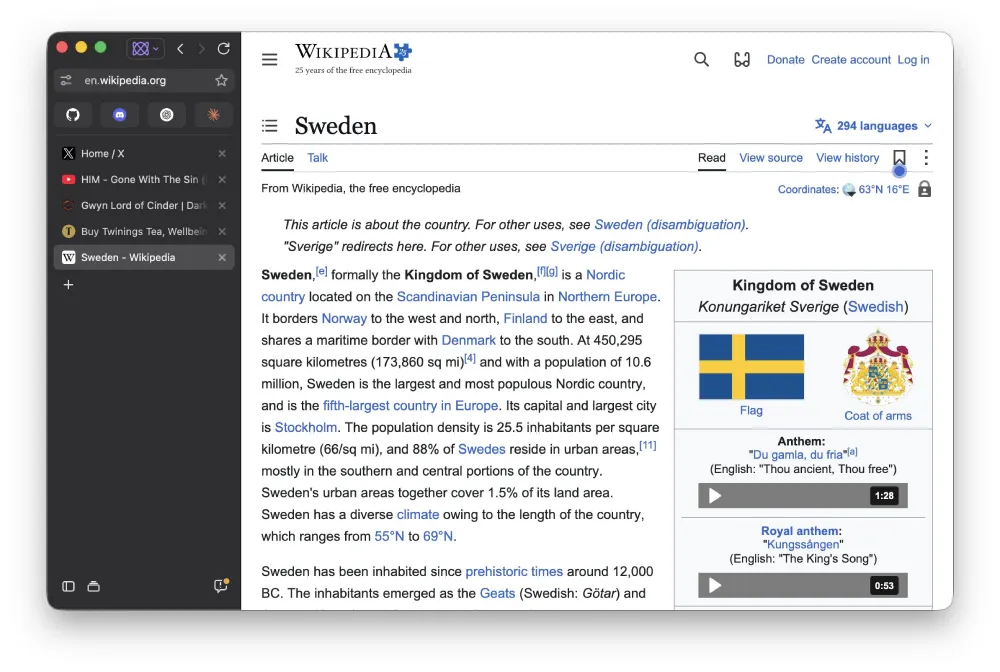
If you have used Arc over the past couple of years, that screenshot is going to look very familiar. The URL bar, navigation buttons, and all your open tabs are tucked neatly into a clean panel on the left side of the screen instead of sitting across the top.
I actually prefer this layout too since it frees up so much vertical space on widescreen monitors and keeps dozens of open tabs readable. With Arc completely shutting down on December 22 as The Browser Company pivots to Dia, a lot of us have been scrambling for a new home that feels familiar.
Mozilla has already been courting Arc power users, and alternatives like Zen or Crest have picked up plenty of steam lately. Ladybird has jumped into the mix with an optional sidebar right after its October newsletter revealed a full visual overhaul and that it passed Safari on web tests.
Shortly after showing off the modern sidebar, Kling followed up with a feature from the complete opposite end of web history. He shared that he “added support for old-school HTML <frameset> and <frame> tags in @ladybirdbrowser so we can browse the Internet Archive in full glory!”
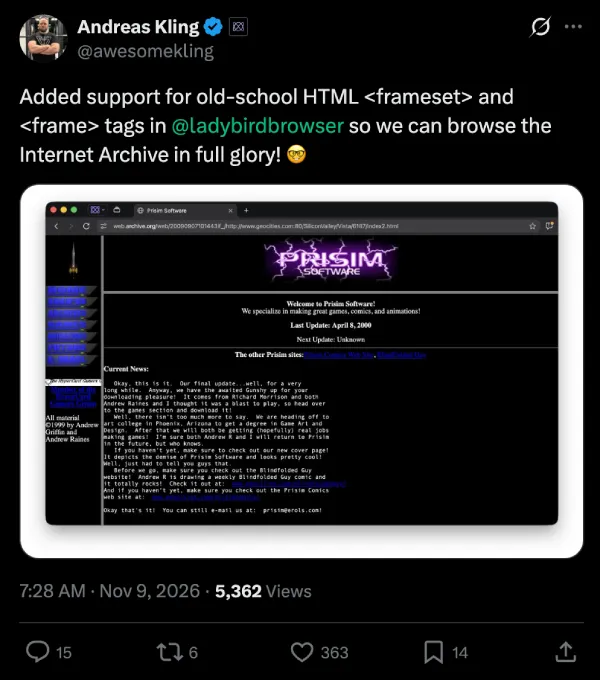
For anyone who did not spend the late 90s on GeoCities or Angelfire, frames were how developers used to split a webpage into separate scrollable sections, like keeping a navigation menu fixed on the left while the main page loaded on the right. Modern web design ditched them ages ago, but thousands of archived websites still rely on those tags to work properly.
Since the team is building their own browser engine completely from scratch rather than just slapping a new skin on Google’s Chromium code, they have to manually add support for even the oldest parts of the web.
Taking the time to make sure Wayback Machine pages do not look broken shows how seriously they are taking real web compatibility, right alongside recent work to stop heavy websites from freezing up your mouse cursor.


Dwayne Cubbins
3191 Posts
I cover fast-moving stories across apps, online platforms, and everyday tech — phones, wearables, consoles, and whatever else people are fighting with this week. Bugs, rollouts, scams, policy enforcement, and the occasional internet-culture rabbit hole are all fair game. My goal is simple — make confusing tech news readable. When I'm not working, I'm working out or chilling with my dog. Got a tip? You can find me on X @dcubbins.