





The Arc browser isn’t completely “dead” yet. It still receives occasional bug fixes and the usual Chromium/security updates. However, what’s next? We have no idea when The Browser Company could decide to pull the plug. We haven’t even received any new features for several months (and won’t either).
In the painful process of trying to find viable replacements, I’ve stumbled across several Arc “impersonators.” I have tried just about all of them, including Zen, Dia, and Deta Surf. This article doesn’t focus on any of those. It’s a comparatively niche browser that advertises itself as a browser built for “life after Arc.”
Naturally, that got me intrigued. The name of the browser is “Crest,” and the official page mentions Spaces, a sidebar, Peek, and Split View. So, does it have complete feature parity with Arc? Can it actually replace Arc? I’ve used this browser for a few days as my primary one, and this article explains what I think.
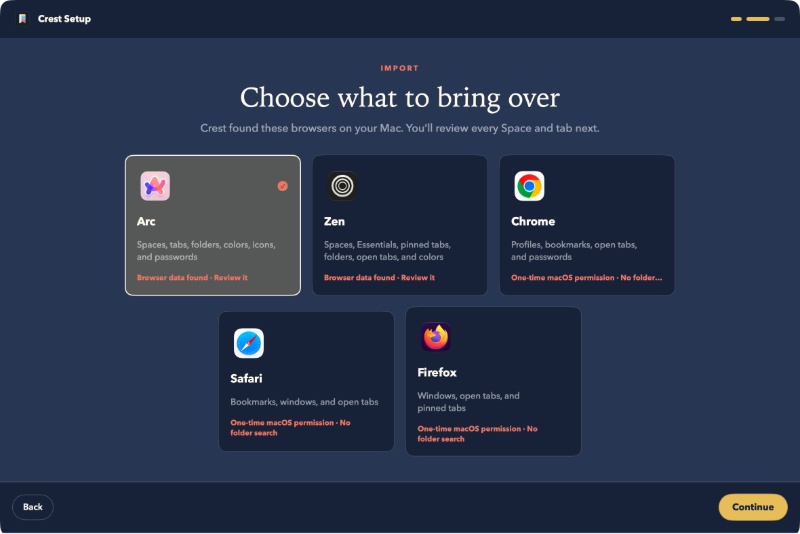
The setup process simplifies the onboarding and transition quite well. You can move over your Spaces, and it’ll also import all the favorites, with the exact location that Arc had them in.
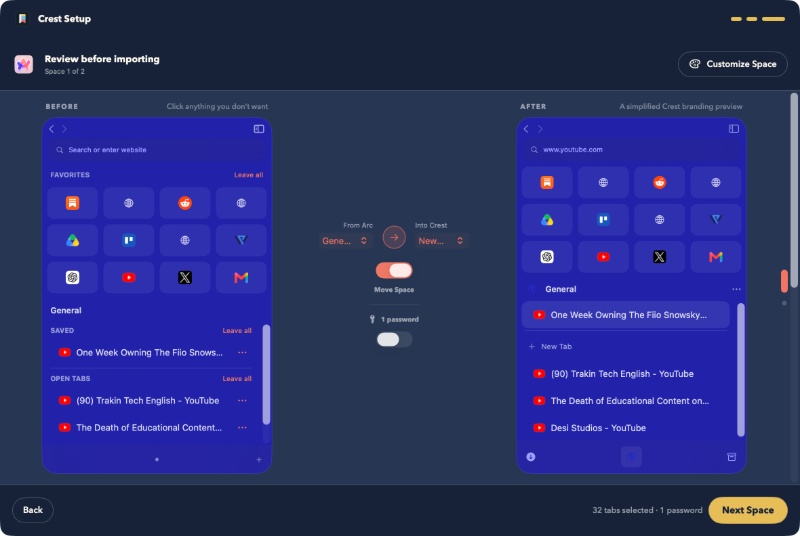
In terms of customization options, it actually outdoes Arc completely. I also noticed that Crest feels rather quick and snappy to use, and the way it responds to swipes and clicks is on the “faster” side, even if it’s less elegant at times.
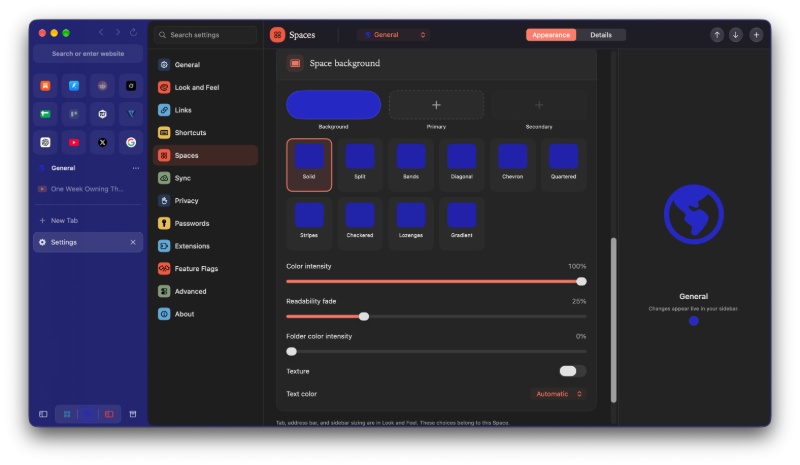
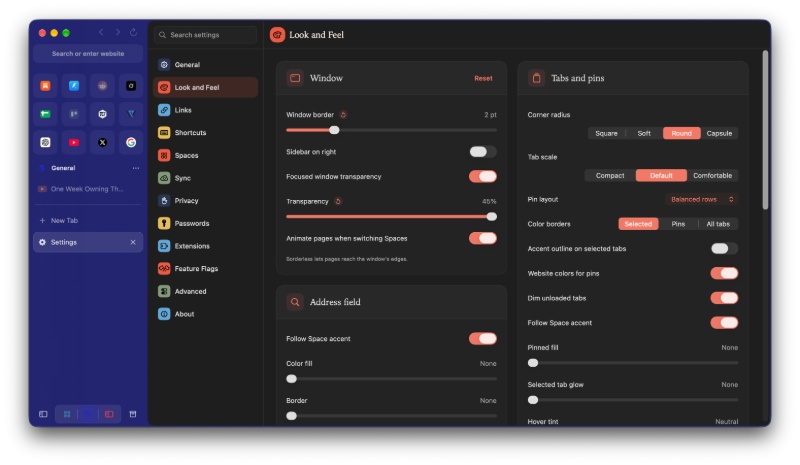
I found that most important features from Arc are here. There’s Archives, the media player at the bottom, one-click tab clear, Peek, Split View, auto PiP.
It also has something I find really important to me. I actually found this missing on every single Arc replacement browser so far: An equivalent to Little Arc windows. For example, if you open a link from any other app on your system, it doesn’t directly enter your main workspace. Instead, it opens as a floating window, which you can later fully expand into a workspace of your choice. This browser has the feature. It’s called Quick Window, and it actually works.
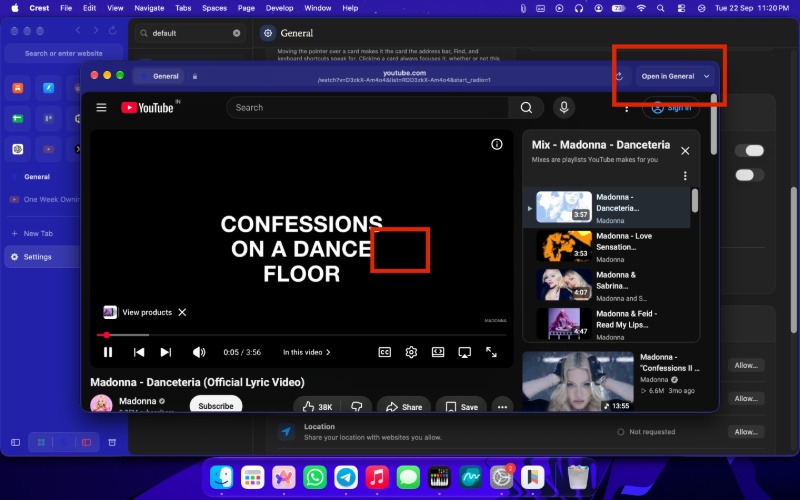
It fixes the biggest complaint I had with Zen, which doesn’t feature an equivalent to Little Arc to date. As far as I’m aware, Crest is the only browser that has managed to pull this off. But does it pull off complete feature parity, and would I switch away from Arc right this instant? The answer is no, and here’s why:
- There’s no “Arc Boosts” equivalent (yet). The feature on Arc that lets you change the theme or font of any website, zap away the elements you don’t like, and save those changes for every time you visit the website again. This feature is completely missing.
- There is no media tab within the sidebar. On Arc, you can just swipe to the extreme left, and you’ll find your media available there.
- While external links do open in a Quick Window, there’s no option to directly right-click any link and open it in a Quick Window.
- There’s no option to auto-organize tabs.
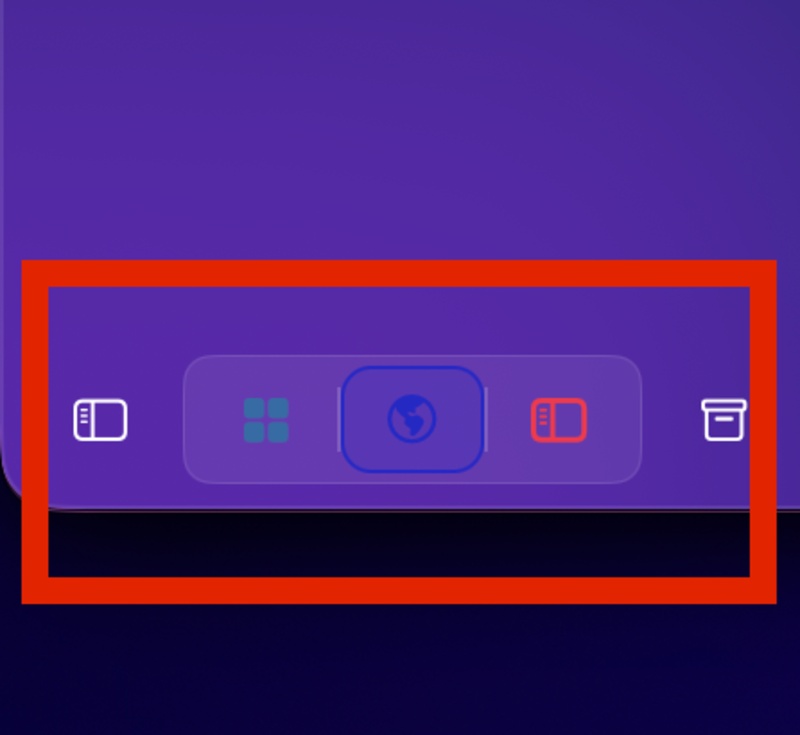
- The option to contract/expand the sidebar is located at the bottom, and there’s no option to change it back to the top. It’s a muscle memory issue, but worth mentioning. They haven’t managed to replicate Arc’s Easel/Whiteboard features yet, though neither of them is available on Arc right now as well, so I can’t really complain about that.
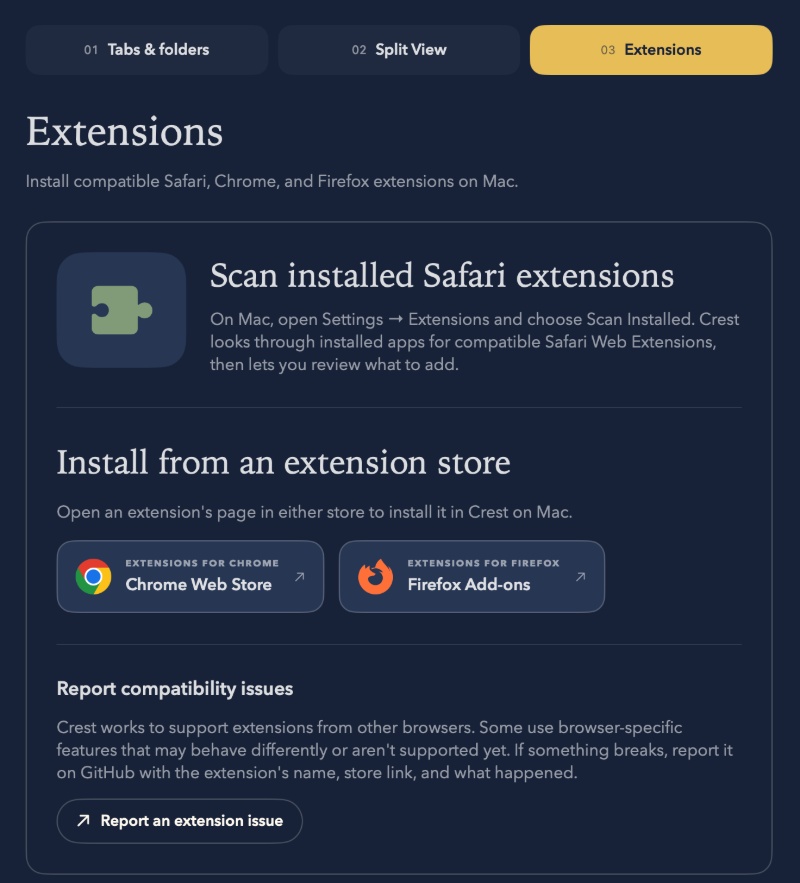
The browser doesn’t run Gecko or Chromium. Instead, it uses Apple’s WebKit engine, and still manages to support Chrome/Firefox extensions.
All in all, the Crest browser manages to bring a lot to the table. It balances aesthetics and functionality well, while also being completely open-source. It’s also available for iPad/iPhone, though I’ve primarily tried it on my laptop. If the company works on achieving complete feature parity, I might reconsider switching to this. For now, I would still consider Zen as the strongest alternative if you don’t mind using a browser with the Gecko engine and are also okay with missing out on Little Arc windows.
Further information about the browser and download links can be found here if you’re interested in trying it out.
Interested in why I still use Arc despite the company effectively ditching it? I’ve explained that in detail here.


Sudhanshu K
286 Posts
I have been a consumer technology enthusiast for over 5 years. Thanks to my experience in software beta testing and product reviews, I've understood and learnt a lot about what bugs and issues bother people, and I spend time trying to simplify their solutions. I cover smartphones, software, social media, apps, AI, and most consumer tech gadgets. Actively pursuing a Computer Science bachelor’s degree. I'm mostly active on Twitter/X (@TechWhirlUlt), drop a DM or tag me if you want to share info or connect!