



Mozilla has officially locked in the release version for its upcoming address bar timestamps, confirming that the tool will arrive with Firefox 161.
We first spotted the company testing a way to show when you last visited a website back in October, and now it is switched on by default in the latest Nightly builds.
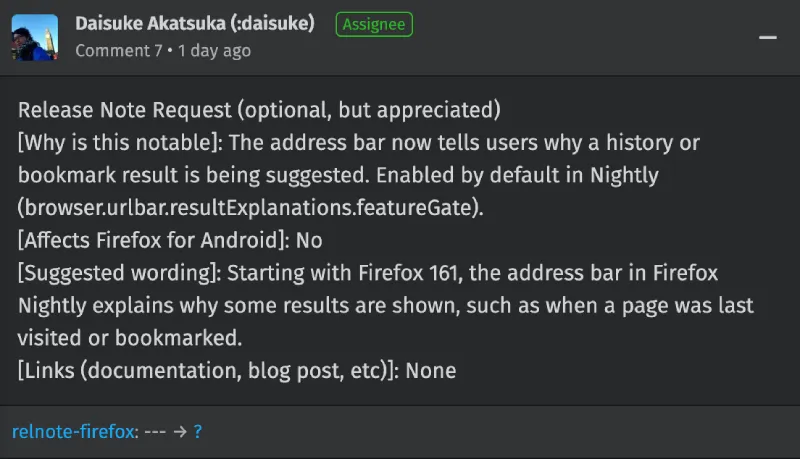
An update from the official Firefox Nightly account on X and its matching Bugzilla ticket revealed that “Starting with Firefox 161, the address bar in Firefox Nightly explains why some results are shown, such as when a page was last visited or bookmarked.”
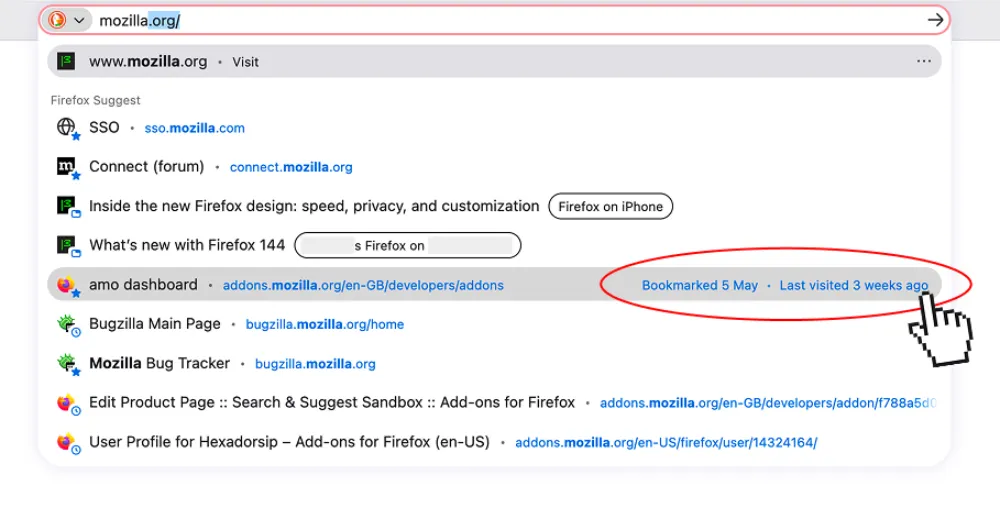
Until this week, anyone who wanted to try it out had to dig into the browser’s hidden configuration settings and flip a flag manually.
The whole point of the change is to clear up confusion when you start typing into the search bar and get a massive list of similar links. When you hover your mouse over a suggestion or highlight it using your keyboard arrows, a small label pops up on the right side saying something like “Last viewed yesterday” or showing the exact date you saved a bookmark.
Mozilla has been putting a lot of work into the URL bar lately, including a fix for an annoying address bar issue that searches typed URLs instead of loading them. Adding these simple date labels makes the dropdown menu easier to navigate, so you won’t have to guess when you’re looking through dozens of old tabs in your history.
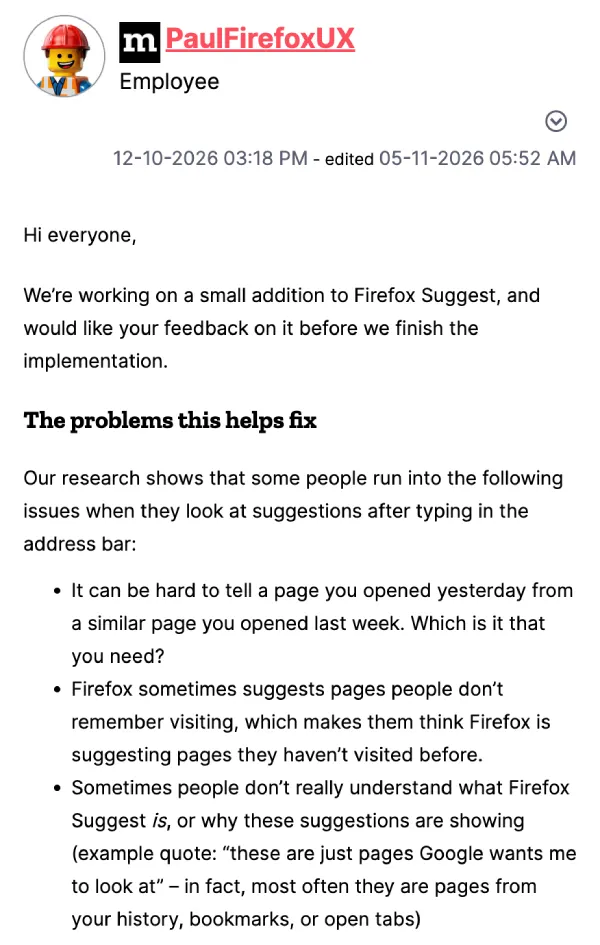
During user research, the team found that people constantly forget visiting older pages and assume the browser is just pushing random ads or sponsored links at them. In the original Mozilla Connect discussion, an employee shared that one tester even complained “these are just pages Google wants me to look at” when the links were actually coming straight from their own browsing history.
While the stable channel just picked up Firefox v159.0.1 to fix passkey login failures and Windows crashes, this new address bar tweak is going to stay in testing for a little while longer. A developer on the forum also doubled down on shipping the feature turned on for everyone right out of the box.
They explained in a recent reply that “Very few people read release notes, and many turn off the popups that announce new features. If a feature ships off by default, most of the people who’d benefit from it would never find out it was there.” Power users who hate extra clutter can still turn it off in the deep configuration menu, though there is no word yet on whether a simple toggle will make it into the main settings page before Firefox 161 hits the stable channel. At the time of this writing, we couldn’t find any toggle to turn it off on the settings page.


Dwayne Cubbins
3186 Posts
I cover fast-moving stories across apps, online platforms, and everyday tech — phones, wearables, consoles, and whatever else people are fighting with this week. Bugs, rollouts, scams, policy enforcement, and the occasional internet-culture rabbit hole are all fair game. My goal is simple — make confusing tech news readable. When I'm not working, I'm working out or chilling with my dog. Got a tip? You can find me on X @dcubbins.