






Mozilla is testing a small update for the Firefox address bar that shows when you last visited or bookmarked a webpage right inside your search suggestions. It is currently available to try in Firefox Nightly alongside other recent search bar additions like the Manage AI quick action shortcut.
According to a Mozilla Connect post, hovering over a suggestion or highlighting it with your keyboard brings up a timestamp on the right. Seeing that you bookmarked a page in May or visited it three weeks ago helps you tell yesterday’s tab apart from an old link.
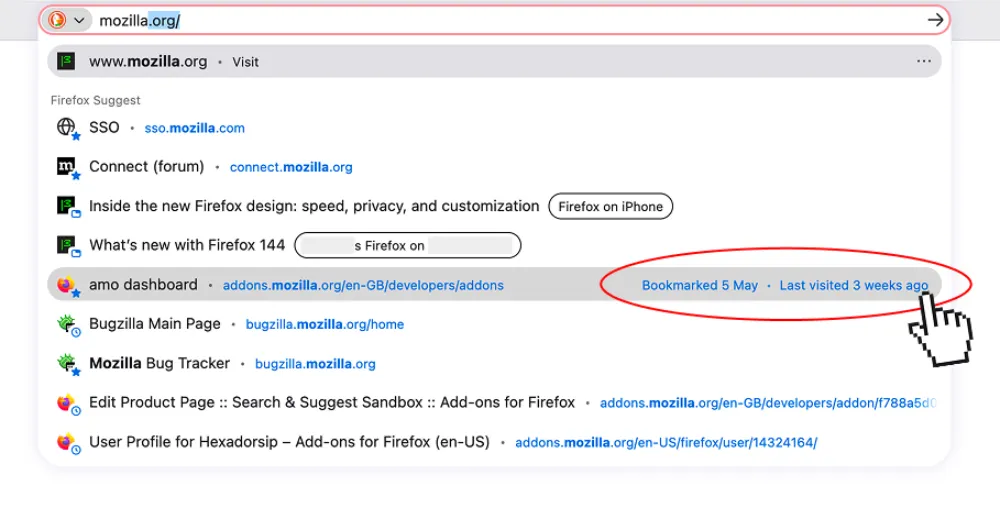
Mozilla found in its research that people often forget visiting older pages and assume the browser is pushing random links at them. One person even told researchers that “these are just pages Google wants me to look at” when the suggestions actually came from their own history and bookmarks.
Early designs replaced the web address with the date on hover, which hid the link right before people clicked it. Putting the date on the right keeps the address visible while still giving you context.
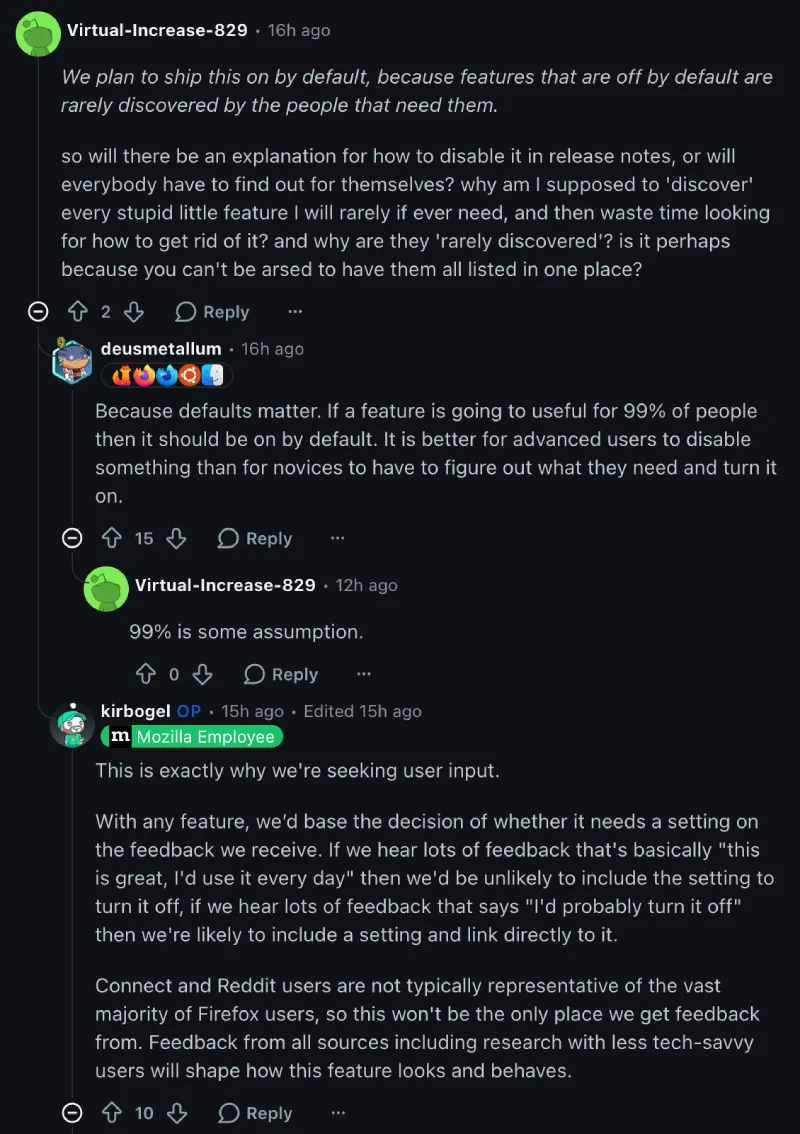
The team plans to ship this on by default since “features that are off by default are rarely discovered by the people that need them.” That said, it’s no surprise that some fans aren’t happy with this decision on the Firefox subreddit.
Just recently, the company also conducted a survey about multilingual news and sponsored stories on the New Tab page.
After some commenters complained about not getting an obvious off switch, a Firefox designer explained they don’t want to overload the settings menu, adding that “if we hear lots of feedback that says ‘I’d probably turn it off’ then we’re likely to include a setting and link directly to it.”


Dwayne Cubbins
3122 Posts
I cover fast-moving stories across apps, online platforms, and everyday tech — phones, wearables, consoles, and whatever else people are fighting with this week. Bugs, rollouts, scams, policy enforcement, and the occasional internet-culture rabbit hole are all fair game. My goal is simple — make confusing tech news readable. When I'm not working, I'm working out or chilling with my dog. Got a tip? You can find me on X @dcubbins.