


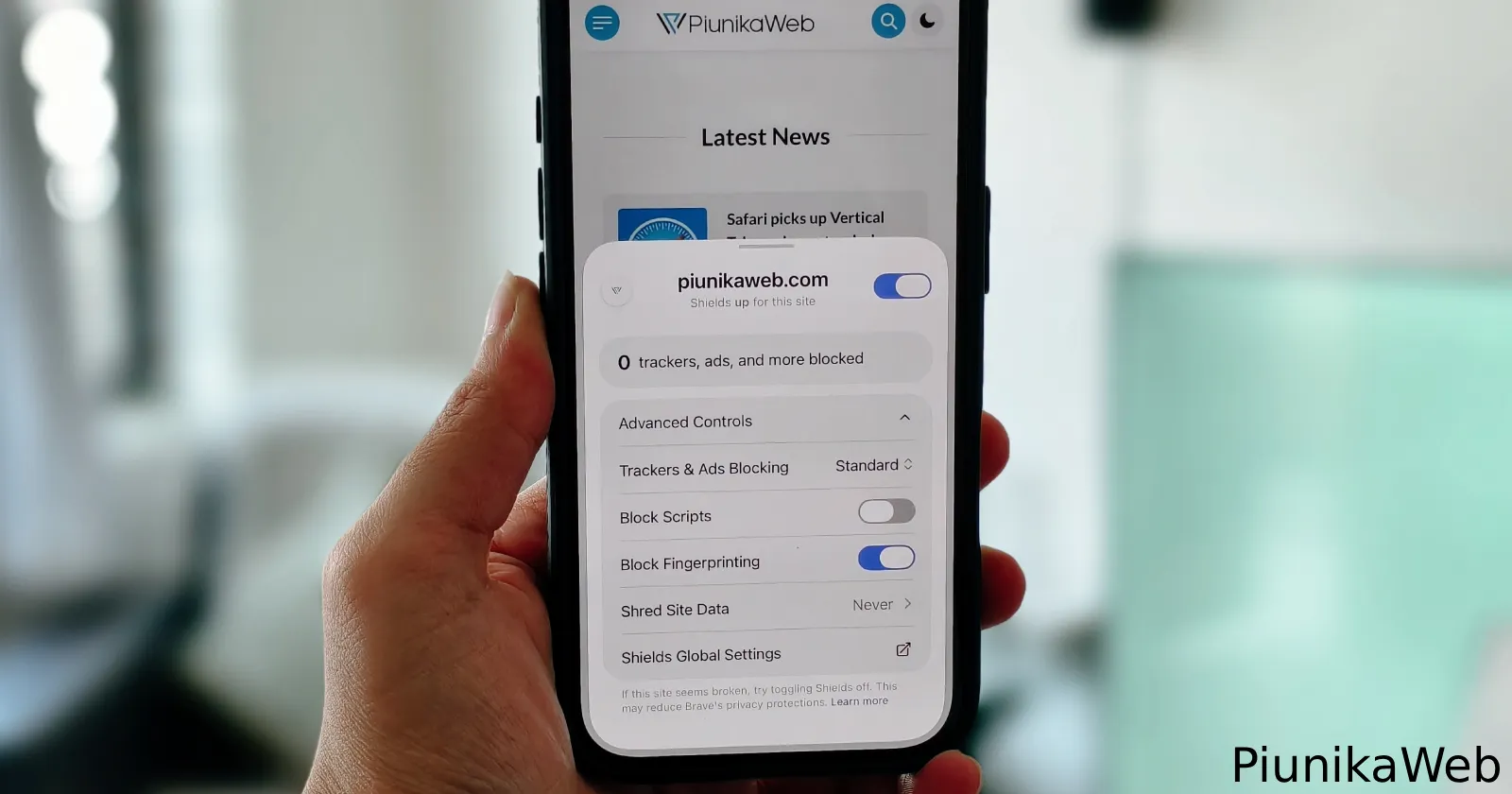
A fresh new update for Brave browser on iOS is here as version 1.98 on the App Store. It’s not a major update, but it does bring a big redesign to the Shields Panel.
If you tap the little Brave lion icon next to the address bar after updating, we immediately noticed that the new menu looks far better than the old setup and feels much more native to iOS 27 now.
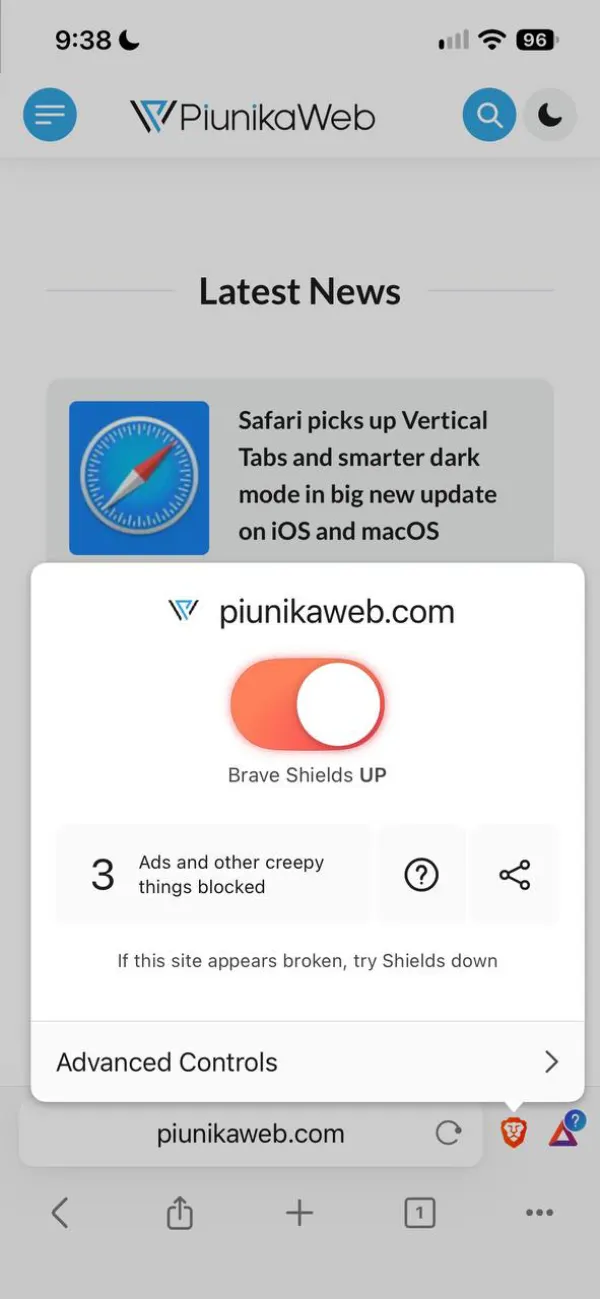
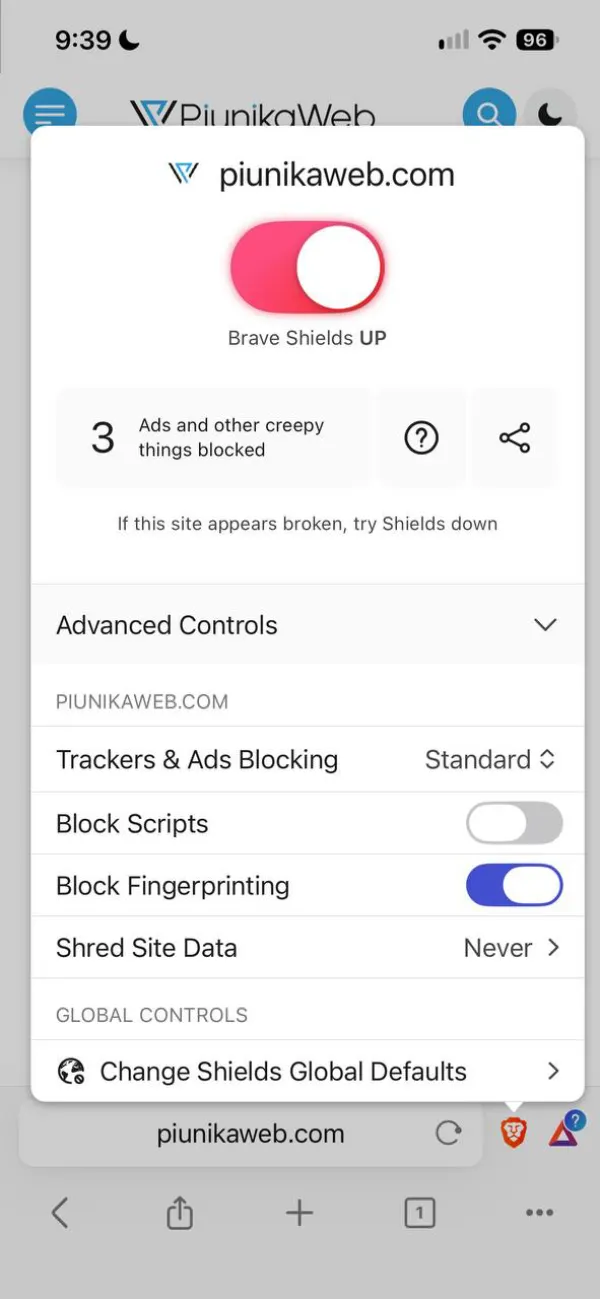
Before this rollout, opening the panel greeted you with a giant, cartoonishly large orange toggle right in the middle of a sharp-cornered box, complete with a counter for “Ads and other creepy things blocked”. For reference, here’s how it looked before the update:
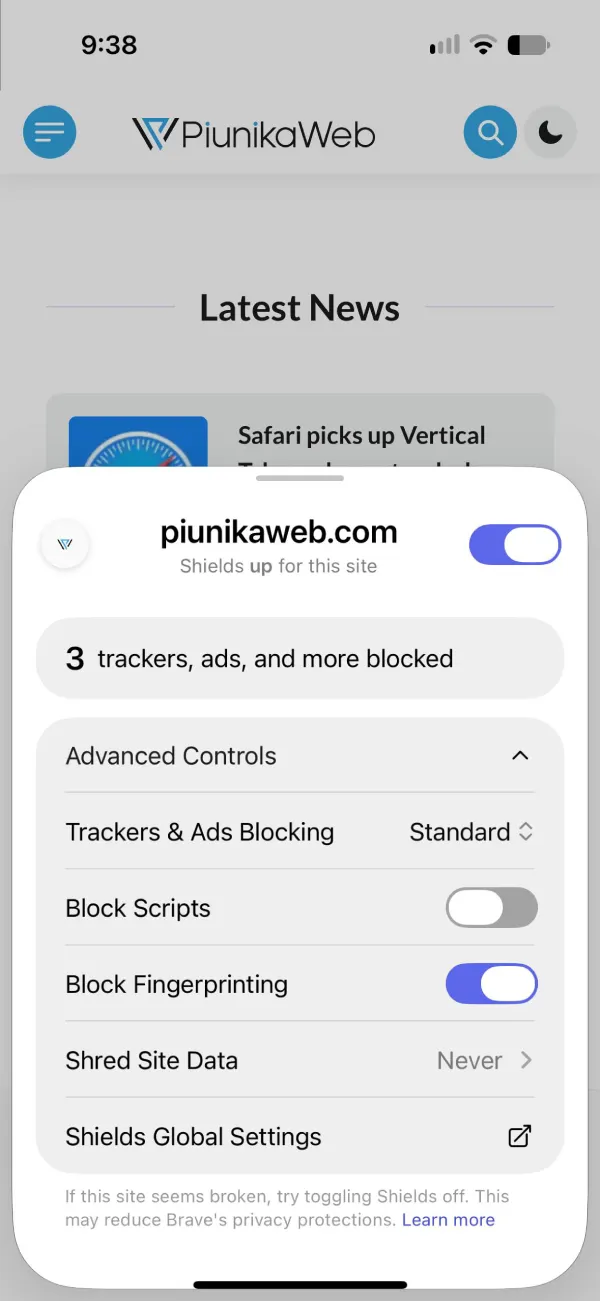
Now, that oversized switch is gone in favor of a clean bottom sheet with rounded corners and a standard purple-accented toggle tucked neatly in the top right next to the site name. Even the wording has grown up a bit, reading “trackers, ads, and more blocked” inside a pill-shaped banner.
Better yet, the update cuts down on extra taps by keeping the Advanced Controls expanded in a grouped card right away, whereas the old version forced you to tap the dropdown first just to reach basic options like script blocking or Shred Site Data.
This visual polish is part of a busy stretch for the company on Apple devices, coming right after Brave for iOS finally added background file downloads in version 1.97, so your transfers do not randomly die when you swipe home or use another app.
The team also recently confirmed that proper iPhone Duo optimization is on the way to fix cramped split-screen layouts on Apple’s new foldable.
Of course, all these frontend tweaks are happening while Brave is testing an internal Blink-powered iOS browser behind closed doors, even if Apple’s strict rules keep third-party browsers tied to WebKit in most regions.


Dwayne Cubbins
3180 Posts
I cover fast-moving stories across apps, online platforms, and everyday tech — phones, wearables, consoles, and whatever else people are fighting with this week. Bugs, rollouts, scams, policy enforcement, and the occasional internet-culture rabbit hole are all fair game. My goal is simple — make confusing tech news readable. When I'm not working, I'm working out or chilling with my dog. Got a tip? You can find me on X @dcubbins.