






Mozilla has updated its public Firefox roadmap with a fresh batch of features aimed at making everyday browsing more useful. The new features/upcoming features focus on floating windows, offline accessibility, and more.
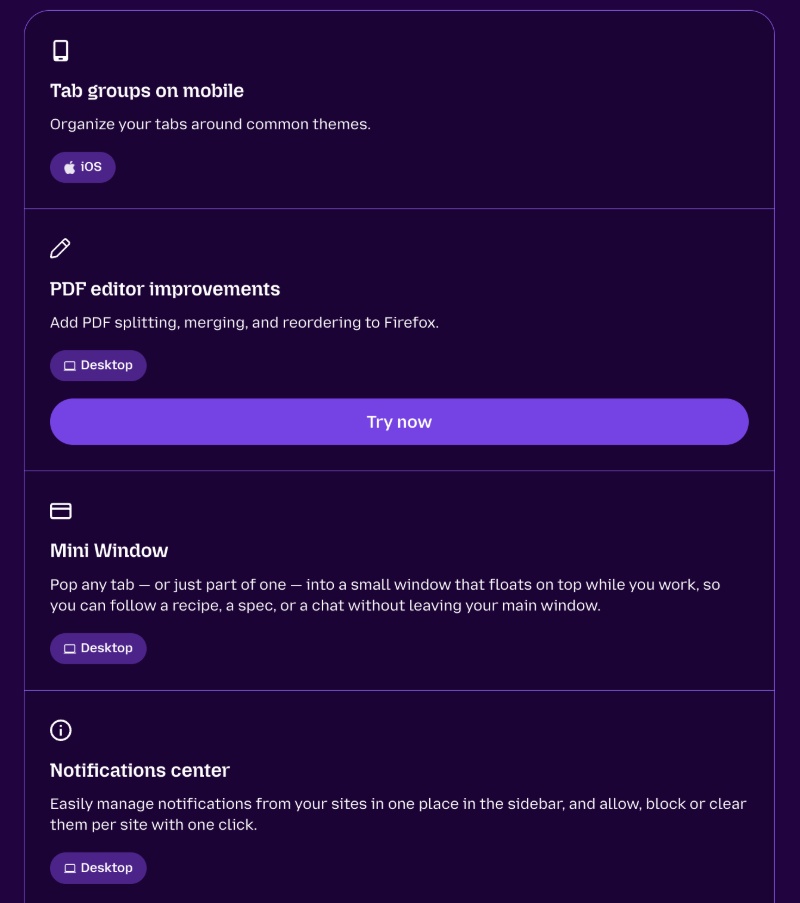
The company posted the entire thing on Mozilla Distilled, and we have attached a screenshot of the blog post below. It details upcoming features on the roadmap that are being worked on, and also reminds users of what was new with current updates.

A practical addition they’re working on is Mini Window. Firefox will let users “pop” a tab, or a part of a page, into a floating window that stays on top of other windows. Some parts of the page (or the entire page) will remain visible while you work in another tab, and you won’t have to switch back and forth. The feature is already in beta, and we covered more about this here.
Next up, Mozilla is planning to add the ability to listen to web content. Firefox will soon read articles aloud on both desktop and Android. On the latter, it’ll also work with the screen turned off. Furthermore, there’s an “Offline mode” planned for Android, which will let users save articles ahead of time. Once done, they can read or listen to them later without an internet connection. This is very useful for flights.
For the desktop version specifically, Mozilla is adding speech recognition. Select websites can offer voice input and captions without sending audio to a remote server. Transcriptions will work offline as well; you just have to download the speech recognition model.
Mozilla is also planning to improve privacy controls and make them more granular. Recently, the free built-in VPN has been added to some platforms. Later, Mozilla will introduce website-level rules. Users can decide how a VPN behaves on a site-by-site basis.
Finally, the “clear-data” button from Private Window will be coming to Classic Window on the desktop version. Users can quickly choose what browsing data to delete straight from the toolbar.
It’s worth noting that all of these features are still under active development. Some are live in Beta/Canary versions. However, they’re all on the roadmap, planned for the future, and will come out soon when they’re ready.
The entire roadmap is actually quite lengthy and includes a lot of features. You can find it here. And the Mozilla Distilled link can be found here.


Sudhanshu K
350 Posts
I have been a consumer technology enthusiast for over 5 years. Thanks to my experience in software beta testing and product reviews, I've understood and learnt a lot about what bugs and issues bother people, and I spend time trying to simplify their solutions. I cover smartphones, software, social media, apps, AI, and most consumer tech gadgets. Actively pursuing a Computer Science bachelor’s degree. I'm mostly active on Twitter/X (@TechWhirlUlt), drop a DM or tag me if you want to share info or connect!