





Windows Wednesdays Episode 6 in which Steve walks us through Live Groups in Dia on Windows. We let people in off the waitlist every day!! https://t.co/0QLQEtcB5E pic.twitter.com/47O0qNAoJi
— Dia (@diabrowser) September 2, 2026
We’re currently in the sixth week of Windows Wednesdays (the series from The Browser Company where they detail the progress made on the Windows version of Dia every Wednesday), and the latest episode finally shares progress on a feature: Live Groups.
As usual, the full-length video was posted on X, and we’ve attached it below. It was uploaded on Wednesday (September 2) as part of the series.
This is what it talks about:
- Live Groups is a feature in Dia that lets you organize your work in a smarter way.
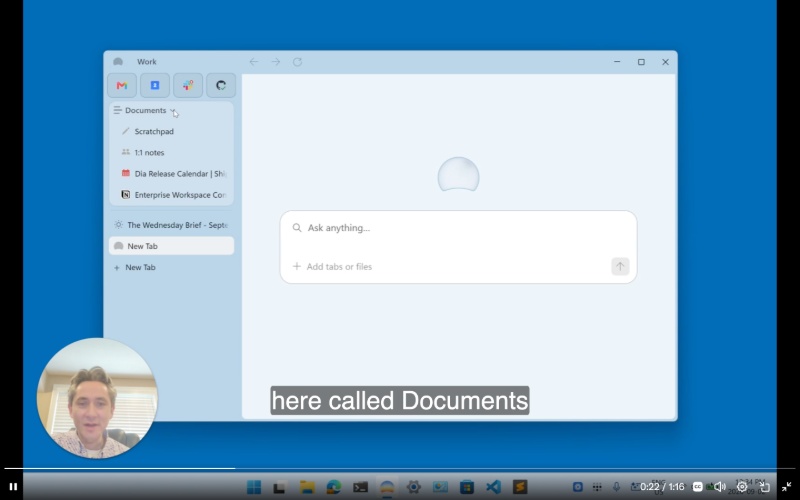
- It can integrate/connect to Notion and Drive.
- The feature automatically groups tabs together in documents, and you also have the option to modify it.
- You also have the option to connect it with GitHub.
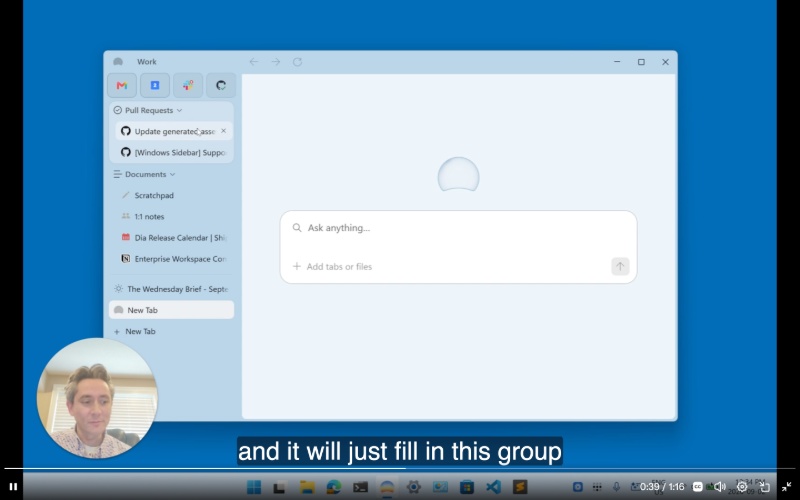
- Dia dynamically keeps these updated, and they refresh periodically in the background.
Note: Live Groups itself isn’t a new feature that’s exclusive to the Windows version of Dia. It’s just what they’ve worked on this week.
Considering the previous episode didn’t mention any features and merely elaborated on how to share feedback, it’s good to see more real progress this time around. You can check out the previous week’s episode if you want to recap how to share a feedback report with The Browser Company.
While the AI features remain available for free on Windows at the moment (it’s still in beta; you can join the waitlist from this link), that could change soon, because the AI features on the macOS version of Dia will soon be locked behind paywalls.
Considering there’s decent progress, I think Dia will hit the target of a fall 2026 public launch.
In other Dia news, the latest update on macOS brings support for Outlook Calendar and in-app tool requests. More on that here.
The company isn’t just focusing on macOS and Windows. A recent leak suggests that an iOS version of the Dia app is near. We covered that here.

We stand out from the tech-media crowd because we break news stories; we mainly bring you stuff that you won’t find anywhere in the mainstream tech media. Our stories have been picked up by some of the world’s most popular websites and media outlets—more info is available here.

Sudhanshu K
310 Posts
I have been a consumer technology enthusiast for over 5 years. Thanks to my experience in software beta testing and product reviews, I've understood and learnt a lot about what bugs and issues bother people, and I spend time trying to simplify their solutions. I cover smartphones, software, social media, apps, AI, and most consumer tech gadgets. Actively pursuing a Computer Science bachelor’s degree. I'm mostly active on Twitter/X (@TechWhirlUlt), drop a DM or tag me if you want to share info or connect!
Next article View Article

Dia v1.48.0 update for macOS expands tool connections to include Microsoft options
The latest update to Dia on macOS improves the reliability of workflows, expands tool collections, improves performance, and more.
For once, the official Release Notes thankfully mention the headline feature...
Sep 12, 2026 2 Min Read