Google seems to be laying the groundwork for another privacy-related feature in Chrome. The latest Canary build that dropped, which is version 153.0.8002.0, brings a dedicated flag for forcing the Global Privacy Control (GPC) signal on websites.
I spotted the new option when digging through the flags following the update. It’s currently labeled as “Force Global Privacy Control signal” with a description that says “Sends Sec-GPC=1 header with requests to indicate privacy preferences to websites.”

This isn’t exactly the first time that GPC has shown up in Canary. Back in late July, we reported that Chrome Canary had already started sending the GPC signal. However, as we had also mentioned at the time, there was no obvious way for users to control it.
Well, that changes with the latest Canary build, since the dedicated flag lets you switch it on or off.
For anyone unfamiliar with GPC, it’s basically a way for your browser to tell websites that you don’t want your personal information sold or shared. Instead of having to deal with privacy settings on every individual website, the browser sends the preference along with your requests.
Furthermore, one should not confuse it with the old Do Not Track signal, which was more often ignored by most websites. GPC, on the other hand, has already gained legal recognition in places like California, where businesses can be required to respect the signal in certain circumstances.
Naturally, I wanted to see whether Chrome’s new flag actually worked or whether it was just another option sitting there waiting for a future update.
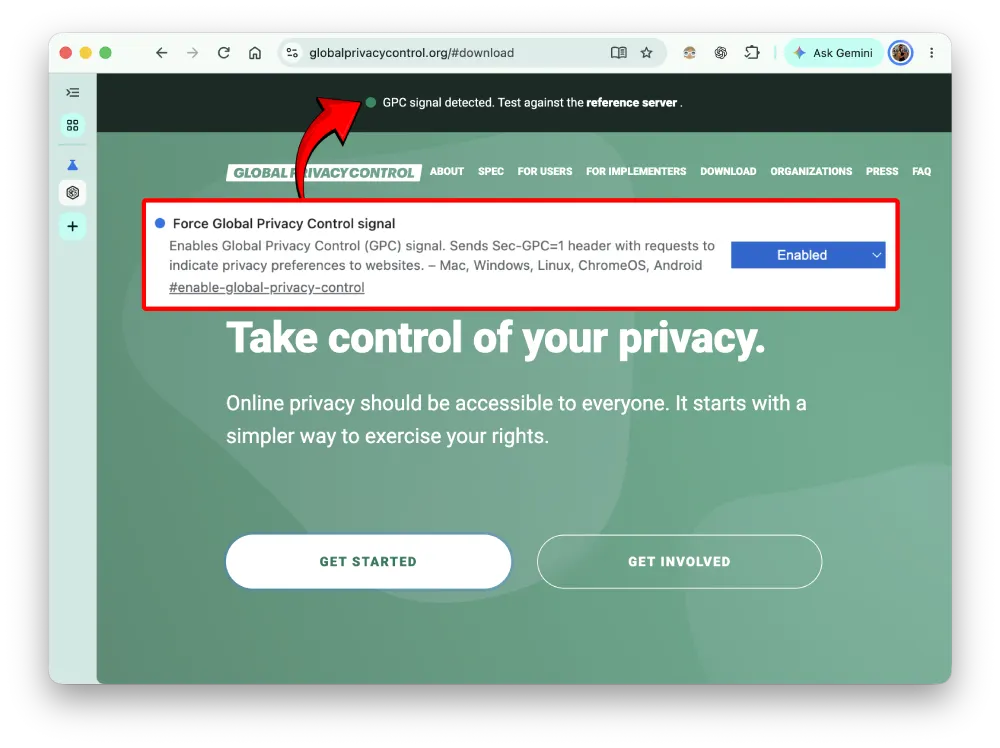
By default, the flag is set to, well, “Default.” But after I switched it to “Enabled” and went to globalprivacycontrol.org to check whether the browser was sending the signal, it said, “GPC signal detected.”
To be sure, I also disabled the flag and restarted Chrome. After visiting globalprivacycontrol.org again, the signal was not detected. The same was the case when I left the flag on “Default.”
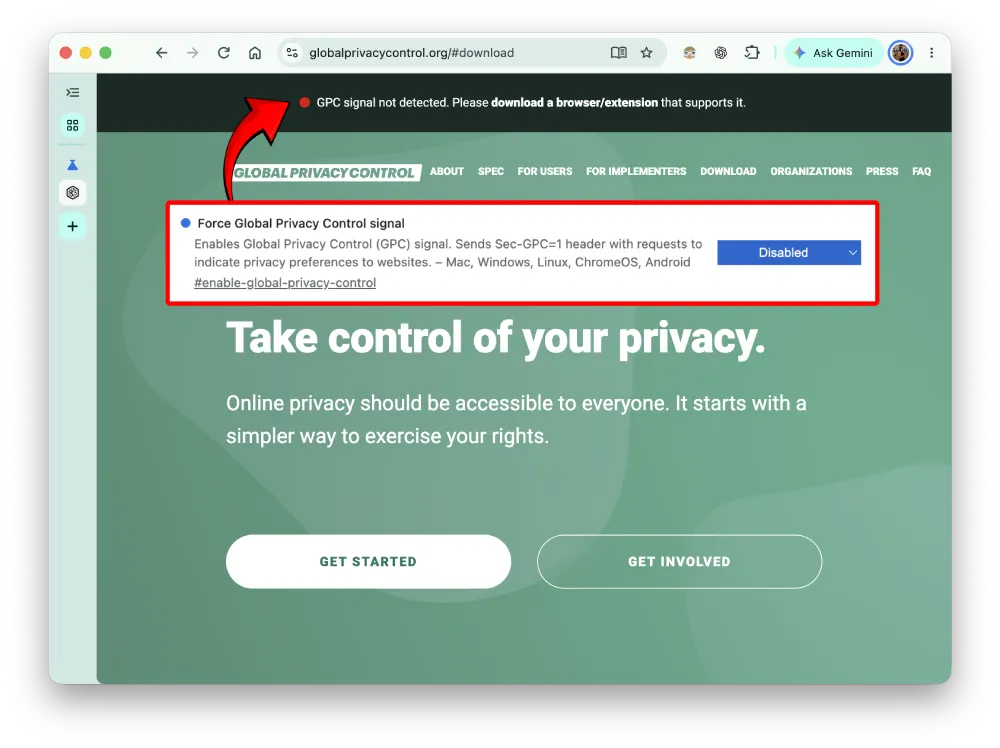
So at least on Chrome Canary 153.0.8002.0, the flag is doing exactly what it’s supposed to do.
It’s worth noting, though, that Chrome isn’t the first browser to support GPC. Other browsers like Brave and Firefox have had support for the framework for a while now. And other smaller browsers are also joining the bandwagon, with Helium being the latest to add a toggle for GPC support.
There’s still no indication that this flag is ready for the stable version of Chrome. But with Google now giving users a proper way to enable GPC in Canary, it certainly looks like something that could eventually become a more visible privacy option.
That said, if you’re looking for the best privacy-focused browser, Chrome is far from the right choice. We’ve broken down the latest privacy test results that pit every major browser against each other. So you might want to check that out for a better idea of what the best options are for you.


Dwayne Cubbins
3078 Posts
I cover fast-moving stories across apps, online platforms, and everyday tech — phones, wearables, consoles, and whatever else people are fighting with this week. Bugs, rollouts, scams, policy enforcement, and the occasional internet-culture rabbit hole are all fair game. My goal is simple — make confusing tech news readable. When I'm not working, I'm working out or chilling with my dog. Got a tip? You can find me on X @dcubbins.
Next article View Article