Vivaldi has released a fresh snapshot update, which brings crash fixes, allows you to reorder the tab switcher view, and Android now recognizes the browser as a local PDF viewer.
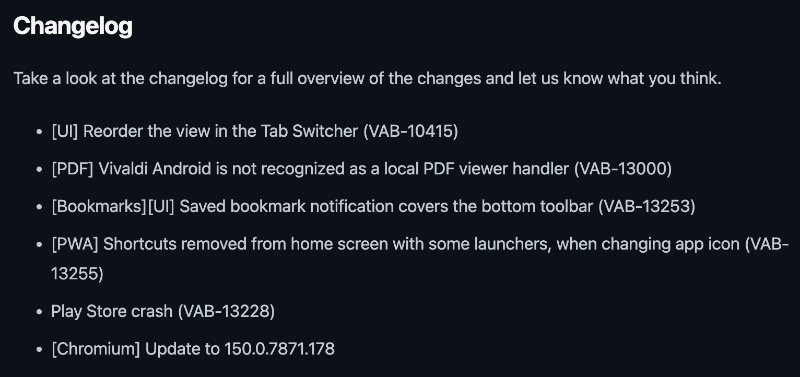
Information about the snapshot update was officially posted on the Vivaldi blog page. You can view a screenshot of the full changelog below.
I’ve checked for this update myself, and sure enough, Vivaldi snapshot v4110.4 showed up immediately on the Google Play Store.
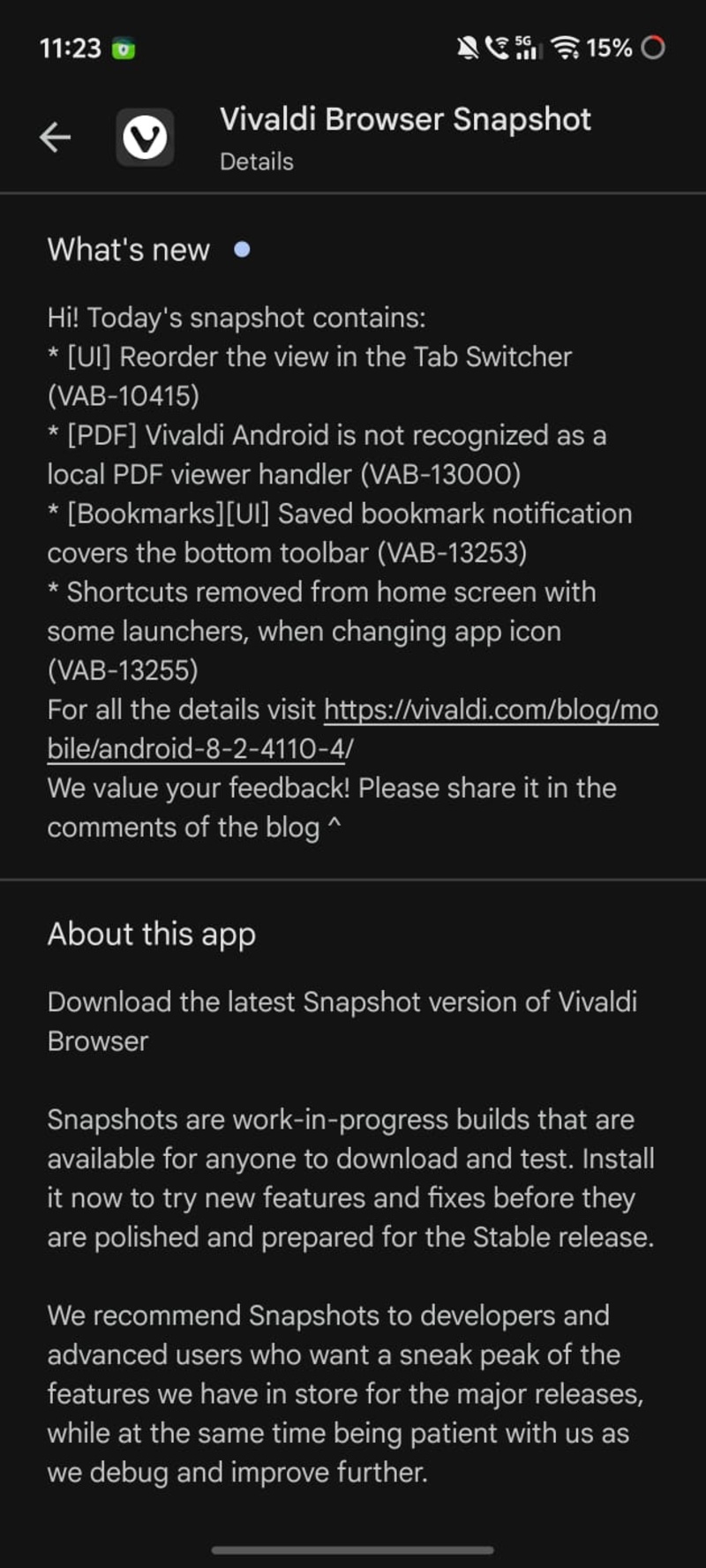
Before you install and use a snapshot version of Vivaldi, it’s worth noting that snapshot versions are for developers/testers, and they provide a preview of new features. You could face some bugs and stability issues, so it’s not recommended as a main browser.
Here is the list of changes, simplified:
- Tab switcher layout reorder: The screen that shows your open tabs (tab switcher) earlier had a fixed arrangement. Now, you can rearrange how the tabs are shown on that screen. You can reorder the view.
- Vivaldi works as a proper PDF viewer on Android: Earlier, when opening a PDF file on your phone, Android didn’t recognize Vivaldi as an official PDF viewer. In fact, the exact same thing was spotted in a previous Vivaldi snapshot update as well, and we were able to replicate the findings.
- Bookmarks: The notification for bookmark saving confirmation has been moved so that it no longer blocks the bottom toolbar. This was present in a previous stable changelog as well.
- A bug with Progressive Web Apps (PWAs) has also been fixed; though this was also fixed in a stable version earlier (the same one linked above).
- A Play Store-related crash has been fixed.
- The Chromium engine has been updated.
All in all, it appears that most of these changes are from the previous stable version’s changelog, or a previous snapshot’s changelog, so there’s not much “new” here except for the tab switcher layout. It’s a feature-light, stability-focused update.
In other Vivaldi news, did you know that the desktop version’s interface is secretly just a Chromium extension? More on that here.


Sudhanshu K
335 Posts
I have been a consumer technology enthusiast for over 5 years. Thanks to my experience in software beta testing and product reviews, I've understood and learnt a lot about what bugs and issues bother people, and I spend time trying to simplify their solutions. I cover smartphones, software, social media, apps, AI, and most consumer tech gadgets. Actively pursuing a Computer Science bachelor’s degree. I'm mostly active on Twitter/X (@TechWhirlUlt), drop a DM or tag me if you want to share info or connect!
Next article View Article