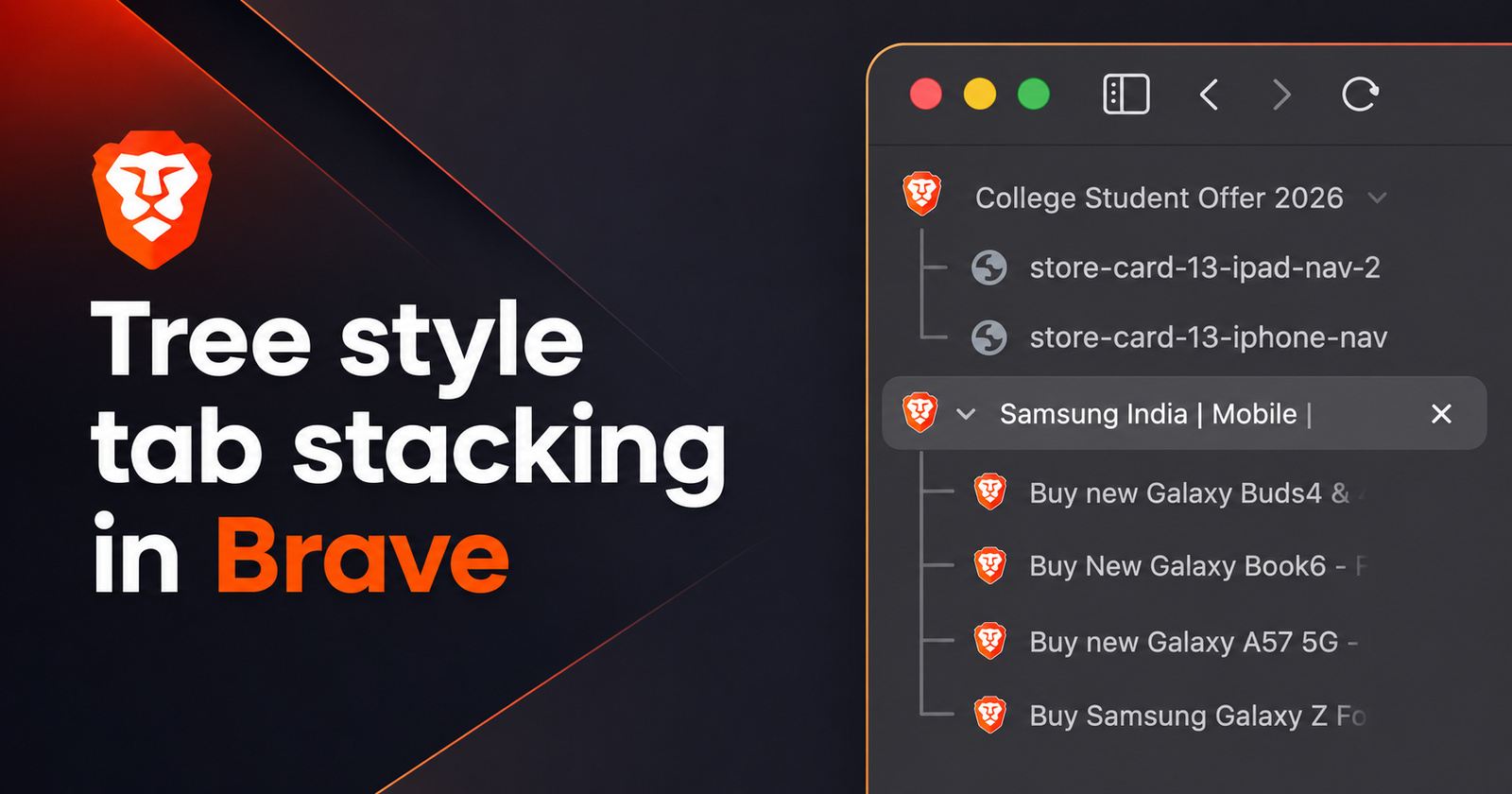
Tree-style tab stacking is finally live on the stable version of the Brave browser, though you still need to enable an experimental flag for it to start working.
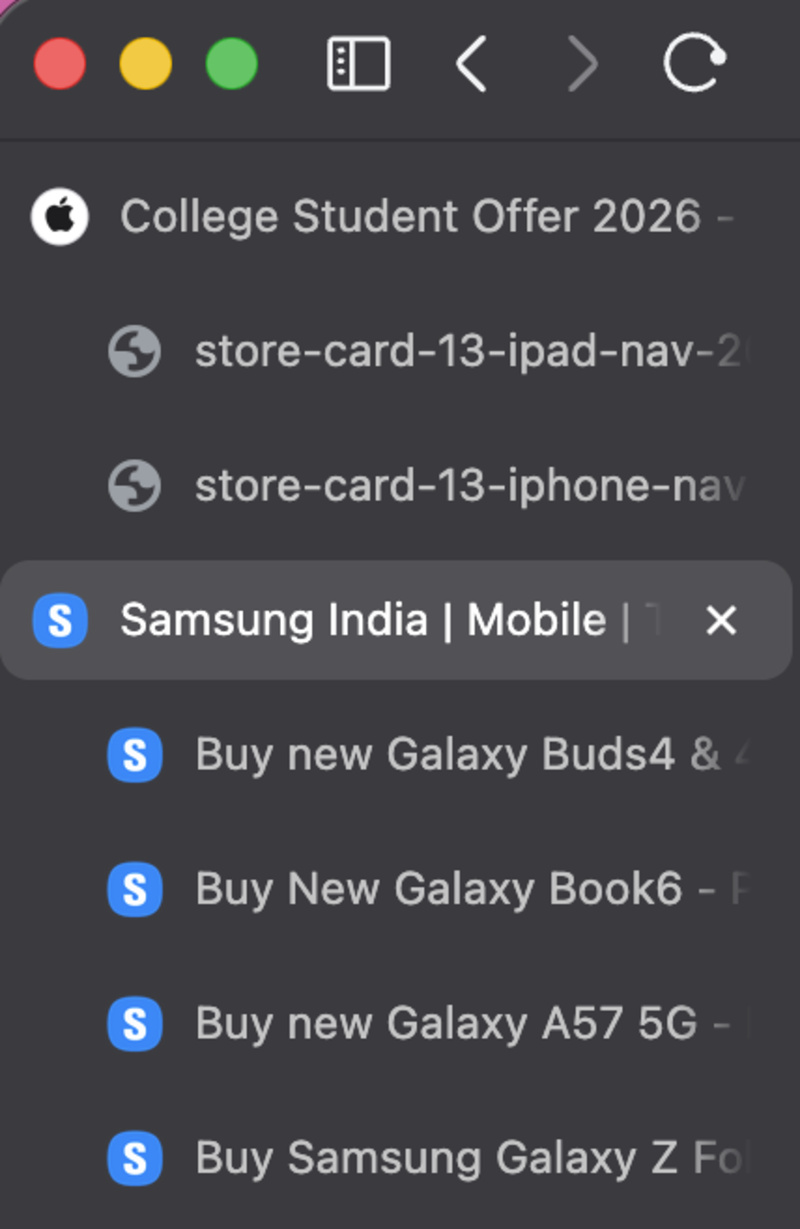
For those unaware, tree-style stacking works with the vertical tab arrangement. When you open a new tab from an existing tab, it becomes a “child” tab of the main tab, and it results in a tree-like arrangement. The main tab consists of child trees, as represented in the image below.
If you’re interested in trying out this feature, you just have to enable a flag. You don’t have to use Brave Canary or Beta for this, since it’s already live on the latest stable version (v1.92.141). In fact, the update also brings some minor bug fixes and a Chromium version bump. More on that here.
Follow these steps to enable tree stacking for tabs:
- Update to the latest version of Brave (if you haven’t already). Then, enter brave://flags in the address bar.
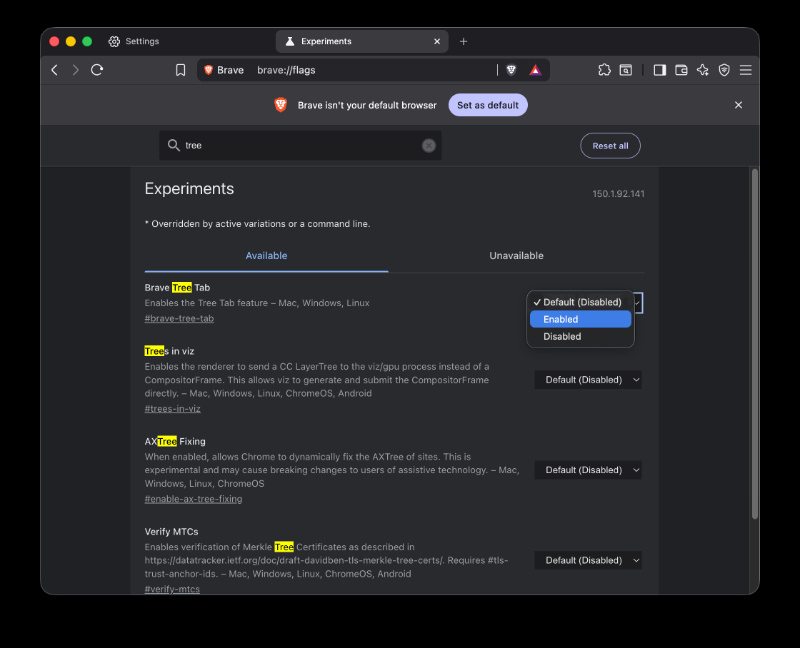
- Search for the keyword “tree,” and you’ll find an option that says “Brave Tree Tab.”
- The option is disabled by default at the moment, and you’ll need to enable it from the dropdown menu. Following this, restart your browser.
- Finally, head to Tab settings (by typing the word ‘Tab’ in settings search), and enable vertical tabs.
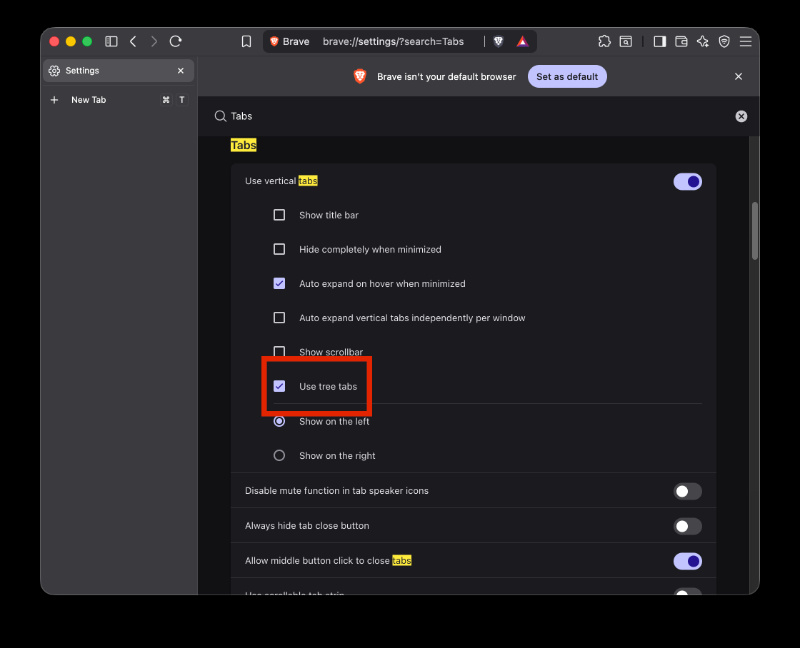
- You’ll see an option that says ‘Use tree tabs.’ Check that box, and the feature should now work.
- Open up a website, and then click a link within the site. It should open as a tree.
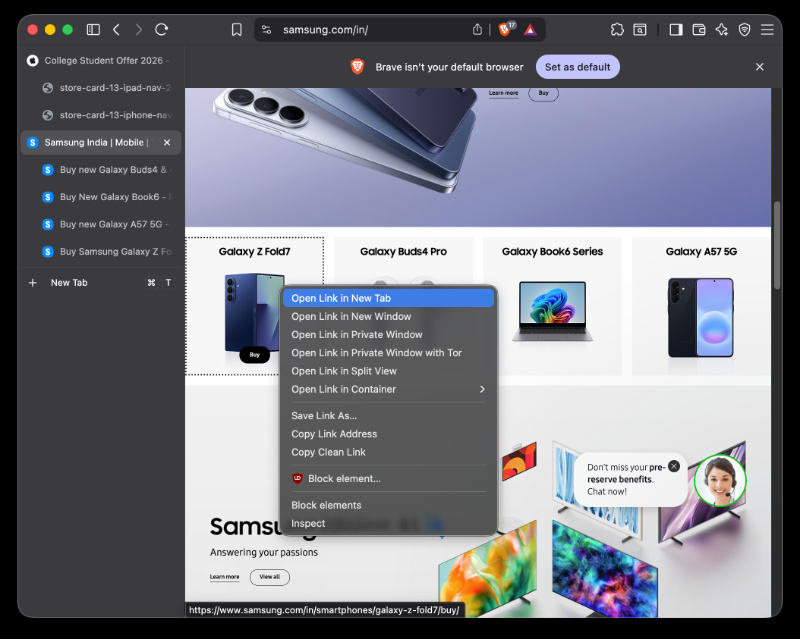
Earlier, we covered a story where a Brave employee confirmed that stacking of tabs in a tree-style was “coming soon.” While no ETA was offered at the time, it took almost two weeks for it to start showing up. It’s worth noting that the feature is still technically “experimental,” since it’s currently under a flag and is not directly available. It could be a bit buggy.
Regardless, you can now use Tree Tabs on Brave without needing to install any separate extensions, which is a welcome move.
In other Brave news, you can check out some New Tab wallpapers that were recently made available. More on that here.
Featured image: AI


Sudhanshu K
303 Posts
I have been a consumer technology enthusiast for over 5 years. Thanks to my experience in software beta testing and product reviews, I've understood and learnt a lot about what bugs and issues bother people, and I spend time trying to simplify their solutions. I cover smartphones, software, social media, apps, AI, and most consumer tech gadgets. Actively pursuing a Computer Science bachelor’s degree. I'm mostly active on Twitter/X (@TechWhirlUlt), drop a DM or tag me if you want to share info or connect!
Next article View Article