Google is rolling out a redesigned three-dot menu in Chrome for Android, but the change has flown under the radar. The folks at 9to5Google were among the first to spot the updated layout, and it looks like the rollout is still ongoing.
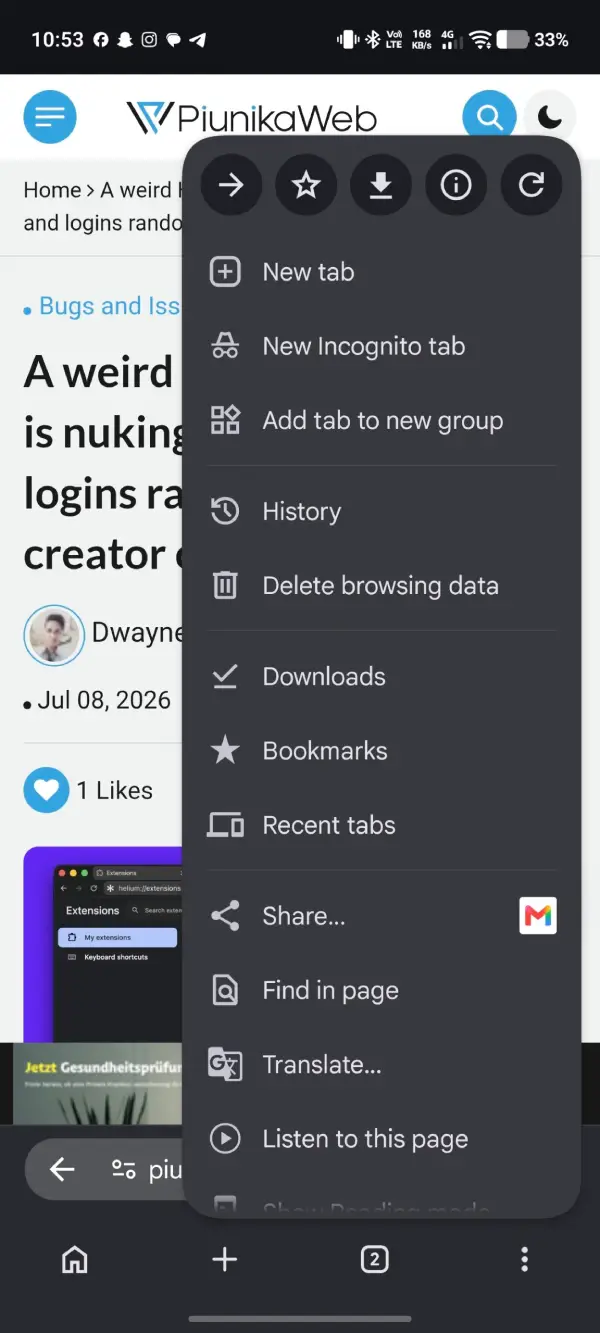
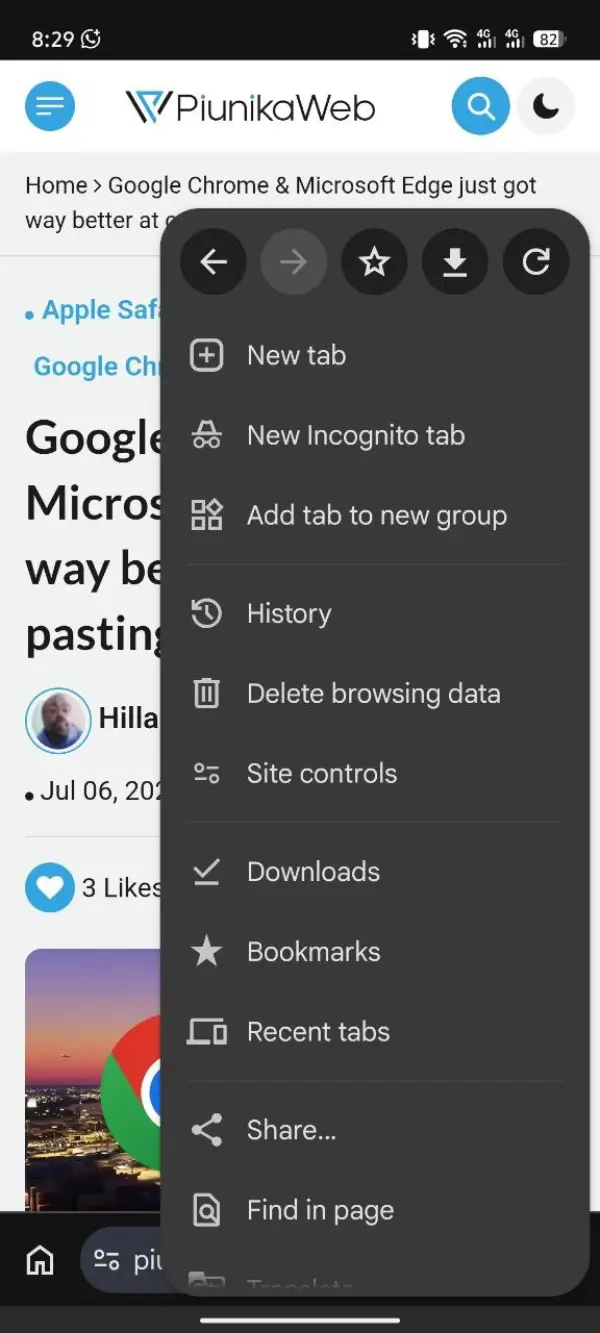
The first thing you’ll notice is a proper back button in the top row of the menu. Until now, Chrome on Android only had a forward button there, which always felt a bit incomplete. The new back button now sits right beside it.
If that sounds familiar, it’s because Chrome on iPhone has had a similar layout for a while. On Android, though, most people already use the system back gesture or navigation button, so this is more of a convenience than a major new feature.
Adding another button meant something had to move.
The small page info icon is no longer part of the top row. Instead, Google has introduced a new Site controls option further down the menu. The bookmark and download buttons have also shifted one spot to the right, so anyone who’s used to tapping them from muscle memory may need a little time to adjust.
Google has made another small tweak lower in the menu.
The familiar ‘Add to Home screen’ option is now called ‘Install and create shortcut’. It’s also been moved to a different position. Neither change is particularly significant on its own, but together they make the menu feel noticeably different from what long-time Chrome users are used to.
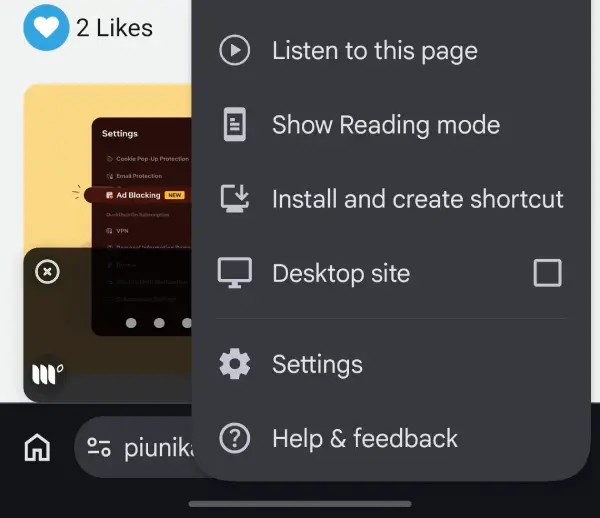
One detail that’s worth pointing out is that this doesn’t appear to be tied to a specific Chrome version.
While some reports associate the redesign with Chrome 150, our testing paints a different picture. We found the new menu on a device running Chrome 149.0.7827.200, while another device running the newer Chrome 150.0.7871.63 build was still using the old layout.
Adding to the confusion, while version 149.0.7827.200 had the back button, it still had the ‘Add to Home screen’ label. Meanwhile, version 150.0.7871.63 didn’t have the back button, but the ‘Install and create shortcut’ label was present. So if you don’t notice every single change right away, don’t sweat it.
That usually happens when Google is rolling out a feature from its servers instead of shipping it through a particular app update. So even if you’ve installed the latest version of Chrome, you might not have the redesign yet.
Google has been making several smaller changes to Chrome on Android in recent weeks. We recently covered the company’s progress on redesigning the bottom bar in Chrome on the platform. More recently, Chrome Canary also picked up built-in PDF annotation tools, making it easier to mark up documents without leaving the browser.
This menu refresh isn’t the biggest change Google’s made to Chrome, but it’s one you’ll probably notice the next time it lands on your phone. Meanwhile, Chrome is also receiving fresh updates across all platforms. We’ve covered the details here.


Dwayne Cubbins
2975 Posts
I cover fast-moving stories across apps, online platforms, and everyday tech — phones, wearables, consoles, and whatever else people are fighting with this week. Bugs, rollouts, scams, policy enforcement, and the occasional internet-culture rabbit hole are all fair game. My goal is simple — make confusing tech news readable. When I'm not working, I'm working out or chilling with my dog. Got a tip? You can find me on X @dcubbins.
Next article View Article