Google has started rolling out a fresh round of incremental Chrome 150 updates across Android, iOS, Windows, Mac, and Linux, bringing the browser to newer build numbers while also addressing dozens of security vulnerabilities.
This rollout comes not long after Google released another Chrome 150 security update earlier this month. That release brought Chrome to version 150.0.7871.46/.47 on Windows and Mac (150.0.7871.46 on Linux), while Android users received Chrome 150.0.7871.63 with the same 382 desktop security fixes, including 15 rated Critical. The latest release builds on those efforts, delivering another batch of security patches alongside the usual stability and performance improvements.
At first glance, this looks like one of those routine maintenance releases. But digging into Google’s release notes reveals that there’s much more going on under the hood. Alongside the usual bug fixes, this rollout patches 27 security vulnerabilities, including two critical use-after-free flaws and numerous high-severity issues affecting key Chrome components.
Chrome 150 gets new builds across all major platforms
The latest rollout pushes Chrome to the following versions:
- Android: Chrome 150.0.7871.114 (up from 150.0.7871.63)
- iPhone & iPad: Chrome 150.0.7871.113 (up from 150.0.7871.51)
- Windows: Chrome 150.0.7871.114 (up from 150.0.7871.46)
- Mac: Chrome 150.0.7871.115 (up from 150.0.7871.47)
- Linux: Chrome 150.0.7871.114 (up from 150.0.7871.46)
Looking beyond the brief changelog, Google has confirmed that Chrome 150 fixes 27 security issues in total. The most serious are two Critical vulnerabilities:
- CVE-2026-15112 — Use-after-free in Ozone
- CVE-2026-15129 — Use-after-free in Views
Both were discovered internally by Google. The update also patches 23 high-severity vulnerabilities affecting several core browser components, including:
- V8 JavaScript engine
- Extensions
- Autofill
- ANGLE
- Codecs
- WebRTC
- DOM
- Forms
- Password Manager
- Navigation
- Payments
- Input
- WebGL
- GetUserMedia
- Web App Installs
- InterestGroups
- Core
- Actor
Google has also resolved two medium-severity vulnerabilities, including a use-after-free flaw in IndexedDB that earned a $2,000 bug bounty through its Vulnerability Reward Program.
Most vulnerabilities were found before attackers could exploit them
One thing that stood out to me while going through Google’s advisory is that the overwhelming majority of these vulnerabilities were discovered internally by Google’s own security teams. Only a handful came from external researchers, including contributors from Arm, Seoul National University, and Ant Group Tianqiong Security Lab. That’s generally encouraging, as it suggests many of the flaws were identified and patched before they could become a widespread security concern.
As with previous Chrome releases, Google is limiting access to detailed bug information until the majority of users have installed the fixes. This helps reduce the risk of attackers reverse-engineering the patches to develop exploits before the update has reached most devices.
While Google hasn’t disclosed any evidence that these vulnerabilities are being actively exploited in the wild, several of the fixed bugs involve memory safety issues such as use-after-free, integer overflow, out-of-bounds memory access, and insufficient validation. These are the kinds of vulnerabilities that can potentially be abused to crash the browser or execute malicious code.
For that reason alone, I recommend installing this update as soon as it becomes available on your device. It may not introduce any flashy new features, but it quietly strengthens Chrome’s defenses against a wide range of known security threats.
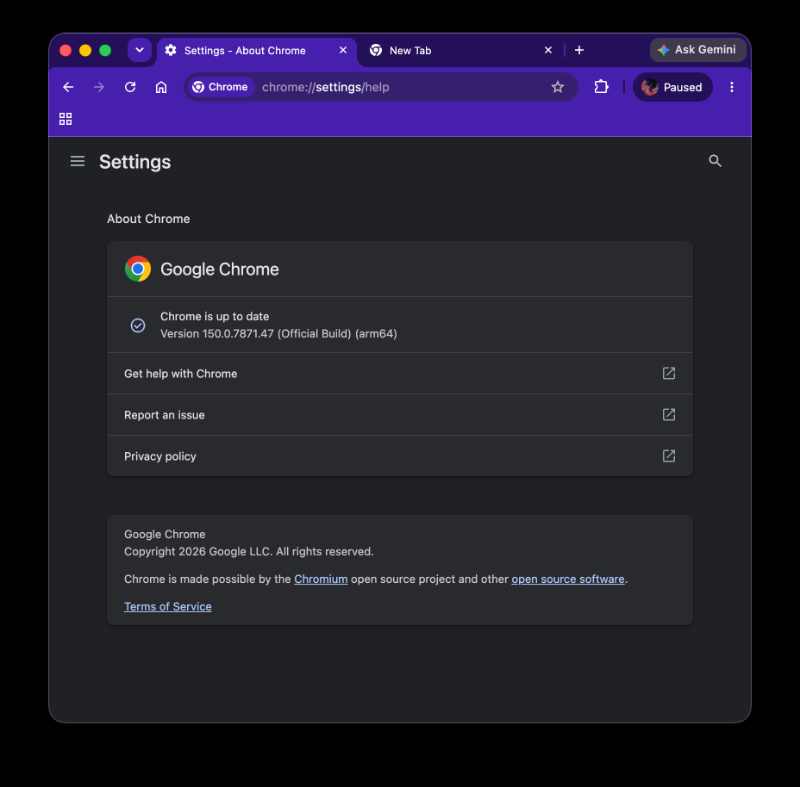
As always, Chrome updates are rolling out gradually, so it may take a few days before the latest version appears for everyone. If you haven’t received it yet, it should arrive automatically soon, or you can manually check for updates from Chrome’s settings on desktop or the relevant app store on mobile.


Hillary Keverenge
2723 Posts
Tech has been my playground for over a decade. While the Android journey began early, it truly took flight with the revolutionary Lollipop update. Since then, it's been a parade of Android devices (with a sprinkle of iOS), culminating in a mostly happy marriage with Google's smart home ecosystem. Expect insightful articles and explorations of the ever-evolving world of Android and Google products coupled with occasional rants on the Nest smart home ecosystem.
Next article View Article