Chrome 150.0.7871.34 for iPhone and iPad is rolling out with a small but genuinely useful Gemini tweak. Google’s iOS release notes say you can now minimize the Gemini floating window, while the App Store changelog also calls out shortcut pinning on the new tab page and the usual stability and performance work.
While the Gemini upgrade isn’t huge per se, it’s a nice little addition to the overall experience. To make things clearer, here’s how it used to appear before:
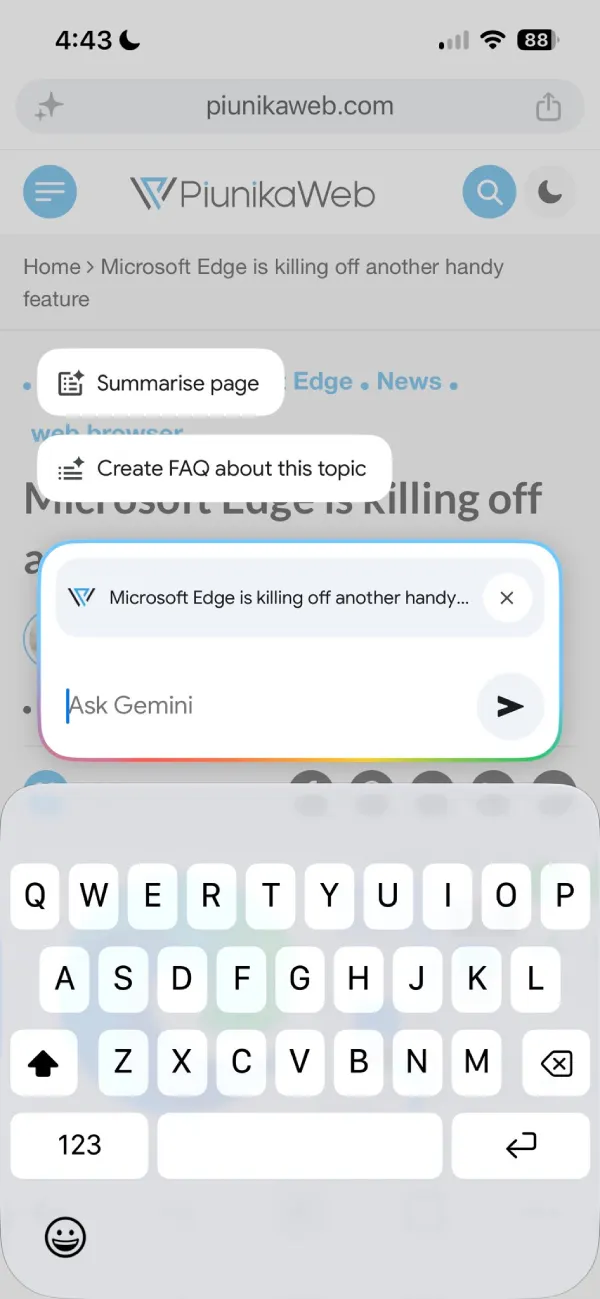
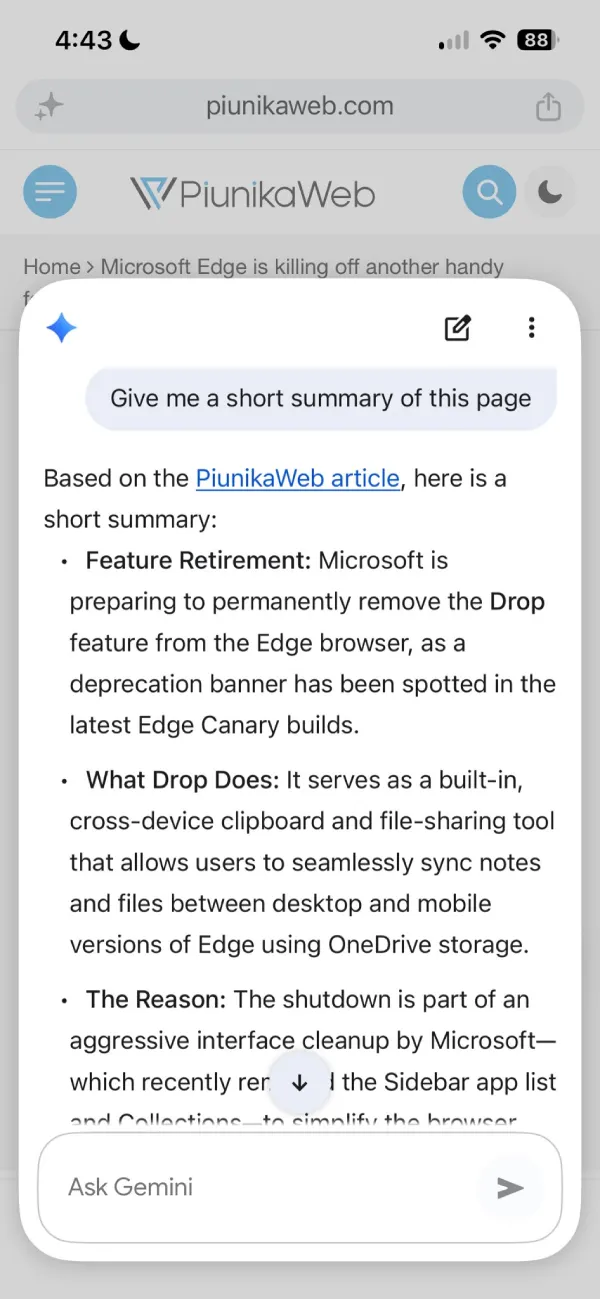
You could ask Gemini questions, and it would answer them, but if you minimized the window, it would disappear for good. With Chrome 150, things work a bit differently because you can now dismiss the chat (minimize it), and it will just float around the bottom of the screen in a pill shape. So you can easily pull it right back up and get to asking it follow-up questions.
Here’s how that new pill looks when you minimize a chat:
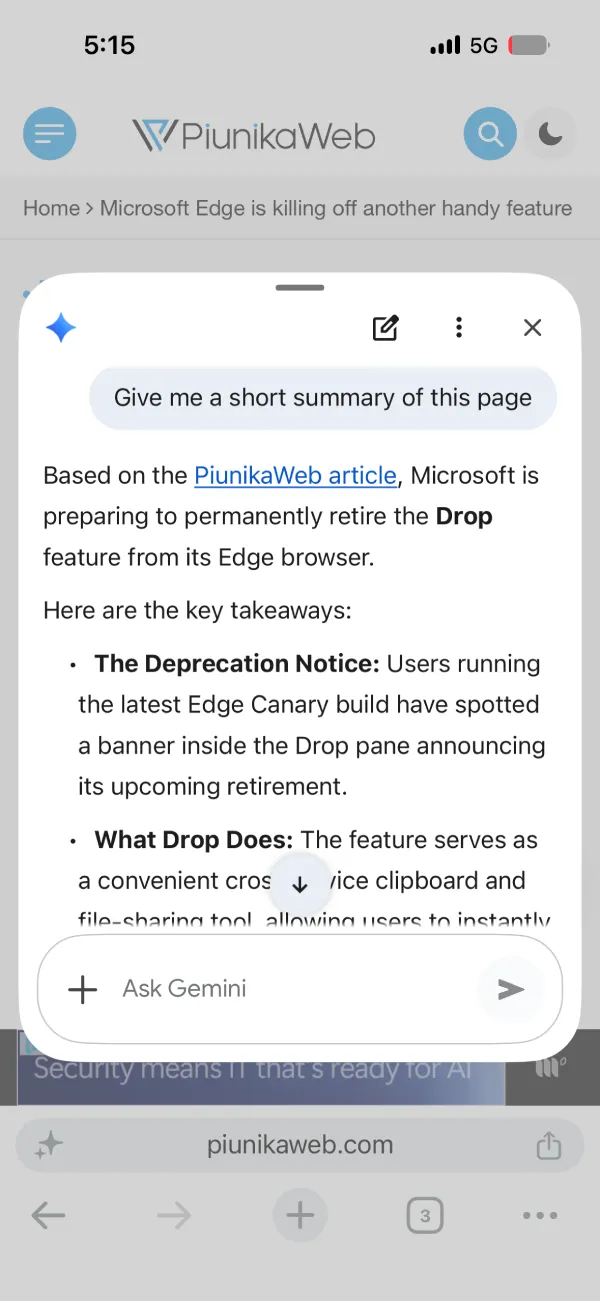
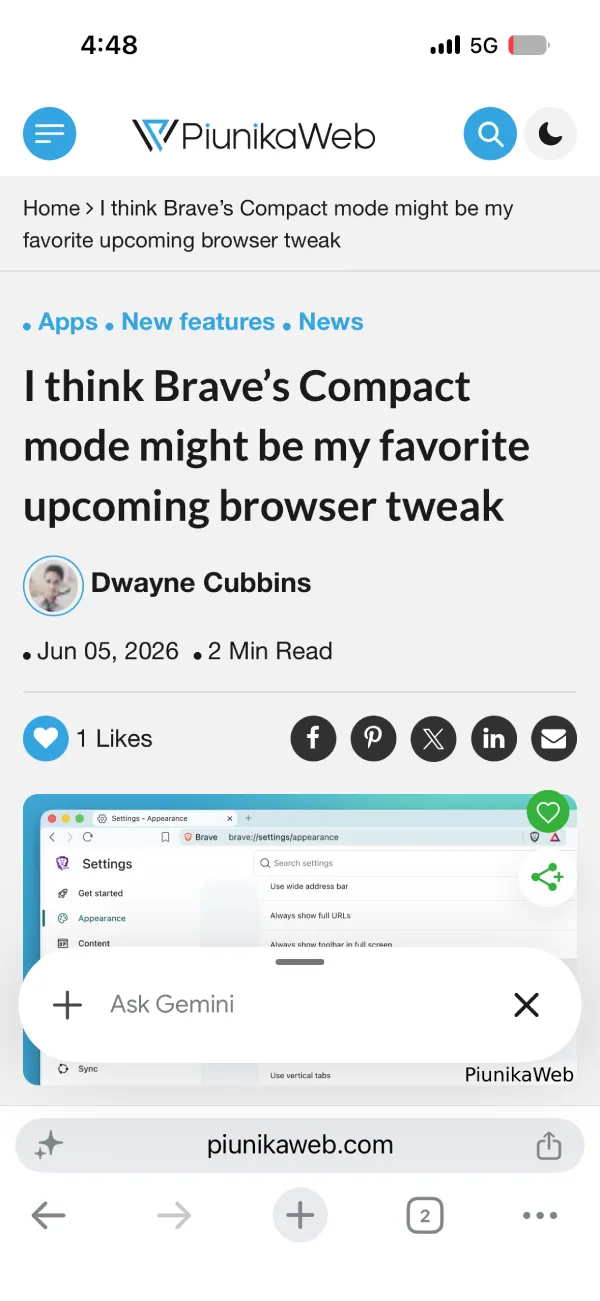
As Google mentions in the release notes, the assistant remains active in the background. So if you don’t want to wait while Gemini answers your query, you can minimize it and come back to it later. And if you want to dismiss it, you can simply tap the ‘x’ button and get rid of it.
The rest of the changelog covers quicker site pinning on the new tab page and general stability work, but the Gemini tweak is the one that affects daily use for anyone who already has the AI helper turned on. It requires a signed-in account and works in supported regions, same as before. Once the update lands the minimize option shows up in the chat header.
There are no other obvious changes, but we’ll keep digging and report back if we find anything else.
This Gemini tweak is just the latest move in Google’s major AI push. Over on the desktop side, we recently spotted them testing a persistent AI button directly on the Chrome toolbar to keep the assistant front and center.
Of course, it’s not all about AI. Google is constantly tinkering with Chrome’s layout and security. Just recently, a UI experiment left some users with a massive, awkward gap on their New Tab Page (don’t worry, there’s an easy fix). And if you haven’t updated in a few days, you’ll definitely want to — they just dropped a crucial security patch for seven critical flaws to keep your browser locked down.


Dwayne Cubbins
3064 Posts
I cover fast-moving stories across apps, online platforms, and everyday tech — phones, wearables, consoles, and whatever else people are fighting with this week. Bugs, rollouts, scams, policy enforcement, and the occasional internet-culture rabbit hole are all fair game. My goal is simple — make confusing tech news readable. When I'm not working, I'm working out or chilling with my dog. Got a tip? You can find me on X @dcubbins.
Next article View Article