Google is sticking a dedicated “Google Search AI Mode” button right on the Chrome toolbar. The feature currently hides inside Chrome Canary. It lets you pin a persistent AI shortcut right next to your address bar. Clicking the icon instantly slides open a side panel where you can ask questions or summarize the exact page you are viewing.
The team at Windows Report spotted it first and noted how Google is trying to make its AI tools much harder to ignore. Chrome already has AI shortcuts tucked into the omnibox and the new tab page search bar. This latest push takes things a step further by offering a permanent visual fixture right on your screen.
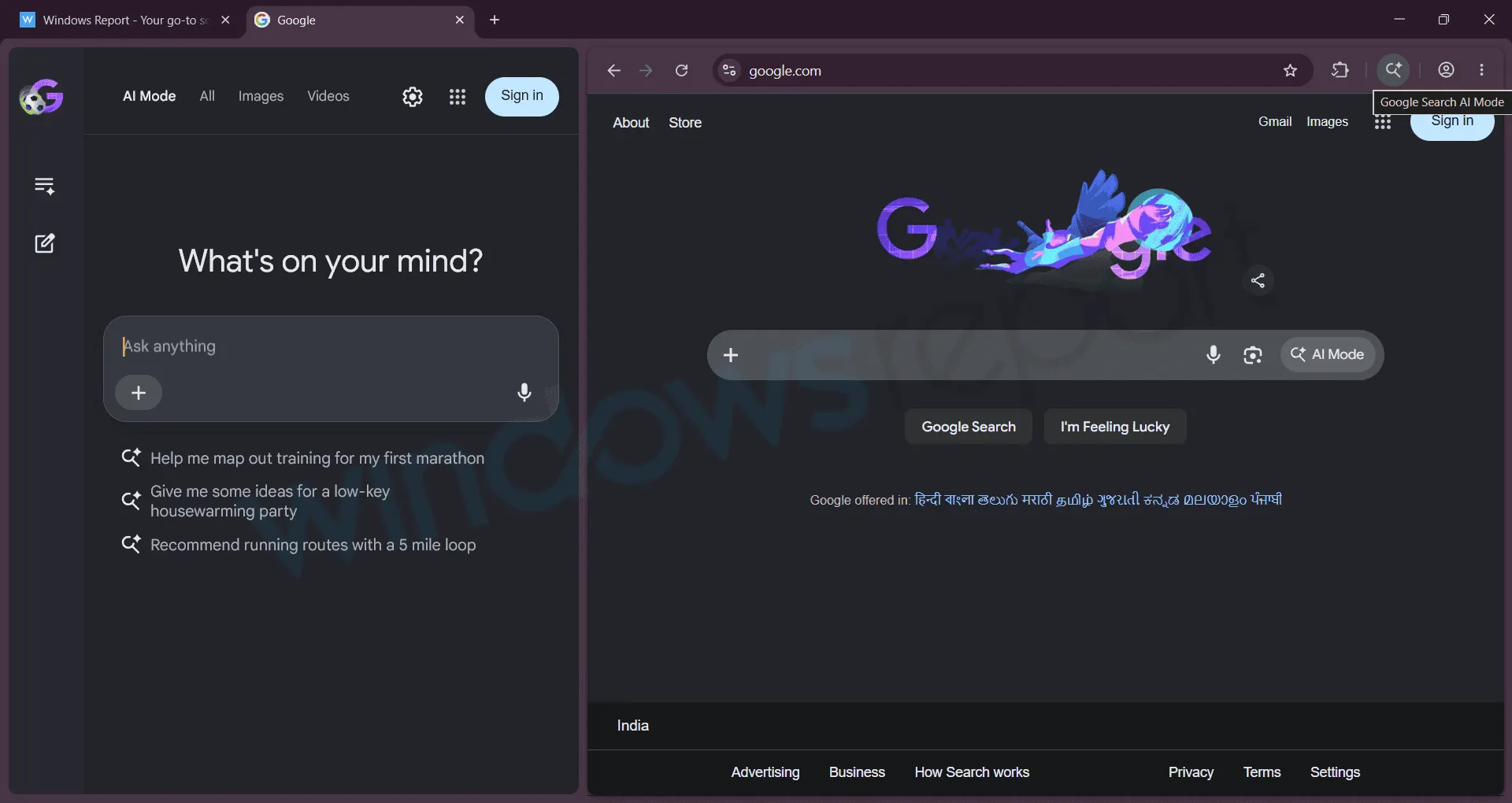
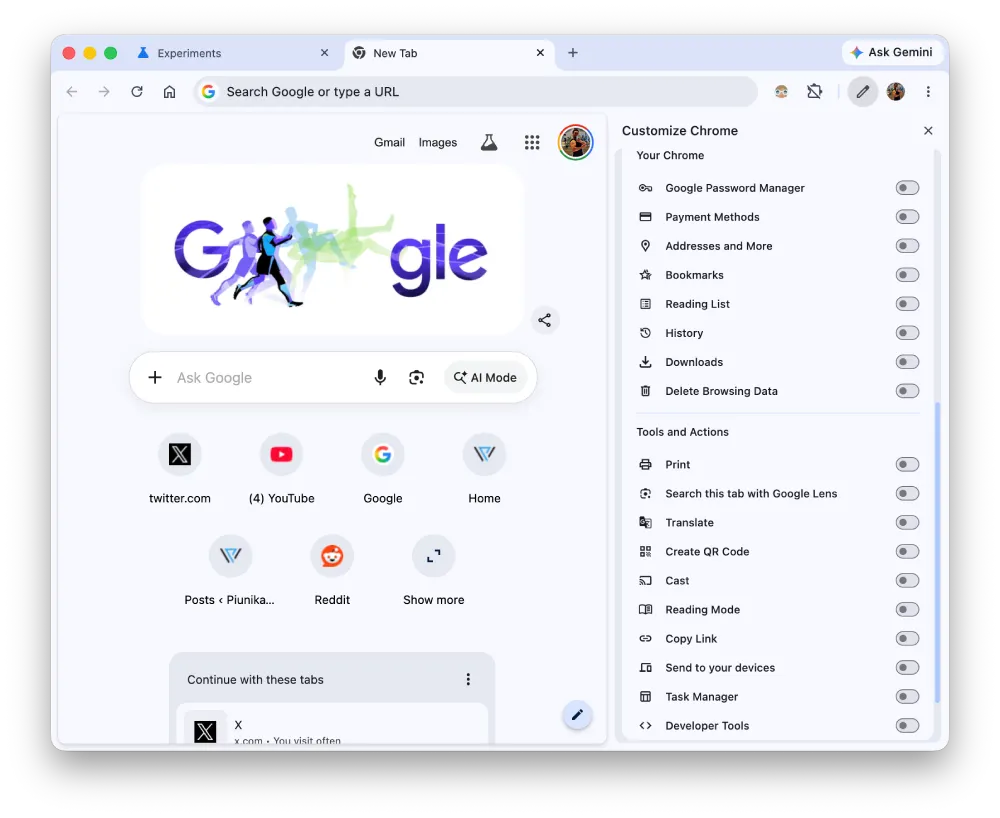
To check it out on Canary, you have to dig into the hidden settings menu first by typing chrome://flags into the address bar and enabling the “Contextual Tasks Pin Button In Toolbar” option. You then go to the customize menu on the new tab page and toggle the AI setting on. The button pops up right beside your extensions and profile icon.
In my testing on Chrome Canary v151.0.7898.0 on a Mac, the option didn’t show up even after enabling the flag. Here’s a screenshot of the flag enabled:

And here’s a screenshot of the toolbar customization options:
Still, if you manage to see it, when toggled on and put to use, the side panel slides out fast and starts analyzing whatever article or document you have open. You can ask specific questions about the text or drop files in for the AI to process. The responses load quickly and pull directly from the context of your active tab.
BrenTech has a neat video on YouTube showing the feature in action. You can watch it below:
The exact name of the button might still change before a public release. Developers are reportedly playing around with simpler labels like “Browse with AI” to see what sticks with test users.
The intent is perfectly clear regardless of what they end up calling it. Google wants its AI tools baked into the core browsing experience rather than tucked away in a menu or a separate search page. They are betting that a constant visual reminder will get more people to stop doing traditional searches and start asking the chatbot.
This follows a previous flag that Google claimed was an “error”, in which searches in the address bar would automatically open in AI Mode.
You can thankfully disable the shortcut in the customization menu right now if you hate the extra clutter. We will just have to see if Google keeps it optional or forces it onto everyone’s toolbar when the update reaches the stable channel.


Dwayne Cubbins
3116 Posts
I cover fast-moving stories across apps, online platforms, and everyday tech — phones, wearables, consoles, and whatever else people are fighting with this week. Bugs, rollouts, scams, policy enforcement, and the occasional internet-culture rabbit hole are all fair game. My goal is simple — make confusing tech news readable. When I'm not working, I'm working out or chilling with my dog. Got a tip? You can find me on X @dcubbins.
Next article View Article