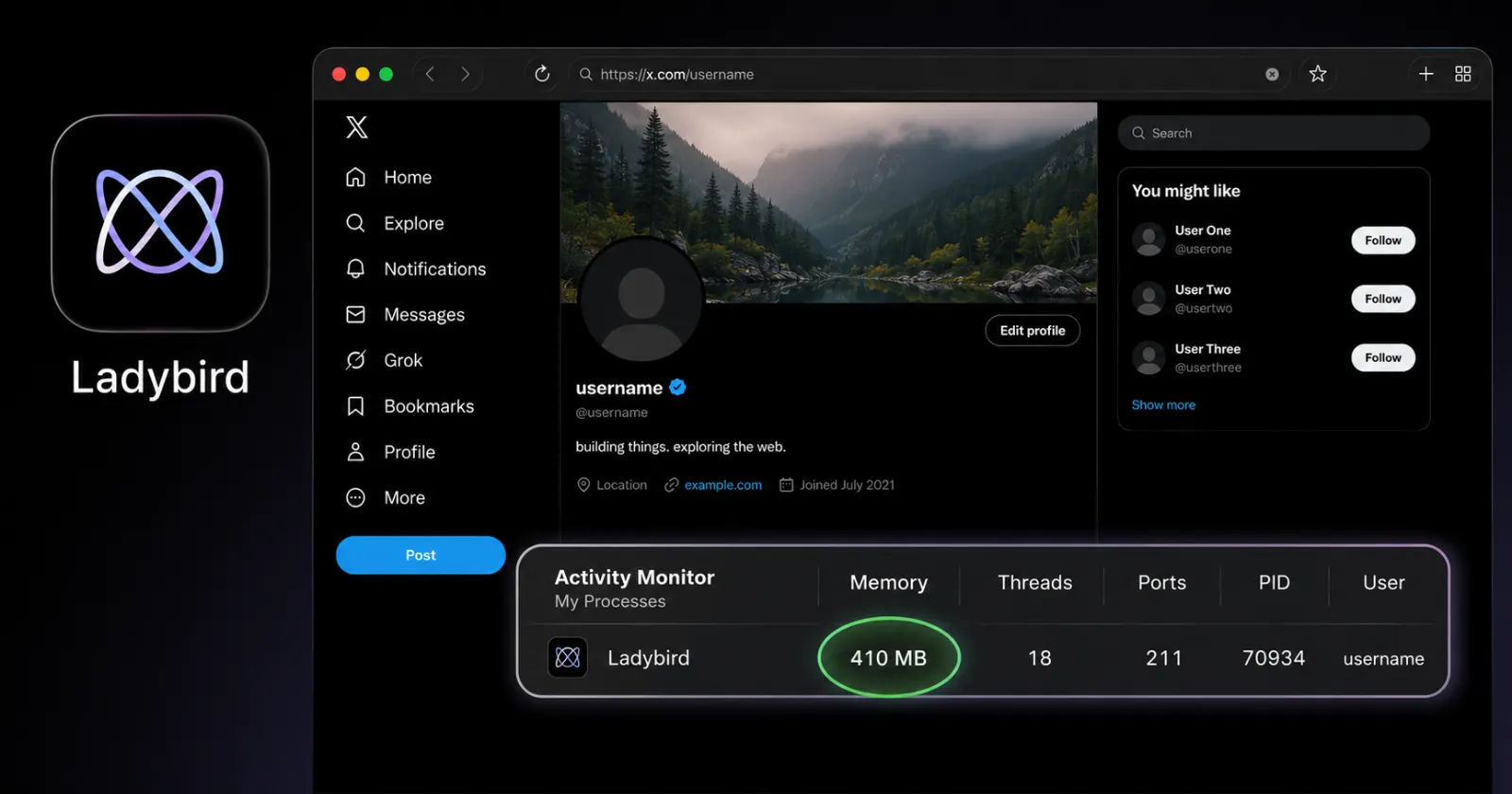
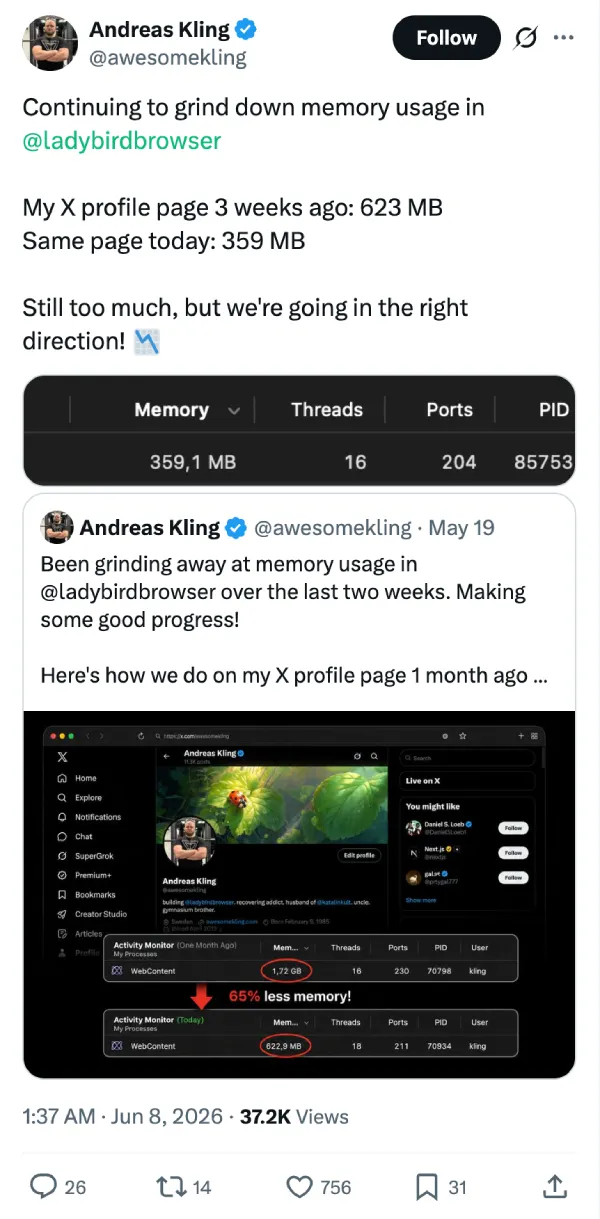
Andreas Kling just cut the memory usage of his upcoming Ladybird browser almost in half again. He loaded his own X profile page to test the WebContent process and the activity monitor showed it consuming 359 megabytes of RAM. Three weeks ago, he ran the exact same test and it took 623 megabytes.
Cutting memory overhead is clearly a top priority for the development team right now. Kling shared a screenshot on May 19 showing the browser gobbling up 1.72 gigabytes for that same X profile. Over two weeks of work, he brought it down to 623 megabytes. The total reduction from mid-April to early June is massive. Ladybird now needs nearly 80 percent less memory to render a standard social media timeline.
For those unaware, a lot of modern web browsers are notorious memory hogs. Users routinely watch Google Chrome or Microsoft Edge chew through gigabytes of system resources just to keep a few tabs open.
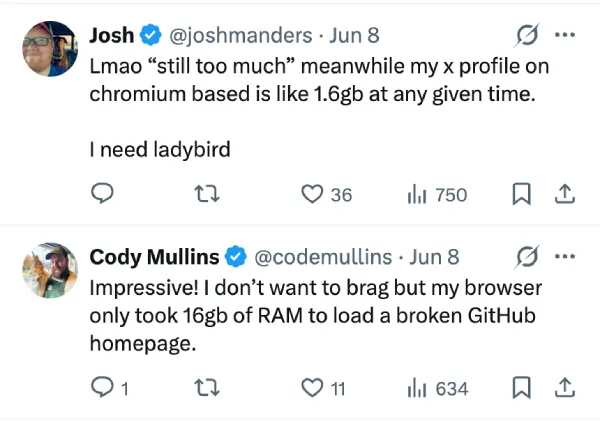
One user replying to Kling noted their X profile takes 1.6 gigabytes on a Chromium-based browser. Another joked about their browser needing 16 gigabytes to load a broken GitHub page. Developers pack endless features into web engines to handle complex modern sites, and all this bloat bogs down older machines.
Kling is building Ladybird completely from scratch. He refuses to use code from existing browser engines like Blink or WebKit. The team did make one major exception recently when they adopted Brave’s engine for ad blocking instead of maintaining their own. Building from the ground up gives him full control over how the browser handles system resources. He still thinks 359 megabytes is too much memory for a single webpage. He plans to keep grinding down the usage numbers.
The core team recently paused public contributions to stabilize the codebase ahead of an upcoming alpha release. The Ladybird team wants to prove an independent browser can survive in a market dominated by tech giants. People won’t switch to a new browser if it chokes their computer just like their current one does. Kling and his contributors are rewriting core components to find every wasted byte. They’re tweaking how the browser renders text and processes background scripts to free up more RAM.
Balancing these memory optimizations with adding missing features like vertical tabs is the next major hurdle. The team needs the alpha build to process modern web standards flawlessly. But they have to pull that off without reverting to old memory-hogging habits.


Dwayne Cubbins
3073 Posts
I cover fast-moving stories across apps, online platforms, and everyday tech — phones, wearables, consoles, and whatever else people are fighting with this week. Bugs, rollouts, scams, policy enforcement, and the occasional internet-culture rabbit hole are all fair game. My goal is simple — make confusing tech news readable. When I'm not working, I'm working out or chilling with my dog. Got a tip? You can find me on X @dcubbins.
Next article View Article