



It looks like a popular extension might be messing up your computer by silently eating up your hard drive. The extension in question is Adobe Acrobat Reader.
WCCFTech spotted a Reddit post from a Windows 11 user who caught their computer “writing absurd amounts of data while my PC just sat there.” Chrome had racked up over 300GB of write activity in three days, roughly 100GB a day with barely any browsing.
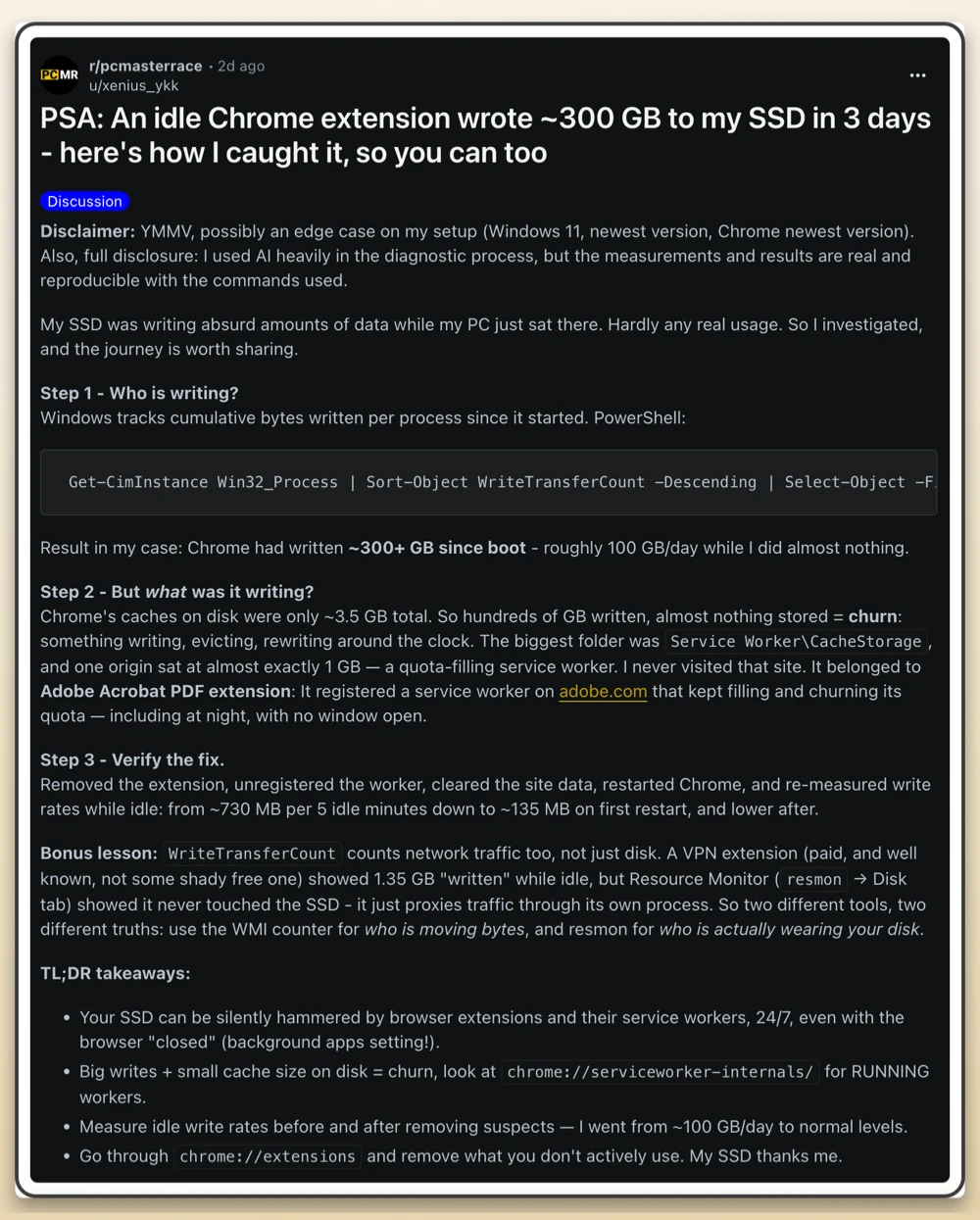
Chrome’s saved files only took up about 3.5GB on the drive, which meant something was stuck “writing, evicting, rewriting around the clock.” They traced it to a background helper from the Adobe Acrobat extension that kept filling its 1GB limit and starting over nonstop.
Because Chrome lets background tools stay alive by default, that loop kept going overnight with every browser window closed. Uninstalling the add-on and wiping its data cut idle write activity by more than 80 percent.
Now, the Windows counter they checked first lumps network traffic in with disk writes, so not every gigabyte of that 300GB necessarily hit the SSD physically. Even then, the constant cache churn was very real, and it’s not Adobe’s first mess here either.
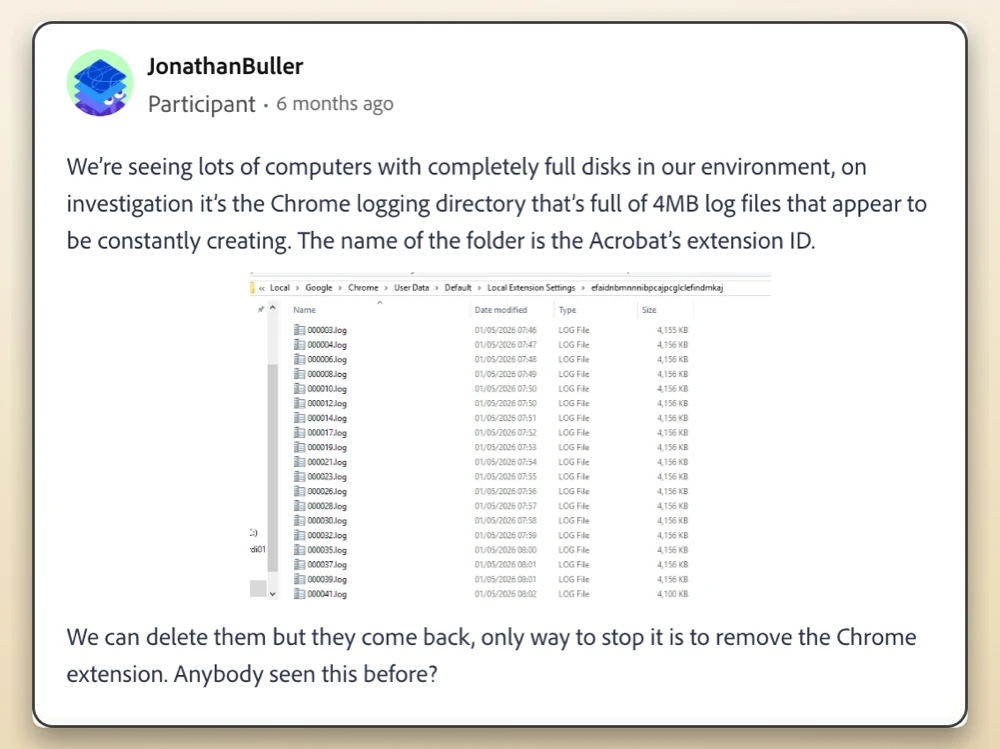
Back in May 2026, folks on Adobe’s community forums complained the exact same extension was stuffing office PCs with endless 4MB log files. With over 350 million installs, even a minor bug hits a huge crowd.
What makes this funny is that Google pushed its Manifest V3 overhaul to cut down on bloated, sloppy add-ons, something we got into when AdGuard’s CTO pushed back on claims that Chrome killed ad blockers. Turns out big-name extensions can make just as much of a mess.
Cracking down harder isn’t easy for Google either, seeing as the company just rolled back strict Chrome 155 extension restrictions earlier this month after IT teams complained the rules broke everyday workplace tools.


Dwayne Cubbins
3244 Posts
I cover fast-moving stories across apps, online platforms, and everyday tech — phones, wearables, consoles, and whatever else people are fighting with this week. Bugs, rollouts, scams, policy enforcement, and the occasional internet-culture rabbit hole are all fair game. My goal is simple — make confusing tech news readable. When I'm not working, I'm working out or chilling with my dog. Got a tip? You can find me on X @dcubbins.