


Mozilla has finally flipped the switch on a working pitch-black AMOLED theme for Firefox on Android. Users on Reddit recently spotted the feature going live, but the catch is that it’s currently only live in the Nightly channel. Still, it comes after years of complaints about the browser’s default dark mode, so it’s definitely a welcome change.

We first caught wind of this back in August when Mozilla started working on an OLED dark theme for Android behind the scenes. Back then, flipping the hidden flag in Secret Settings did nothing at all, though the Firefox leadership team later hinted at true dark mode during a Reddit AMA.
I tested this out on Firefox Nightly 162.0a1 on my Android phone, and it worked as expected. After years of staring at that washed-out dark gray background, it feels great to finally have the option to go all black.
To try it yourself in Nightly, enable the OLED option inside the hidden Secret Settings menu first. Once you do that, head over to Settings, tap Customize, and look under the Theme section, where you will see Light, Dark, Darkest, and Follow device theme.
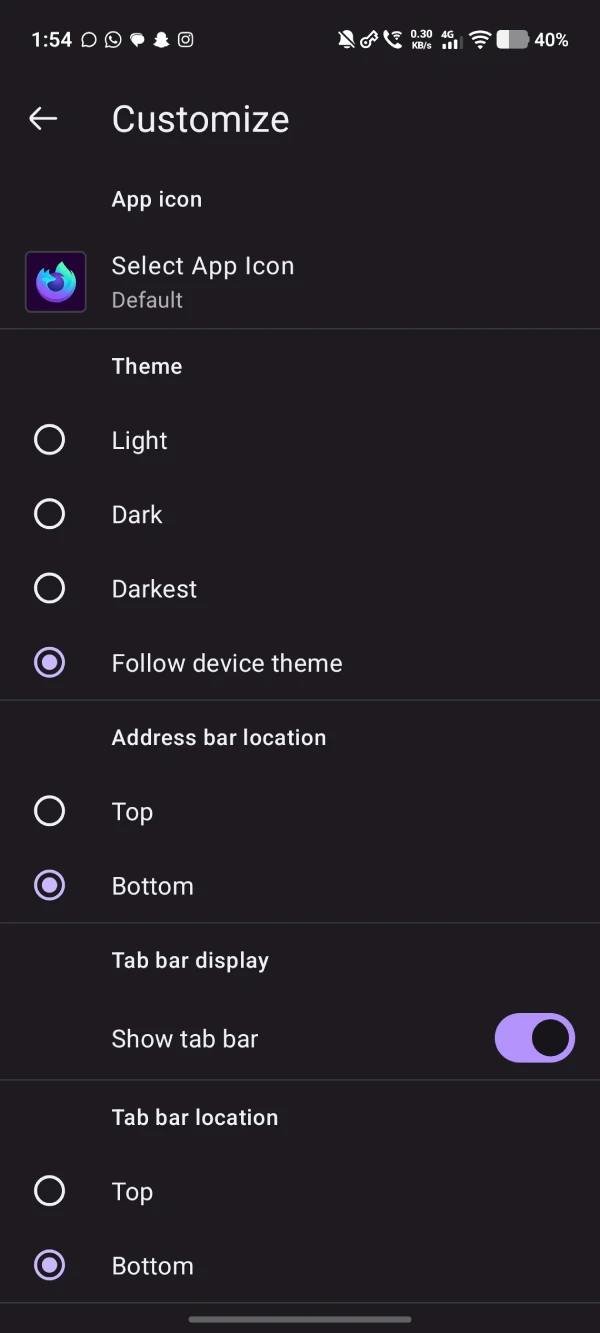
Picking the Darkest option turns the browser interface completely black. That said, I did notice a small issue with how Mozilla set this up.
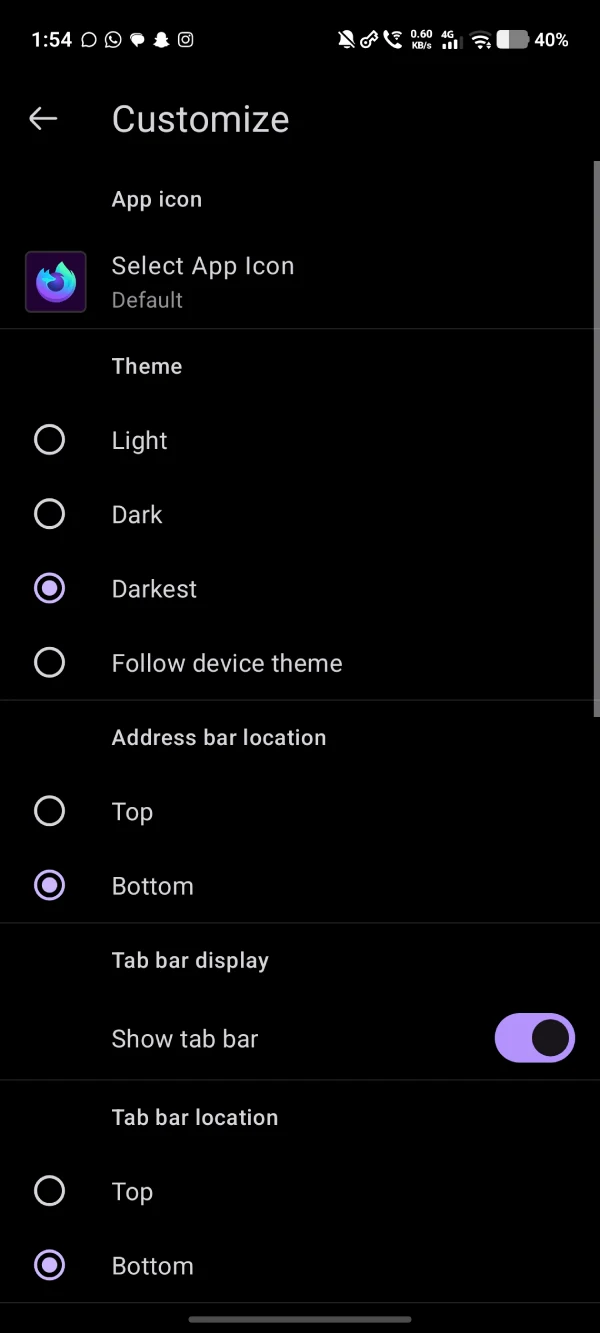
If you leave your browser on Follow device theme, Firefox still defaults to the old grayish dark theme when your phone switches to dark mode at night. You have to manually select Darkest to get the pitch-black look, which locks you into that theme all day.
I really wish there was a simple toggle to make the OLED black theme the default dark option when following the system settings. That way, you would not have to manually dig into the settings every morning just to use light mode in bright daylight.
Another thing to keep in mind is that even if you enable the Darkest option, it doesn’t actually force websites to adopt the dark theme. You’ll still have to use extensions like Dark Reader to get the dark mode experience on sites that don’t support dark mode.


Dwayne Cubbins
3199 Posts
I cover fast-moving stories across apps, online platforms, and everyday tech — phones, wearables, consoles, and whatever else people are fighting with this week. Bugs, rollouts, scams, policy enforcement, and the occasional internet-culture rabbit hole are all fair game. My goal is simple — make confusing tech news readable. When I'm not working, I'm working out or chilling with my dog. Got a tip? You can find me on X @dcubbins.