


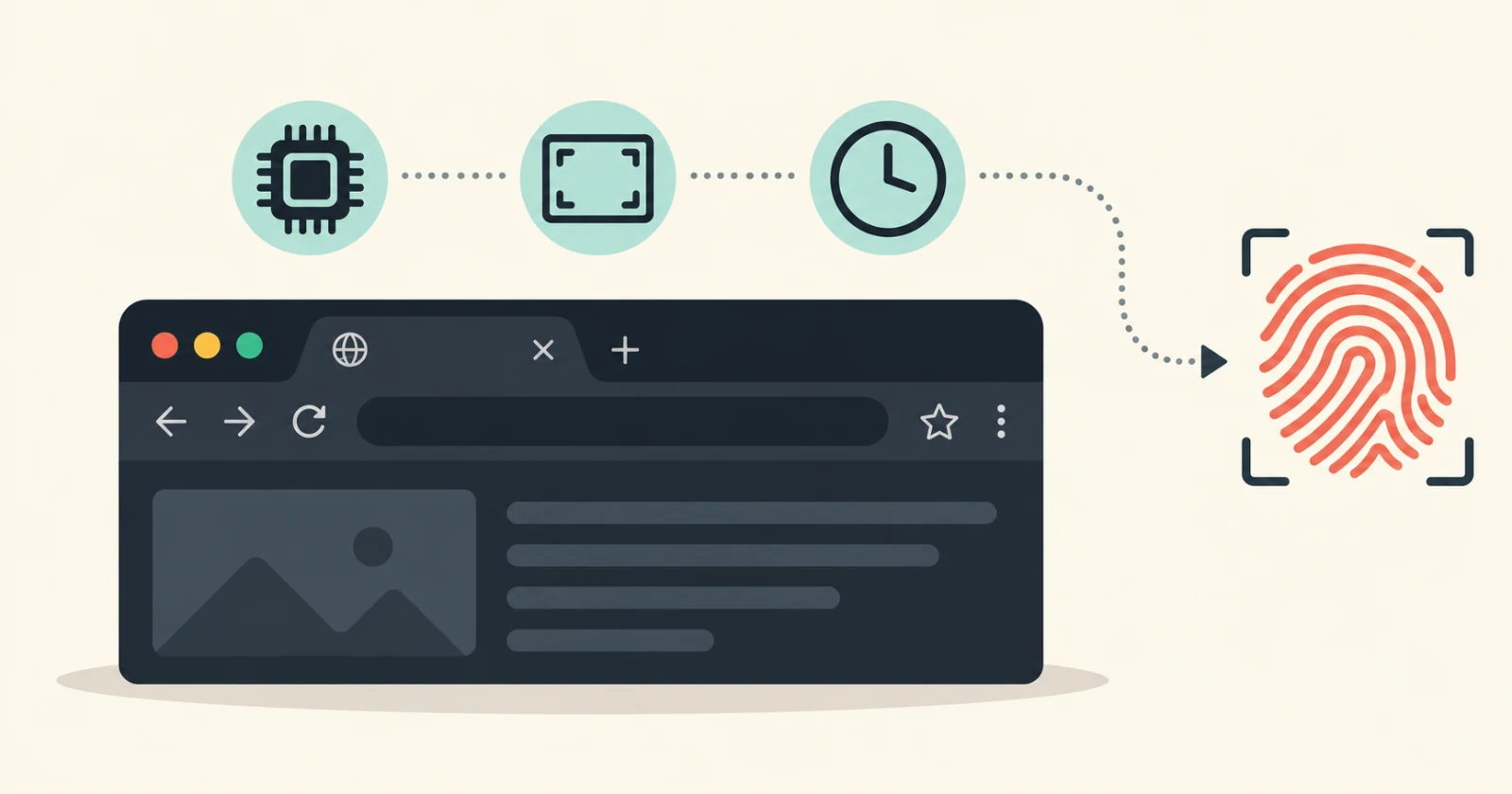
PrivacyTests.org just added two dozen new fingerprinting checks for 12 desktop browsers on their default settings, and not a single one walked away with a clean sheet.
If you caught our coverage when we highlighted their massive batch of browser privacy test results back in August, you already know the site does not hold back. This time around, they focused specifically on how well browsers stop websites from silently building a profile of your computer.
We’ve previously explained how browser fingerprinting works: online trackers collect small details about your hardware and system setup to recognize you across the web, even after you clear your cookies.
Most online tools test this by comparing your browser with those of many other visitors to see how distinctive it appears. In this case, the team set up virtual machines with different hardware specs to find out whether a browser keeps the real numbers private or simply shares them.
They split the 24 checks into device hardware and system settings. On the hardware side, they looked at whether a site can read your system memory, CPU core count, chip architecture, and OS version.
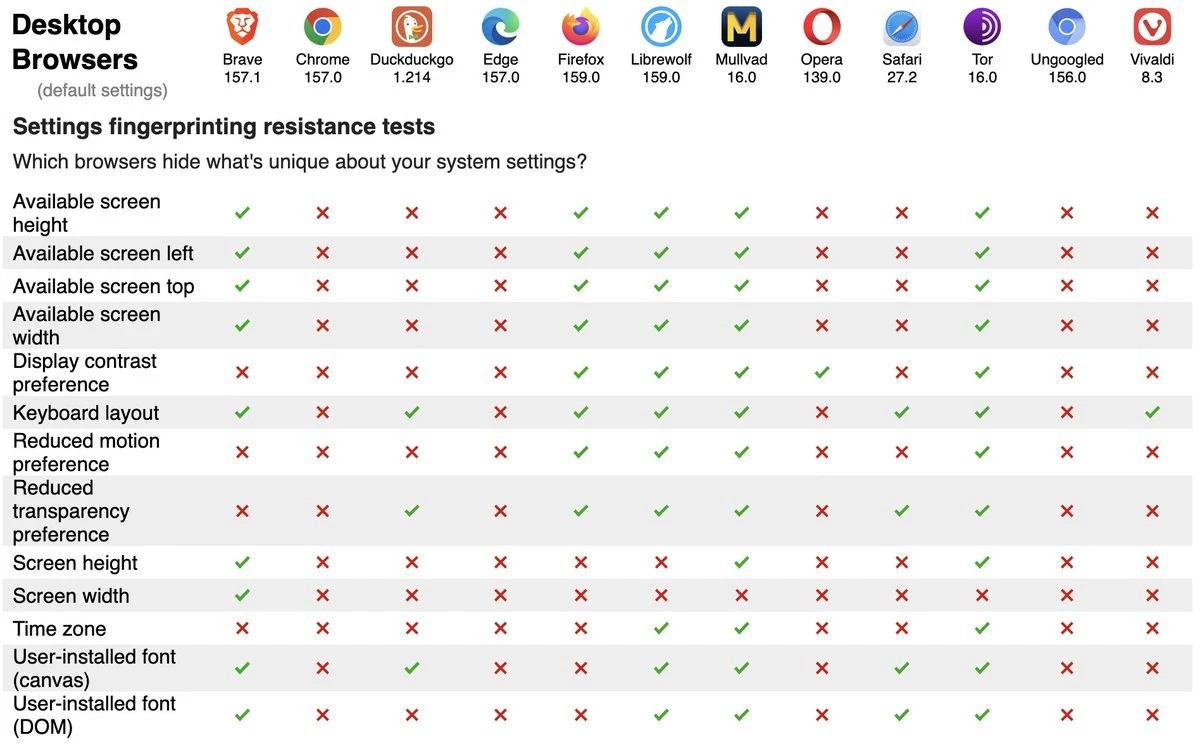
The settings checks looked for leaks around your screen resolution, time zone, keyboard layout, display preferences, and custom fonts you have installed.
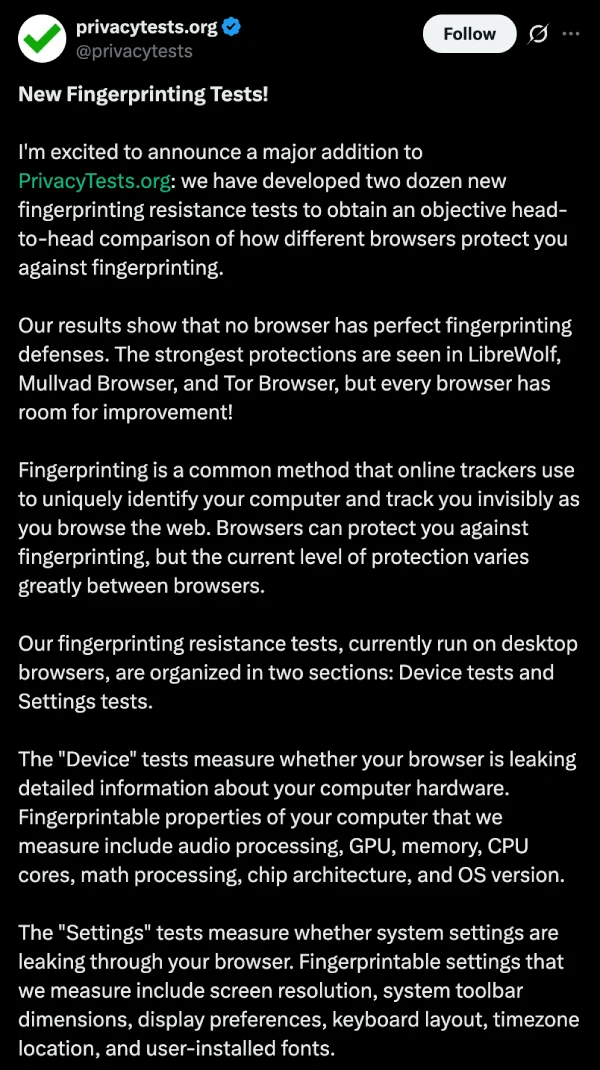
“Our results show that no browser has perfect fingerprinting defenses,” the maintainer wrote in their announcement post on X, adding that “the strongest protections are seen in LibreWolf, Mullvad Browser, and Tor Browser, but every browser has room for improvement!”
Looking at the charts, those three passed 21 out of 24 checks. Standard Firefox landed in the middle with 14 passes, while DuckDuckGo and Safari both grabbed 11.
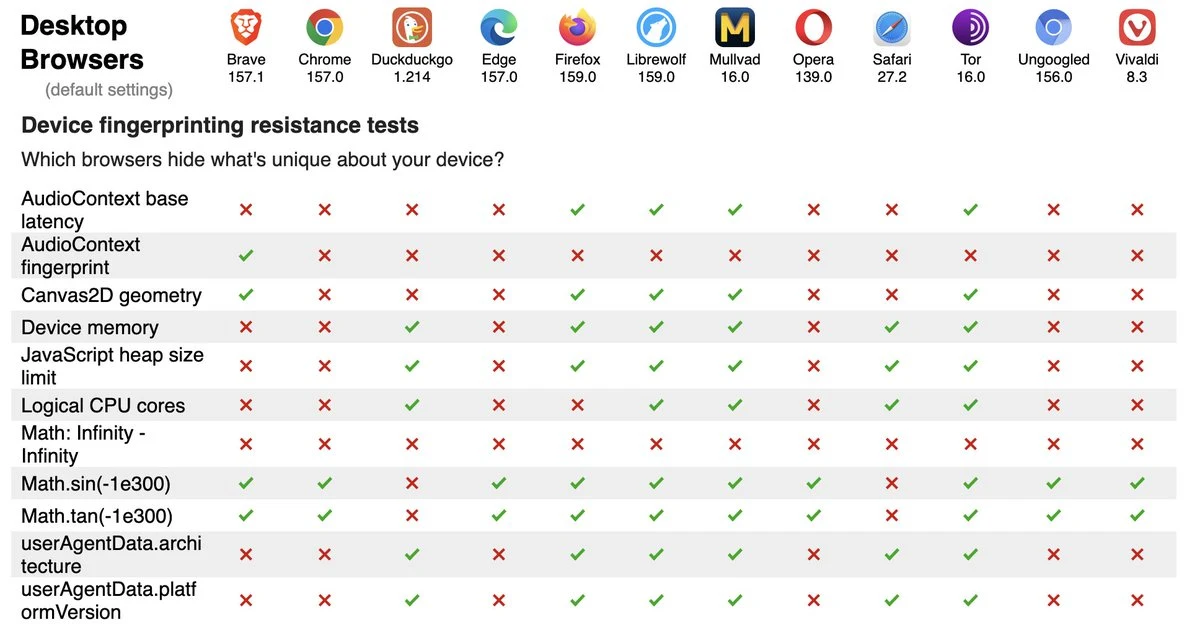
Brave passed 13 out of 24, doing a great job hiding screen dimensions and installed fonts, and it was the only browser in the entire lineup to pass the audio fingerprinting check. Still, it failed several hardware checks by exposing CPU cores, memory, and time zones.
Mainstream options like Chrome, Edge, Opera, Vivaldi, and Ungoogled Chromium barely put up a fight, failing at least 21 of the 24 tests.


Dwayne Cubbins
3198 Posts
I cover fast-moving stories across apps, online platforms, and everyday tech — phones, wearables, consoles, and whatever else people are fighting with this week. Bugs, rollouts, scams, policy enforcement, and the occasional internet-culture rabbit hole are all fair game. My goal is simple — make confusing tech news readable. When I'm not working, I'm working out or chilling with my dog. Got a tip? You can find me on X @dcubbins.