



The @X web redesign is looking awesome in the experimental sidebar browsing in @BraveNightly, no more crunched up navbar on the left 🥳.
— Agustín Ruiz (@aguscruiz) November 5, 2026
Try it out, enable the brave://flags #sidebar-web-panel pic.twitter.com/G8fWdc7VJ5
Think of split-screen, but much more efficient and cleaner. That’s what Brave is testing in the latest version of Nightly. Basically, the new feature lets you browse a separate webpage in a sidebar, so that you don’t have to use the conventional split-screen method or end up using a new window or tab.
A design engineer at Brave officially posted about sidebar browsing on X, and we have attached the post below.
If you want to try this feature, the first step is to update to the latest version of Brave Nightly. For now, it remains an experiment, so it requires you to enable a specific flag.
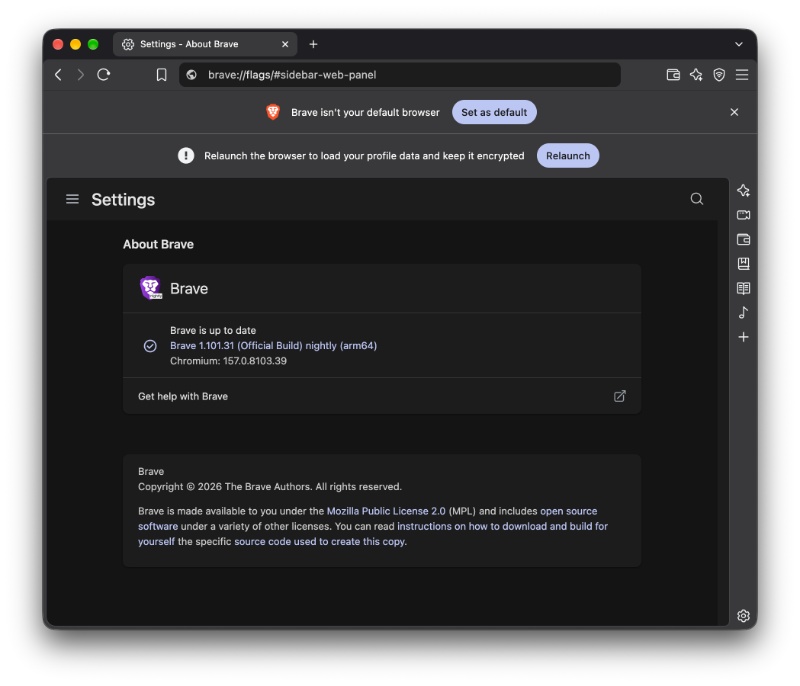
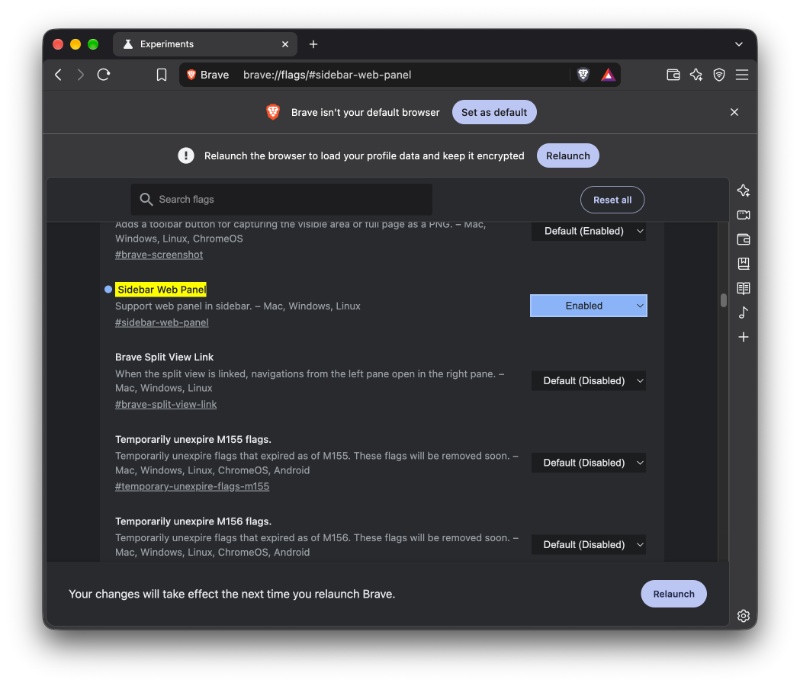
Head over to brave://flags and search for “sidebar web panel.” Or, you could directly visit this link in Brave. It’s disabled by default, so you’ll need to enable it and restart the browser.
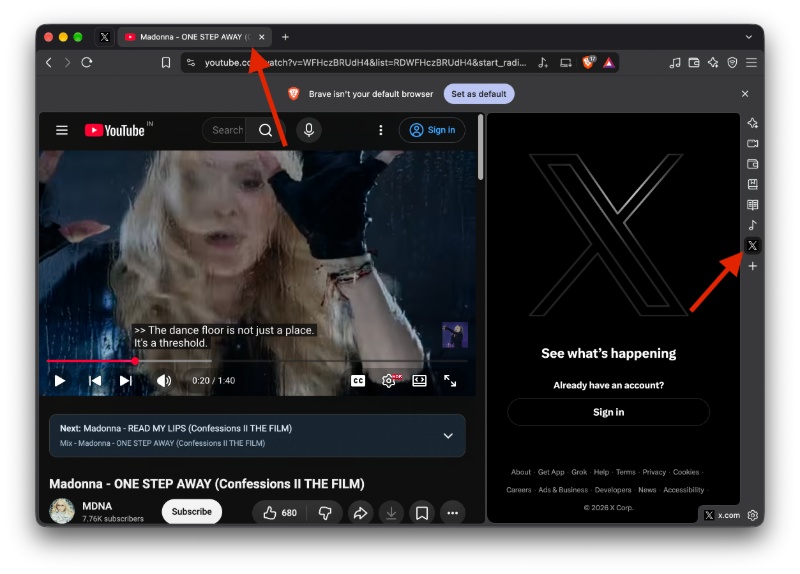
After Brave restarts, all you have to do is open a website and then select the preferred site from the sidebar. Click on the icon, and it should open in a sort of “split” view; this is how sidebar browsing works for now.
However, there’s one bug for now. A team member at PiunikaWeb, Dwayne Cubbins, discovered that clicking on the icon seems to directly open a new tab instead of opening within the sidebar. In case you encounter a similar error, you just have to get rid of the shortcut from the sidebar and add it again. This restores the expected behavior.
— Dwayne Cubbins (@DCubbins) November 6, 2026
In my personal test, adding the shortcut to the sidebar and then clicking on the icon opens it in the new view. It doesn’t interfere with the main tab interface, and the sidebar’s URL isn’t shown in the tab view.
As expected, once the flag is turned off, the website opens in a new tab. It also completely overrides the existing tab.
In other Brave news, the v.99.55 update adds split-view dragging, Leo AI clarifications, and more. You can read about that here.

We stand out from the tech-media crowd because we break news stories; we mainly bring you stuff that you won’t find anywhere in the mainstream tech media. Our stories have been picked up by some of the world’s most popular websites and media outlets—more info is available here.

Sudhanshu K
367 Posts
I have been a consumer technology enthusiast for over 5 years. Thanks to my experience in software beta testing and product reviews, I've understood and learnt a lot about what bugs and issues bother people, and I spend time trying to simplify their solutions. I cover smartphones, software, social media, apps, AI, and most consumer tech gadgets. Actively pursuing a Computer Science bachelor’s degree. I'm mostly active on Twitter/X (@TechWhirlUlt), drop a DM or tag me if you want to share info or connect!