Arc Browser spoiled a lot of us with its frameless design coupled with vertical tabs. The clean and clutter-free interface felt like a breath of fresh air after using browsers with dozens of buttons and menus always on top of the screen. And now that Arc Browser is a thing of the past, a lot of users are still searching for a browser that offers a similar experience.
One of the most popular browsers that mimics Arc Browser’s frameless design is Zen. But it looks like Brave also wants some of those users to switch to its browser.
The browser’s product manager recently teased that the browser is “nearly perfected” and said they’ll talk more about it soon.
Now, they posted a few screenshots showing Brave with a frameless design and a caption that says “Focus, more browsing, less browser.”

In case you want to jump in and try it out, the good news is that you can. The bad news, however, is that you’ll have to download and install Brave Nightly (if you don’t already have it).
The feature is currently hidden behind a flag called Focus Mode. You need to enable it with the “No URL display” option to get the full frameless experience.
To enable it, head over to brave://flags in your address bar and search for the flag. Once selected, relaunch the browser, then right-click on the vertical tabs sidebar and turn on Focus Mode in the menu.
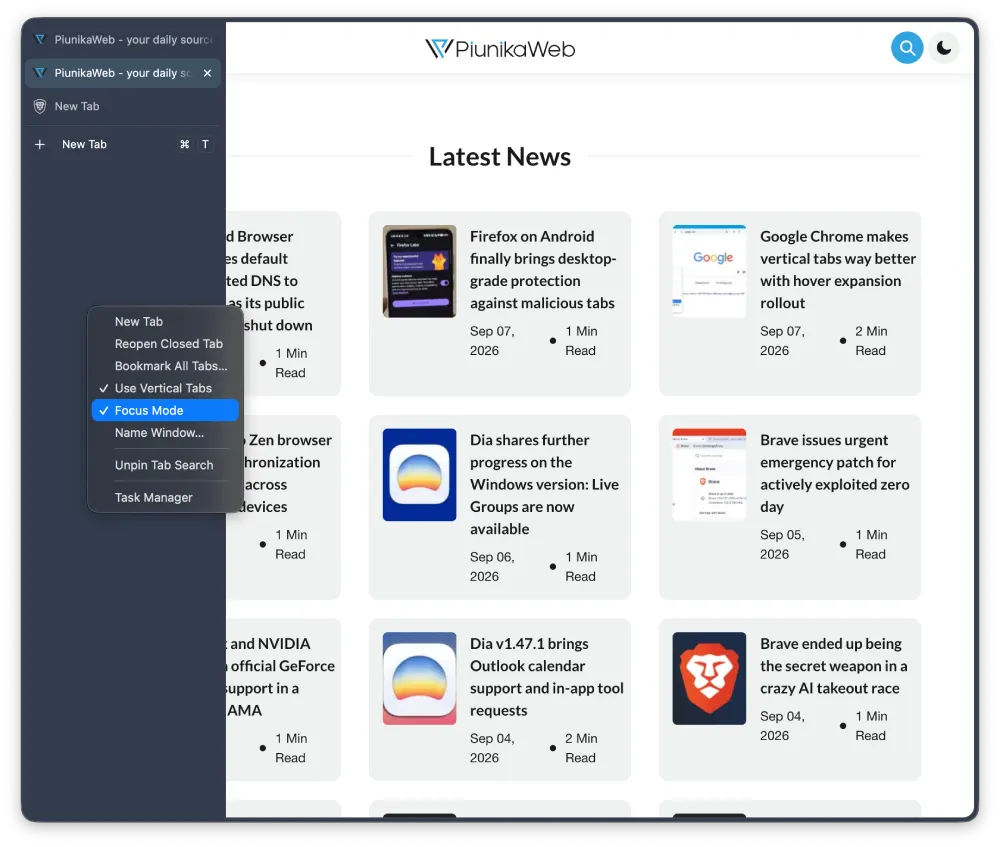
Once you toggle on Focus Mode, you’ll see the frameless design in action. Here’s a screenshot of the browser window for reference:
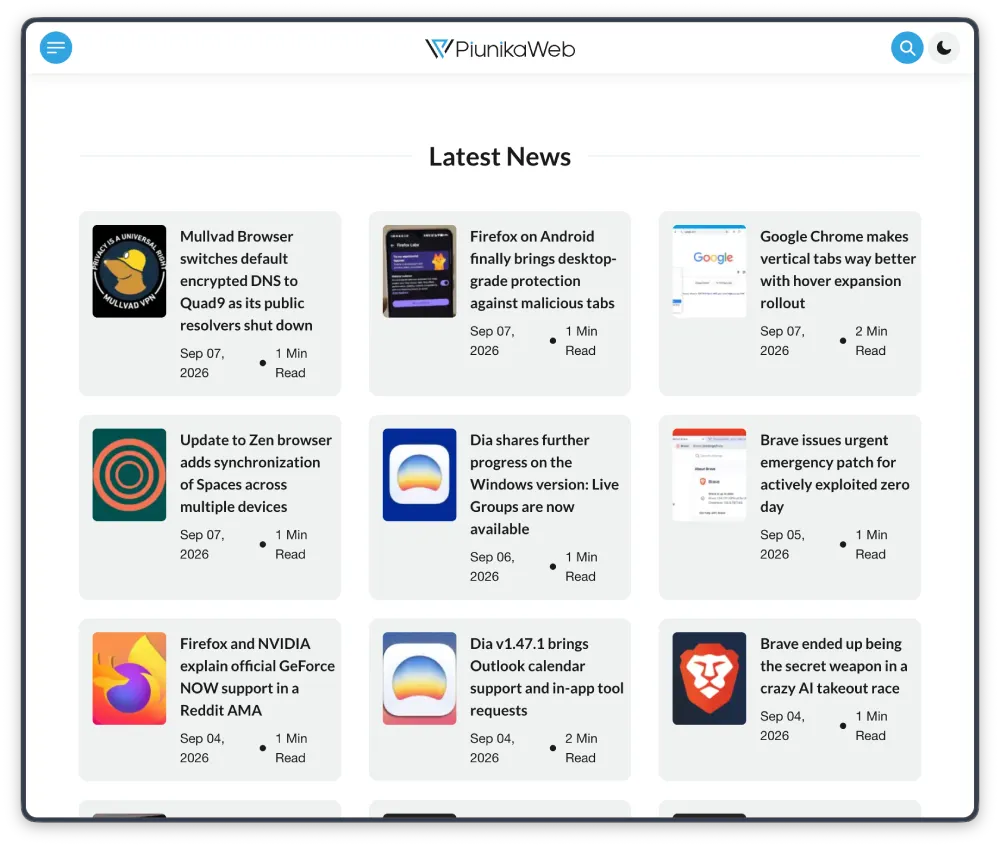
The standard top bar and address field disappear completely, giving way to an edge-to-edge web canvas paired with vertical tabs. It delivers an ultra-clean aesthetic that closely mirrors Zen Browser, which in turn mimics Arc.
Keith made the comparison directly in the post, noting that this implementation is tailored “for the Zen users out there.”
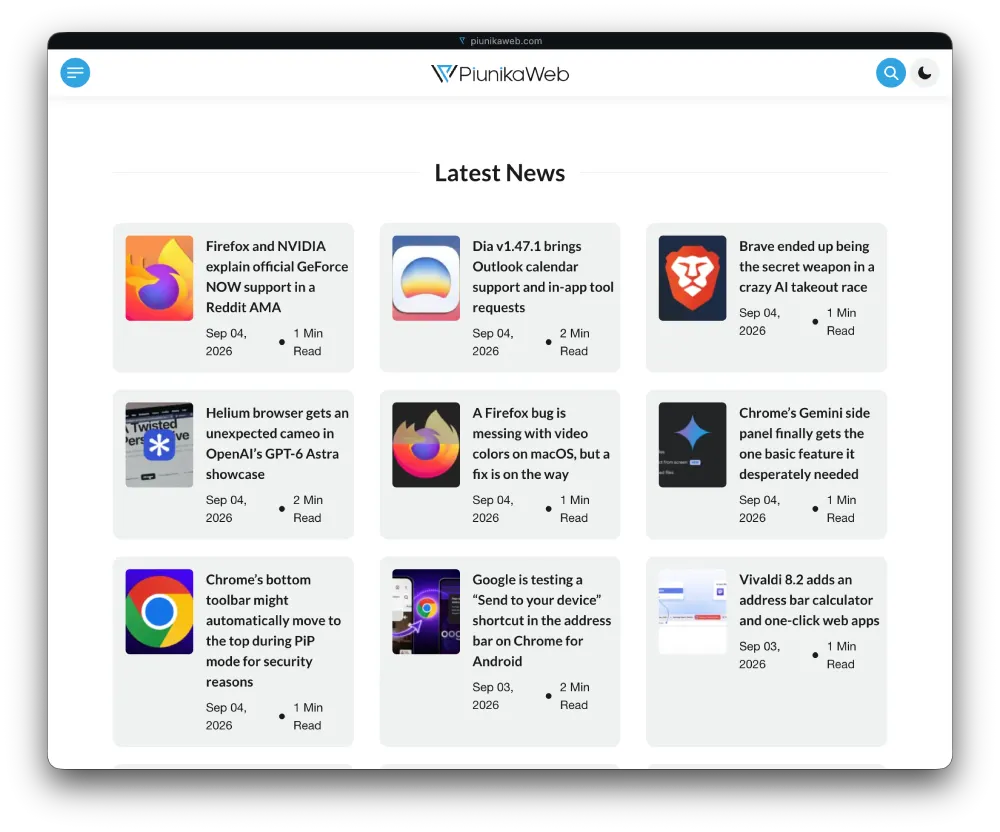
Another thing worth noting is that while the stable release of Brave currently also has the Focus Mode flag, it doesn’t exactly offer the same frameless experience. You’ll still see the website title show up in a thin strip at the top. Here’s how it looks on the stable builds for reference:
That said, the feature is still a bit finicky and will likely need some fine-tuning before it’s ready. For instance, the hover-to-expand vertical tabs sidebar doesn’t work as smoothly as it should. This is something the folks at Zen are also trying to perfect, with a recent update bringing more refinements to make the experience more seamless.
There is currently no official timeline for when this frameless experience will graduate to the stable release. But we suspect it’ll be here sooner rather than later. In the meantime, you can try out the new Compact Mode that they recently introduced, which offers a midway solution between the frameless experience and the standard clunky interface.


Dwayne Cubbins
3093 Posts
I cover fast-moving stories across apps, online platforms, and everyday tech — phones, wearables, consoles, and whatever else people are fighting with this week. Bugs, rollouts, scams, policy enforcement, and the occasional internet-culture rabbit hole are all fair game. My goal is simple — make confusing tech news readable. When I'm not working, I'm working out or chilling with my dog. Got a tip? You can find me on X @dcubbins.
Next article View Article