






1Password has pushed out a new beta update for its browser extension that finally lets it automatically connect to the 1Password desktop app in Zen Browser.
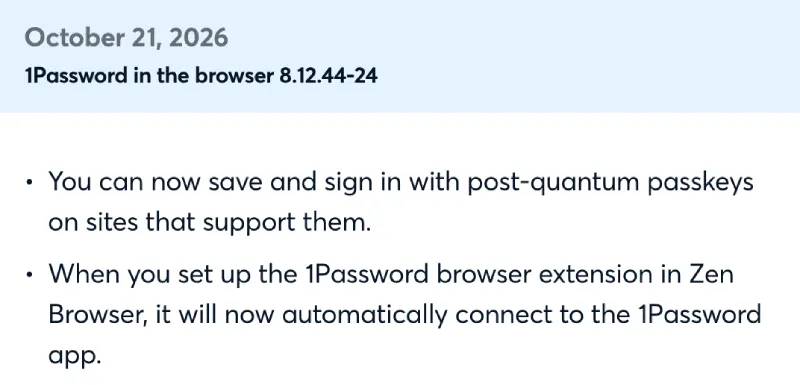
The change quietly showed up in the October 21 release notes for version 8.12.44-24 of the extension. According to the changelog, “When you set up the 1Password browser extension in Zen Browser, it will now automatically connect to the 1Password app.”
If you use both apps, you may remember how frustrating this setup could be. 1Password didn’t officially recognize the Firefox fork out of the box, so the extension and desktop app couldn’t communicate by default.
You had to dig into the 1Password desktop settings and manually add Zen as a trusted browser just to get basic things like biometric unlock working. It served as an okay band-aid fix while the browser rolled out bigger updates like the unified Library view in version 1.23b, but the workaround always felt a little sketchy.
Bypassing security checks manually is something that not many folks want to mess with. So when a user spotted the changelog, they were quick to share it along with their frustration with how things worked before. “I didn’t like that I had to do it because I didn’t check the source code myself to be 100% confident I can trust it with my passwords + it was not a great user experience for normal people to whom I want to recommend Zen Browser,” they wrote.
Other users in the thread wondered if this means 1Password will now behave the exact same way it does on regular Firefox. One commenter pointed out that autofill in Zen previously forced them to “type the website name as opposed to autodetecting the URL” when logging into accounts, which proper trusted status should iron out.
This quality-of-life fix lands right as the browser’s developers have been busy ironing out daily usability quirks with smoother sidebar hover and Boosts tweaks in recent Twilight builds.


Dwayne Cubbins
3163 Posts
I cover fast-moving stories across apps, online platforms, and everyday tech — phones, wearables, consoles, and whatever else people are fighting with this week. Bugs, rollouts, scams, policy enforcement, and the occasional internet-culture rabbit hole are all fair game. My goal is simple — make confusing tech news readable. When I'm not working, I'm working out or chilling with my dog. Got a tip? You can find me on X @dcubbins.