






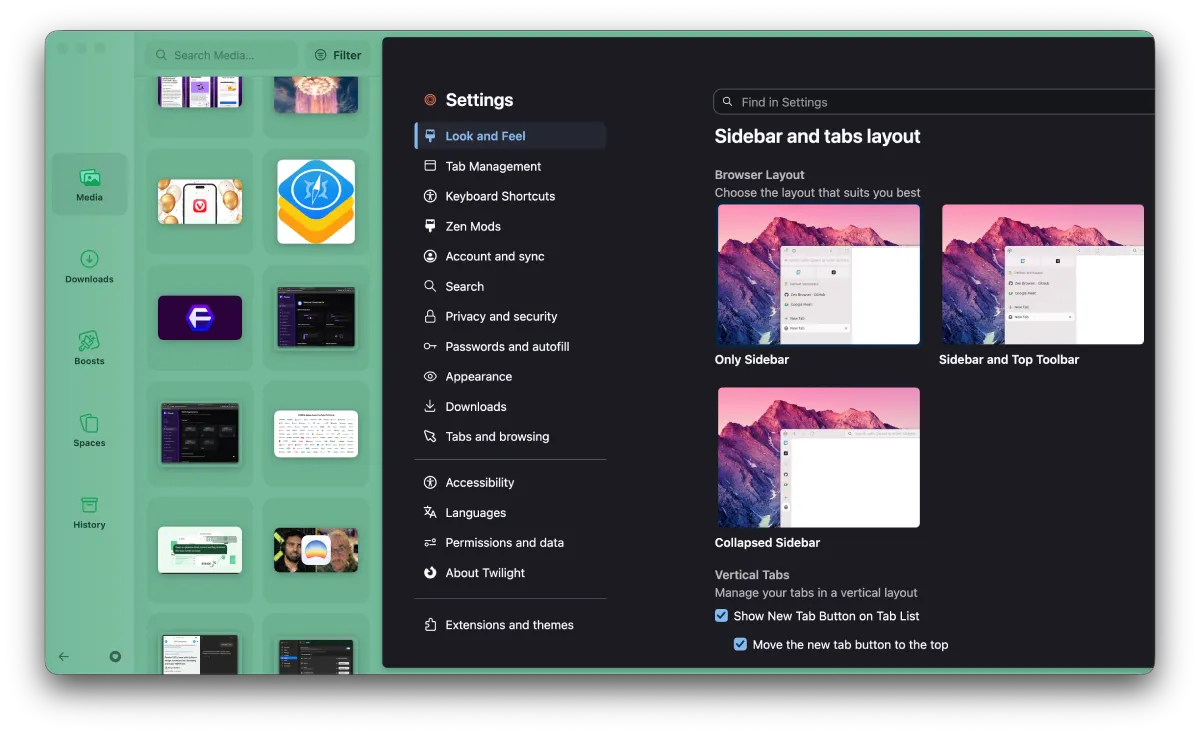
Zen Browser users are getting a new update, which is rolling out as version 1.23b. The main highlight of the release is the new Library view, a long-anticipated feature. It aims to bundle your history, downloads, saved media, and spaces under a single roof so you do not have to hunt through different menus. If you have been juggling open tabs and buried download lists all week, this change is going to catch your eye right away.
We spotted the feature in the Twilight channel about a week ago, and it is now finally ready for prime time. The feature should feel very familiar if you have used Arc, as it gives you a dedicated side drawer to manage everything that is not active on your screen right now.
It follows the team’s mid-September rollout of a regular tab sync toggle and battery tweaks. The new Library panel brings together your browsing history and files without cluttering your main workspace.
As expected, Zen Browser users already have their opinions on the new Library view. Under the announcement on X, one user said, “FINALLY we get a better history view,” while another pointed out that it is “horrible that you cant clear the download list” yet.
Someone else voiced concerns about the browser becoming too cluttered, saying, “stop introducing bloat features like this,“ so the browser doesn’t end up bogged down. But to be fair, no major browser release has ever been without a group of users complaining about a new change.
Still, plenty of power users seem relieved to have a centralized place for their stuff.
But that’s not all version 1.23b brings to the table. It also bumps the base engine to match the recent Firefox 157 rollout. That upstream upgrade quietly resolves long-standing HDR video washout bugs and adds hardware AV1 decoding for WebRTC calls, which should stop your laptop from overheating during video calls.
You also get welcome performance boosts when opening multiple windows, smoother sidebar icon animations, and the ability to resize the sidebar even while it is tucked away. If you drag the bar too narrow, it automatically collapses itself out of sight.
The full release notes for v1.23b are here.


Dwayne Cubbins
3081 Posts
I cover fast-moving stories across apps, online platforms, and everyday tech — phones, wearables, consoles, and whatever else people are fighting with this week. Bugs, rollouts, scams, policy enforcement, and the occasional internet-culture rabbit hole are all fair game. My goal is simple — make confusing tech news readable. When I'm not working, I'm working out or chilling with my dog. Got a tip? You can find me on X @dcubbins.