





A new Twilight (beta) version of the Zen Browser brings performance improvements and some practical fixes. These improvements should ship to the stable version of Zen soon.
For your reference, a screenshot of the changes introduced in this version has been attached below.
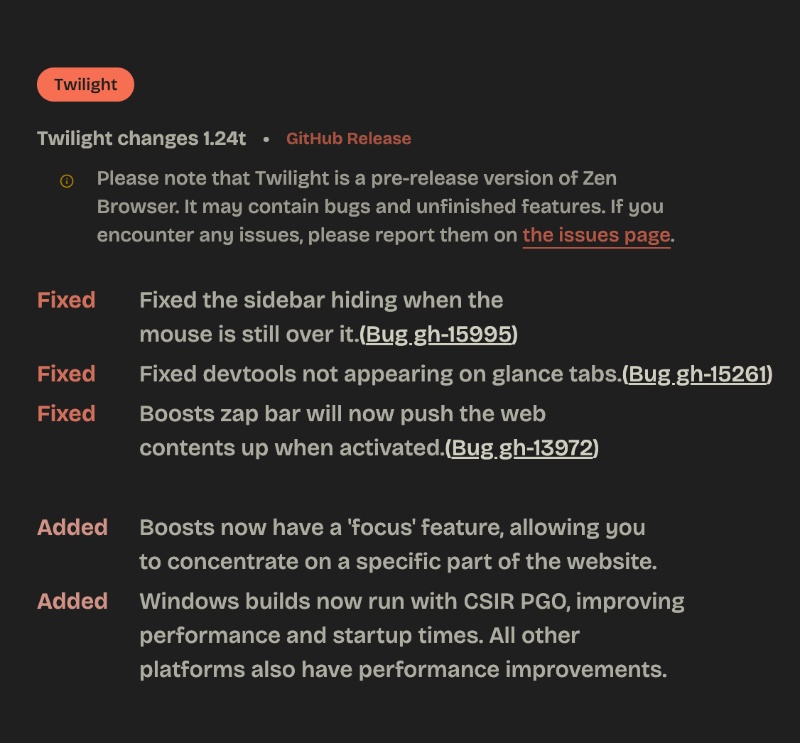
Here’s a simplified version of what exactly has improved with the latest Twilight update:
- The sidebar no longer hides while your mouse is still over it: In compact mode (or when the sidebar is set to auto-hide), the sidebar would sometimes collapse even though your cursor was still sitting on top of it. This was especially noticeable on Linux and made it hard to reach the tab close buttons on the far side of the sidebar. The hover detection was unreliable, and the bar would retract before you could actually complete the click. This problem has been solved
- DevTools now appear properly on Glance tabs: Glance lets you preview a link in a floating window without fully opening a new tab. Previously, opening Developer Tools (Inspect page) on a Glance tab could result in a black screen or the tools failing to show up correctly. They have addressed this issue.
- Boosts fix: Boosts let you customize any site (colors, fonts, dark mode, and the Zap tool that hides elements). When you activated Zap, a bar with “Click to Unzap” appeared over the bottom of the page. That floating bar blocked elements near the bottom of the site, so you couldn’t select them to zap.
- Boosts “Focus” feature: Boosts now includes a “Focus” option that lets you concentrate on a specific part of the website. The idea is to help you isolate or highlight one section of a page while you’re customizing it with Boosts.
- Performance improvements thanks to Profile-Guided Optimization (PGO).
Note: Twilight versions of the browser serve as previews, so they’re not recommended for daily use. There could be some hiccups. You can download the Twilight version from this link.
The Release Notes for version 1.24t are available here.


Sudhanshu K
336 Posts
I have been a consumer technology enthusiast for over 5 years. Thanks to my experience in software beta testing and product reviews, I've understood and learnt a lot about what bugs and issues bother people, and I spend time trying to simplify their solutions. I cover smartphones, software, social media, apps, AI, and most consumer tech gadgets. Actively pursuing a Computer Science bachelor’s degree. I'm mostly active on Twitter/X (@TechWhirlUlt), drop a DM or tag me if you want to share info or connect!