





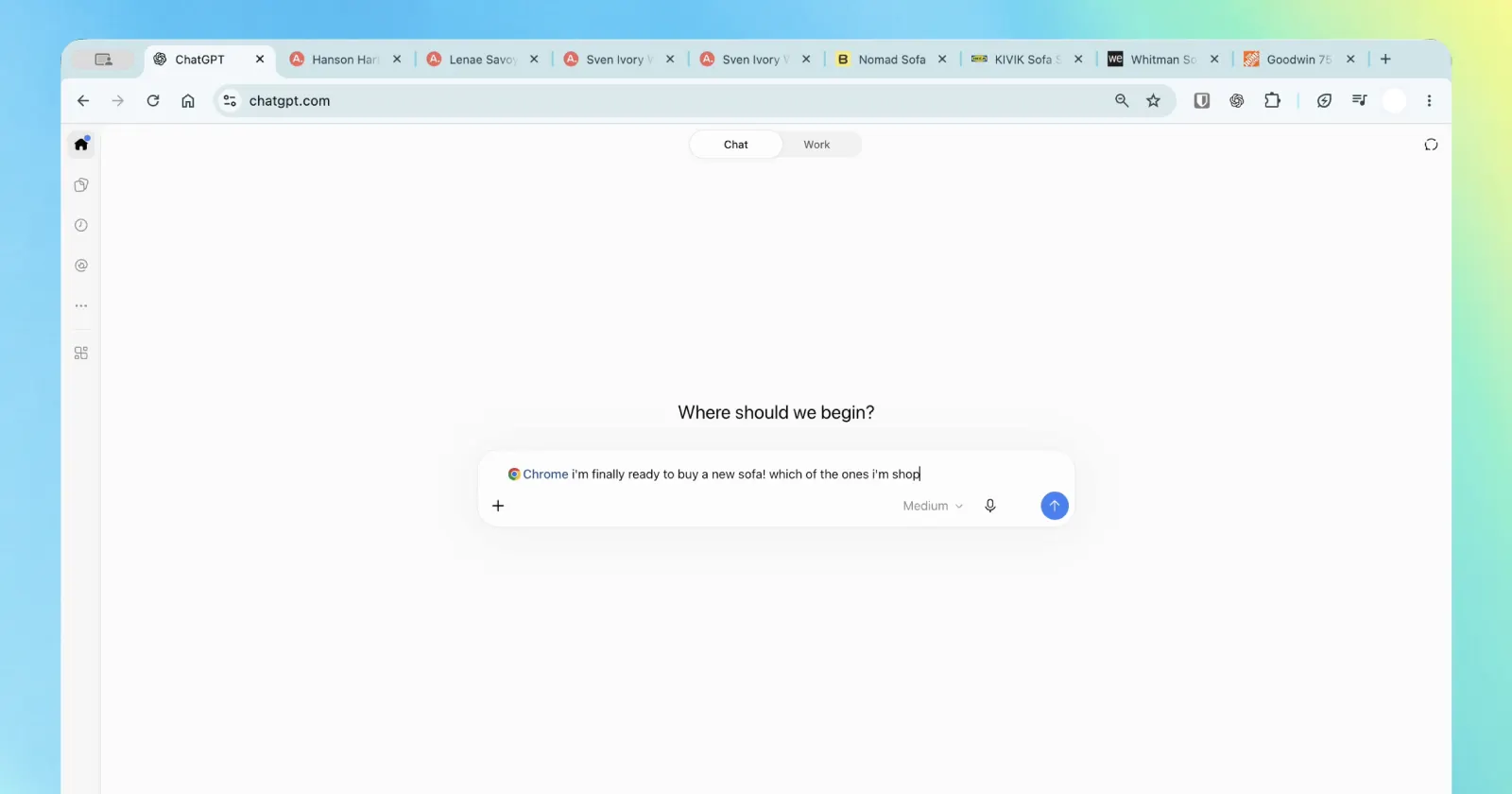
A few big upgrades for Chrome users today! We’re bringing the power of computer use to anyone who uses Chrome.
— ChatGPT (@ChatGPT) October 15, 2026
First up: ChatGPT can now use your tabs in Chrome to make answers more useful and get things done for you.
If you’re in Chat, it can look across your open tabs and… pic.twitter.com/c99ZSugDcI
The ChatGPT extension for Chrome has picked up a major update today, letting the AI read through your open tabs and perform tasks directly on web pages.
Before the update, the extension just felt like a chatbot bolted onto the browser with limited functionality. Now, it splits things between two modes.
One is the standard Chat mode, where you can ask the AI to review your open tabs and answer questions. For example, you can ask it to compare prices or product dimensions from multiple stores you have open without having to copy and paste links back and forth.
The other mode is Work, where ChatGPT has more control over your tabs to complete chores like filling out registration forms, downloading files, sending messages, or grouping together a mess of tabs.
This functionality pretty much brings the extension up to par with Gemini’s auto browse feature that recently expanded to India. There’s, however, one important thing to note: ChatGPT’s Work mode requires at minimum a Plus subscription to use. So if you’re not kicking up money to OpenAI, you’re out of luck if you want to use browser automation.
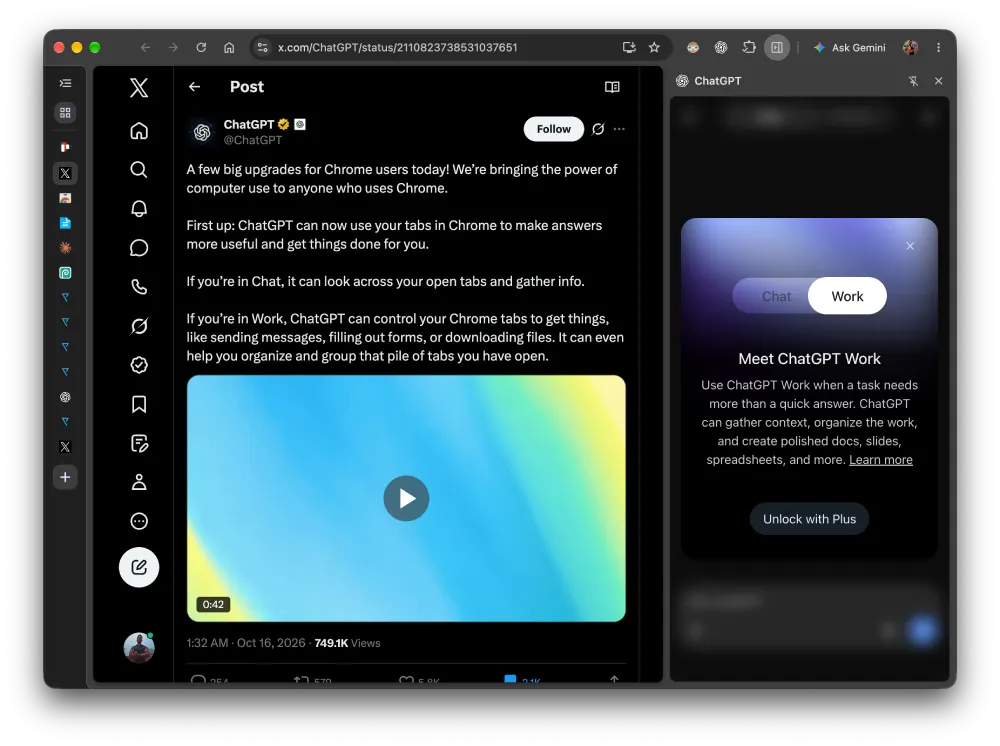
The extension also brings your full chat history into a side panel, letting you run queries side by side with whatever website you are browsing.
It’s not surprising to see this update coming from OpenAI, especially since the company shut down its standalone Atlas browser and promised that they’ll be working on the dedicated extension. They said that the sidebar experience and tab automation tricks would find a new home in Chrome instead of dying off, and this update is essentially the payoff of that migration.
OpenAI claims the tool works “in the background, without ever taking over your active browsing session” and insists the software “will always ask for your permission” before referencing browser history or managing downloads.
The extension is rolling out to everyone on both free and paid tiers. While it targets Chrome, the listing notes it is also compatible with other Chromium-based browsers like Microsoft Edge, Brave, and Opera.
If you’ve not installed it already, you can grab it from the Chrome Web Store.

We stand out from the tech-media crowd because we break news stories; we mainly bring you stuff that you won’t find anywhere in the mainstream tech media. Our stories have been picked up by some of the world’s most popular websites and media outlets—more info is available here.

Dwayne Cubbins
3119 Posts
I cover fast-moving stories across apps, online platforms, and everyday tech — phones, wearables, consoles, and whatever else people are fighting with this week. Bugs, rollouts, scams, policy enforcement, and the occasional internet-culture rabbit hole are all fair game. My goal is simple — make confusing tech news readable. When I'm not working, I'm working out or chilling with my dog. Got a tip? You can find me on X @dcubbins.