If you have been using OpenAI’s Atlas browser, you have a few days left with it. The company is pulling the plug on August 9, 2026, which means Atlas stops working this week. After that date, it may not open or browse at all, so this is your cue to grab anything you want to keep.
We saw this coming. OpenAI began telling users to move over to the ChatGPT desktop app back in July, and honestly the writing was on the wall even before that. We had literally asked whether OpenAI had forgotten about Atlas a couple of weeks earlier, since the browser barely got updates and never made it past Mac.
So what actually happens to your stuff? This is the part people need to pay attention to. According to OpenAI, “Bookmarks will not transfer automatically.”
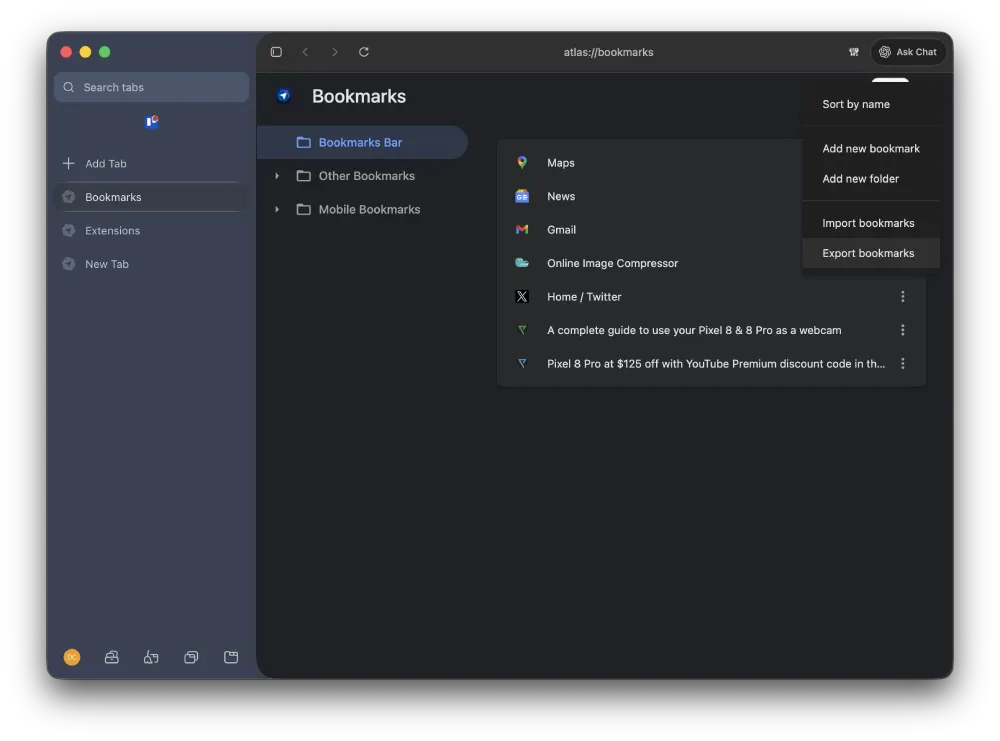
Same goes for your open tabs and browsing history. If you want them, you have to save them yourself before Monday. The easiest fix is to export your Atlas bookmarks as an HTML file and import that into another browser like Chrome.
One thing you do not need to panic about is your chat history. Your ChatGPT conversations live separately from the browser, so those stick around and you can keep using them as normal.
Another reason not to drag your feet here is security updates. Once Atlas is abandoned, it stops getting security updates. In its own words, the company does “not want users to remain on a discontinued browser that may degrade or stop receiving security updates.” So even if Atlas technically still limps along past the deadline for you, staying on it is a bad idea.
In the FAQ section, the company even highlights that if you try to move your cookies or logged-in sessions over, those are trickier than bookmarks. Atlas will offer export options where possible, but Chrome will not always let you import them, so expect to sign back into your accounts.
That said, OpenAI is not walking away from browsers entirely, to be clear. It says the new ChatGPT desktop app now has a browser built right in, and it wants Atlas fans to help shape where those features go next. The ChatGPT Chrome extension is also picking up the slack, and it recently gained the ability to read YouTube videos and your open tabs.
Now, if you liked the whole AI browser thing and want a replacement, you have options. I keep coming back to Aside, which feels like what Comet and Dia should have been in the first place. Tabbit is another one worth a look, mostly because its free AI limits are pretty generous. If you would rather stay mainstream, plain old Google Chrome works fine, and Brave has its own built-in assistant called Leo if you want AI without leaving a familiar browser.
Heck, even Dia is now a solid alternative, especially after the recent update that added Spaces. We’ve covered all the details here.
It is worth remembering Atlas is not the only AI browser facing questions about its future either. We recently wondered whether Comet could end up going the same way. For now though, the clock is ticking on Atlas, so back up your bookmarks before it’s too late.


Dwayne Cubbins
3141 Posts
I cover fast-moving stories across apps, online platforms, and everyday tech — phones, wearables, consoles, and whatever else people are fighting with this week. Bugs, rollouts, scams, policy enforcement, and the occasional internet-culture rabbit hole are all fair game. My goal is simple — make confusing tech news readable. When I'm not working, I'm working out or chilling with my dog. Got a tip? You can find me on X @dcubbins.
Next article View Article