





Google is working on a built-in “Copy Link(s)” button for Chrome that lets you grab the web addresses of an entire tab group or multiple selected tabs in one click.
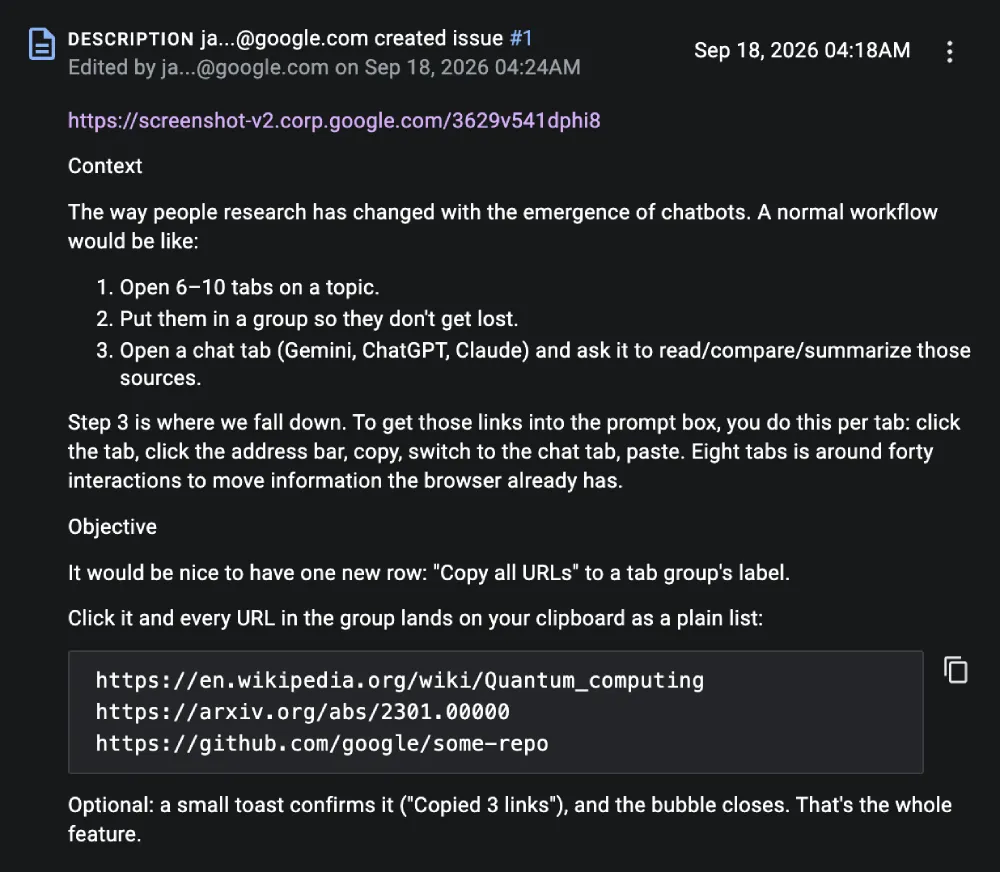
We spotted an active thread in the Chromium Issue Tracker suggesting the feature is meant to fix a major headache for anyone who uses AI chatbots for research. When you look into a topic today, you probably open eight or ten tabs, throw them into a group to keep things tidy, and then open Gemini or ChatGPT to summarize everything.
The problem is, if you want to move all those links into the chat box, you have to perform a bunch of extra steps. As the Google engineer who pitched the tool noted in the bug report, “To get those links into the prompt box, you do this per tab, click the tab, click the address bar, copy, switch to the chat tab, paste. Eight tabs is around forty interactions to move information the browser already has.”
Right now, Chrome users have to rely on third-party extensions to grab multiple links at once. Even then, extensions cannot hook directly into the tab group bubble, and they usually ask for scary permissions to read your entire browsing history.
P.S. That’s also why Google is now actively testing ways to stop extensions from accessing every site or pushing for cleaner standards like the new Split View API in Chrome 155 that needs zero extra permissions.
Interestingly, Chrome’s design team initially pushed back against the idea because they did not want to clutter up the menu for average users. However, after realizing that rival browsers like Safari and Arc already let you copy group links natively, the team changed their minds.
“Chatted with our team and we’d be on board with this addition behind a feature flag and we can monitor it’s usage,” a UX lead replied on the thread, agreeing that helping people feed pages into their favorite LLM makes a lot of sense.
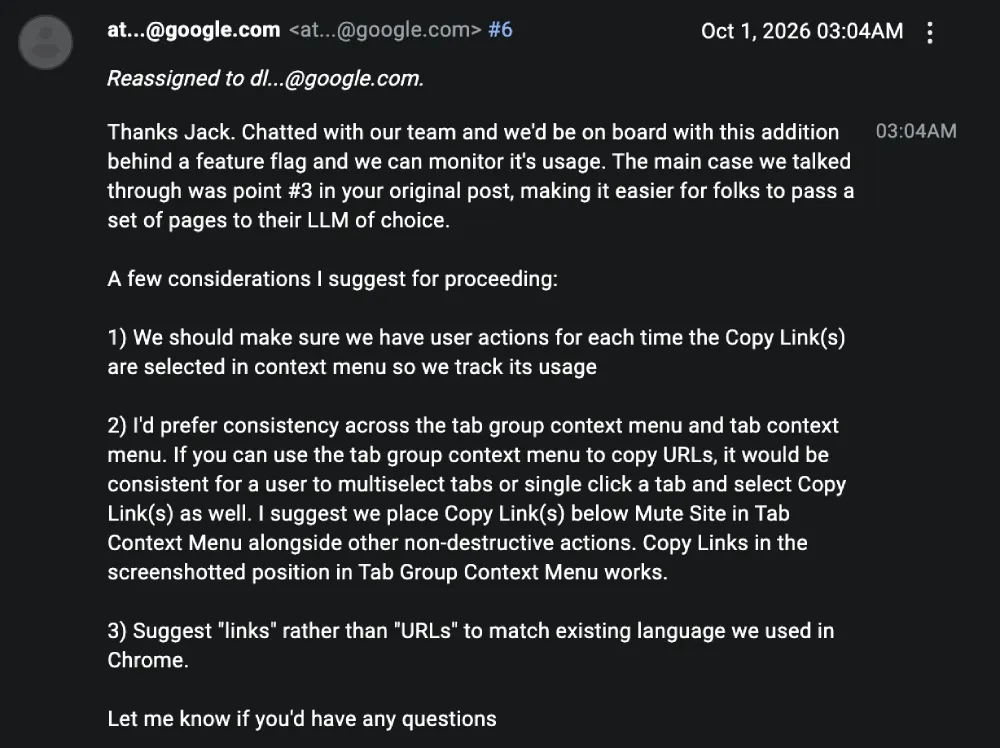
When the feature rolls out, you will see the new “Copy Link(s)” option right inside the tab group menu and in the regular right-click menu when you highlight a few tabs. Clicking it copies all the web addresses to your clipboard and pops up a tiny confirmation message at the bottom of the screen. If you accidentally highlight an internal settings page alongside your normal web pages, Chrome will smartly skip the internal stuff and only copy the actual website links.


Dwayne Cubbins
3117 Posts
I cover fast-moving stories across apps, online platforms, and everyday tech — phones, wearables, consoles, and whatever else people are fighting with this week. Bugs, rollouts, scams, policy enforcement, and the occasional internet-culture rabbit hole are all fair game. My goal is simple — make confusing tech news readable. When I'm not working, I'm working out or chilling with my dog. Got a tip? You can find me on X @dcubbins.