





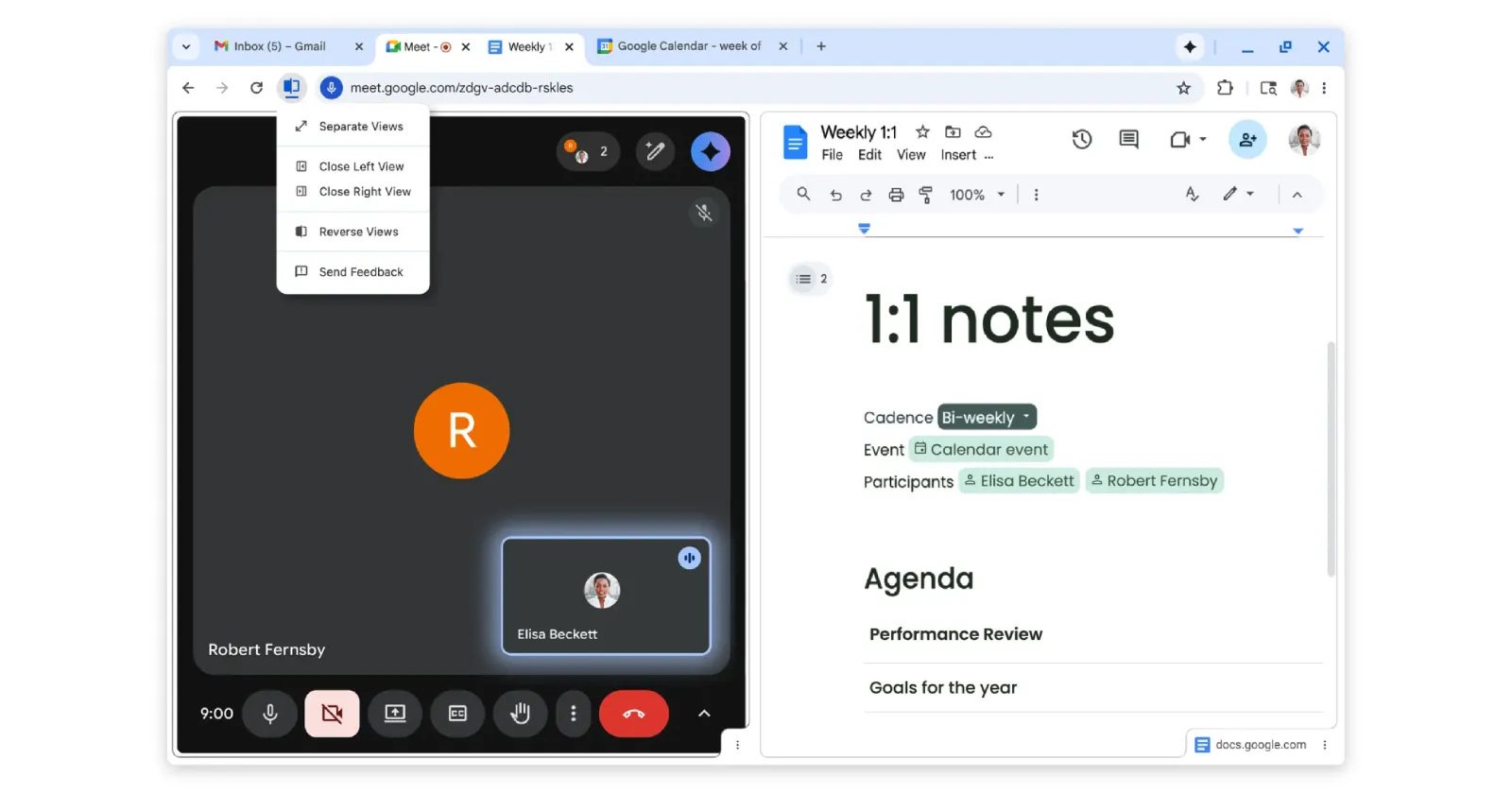
The Split View API is here! Arriving in Chrome 155 and developed in close collaboration with Mozilla and browser vendors in the WebExtensions Community Group, this API integrates directly into the browser.tabs namespace without requiring any extra manifest permissions →… pic.twitter.com/ZIDxm6ssBJ
— Chrome for Developers (@ChromiumDev) October 14, 2026
Chrome 155 might seem like a minor update at first glance, but there’s much more happening behind the scenes than meets the eye. In a post on X, Google announced a new Split View API built in close partnership with Mozilla and other browser vendors.
Instead of forcing developers to use awkward workarounds like embedding pages in frames or resizing separate browser windows, this tool hooks directly into the core tab-management system.
The interesting thing about this new API is that you don’t have to go out of your way to use it. It lives right inside the standard browser tabs namespace and doesn’t ask for any extra manifest permissions when you install an extension.
That means fewer scary permission warnings popping up for users. Developers can query existing split views, pair adjacent tabs, or programmatically spin up a new side-by-side tab without fighting website security headers.
In case you want more technical details, you can check out Google’s official blog post for developers explaining how it works.
That said, beyond these under-the-hood changes, Chrome 155 also adds a handy feature for users who often find themselves jumping through hoops to capture screenshots while playing a video.
The update introduces a screenshot button that’s built right into the media playback controls. You just need one click to grab a screenshot without having to pause the video or use extensions. More on that here.

We stand out from the tech-media crowd because we break news stories; we mainly bring you stuff that you won’t find anywhere in the mainstream tech media. Our stories have been picked up by some of the world’s most popular websites and media outlets—more info is available here.

Dwayne Cubbins
3116 Posts
I cover fast-moving stories across apps, online platforms, and everyday tech — phones, wearables, consoles, and whatever else people are fighting with this week. Bugs, rollouts, scams, policy enforcement, and the occasional internet-culture rabbit hole are all fair game. My goal is simple — make confusing tech news readable. When I'm not working, I'm working out or chilling with my dog. Got a tip? You can find me on X @dcubbins.