





It seems the bottom navigation bar (or "bottom toolbar") will be optional in Chrome for Android. Google is testing a new toggle on the Appearance settings page that allows you to hide or show it: https://t.co/1jT3uid7Mq pic.twitter.com/ufZ5LFS9z4
— Leopeva64 (@Leopeva64) October 9, 2026
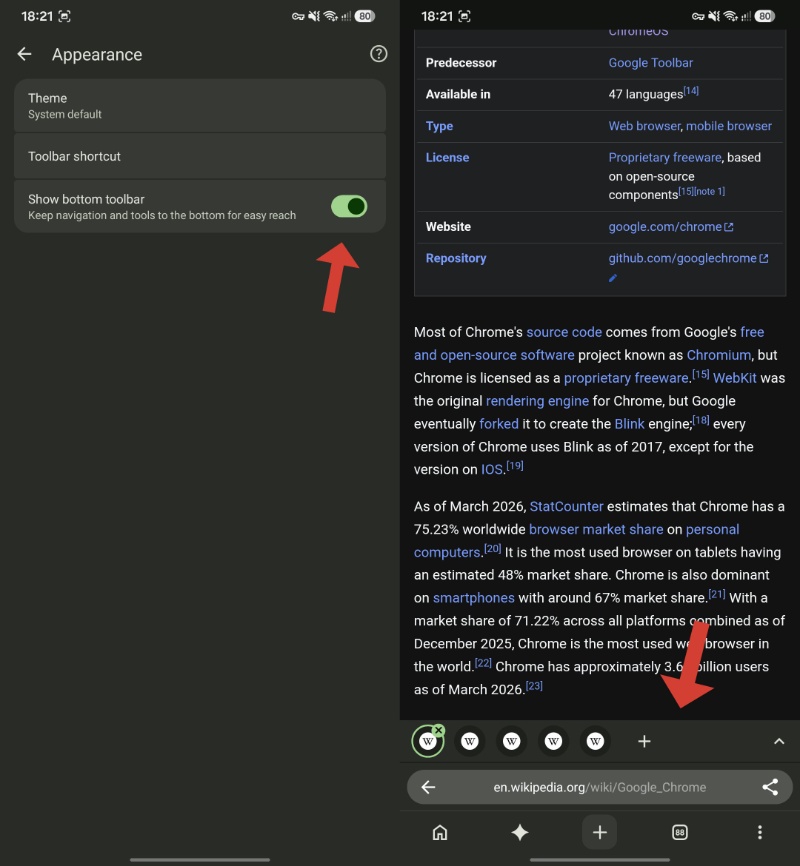
It has been a few months since Google rolled out the new bottom navigation bar in Chrome on Android. Even if you place the address bar at the top, a bottom navigation bar with the Gemini button, the New Tab button, and the tab switcher shows up.
Now, Google is testing a feature that lets you disable that bottom navigation bar entirely. This would basically revert Chrome to the old layout, with navigation controls located at the top of the browser.
Regardless of whether you have the address bar at the top or bottom, the navigation bar is currently persistent at the bottom. An upcoming update to Chrome might make it easier for you to get rid of it if you don’t like it.
It’s not like there’s no way to remove it at all in the current version of Chrome (stable). All you have to do is disable the “Android Bottom Bar” in chrome://flags. It appears that this new feature is directly integrating the option to disable the bottom navigation bar within the browser’s settings itself, so there’s no need to specifically disable a flag anymore.
The image below shows how the bottom of the browser looks when the navigation bar is enabled.
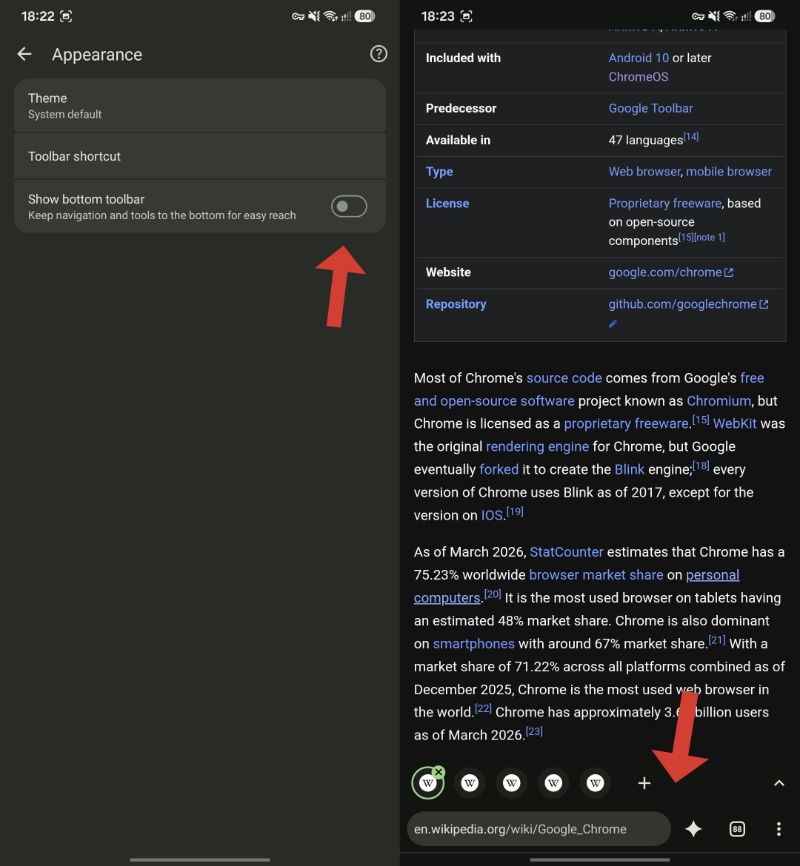
And now, with the toggle disabled, it removes the navigation options. Interestingly, the Gemini button doesn’t disappear when you remove the bottom navigation bar. Instead, it’s integrated directly into the address bar area now. If you’re still unfamiliar with the Gemini button in Chrome, we covered that here.
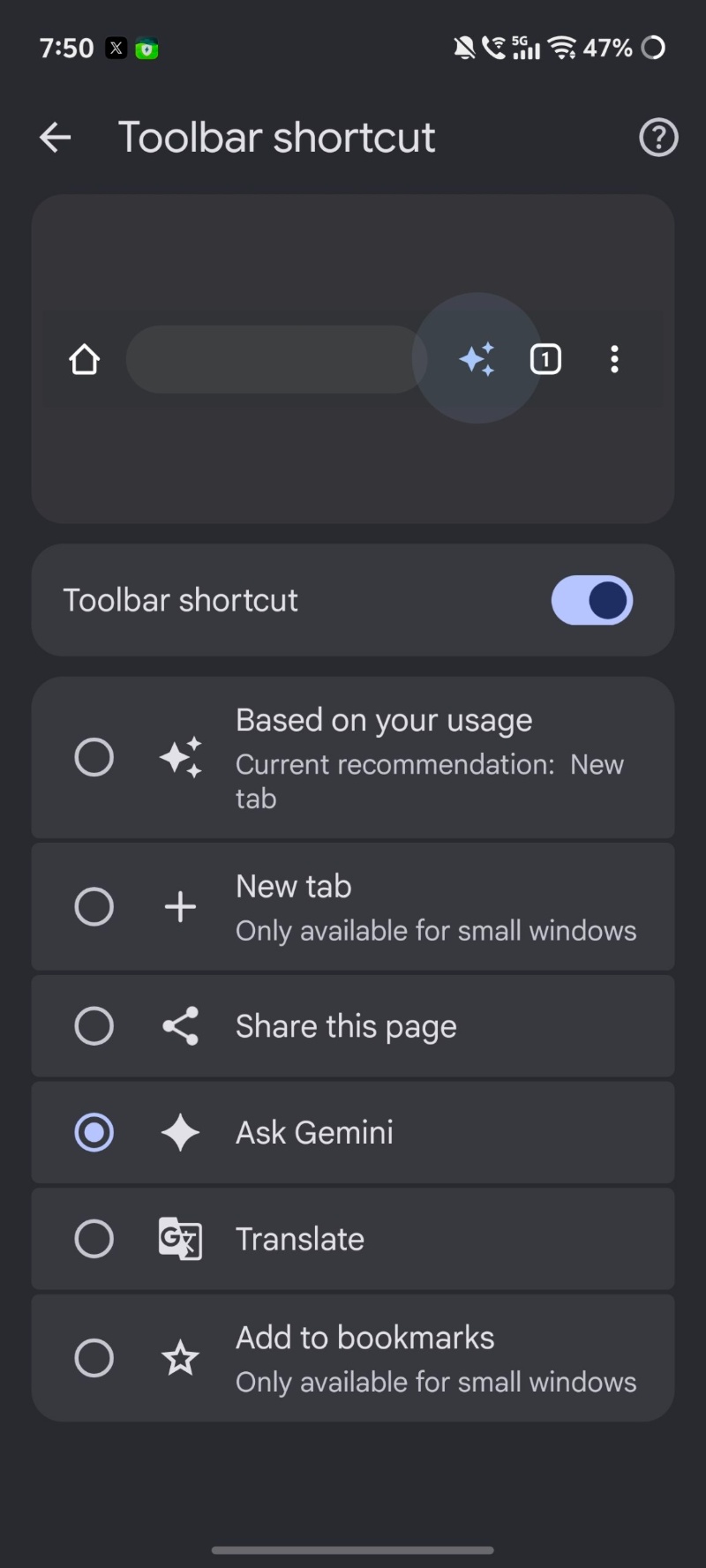
Moreover, you already have an option in Chrome Stable to customize the toolbar shortcut.
It’s worth noting that not all versions of Chrome Canary have received this feature yet. At the time of writing, I couldn’t find this option under Settings -> Appearance. There was no relevant flag to enable it either, so it’s probably rolling out in batches, even for Canary users. As a result, the public release timeline is unclear; we have no official word from Google either.
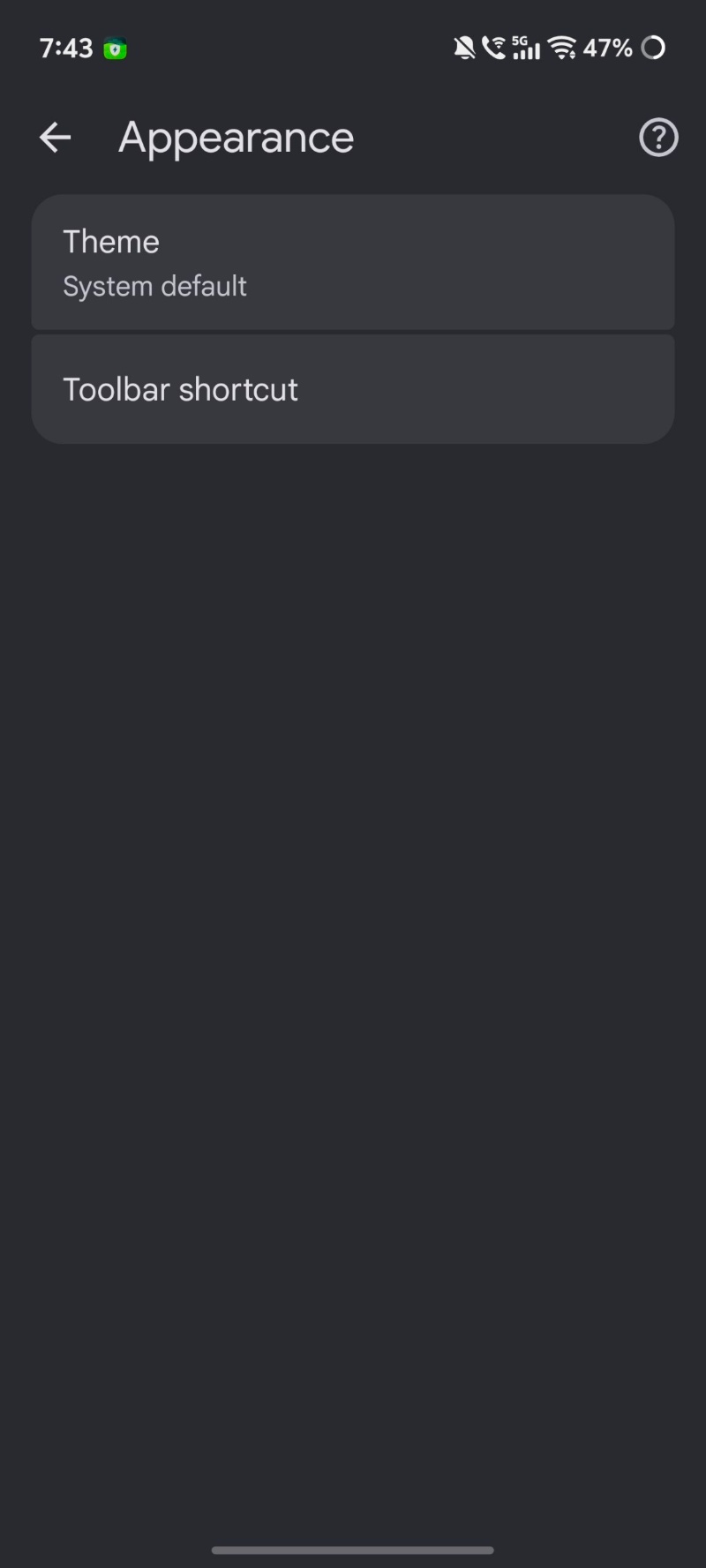
This information was initially reported by @Leopeva64 on X, and I have attached his post with the relevant media below.
In other Chrome news, the in-browser Gemini button that pulls up the bottom sheet has reached more countries, including India. More on that here.
Crux of the article in video form:

We stand out from the tech-media crowd because we break news stories; we mainly bring you stuff that you won’t find anywhere in the mainstream tech media. Our stories have been picked up by some of the world’s most popular websites and media outlets—more info is available here.

Sudhanshu K
321 Posts
I have been a consumer technology enthusiast for over 5 years. Thanks to my experience in software beta testing and product reviews, I've understood and learnt a lot about what bugs and issues bother people, and I spend time trying to simplify their solutions. I cover smartphones, software, social media, apps, AI, and most consumer tech gadgets. Actively pursuing a Computer Science bachelor’s degree. I'm mostly active on Twitter/X (@TechWhirlUlt), drop a DM or tag me if you want to share info or connect!