






The site access permissions that extensions receive by default when installed in Chrome will change. Currently, clicking "Add extension" grants them permission to access all sites. But in the future, they will only receive permission to access sites when you click the extension: https://t.co/jK8tWaJDan pic.twitter.com/hJrExGD4Pf
— Leopeva64 (@Leopeva64) October 3, 2026
You must be familiar with the “Add to Chrome” button for adding a new extension on the Chrome Web Store. Google is testing a major change to what’ll happen after that. Instead of the extension being added directly to the browser and being able to access all sites by default, you now get to choose when the extension can access websites, right from the first pop-up.
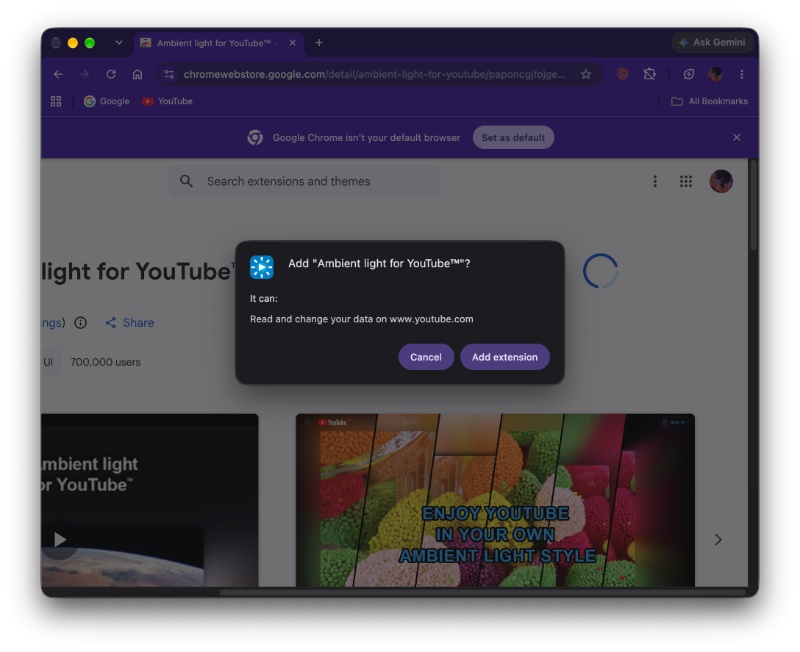
For more context, a screenshot attached below shows the behavior on the current version of Chrome. It displays some text about what the extension does, and there’s an “Add extension” button.
However, on Chrome Canary, the browser gives you options. You can pick between “When you click the extension” and “Always on all sites.” This is quite a major change, because if you choose the first option, the extension can only access websites whenever you click on it. At other times, it won’t have access to the website’s data.
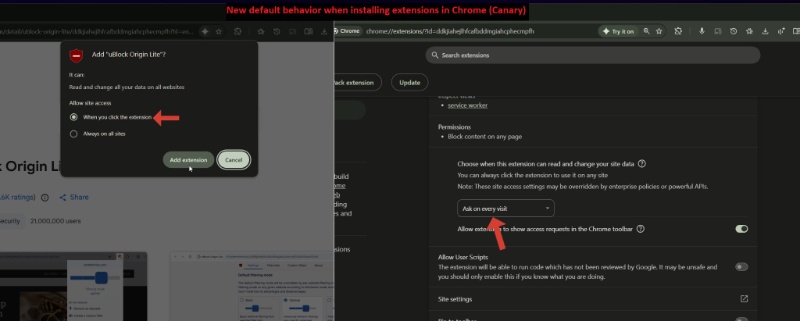
In our test, it didn’t impact the extensions that have already been added to Chrome. It only affects future extensions that you add. While we were unable to obtain the exact pop-up with the “When you click the extension” option on Chrome Canary, we were able to find the updated “Permissions” menu within the extension’s settings.
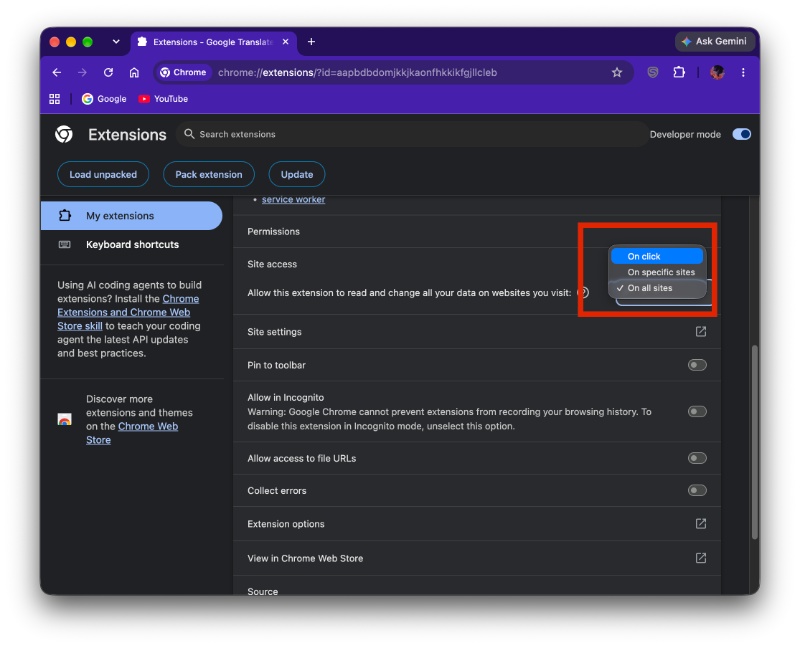
The screenshot below represents the old Permissions menu, which didn’t have the “Ask on every visit” option.
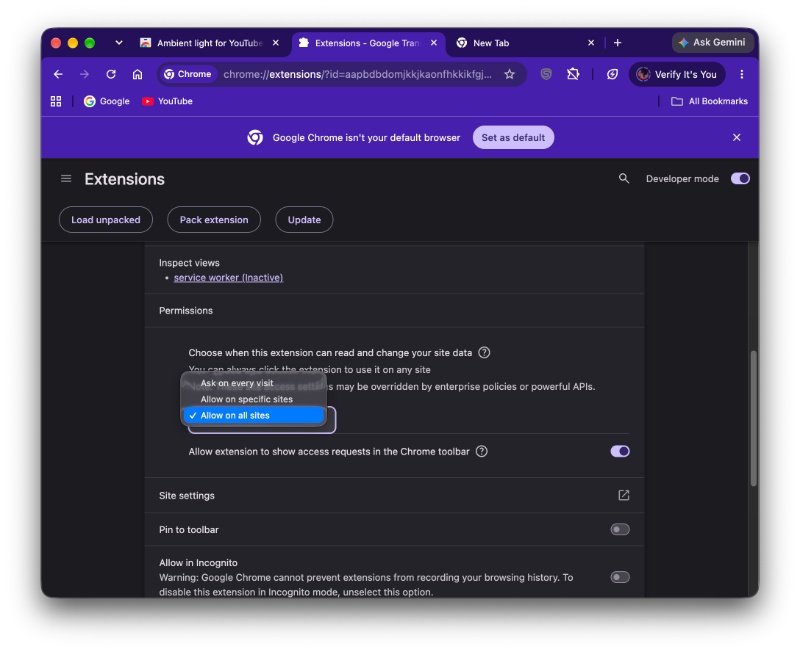
Now, in Chrome Canary, the option is present.
It’s worth noting that the option itself isn’t entirely new. On the stable version of Chrome, you can just select the “On click” option and reproduce the same. However, this option doesn’t appear immediately after you install an extension from the Store. You’ll need to manually enter the extension settings for that via the “Manage” button.
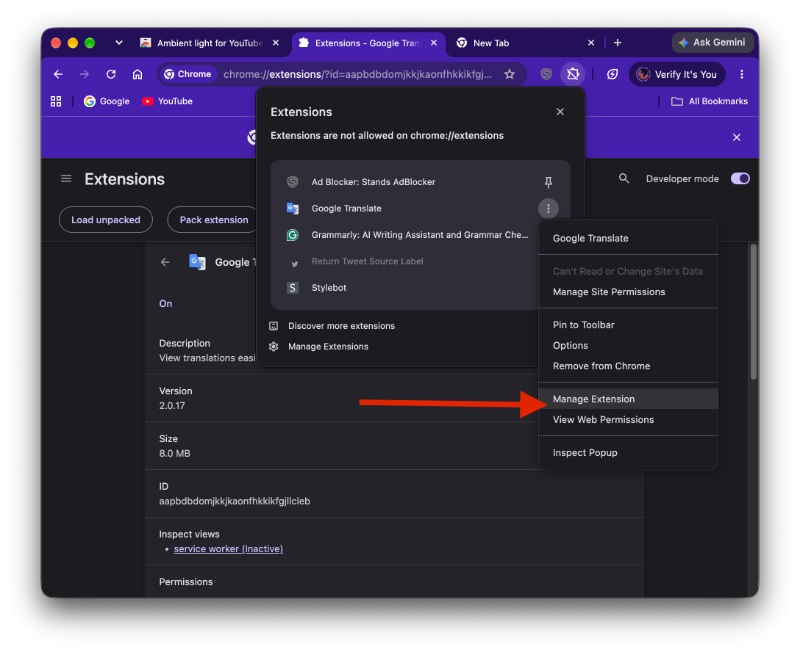
This change was initially spotted by @Leopeva64 on X, who has also attached a video demo and some media explaining the new feature. Google hasn’t officially announced a release timeline, so information is currently unclear about the stable release timeline.
We’ve covered several spooky stories about rogue extensions potentially accessing the user’s camera as well. There’s also malware that targets extensions specifically. If you use the new feature and only let extensions access websites when you click on them, it has the potential to drastically lower these security issues as a result of extension hijacking.
In other Chrome news, Google is likely preparing to expand the Gemini in Chrome “bottom sheet” feature to other regions soon. More on that here.

We stand out from the tech-media crowd because we break news stories; we mainly bring you stuff that you won’t find anywhere in the mainstream tech media. Our stories have been picked up by some of the world’s most popular websites and media outlets—more info is available here.

Sudhanshu K
311 Posts
I have been a consumer technology enthusiast for over 5 years. Thanks to my experience in software beta testing and product reviews, I've understood and learnt a lot about what bugs and issues bother people, and I spend time trying to simplify their solutions. I cover smartphones, software, social media, apps, AI, and most consumer tech gadgets. Actively pursuing a Computer Science bachelor’s degree. I'm mostly active on Twitter/X (@TechWhirlUlt), drop a DM or tag me if you want to share info or connect!