





On Android, the Gemini in Chrome feature — the direct button that opens the bottom sheet to access the chatbot is currently available in limited regions (like the US, for example). However, the latest version of Chrome Canary suggests that Google might be expanding the feature to more countries soon.
I opened the latest version of Chrome Canary to obtain screenshots for another article and noticed the Gemini button in the toolbar. It’s located to the right of the address bar, and it uses the Gemini logo.
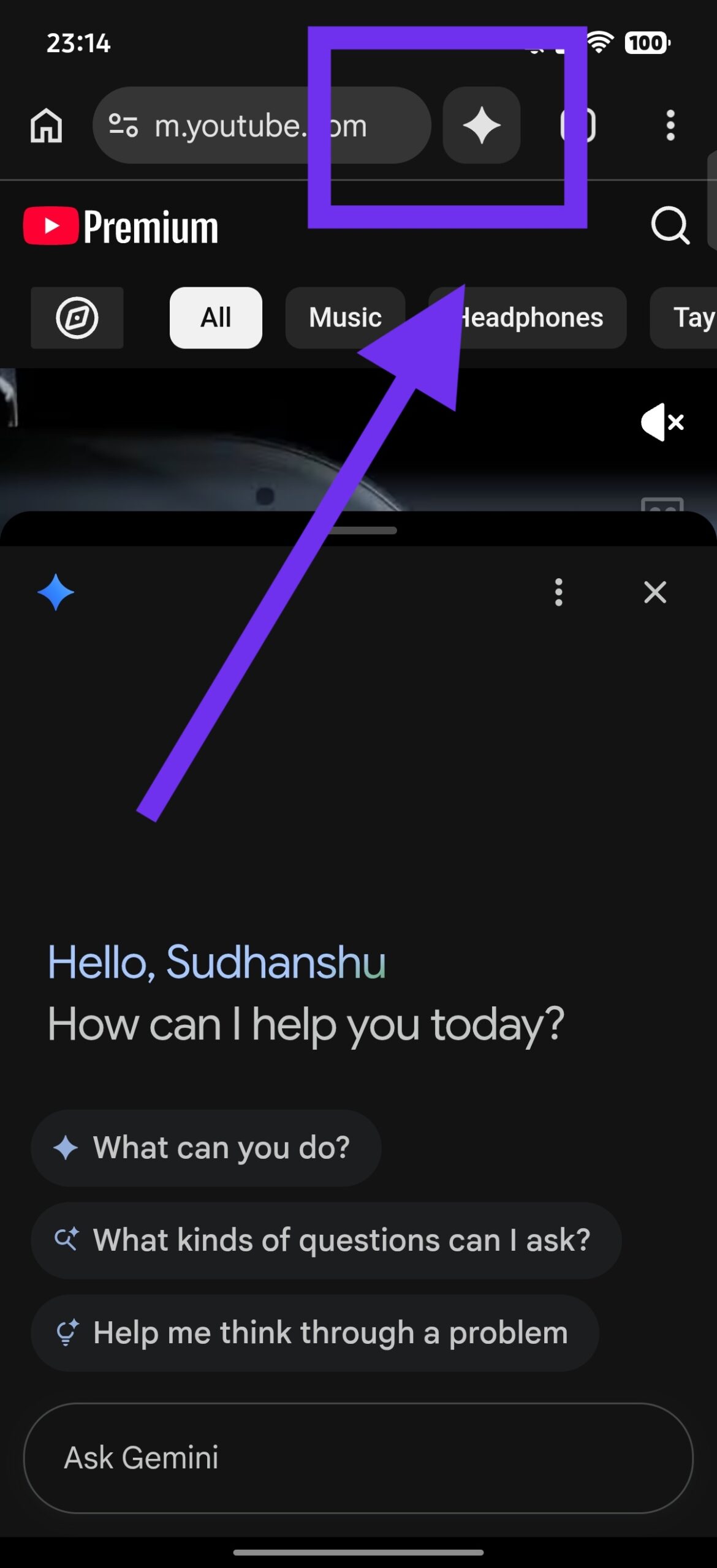
I didn’t have to enable any specific flags to get it to appear. It was present immediately on the latest version on some of my devices. However, upon further testing, we noticed that only a select few devices seem to have received the button on Chrome Canary. On some devices, it still doesn’t show up, suggesting that Google is running an A/B test in Canary.
At the time of writing, we’re not sure about the release timeframe for the public version in other regions. It could take a while, since it hasn’t even appeared for everyone in Chrome Canary yet. It’s worth noting that the feature itself isn’t entirely new. Some regions like the US already have it, and it might just be expanding to other countries soon.
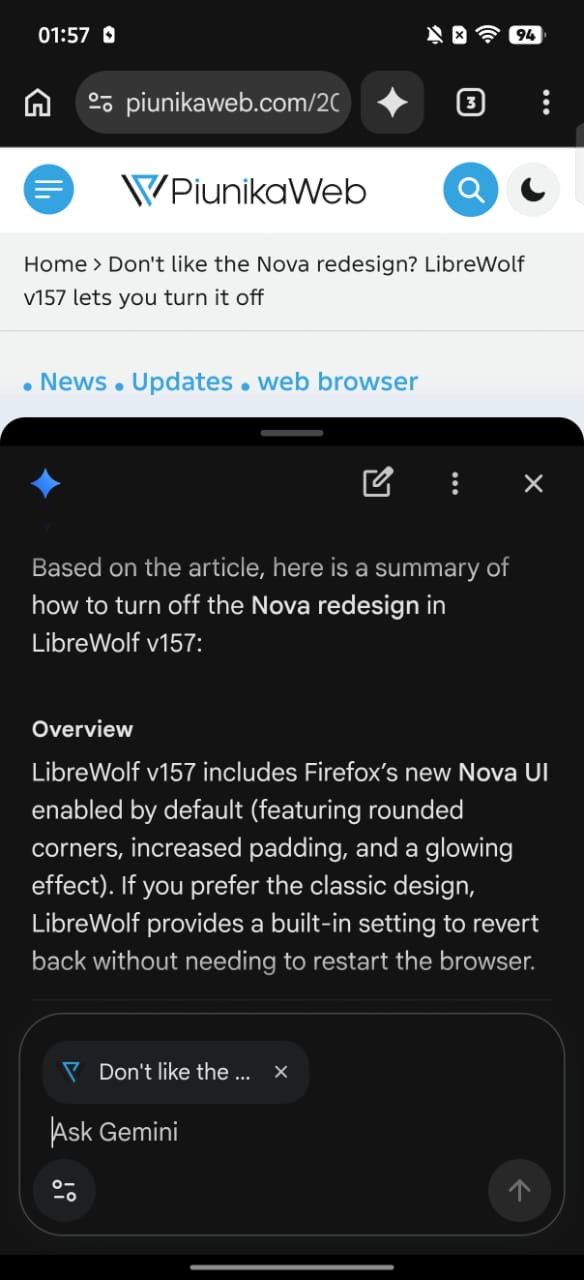
The feature is completely functional as well. For example, I asked it to summarize an article, and it worked.
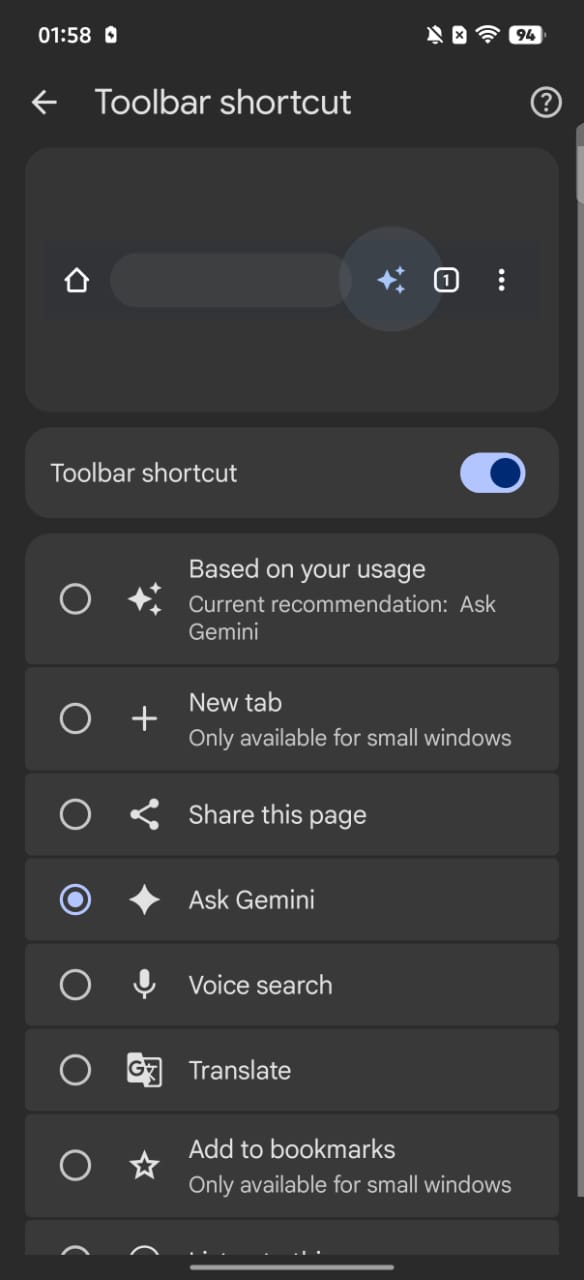
Long-pressing the Gemini icon takes you to the “Toolbar Shortcuts” page. If you don’t like the Gemini button and want to replace it with a function, you can do so from here.
We also were unable to find this feature on any of the stable versions of Chrome in our region (India), and no flag exists to enable it either.
To be clear, this isn’t the backup “Ask AI Mode” feature. It’s the full-fledged implementation of Gemini in Chrome on Android. The bottom sheet opens Gemini and gives you suggestions on what actions to perform.
In other Chrome news, the Canary version is testing an option to require biometric authentication for password autofill. More on that here.


Sudhanshu K
308 Posts
I have been a consumer technology enthusiast for over 5 years. Thanks to my experience in software beta testing and product reviews, I've understood and learnt a lot about what bugs and issues bother people, and I spend time trying to simplify their solutions. I cover smartphones, software, social media, apps, AI, and most consumer tech gadgets. Actively pursuing a Computer Science bachelor’s degree. I'm mostly active on Twitter/X (@TechWhirlUlt), drop a DM or tag me if you want to share info or connect!