






Over a year ago, Google tested a feature in Chrome for Android that required authentication before autofilling passwords, but it was removed shortly after and never reached stable. Well, this feature has been brought back in Canary and Google added a dedicated flag to enable it: https://t.co/h9x3XzvHzf pic.twitter.com/z0no85cmrt
— Leopeva64 (@Leopeva64) September 30, 2026
The latest version of Chrome Canary on Android is testing a feature where biometric authentication (via fingerprint) would be required to autofill passwords.
This feature was tested briefly more than a year ago, but never made it to the stable version. Now, Google has added it back to Chrome Canary, though you still have to enable a flag to try it out. It’s still not available as a direct feature.
If you want to try it out, open Chrome Canary and type chrome://flags in the address bar. Search for “Biometric reauth…” and enable that flag. Restart the browser, and the feature should theoretically work.
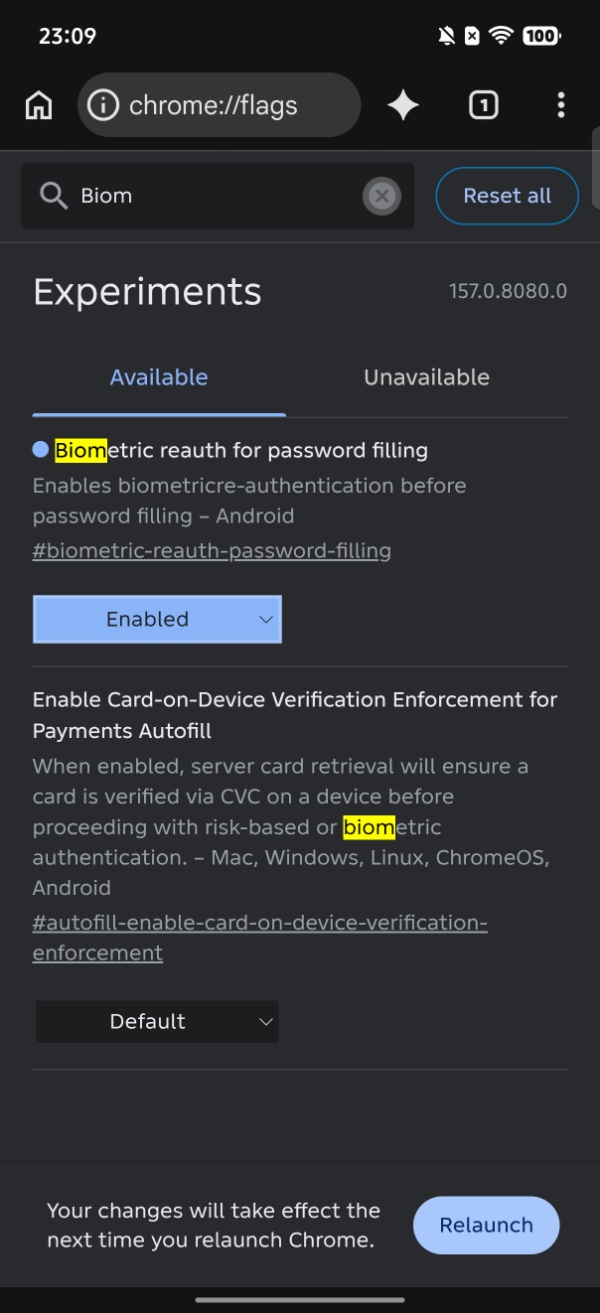
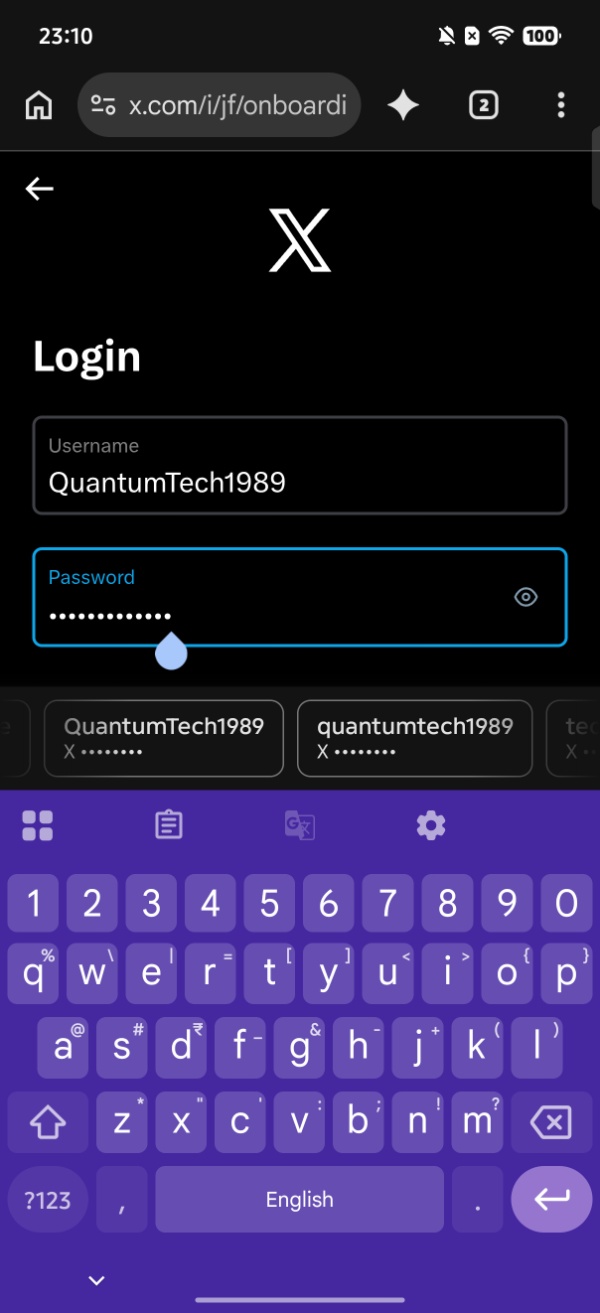
I enabled the flag on Canary and tried to autofill a password. However, the feature doesn’t seem to work at all. It didn’t ask me for my fingerprint and directly let me autofill all of my saved passwords. Since the feature is still an experimental flag in Canary, there’s a chance that it’s not fully ready yet. Future versions should refine the feature until it’s ready to ship. For now, enabling the biometric authentication flag does nothing in my case.
However, @Leopeva64 on X (the original source for this information) seems to have had better luck. After tapping the “Use saved password” button, the browser actually did ask to verify the fingerprint before proceeding with the password autofill. I have attached the post below, which includes photos and videos depicting the functionality.
I also tried restarting the browser to check whether the feature would work. However, it still autofills the password without asking for my fingerprint.
In other Chrome news, the gradual rollout for v155 has now begun. More on that here.

We stand out from the tech-media crowd because we break news stories; we mainly bring you stuff that you won’t find anywhere in the mainstream tech media. Our stories have been picked up by some of the world’s most popular websites and media outlets—more info is available here.

Sudhanshu K
305 Posts
I have been a consumer technology enthusiast for over 5 years. Thanks to my experience in software beta testing and product reviews, I've understood and learnt a lot about what bugs and issues bother people, and I spend time trying to simplify their solutions. I cover smartphones, software, social media, apps, AI, and most consumer tech gadgets. Actively pursuing a Computer Science bachelor’s degree. I'm mostly active on Twitter/X (@TechWhirlUlt), drop a DM or tag me if you want to share info or connect!